Replies (74)
Wait, can other people connect to it via onion?
Yes.
How to run Citrine's relay on your phone and allow other people to connect into it to download your posts directly from your phone via Tor 🤯🤯
 .
.
Here is how I got #citrine to work as both a local relay and as an exposed onion service as outbox relay on my phone. Thanks to
@Ryan for the idea!
Download Citrine and start as local relay
Open Orbot
Tap more
Tap onion hosted services
Tap user services
Tap +
Add any name to service
Add 4869 to both ports
Hit save
Exit from orbot
Restart orbot by closing out or force close
Restart orbot and connect orbot vpn again
Tap hosted services and copy new onion url
Open #Amethyst and go to relays
Add ws://yournewonionaddress. onion:4869 to outbox relay
Remove any other outbox relay
Hit save
@greenart7c3 @Vitor Pamplona @Derek Ross
#nostr
This is lit.
.
Here is how I got #citrine to work as both a local relay and as an exposed onion service as outbox relay on my phone. Thanks to
@Ryan for the idea!
Download Citrine and start as local relay
Open Orbot
Tap more
Tap onion hosted services
Tap user services
Tap +
Add any name to service
Add 4869 to both ports
Hit save
Exit from orbot
Restart orbot by closing out or force close
Restart orbot and connect orbot vpn again
Tap hosted services and copy new onion url
Open #Amethyst and go to relays
Add ws://yournewonionaddress. onion:4869 to outbox relay
Remove any other outbox relay
Hit save
@greenart7c3 @Vitor Pamplona @Derek Ross
#nostr
Damn, this is genius
.
Here is how I got #citrine to work as both a local relay and as an exposed onion service as outbox relay on my phone. Thanks to
@Ryan for the idea!
Download Citrine and start as local relay
Open Orbot
Tap more
Tap onion hosted services
Tap user services
Tap +
Add any name to service
Add 4869 to both ports
Hit save
Exit from orbot
Restart orbot by closing out or force close
Restart orbot and connect orbot vpn again
Tap hosted services and copy new onion url
Open #Amethyst and go to relays
Add ws://yournewonionaddress. onion:4869 to outbox relay
Remove any other outbox relay
Hit save
@greenart7c3 @Vitor Pamplona @Derek Ross
#nostr
Wouldn't this at this point mean turning Nostr into a P2P network? Or am I missing something?
Just outbox model with citrine being both local and exposed
"Just" 😅😅😅
I know some of those words.
Holy fuck 👀
son of a bitch, im in

I've just set it up.
Good stuff.
.
Here is how I got #citrine to work as both a local relay and as an exposed onion service as outbox relay on my phone. Thanks to
@Ryan for the idea!
Download Citrine and start as local relay
Open Orbot
Tap more
Tap onion hosted services
Tap user services
Tap +
Add any name to service
Add 4869 to both ports
Hit save
Exit from orbot
Restart orbot by closing out or force close
Restart orbot and connect orbot vpn again
Tap hosted services and copy new onion url
Open #Amethyst and go to relays
Add ws://yournewonionaddress. onion:4869 to outbox relay
Remove any other outbox relay
Hit save
@greenart7c3 @Vitor Pamplona @Derek Ross
#nostr
I always suspected this would be possible. Didn't realize it has always been possible 😂.
How should we call you, master?
@dluvian can your app do that?
 calle
calle
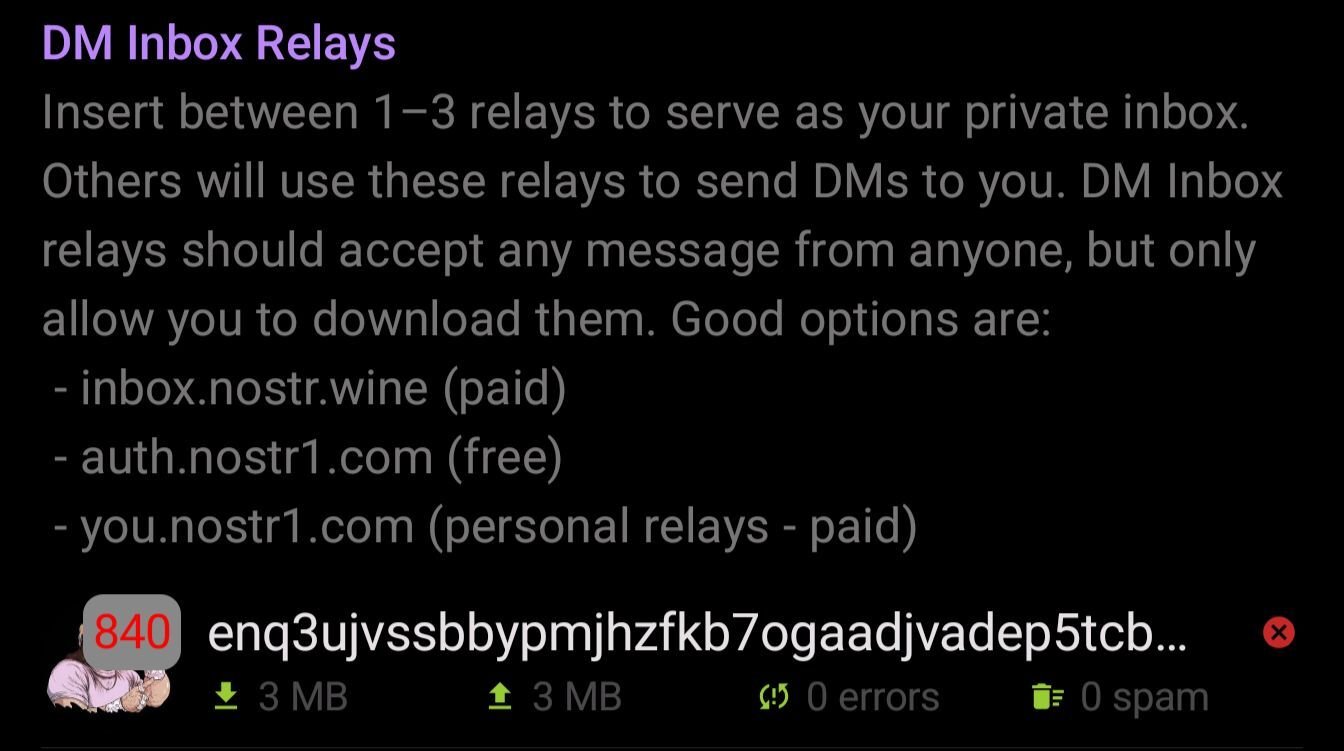
I've set up a Tor hidden service with a local Citrine relay running on my phone and added it to my DM relays.
You can now message me on nostr through Tor by directly connecting to my phone.
View quoted note →
This is very cool. If you do this remember to back up your hidden services secret key.
.
Here is how I got #citrine to work as both a local relay and as an exposed onion service as outbox relay on my phone. Thanks to
@Ryan for the idea!
Download Citrine and start as local relay
Open Orbot
Tap more
Tap onion hosted services
Tap user services
Tap +
Add any name to service
Add 4869 to both ports
Hit save
Exit from orbot
Restart orbot by closing out or force close
Restart orbot and connect orbot vpn again
Tap hosted services and copy new onion url
Open #Amethyst and go to relays
Add ws://yournewonionaddress. onion:4869 to outbox relay
Remove any other outbox relay
Hit save
@greenart7c3 @Vitor Pamplona @Derek Ross
#nostr
Does this work with any app? I'm going to test it on Primal/Android. I'm running my own relay but not transmitting via Tor.
Primal/Damus on IOS**
.
Here is how I got #citrine to work as both a local relay and as an exposed onion service as outbox relay on my phone. Thanks to
@Ryan for the idea!
Download Citrine and start as local relay
Open Orbot
Tap more
Tap onion hosted services
Tap user services
Tap +
Add any name to service
Add 4869 to both ports
Hit save
Exit from orbot
Restart orbot by closing out or force close
Restart orbot and connect orbot vpn again
Tap hosted services and copy new onion url
Open #Amethyst and go to relays
Add ws://yournewonionaddress. onion:4869 to outbox relay
Remove any other outbox relay
Hit save
@greenart7c3 @Vitor Pamplona @Derek Ross
#nostr
.
Here is how I got #citrine to work as both a local relay and as an exposed onion service as outbox relay on my phone. Thanks to
@Ryan for the idea!
Download Citrine and start as local relay
Open Orbot
Tap more
Tap onion hosted services
Tap user services
Tap +
Add any name to service
Add 4869 to both ports
Hit save
Exit from orbot
Restart orbot by closing out or force close
Restart orbot and connect orbot vpn again
Tap hosted services and copy new onion url
Open #Amethyst and go to relays
Add ws://yournewonionaddress. onion:4869 to outbox relay
Remove any other outbox relay
Hit save
@greenart7c3 @Vitor Pamplona @Derek Ross
#nostr
.
Here is how I got #citrine to work as both a local relay and as an exposed onion service as outbox relay on my phone. Thanks to
@Ryan for the idea!
Download Citrine and start as local relay
Open Orbot
Tap more
Tap onion hosted services
Tap user services
Tap +
Add any name to service
Add 4869 to both ports
Hit save
Exit from orbot
Restart orbot by closing out or force close
Restart orbot and connect orbot vpn again
Tap hosted services and copy new onion url
Open #Amethyst and go to relays
Add ws://yournewonionaddress. onion:4869 to outbox relay
Remove any other outbox relay
Hit save
@greenart7c3 @Vitor Pamplona @Derek Ross
#nostr
I couldn't get this to work. Is it ws:// or double like always?
ws://
Quite cool to get it all to flow through...what is the use case for this? Is it just having private relay on mobile? Cause you can private chat really well with Simplex chat even w/o self hosted Simplex relay
Simplex is cool, I use it.
The implication is that my notes are stored on my phone and that my notes are diacovered from my phone and that my private dm inbox is on my phone. No need for public relays outside of my device.
寝てる間にスマホで動いてる Citrine のローカルリレーから直接 Orbot で通信できる世界線が来てた🤯
.
Here is how I got #citrine to work as both a local relay and as an exposed onion service as outbox relay on my phone. Thanks to
@Ryan for the idea!
Download Citrine and start as local relay
Open Orbot
Tap more
Tap onion hosted services
Tap user services
Tap +
Add any name to service
Add 4869 to both ports
Hit save
Exit from orbot
Restart orbot by closing out or force close
Restart orbot and connect orbot vpn again
Tap hosted services and copy new onion url
Open #Amethyst and go to relays
Add ws://yournewonionaddress. onion:4869 to outbox relay
Remove any other outbox relay
Hit save
@greenart7c3 @Vitor Pamplona @Derek Ross
#nostr
How do I know of it's working?
This guide is amazing if you want to run an own relay inside your android phone and want to run it through Tor.
Technology is winning.....
.
Here is how I got #citrine to work as both a local relay and as an exposed onion service as outbox relay on my phone. Thanks to
@Ryan for the idea!
Download Citrine and start as local relay
Open Orbot
Tap more
Tap onion hosted services
Tap user services
Tap +
Add any name to service
Add 4869 to both ports
Hit save
Exit from orbot
Restart orbot by closing out or force close
Restart orbot and connect orbot vpn again
Tap hosted services and copy new onion url
Open #Amethyst and go to relays
Add ws://yournewonionaddress. onion:4869 to outbox relay
Remove any other outbox relay
Hit save
@greenart7c3 @Vitor Pamplona @Derek Ross
#nostr
In amethyst your relay section will tell you how many relays are connected, and on latest show you the ping time as well as relay error logs
When you note you can see which relays the note went to with the little drop down arrow on the left
plus your relay section should have green arrows showing read/ write etc
Before I log out for the day.
Do I need to broadcast any notes from this new feature?
few other relays also can work on andriod so long hiddenservice part is done corectly in orbot
problem in simplex contact+key+data all combined to be backed up GROWS
I can see it has errors in the relays section. Should we see connections in the citrine home page?
they need SEPARATE it in code
.
Here is how I got #citrine to work as both a local relay and as an exposed onion service as outbox relay on my phone. Thanks to
@Ryan for the idea!
Download Citrine and start as local relay
Open Orbot
Tap more
Tap onion hosted services
Tap user services
Tap +
Add any name to service
Add 4869 to both ports
Hit save
Exit from orbot
Restart orbot by closing out or force close
Restart orbot and connect orbot vpn again
Tap hosted services and copy new onion url
Open #Amethyst and go to relays
Add ws://yournewonionaddress. onion:4869 to outbox relay
Remove any other outbox relay
Hit save
@greenart7c3 @Vitor Pamplona @Derek Ross
#nostr
What does your battery drain look like?
.
Here is how I got #citrine to work as both a local relay and as an exposed onion service as outbox relay on my phone. Thanks to
@Ryan for the idea!
Download Citrine and start as local relay
Open Orbot
Tap more
Tap onion hosted services
Tap user services
Tap +
Add any name to service
Add 4869 to both ports
Hit save
Exit from orbot
Restart orbot by closing out or force close
Restart orbot and connect orbot vpn again
Tap hosted services and copy new onion url
Open #Amethyst and go to relays
Add ws://yournewonionaddress. onion:4869 to outbox relay
Remove any other outbox relay
Hit save
@greenart7c3 @Vitor Pamplona @Derek Ross
#nostr
high bandwidth data use also
citrine-universal-v0.4.3.apk
nostr-relay-tray-1.6.0.AppImage
pip install nostr-relay
3 r best for now - citrine easiest for non-tech
Want to set this up? Orbot, Citrine and Amethyst are all available on zap.store
1. Amber Amethyst Citrine Orbit
2. Fuck the fucking fuckers 🫡
.
Here is how I got #citrine to work as both a local relay and as an exposed onion service as outbox relay on my phone. Thanks to
@Ryan for the idea!
Download Citrine and start as local relay
Open Orbot
Tap more
Tap onion hosted services
Tap user services
Tap +
Add any name to service
Add 4869 to both ports
Hit save
Exit from orbot
Restart orbot by closing out or force close
Restart orbot and connect orbot vpn again
Tap hosted services and copy new onion url
Open #Amethyst and go to relays
Add ws://yournewonionaddress. onion:4869 to outbox relay
Remove any other outbox relay
Hit save
@greenart7c3 @Vitor Pamplona @Derek Ross
#nostr
More chats, more data, encrypted backed grows over time. There is a system option to delete older than a month per profile if someone wants auto purge. In any case it has features I like. What's your preferred chat app?
Couldn't that be added to all client apps to make your phone a relay. But nostr and the clients would have to dynamically choose relays. This way the relay system could be honestly decentralized.
u cannot backup contacts+restorekey only
data-of-chat must be separated
Well if we're doing wish list...on this topic...I would have it tell me size of all data included and have a slider bar that I could adjust the number of weeks per contact of chat history to include and tells me the resulting size of backup. Boom
what are relays in Nostr?
wwwww
Even if all relays would die, people still can dm you via your local relay in your phone. 🤯
Guide:
.
Here is how I got #citrine to work as both a local relay and as an exposed onion service as outbox relay on my phone. Thanks to
@Ryan for the idea!
Download Citrine and start as local relay
Open Orbot
Tap more
Tap onion hosted services
Tap user services
Tap +
Add any name to service
Add 4869 to both ports
Hit save
Exit from orbot
Restart orbot by closing out or force close
Restart orbot and connect orbot vpn again
Tap hosted services and copy new onion url
Open #Amethyst and go to relays
Add ws://yournewonionaddress. onion:4869 to outbox relay
Remove any other outbox relay
Hit save
@greenart7c3 @Vitor Pamplona @Derek Ross
#nostr
I'm as impressed by this as the next guy, but the one detail missing from the excitement is that this peering style requires Tor nodes to exist. "even if every relay went down, you could still connect to my phone!" Yes - as long as there are still Tor nodes.
This is an enormous leap forward for decentralized communications but I hope the next hop is in the direction of true peer to peer approaches that don't rely on Tor.
.
Here is how I got #citrine to work as both a local relay and as an exposed onion service as outbox relay on my phone. Thanks to
@Ryan for the idea!
Download Citrine and start as local relay
Open Orbot
Tap more
Tap onion hosted services
Tap user services
Tap +
Add any name to service
Add 4869 to both ports
Hit save
Exit from orbot
Restart orbot by closing out or force close
Restart orbot and connect orbot vpn again
Tap hosted services and copy new onion url
Open #Amethyst and go to relays
Add ws://yournewonionaddress. onion:4869 to outbox relay
Remove any other outbox relay
Hit save
@greenart7c3 @Vitor Pamplona @Derek Ross
#nostr
Safe to assume this doesn’t work for iPhone users, correct? Really want to share this with my iPhone frens
.
Here is how I got #citrine to work as both a local relay and as an exposed onion service as outbox relay on my phone. Thanks to
@Ryan for the idea!
Download Citrine and start as local relay
Open Orbot
Tap more
Tap onion hosted services
Tap user services
Tap +
Add any name to service
Add 4869 to both ports
Hit save
Exit from orbot
Restart orbot by closing out or force close
Restart orbot and connect orbot vpn again
Tap hosted services and copy new onion url
Open #Amethyst and go to relays
Add ws://yournewonionaddress. onion:4869 to outbox relay
Remove any other outbox relay
Hit save
@greenart7c3 @Vitor Pamplona @Derek Ross
#nostr
.
Here is how I got #citrine to work as both a local relay and as an exposed onion service as outbox relay on my phone. Thanks to
@Ryan for the idea!
Download Citrine and start as local relay
Open Orbot
Tap more
Tap onion hosted services
Tap user services
Tap +
Add any name to service
Add 4869 to both ports
Hit save
Exit from orbot
Restart orbot by closing out or force close
Restart orbot and connect orbot vpn again
Tap hosted services and copy new onion url
Open #Amethyst and go to relays
Add ws://yournewonionaddress. onion:4869 to outbox relay
Remove any other outbox relay
Hit save
@greenart7c3 @Vitor Pamplona @Derek Ross
#nostr
Just set this up with Citrine.
.
Here is how I got #citrine to work as both a local relay and as an exposed onion service as outbox relay on my phone. Thanks to
@Ryan for the idea!
Download Citrine and start as local relay
Open Orbot
Tap more
Tap onion hosted services
Tap user services
Tap +
Add any name to service
Add 4869 to both ports
Hit save
Exit from orbot
Restart orbot by closing out or force close
Restart orbot and connect orbot vpn again
Tap hosted services and copy new onion url
Open #Amethyst and go to relays
Add ws://yournewonionaddress. onion:4869 to outbox relay
Remove any other outbox relay
Hit save
@greenart7c3 @Vitor Pamplona @Derek Ross
#nostr
Yes:
.
Here is how I got #citrine to work as both a local relay and as an exposed onion service as outbox relay on my phone. Thanks to
@Ryan for the idea!
Download Citrine and start as local relay
Open Orbot
Tap more
Tap onion hosted services
Tap user services
Tap +
Add any name to service
Add 4869 to both ports
Hit save
Exit from orbot
Restart orbot by closing out or force close
Restart orbot and connect orbot vpn again
Tap hosted services and copy new onion url
Open #Amethyst and go to relays
Add ws://yournewonionaddress. onion:4869 to outbox relay
Remove any other outbox relay
Hit save
@greenart7c3 @Vitor Pamplona @Derek Ross
#nostr
Phone to Phone private giftwrapped encrypted DMs. That's pretty badass, given the state of the world.
.
Here is how I got #citrine to work as both a local relay and as an exposed onion service as outbox relay on my phone. Thanks to
@Ryan for the idea!
Download Citrine and start as local relay
Open Orbot
Tap more
Tap onion hosted services
Tap user services
Tap +
Add any name to service
Add 4869 to both ports
Hit save
Exit from orbot
Restart orbot by closing out or force close
Restart orbot and connect orbot vpn again
Tap hosted services and copy new onion url
Open #Amethyst and go to relays
Add ws://yournewonionaddress. onion:4869 to outbox relay
Remove any other outbox relay
Hit save
@greenart7c3 @Vitor Pamplona @Derek Ross
#nostr
Relay móvil configurado ✅
* Citrine vía Tor configurado para Outbox y Local relay.
Ahora respaldo mis notas e interacciones también aquí y los Draft son solo míos
Notas que me han permitido hacerlo:
* Relays 101
View article →
* Configurar Citrine + Tor
.
Here is how I got #citrine to work as both a local relay and as an exposed onion service as outbox relay on my phone. Thanks to
@Ryan for the idea!
Download Citrine and start as local relay
Open Orbot
Tap more
Tap onion hosted services
Tap user services
Tap +
Add any name to service
Add 4869 to both ports
Hit save
Exit from orbot
Restart orbot by closing out or force close
Restart orbot and connect orbot vpn again
Tap hosted services and copy new onion url
Open #Amethyst and go to relays
Add ws://yournewonionaddress. onion:4869 to outbox relay
Remove any other outbox relay
Hit save
@greenart7c3 @Vitor Pamplona @Derek Ross
#nostr

So after running my citrine relay like this for a bit but I found out it was quickly being used by more people than just me and for more than just a DM inbox and found events stored on my phone that I dident want (ai porn, bot posts and the like)
I tryed setting citrine to only accept events from me and to only allow events refering to me (in the hope of not blocking DMs) but thats seems to not be working.
Gonna close off citrine again but its fun to know that i can open it up. Might open it up again if I can filter what gets in the relay better but for now I prefer to have it as a local backup.
If you use nostrudel on your phone you can go to your relays add citrine, click on it and nostrudel will show you what notes are coming from the relay (if I understand the feature corectly) I was also able to kind of double check and confirm that it wasn't just me using the relay because I told Citrine to delete anything that was more than a day old but to keep posts from me and my kind 1 stored events went from like 2,500 to around a thousand
So just a heads up for people out there if you start using your phone relay as a DM inbox relay. Very quickly can become used by people you don't want it to.
.
Here is how I got #citrine to work as both a local relay and as an exposed onion service as outbox relay on my phone. Thanks to
@Ryan for the idea!
Download Citrine and start as local relay
Open Orbot
Tap more
Tap onion hosted services
Tap user services
Tap +
Add any name to service
Add 4869 to both ports
Hit save
Exit from orbot
Restart orbot by closing out or force close
Restart orbot and connect orbot vpn again
Tap hosted services and copy new onion url
Open #Amethyst and go to relays
Add ws://yournewonionaddress. onion:4869 to outbox relay
Remove any other outbox relay
Hit save
@greenart7c3 @Vitor Pamplona @Derek Ross
#nostr
Is there any way to make Citrine work with wss instead of ws?
🤘 I got this working with amethyst but now I'm trying to make it work with 0xchat. If I set orbot as full device VPN it works but if I tunnel 0xchat individually 0xchat won't connect to the .onion relay. This happens with or without the proxy set in 0xchat. Amethyst seems to work with orbot in either app or VPN mode.
Has anyone had success getting this to work with 0xchat and orbot in app mode?
#0xchat #citrine #orbot
Do you have the option to set user onion hosts to 'when available'?
I'm not seeing that setting in 0xchat.
this one?
.
Here is how I got #citrine to work as both a local relay and as an exposed onion service as outbox relay on my phone. Thanks to
@Ryan for the idea!
Download Citrine and start as local relay
Open Orbot
Tap more
Tap onion hosted services
Tap user services
Tap +
Add any name to service
Add 4869 to both ports
Hit save
Exit from orbot
Restart orbot by closing out or force close
Restart orbot and connect orbot vpn again
Tap hosted services and copy new onion url
Open #Amethyst and go to relays
Add ws://yournewonionaddress. onion:4869 to outbox relay
Remove any other outbox relay
Hit save
@greenart7c3 @Vitor Pamplona @Derek Ross
#nostr
But check out this if you want to receive DMs directly on your phone:
.
Here is how I got #citrine to work as both a local relay and as an exposed onion service as outbox relay on my phone. Thanks to
@Ryan for the idea!
Download Citrine and start as local relay
Open Orbot
Tap more
Tap onion hosted services
Tap user services
Tap +
Add any name to service
Add 4869 to both ports
Hit save
Exit from orbot
Restart orbot by closing out or force close
Restart orbot and connect orbot vpn again
Tap hosted services and copy new onion url
Open #Amethyst and go to relays
Add ws://yournewonionaddress. onion:4869 to outbox relay
Remove any other outbox relay
Hit save
@greenart7c3 @Vitor Pamplona @Derek Ross
#nostr
This is much easier than I expected. Very nice!
.
Here is how I got #citrine to work as both a local relay and as an exposed onion service as outbox relay on my phone. Thanks to
@Ryan for the idea!
Download Citrine and start as local relay
Open Orbot
Tap more
Tap onion hosted services
Tap user services
Tap +
Add any name to service
Add 4869 to both ports
Hit save
Exit from orbot
Restart orbot by closing out or force close
Restart orbot and connect orbot vpn again
Tap hosted services and copy new onion url
Open #Amethyst and go to relays
Add ws://yournewonionaddress. onion:4869 to outbox relay
Remove any other outbox relay
Hit save
@greenart7c3 @Vitor Pamplona @Derek Ross
#nostr
Wasn't there a note with a screenshot of this working?
@Ryan @.? Trying to find it
 Ryan
Ryan
# Citrine setup
Go to the settings tab.
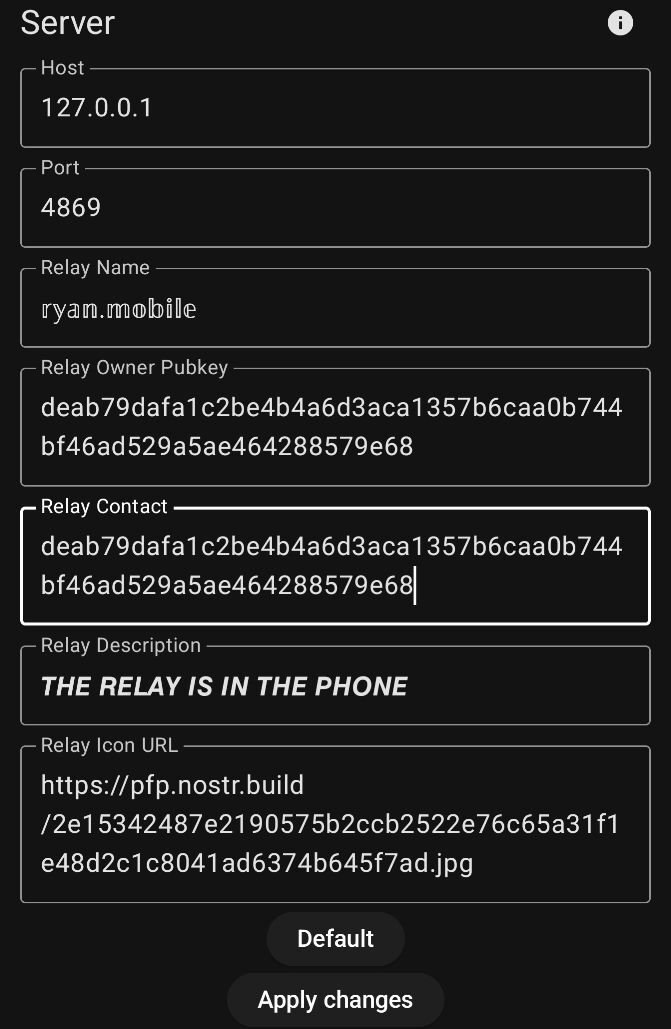
Fill things in as appropriate. Leave the network related settings default.
# Orbot setup
In orbot got to more/hosted onion services.
Add a new service.
Citrine uses port 4869, so set that for both ports. Name it anything. "Nostr" will do.
You will need to restart orbot after you save. Then you can go back and copy your onion service address.
# Amethyst Setup
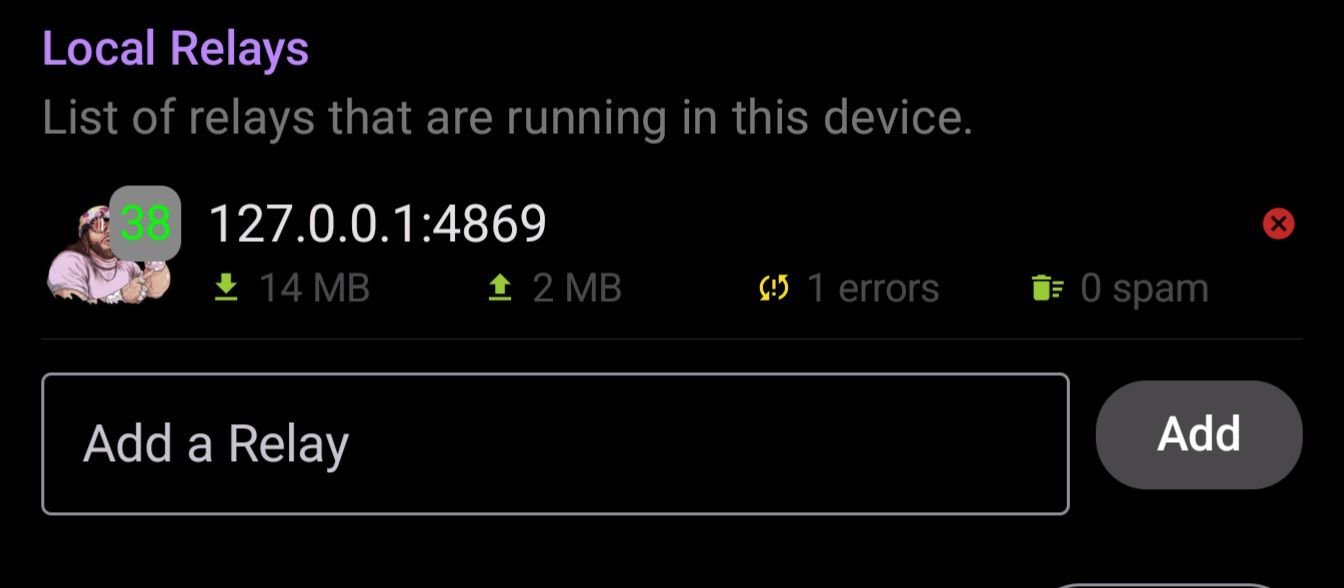
Add ws://ONIONADDRESS:4869 as an outbox and DM address in Amethyst. Also add ws://127.0.0.1:4869 as a local relay
This requires running Tor at all times!
😎👌
Thank you sir 🫡