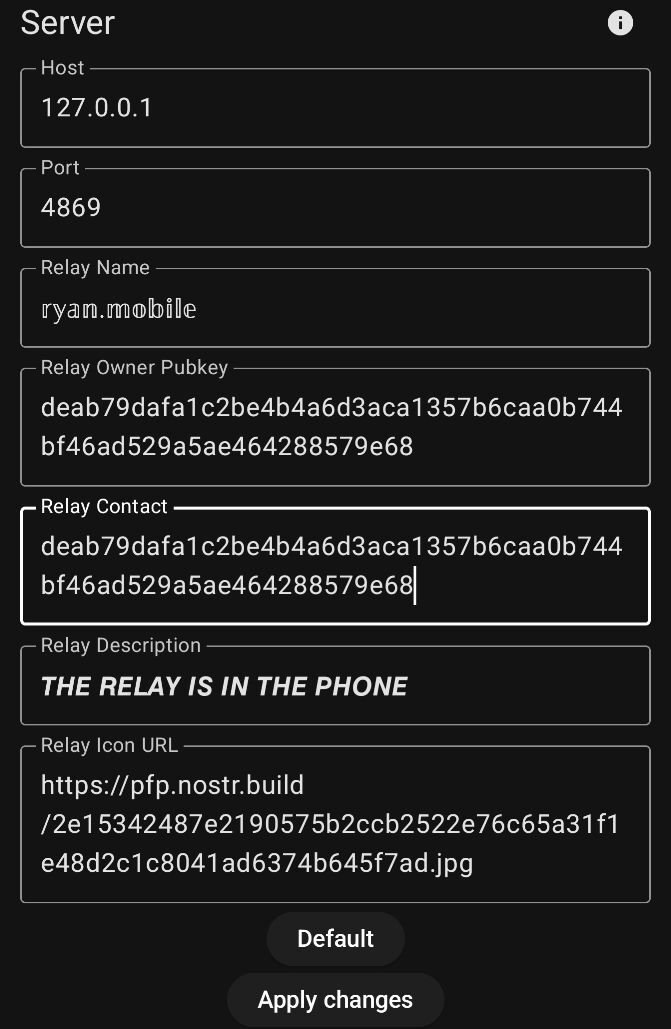
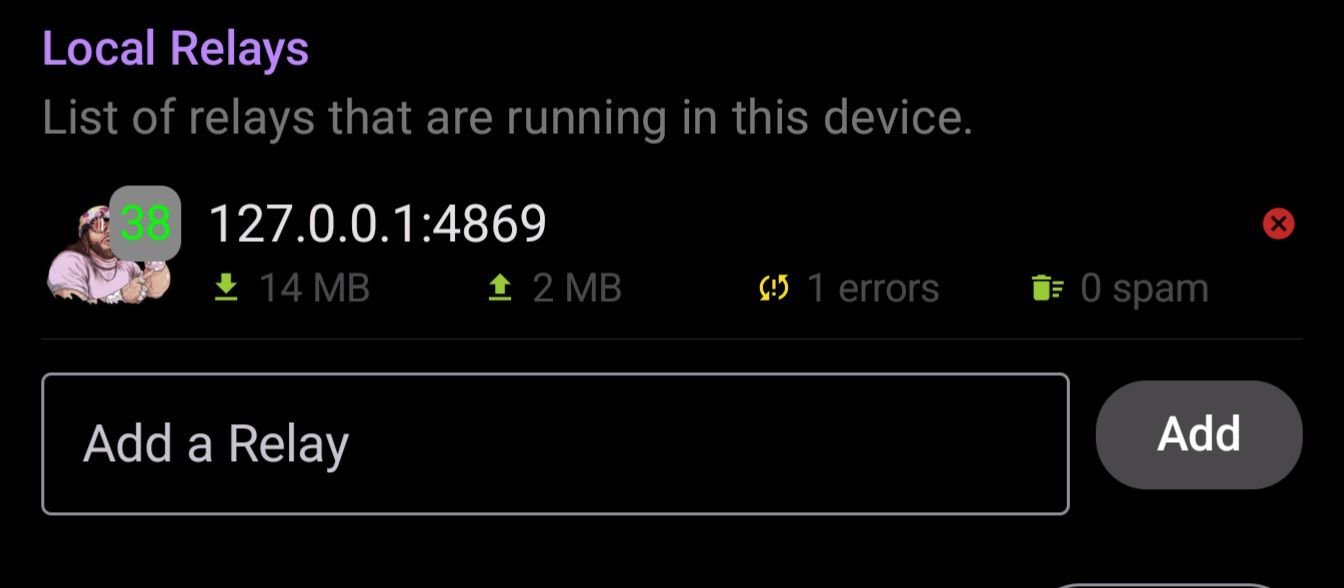
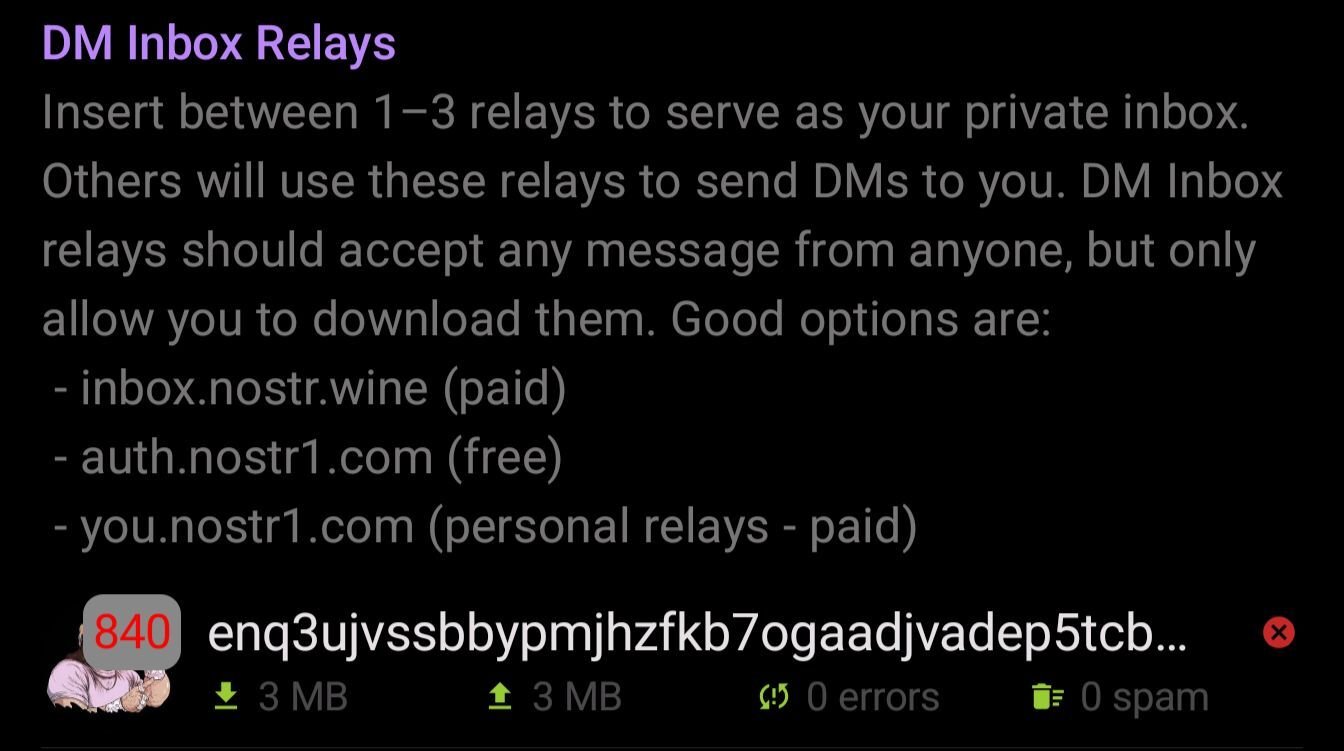
# Citrine setup Go to the settings tab. image Fill things in as appropriate. Leave the network related settings default. # Orbot setup In orbot got to more/hosted onion services. Add a new service. Citrine uses port 4869, so set that for both ports. Name it anything. "Nostr" will do. You will need to restart orbot after you save. Then you can go back and copy your onion service address. # Amethyst Setup Add ws://ONIONADDRESS:4869 as an outbox and DM address in Amethyst. Also add ws://127.0.0.1:4869 as a local relay This requires running Tor at all times! 😎👌

Replies (24)

Ryan's avatar Ryan
# Citrine setup Go to the settings tab. image Fill things in as appropriate. Leave the network related settings default. # Orbot setup In orbot got to more/hosted onion services. Add a new service. Citrine uses port 4869, so set that for both ports. Name it anything. "Nostr" will do. You will need to restart orbot after you save. Then you can go back and copy your onion service address. # Amethyst Setup Add ws://ONIONADDRESS:4869 as an outbox and DM address in Amethyst. Also add ws://127.0.0.1:4869 as a local relay This requires running Tor at all times! 😎👌
View quoted note →
After setting up, do all the previous DMs that were stored in different relays disappear if we only leave this relay for DMs? That's what I encountered.
That's a possibility. Mine did come back from other relays, but ymmv. This doesn't necessarily have to be your only DM relay either. It's more like a backup communication channel under your control. Hopefully we see more integration by the devs soon 🤙
Analogue Dog's avatar
Analogue Dog 1 year ago
Nostr clients should TOR route all traffic by default. Wider adoption is a pipe-dream until this happens.
👀 อันนี้น่าสน ว่าแต่ไม่ยากเกินไปใช่ไหม?
Ryan's avatar Ryan
# Citrine setup Go to the settings tab. image Fill things in as appropriate. Leave the network related settings default. # Orbot setup In orbot got to more/hosted onion services. Add a new service. Citrine uses port 4869, so set that for both ports. Name it anything. "Nostr" will do. You will need to restart orbot after you save. Then you can go back and copy your onion service address. # Amethyst Setup Add ws://ONIONADDRESS:4869 as an outbox and DM address in Amethyst. Also add ws://127.0.0.1:4869 as a local relay This requires running Tor at all times! 😎👌
View quoted note →
Thanks, I've done that a bunch of times. Tried most of the UI options ("exit", restart, delete and recreate onion service, etc.) and the same thing happens. Maybe it's a GrapheneOS thing..?
Yes 🤙 I don't run this anymore, I have a relay on a VPS, but it is possible.
Ryan's avatar Ryan
# Citrine setup Go to the settings tab. image Fill things in as appropriate. Leave the network related settings default. # Orbot setup In orbot got to more/hosted onion services. Add a new service. Citrine uses port 4869, so set that for both ports. Name it anything. "Nostr" will do. You will need to restart orbot after you save. Then you can go back and copy your onion service address. # Amethyst Setup Add ws://ONIONADDRESS:4869 as an outbox and DM address in Amethyst. Also add ws://127.0.0.1:4869 as a local relay This requires running Tor at all times! 😎👌
View quoted note →
Ryan's avatar Ryan
# Citrine setup Go to the settings tab. image Fill things in as appropriate. Leave the network related settings default. # Orbot setup In orbot got to more/hosted onion services. Add a new service. Citrine uses port 4869, so set that for both ports. Name it anything. "Nostr" will do. You will need to restart orbot after you save. Then you can go back and copy your onion service address. # Amethyst Setup Add ws://ONIONADDRESS:4869 as an outbox and DM address in Amethyst. Also add ws://127.0.0.1:4869 as a local relay This requires running Tor at all times! 😎👌

View quoted note →
It gives you a local backup of your notes, and secure storage for drafts and other notes that are better stored on a relay you control. Combined with Orbot you can have DMs that are transmitted entirely over Tor.
Ryan's avatar Ryan
# Citrine setup Go to the settings tab. image Fill things in as appropriate. Leave the network related settings default. # Orbot setup In orbot got to more/hosted onion services. Add a new service. Citrine uses port 4869, so set that for both ports. Name it anything. "Nostr" will do. You will need to restart orbot after you save. Then you can go back and copy your onion service address. # Amethyst Setup Add ws://ONIONADDRESS:4869 as an outbox and DM address in Amethyst. Also add ws://127.0.0.1:4869 as a local relay This requires running Tor at all times! 😎👌

View quoted note →
It makes a good local store for using Nostrudel on your phone. Also to hold drafts & other notes that are best held on a relay you control. It's also possible to run your own relay over Tor from your phone enabling more private communication, without the need of any other relays.
Ryan's avatar Ryan
# Citrine setup Go to the settings tab. image Fill things in as appropriate. Leave the network related settings default. # Orbot setup In orbot got to more/hosted onion services. Add a new service. Citrine uses port 4869, so set that for both ports. Name it anything. "Nostr" will do. You will need to restart orbot after you save. Then you can go back and copy your onion service address. # Amethyst Setup Add ws://ONIONADDRESS:4869 as an outbox and DM address in Amethyst. Also add ws://127.0.0.1:4869 as a local relay This requires running Tor at all times! 😎👌

View quoted note →