
#notedeck beta is now available to everyone!
let us know what you think!
make sure to watch the video to see what's new 👀
🚀 Damus Notedeck Beta Release 🚀
Today we're launching the beta version of our multiplatform nostr browser! Think google chrome but for nostr apps. The beta is our big first step toward this vision.
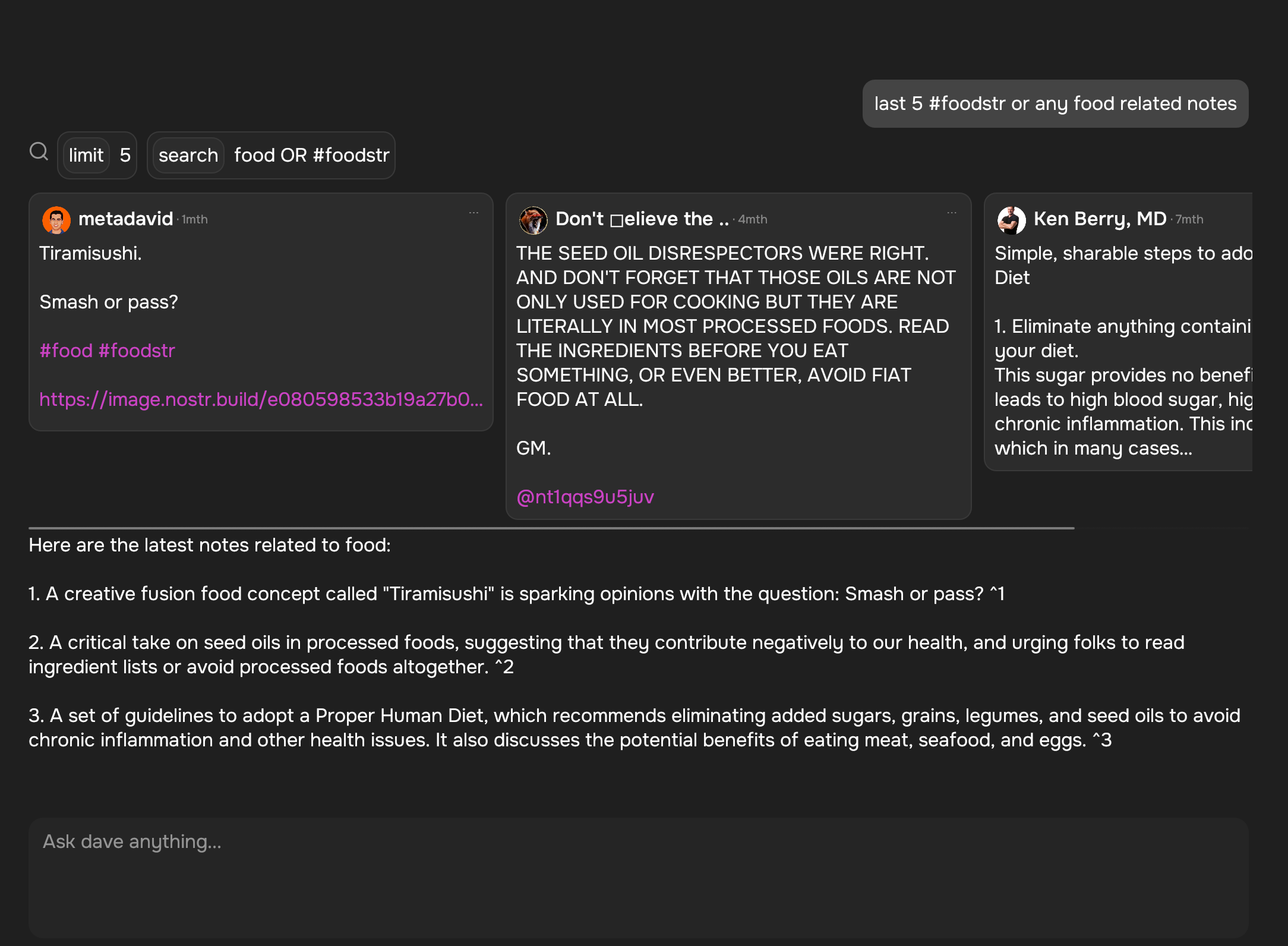
Included in the beta is the Dave, the nostr AI assistant (its grok for nostr). Dave is a new notedeck browser app that can search and summarize notes from the network. For a full breakdown of everything new, check out our beta launch video 👀
https://cdn.jb55.com/hls/notedeck-beta-release/master.m3u8
New in Notedeck Beta:
- Dave nostr ai assistant app
- GIFs!
- Fulltext note search
- Add full screen images, add zoom & pan
- Zaps! NWC/ Wallet ui
- Introduce last note per pubkey feed (experimental)
- Allow multiple media uploads per selection
- Major Android improvements (still wip)
- Added notedeck app sidebar
- User Tagging
- Note truncation
- Local network note broadcast, broadcast notes to other notedeck notes while you're offline
- Mute list support (reading)
- Relay list support
- Ctrl-enter to send notes
- Added relay indexing (relay columns soon)
- Click hashtags to open hashtag timeline
If you're a purple subscriber, make sure to *login* and download the beta here: https://damus.io/notedeck/install/ . if you're not logged in you will only see the Alpha release.
If you're not subscribed, you can get a subscription here: https://damus.io/purple/checkout/
Also make sure to check out the notedeck usability signal group to give feedback! https://signal.group/#CjQKINZJS0LBUTsTQbRW-nWUd6Dhkc6ojcBtyMrZcgThaRzEEhAstno8KLqs8E8J0qajLwir
Enjoy!
View quoted note →



 ''This version of %1 is not compatible with the windows version that is being executed''
It also tells me to get into to contact with you, so, here i am mister Bill
''This version of %1 is not compatible with the windows version that is being executed''
It also tells me to get into to contact with you, so, here i am mister Bill

