How to run a private DM relay over Tor.
#Amethyst #Citrine #Orbot
-- Citrine setup
Go to the settings tab. 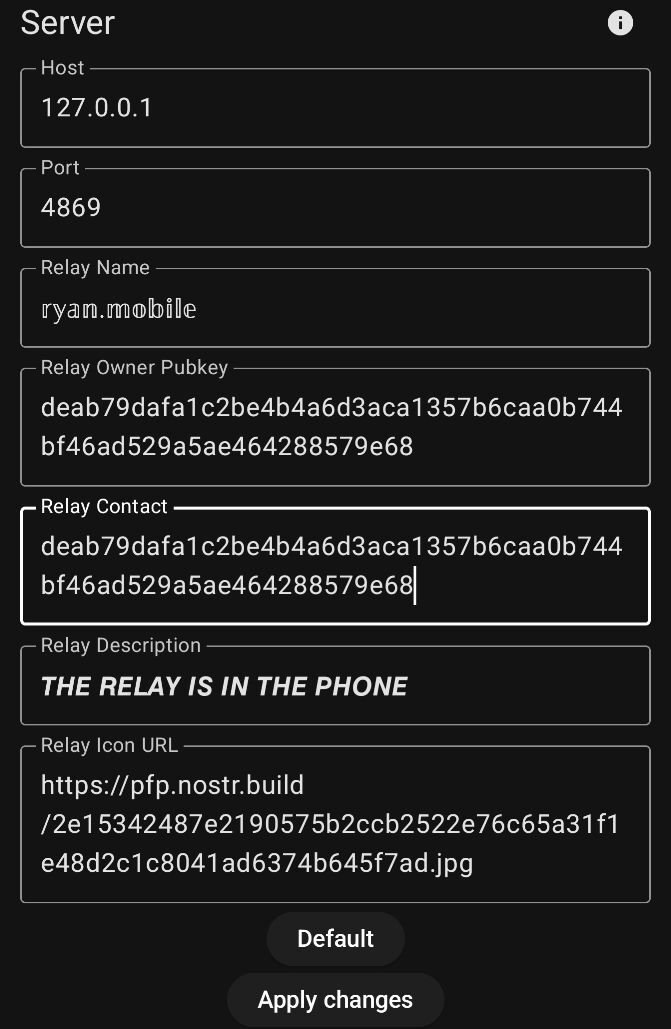 Fill things in as appropriate. Leave the network related settings default.
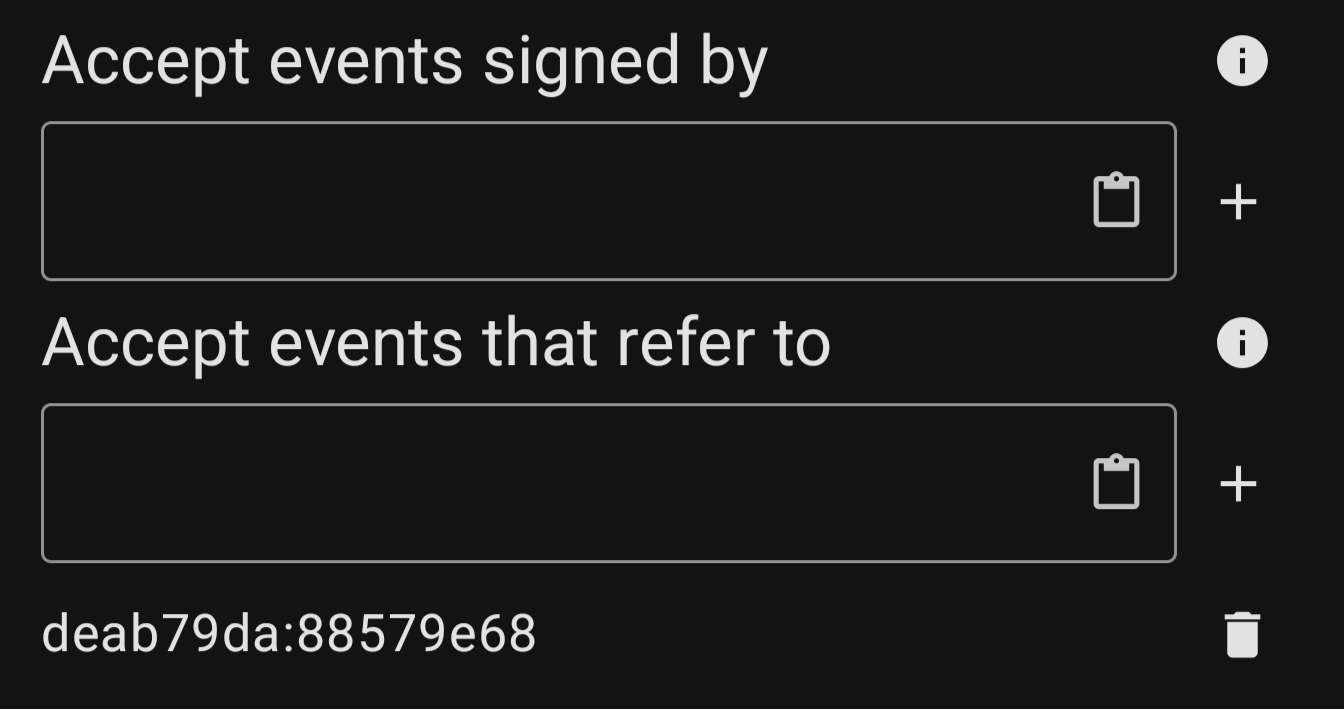 Under "Accept events that refer to" add your npub. This will keep extraneous events from clogging your relay, but still allow DM to function. Note: If you add your npub to "Accept events signed by" your DM partner will not be able to send messages to your relay. You would need to add their npub as well. Maybe a security feature?
-- Orbot setup
In orbot got to more > hosted onion services.
Add a new service.
Citrine uses port 4869, so set that for both ports. Name it anything. "Nostr" will do.
You will need to restart orbot after you save.
Then you can go back and copy your onion service address. You'll need it for the next step.
-- Amethyst Setup
Add ws://ONIONADDRESS:4869 as Outbox and DM relays in Amethyst.
Under "Accept events that refer to" add your npub. This will keep extraneous events from clogging your relay, but still allow DM to function. Note: If you add your npub to "Accept events signed by" your DM partner will not be able to send messages to your relay. You would need to add their npub as well. Maybe a security feature?
-- Orbot setup
In orbot got to more > hosted onion services.
Add a new service.
Citrine uses port 4869, so set that for both ports. Name it anything. "Nostr" will do.
You will need to restart orbot after you save.
Then you can go back and copy your onion service address. You'll need it for the next step.
-- Amethyst Setup
Add ws://ONIONADDRESS:4869 as Outbox and DM relays in Amethyst.
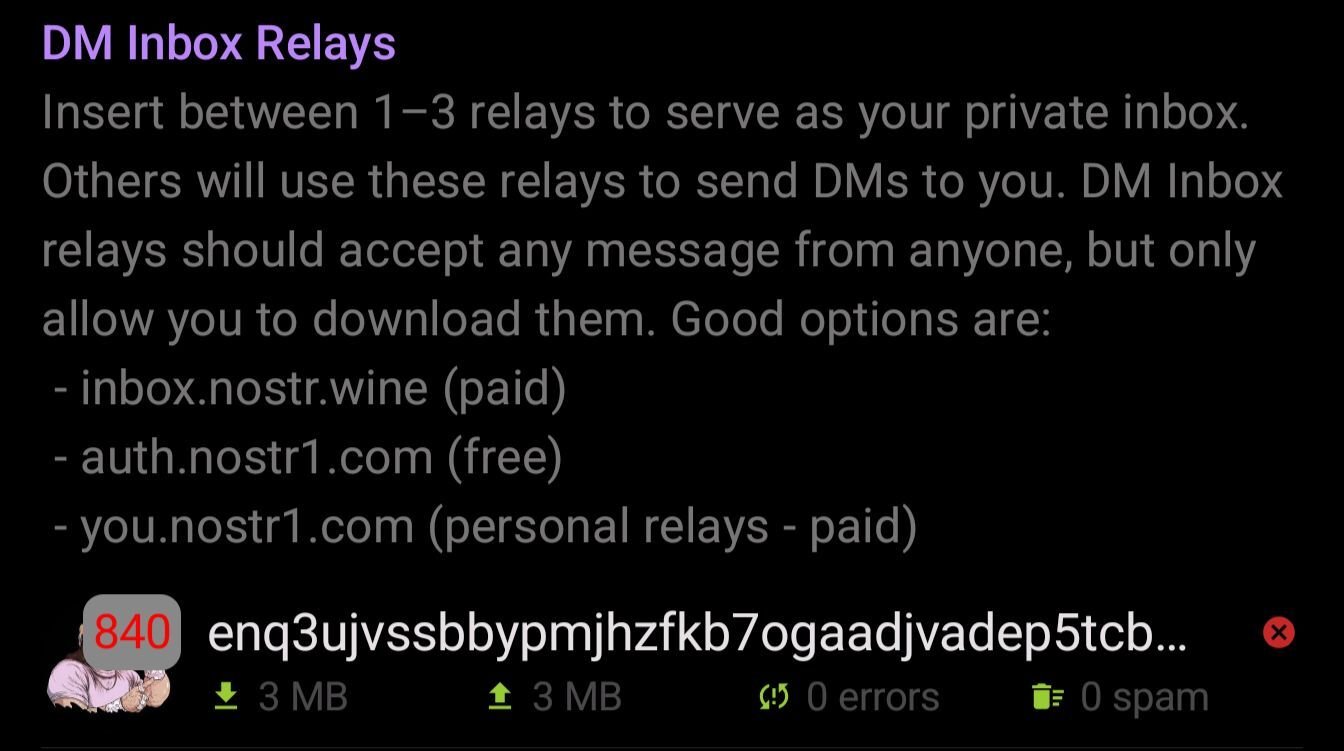 Also add ws://127.0.0.1:4869 as a local relay.
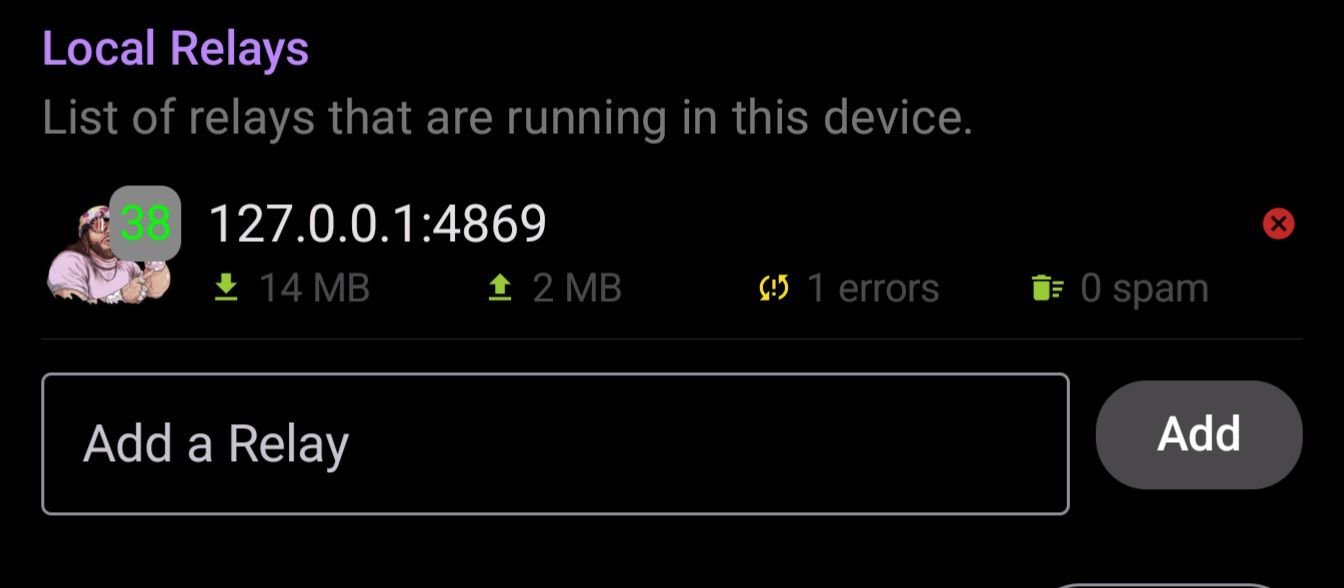 You should be able to check the relay info in Amethyst by clicking on the icon. It should now reflect what you have set in Citrine!
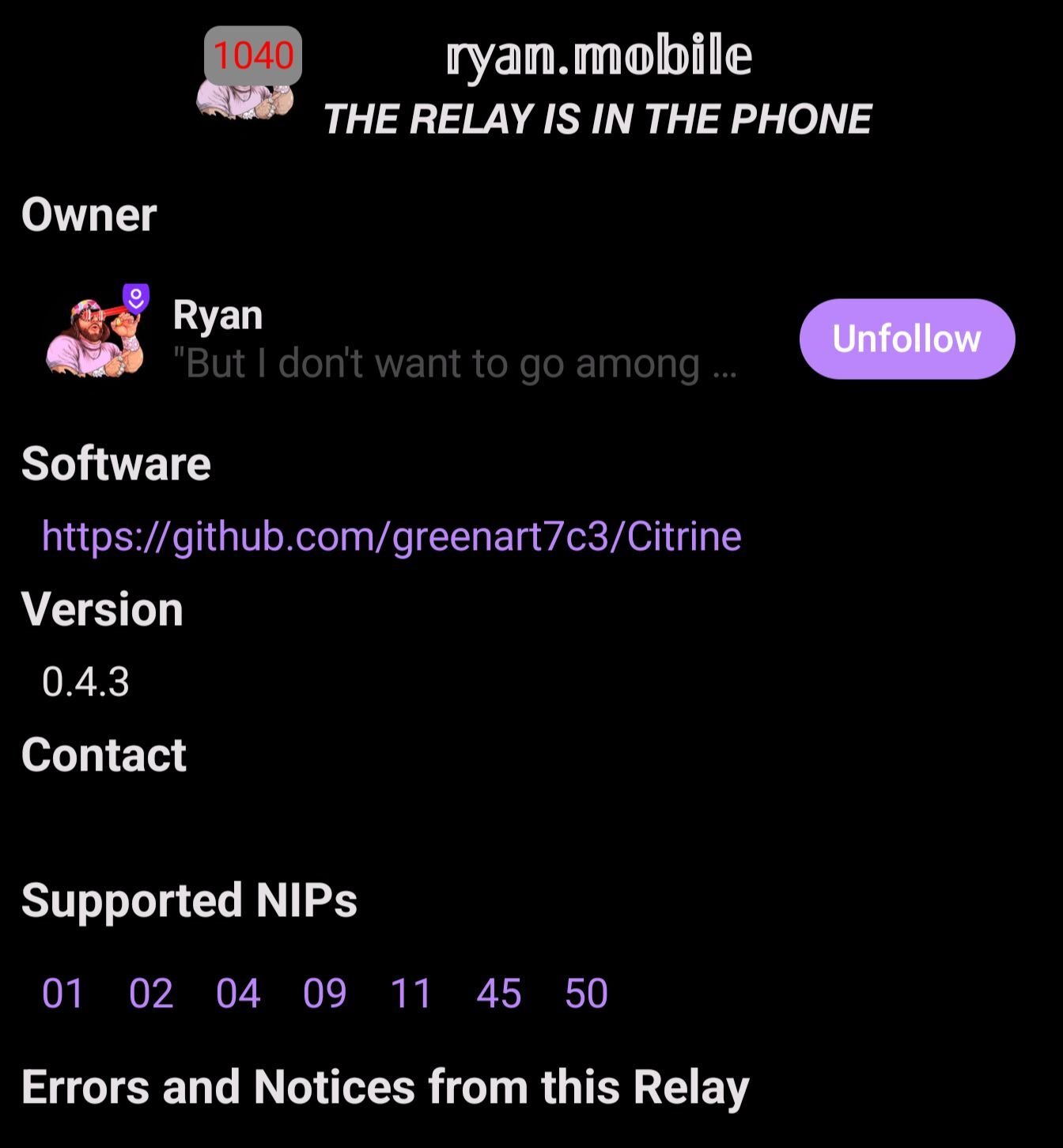 NOTE:
This requires running Tor at all times!
Anyone on the other end will also need to be running Tor to communicate with you over this relay, but not have the relay & service running. It would be better if they did though, then both sides of a DM conversation can be hosted on a private relay.
😎👌
Software required
NOTE:
This requires running Tor at all times!
Anyone on the other end will also need to be running Tor to communicate with you over this relay, but not have the relay & service running. It would be better if they did though, then both sides of a DM conversation can be hosted on a private relay.
😎👌
Software required


Fill things in as appropriate. Leave the network related settings default.
Under "Accept events that refer to" add your npub. This will keep extraneous events from clogging your relay, but still allow DM to function. Note: If you add your npub to "Accept events signed by" your DM partner will not be able to send messages to your relay. You would need to add their npub as well. Maybe a security feature?
-- Orbot setup
In orbot got to more > hosted onion services.
Add a new service.
Citrine uses port 4869, so set that for both ports. Name it anything. "Nostr" will do.
You will need to restart orbot after you save.
Then you can go back and copy your onion service address. You'll need it for the next step.
-- Amethyst Setup
Add ws://ONIONADDRESS:4869 as Outbox and DM relays in Amethyst.
Also add ws://127.0.0.1:4869 as a local relay.
You should be able to check the relay info in Amethyst by clicking on the icon. It should now reflect what you have set in Citrine!
NOTE:
This requires running Tor at all times!
Anyone on the other end will also need to be running Tor to communicate with you over this relay, but not have the relay & service running. It would be better if they did though, then both sides of a DM conversation can be hosted on a private relay.
😎👌
Software required
GitHub
GitHub - vitorpamplona/amethyst: Nostr client for Android
Nostr client for Android. Contribute to vitorpamplona/amethyst development by creating an account on GitHub.
GitHub
GitHub - greenart7c3/Citrine: A Nostr relay in your phone
A Nostr relay in your phone. Contribute to greenart7c3/Citrine development by creating an account on GitHub.
GitHub
GitHub - guardianproject/orbot-android: The Github home of Orbot: Tor on Android (Also available on gitlab!)
The Github home of Orbot: Tor on Android (Also available on gitlab!) - guardianproject/orbot-android

So after running my citrine relay like this for a bit but I found out it was quickly being used by more people than just me and for more than just a DM inbox and found events stored on my phone that I dident want (ai porn, bot posts and the like)
I tryed setting citrine to only accept events from me and to only allow events refering to me (in the hope of not blocking DMs) but thats seems to not be working.
Gonna close off citrine again but its fun to know that i can open it up. Might open it up again if I can filter what gets in the relay better but for now I prefer to have it as a local backup.
If you use nostrudel on your phone you can go to your relays add citrine, click on it and nostrudel will show you what notes are coming from the relay (if I understand the feature corectly) I was also able to kind of double check and confirm that it wasn't just me using the relay because I told Citrine to delete anything that was more than a day old but to keep posts from me and my kind 1 stored events went from like 2,500 to around a thousand
So just a heads up for people out there if you start using your phone relay as a DM inbox relay. Very quickly can become used by people you don't want it to.
View quoted note →
View quoted note →
View quoted note →