Replies (34)
I did not know this was a thing
Eh. More interested in UNIXlikes.
This is a pixel tablet?
Full monitor, with mouse and keyboard
Interesting 🤔
Do you mean pixel phone with usb c monitor and bluetooth mouse/keyboard?
Yep
Nice. But as Graphene user I am mostly worried about the direction of Google with more closed Android development.
Soon the only safe option will be linuxesque systems once the fully roll out their spy systems across all other platforms
why would android have a desktop mode?
Needs Pixel 8 or newer for the external monitor to work.
Damn Daniel.
Wen graphene hardware phones
Same
Because ChromeBooks are going away. They will all be Android
This is the stock OS screenshot (as the normal Google apps are there), but it should look very similar!
I'll make sure to try get some pics once we have a stable release, if everything is working right.
Wait a sec, I thought GrapheneOS was Pixel only and I didn't think Pixels supported video out. Interesting.
Some of our bundled apps may not look great in Desktop Mode because they are old AOSP apps. Our newer / modernised apps should.
Big reason why changing them is in the works.
App developers also should develop their apps with Desktop Mode support and responsive layouts, and get the ball rolling.
8th gen Pixels and later support USB-C DisplayPort Alt Mode. They had it for a while to prepare for this
I want this but different. I don't want android, I want real Linux.
In an ideal world I'd take my phone put it in a phone sized hole in my laptop and it would just extend to a full desktop. Then I could always take it out and go back to mobile view.
In the future, the phone will just be a hypervisor.
Likely not your solution but may interest you anyways.
View quoted note →
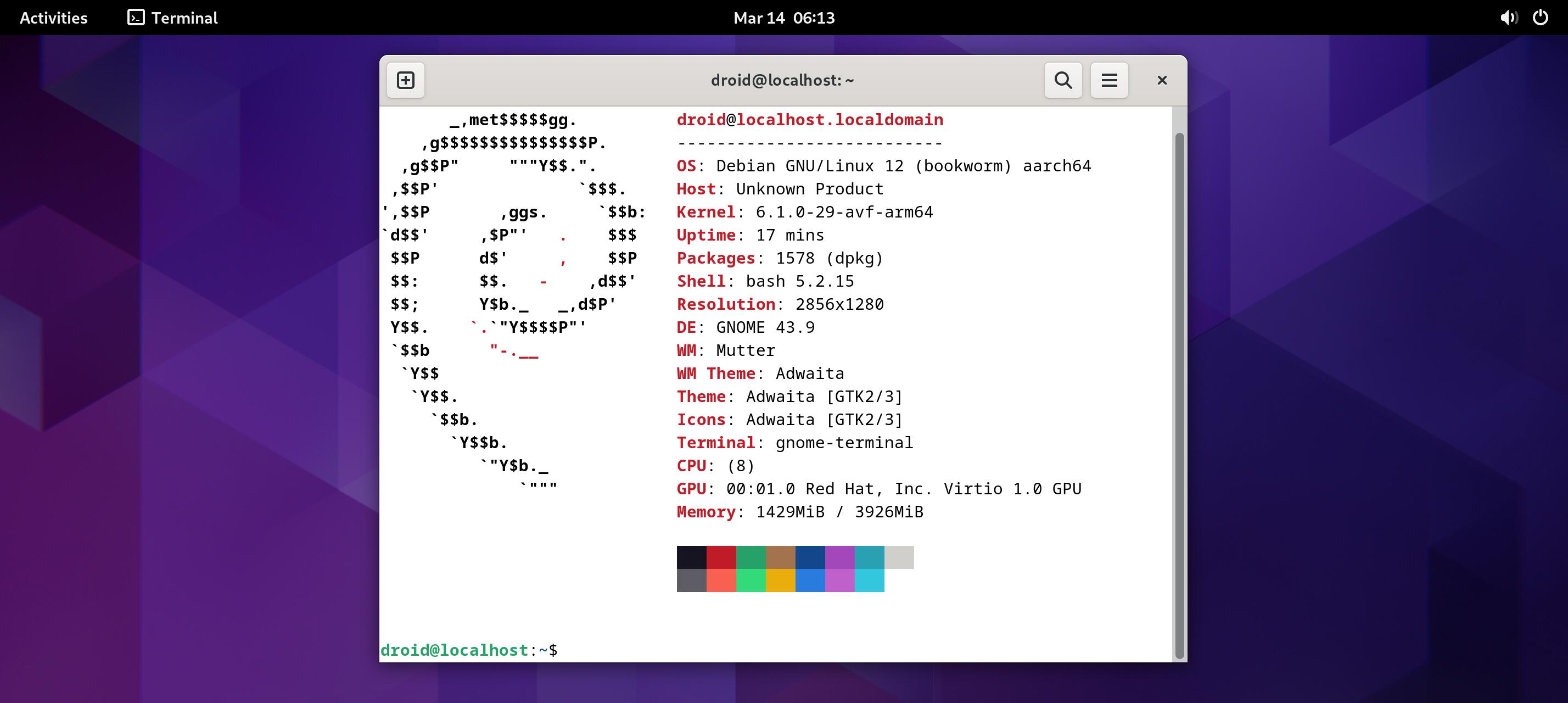
Android already supports virtualizing desktop operating systems. We want to work on supporting Desktop Linux or Windows ARM apps to run in their own overlayed Windows, or just running a GUI virtual machine (current stock OS only allows terminal).
 Final
Final
Say hello to GNOME on #GrapheneOS (credit tuxpizza)
KDE Plasma reported not to work in certain situations but ways to overcome being looked at. Here is footage of KDE (credit Bench)
Exciting! I don't know if I want a VM though. Better than nothing but perhaps there can be better solutions in the future.
Is there anything stopping dual booting PostmarketOS (or other mobile distros) and Android?
I don't think Linux works well on phones. Plus, it is nice if the desktop mode is isolated from your main system. If that crashes, the phone still works.
Vitor, o que você acha do FuchsiaOS?
I would like this too. I think one reason it is unworkable is that the android runtime (and thus android apps) are designed to economize the battery usage. This is one of the reasons multitasking on android is clunky -- its not the main feature.
Purism made a phone that sort of does what you want. So they claim, but from what I know they are big and slow AF. I wouldn't know because I never got mine -- beware of that company. They will take your money and send you a defective piece of crap or nothing at all.
Nunca usei :(
Working with a major OEM on this. Should things go well and we are on track then 2026 or 2027.
Chromecast-like? That would be awesome 👍
Yup. Also Samsung DEX has been a killer must have feature for years now
Such hardware exists, i remember i wanted to get something exactly like that for my Windows Mobile 6. 1 device back in 2009. It was like a laptop you could dock your HTC Tytn II into and it would switch to a larger 14 inch laptop display while recharging your phone. Basically just a laptop shell and battery. 👍 Manufacturers will probably start offering these again after Android 16 fully rolls out widely

"smartphone docking station with big screen and recharging
Docking stations that include a big screen for a smartphone are typically "lapdocks," which provide a screen, keyboard, and trackpad, using your phone as the processor. Alternatively, you can use a standard USB-C docking station with a portable monitor. Most of these setups also recharge the smartphone while it is connected.
Option 1: Lapdocks
This all-in-one approach transforms your phone into a laptop-like experience and is the closest modern equivalent to the original Motorola Lapdock.
NexDock: Offers a range of lapdocks that function as laptop shells, using your smartphone for processing power and including a built-in keyboard, battery, and screen.
UPERFECT UDock X: A 2-in-1 portable monitor lapdock that can connect to your phone wirelessly or via a cable. The built-in battery can also charge the connected device.
How it works: You connect a compatible phone via USB-C to the lapdock. The phone's desktop interface, like Samsung DeX or Motorola Smart Connect, is then displayed on the larger screen. "
"Option 2: Smartphone + USB-C dock + portable monitor
This modular approach is more flexible, allowing you to choose your preferred screen and docking hardware.
Setup: Connect your smartphone to a USB-C dock, which is then connected to a portable monitor. Many compact docking stations will be sufficient for this.
Portable monitor: Brands like Arzopa, KYY, and Lenovo offer a variety of portable monitors that are lightweight and have USB-C video input.
Docking station: A simple USB-C hub is all you need to add connections for power and a keyboard or mouse. For more demanding use, a higher-end dock will provide additional ports and more powerful charging.
Benefits: This offers more portability and a wider choice of screens. You can use the portable monitor with other devices, such as a laptop or game console.
Key features to look for
No matter which option you choose, your phone must support a desktop mode feature.
Samsung DeX: A software platform on flagship Samsung phones that provides a full desktop-like interface on an external monitor with resizable windows and multi-tasking support.
Motorola Smart Connect: A desktop and multimedia platform for compatible Motorola smartphones.
Android Desktop Mode: A native, though often experimental, feature in Android (version 10 or later) that can be enabled in the developer settings.
Limitations to consider
Performance: The speed of your desktop experience will be limited by your phone's processor. It is suitable for light productivity tasks but is not a full PC replacement.
Compatibility: Not all Android phones support a full desktop mode. Check that your specific phone model works with a "ready for" feature like DeX or Smart Connect.
Wired vs. Wireless: A wired USB-C connection is generally more reliable for video output and charging than a wireless connection. Wireless setups may use Miracast and Bluetooth, which can introduce lag. "
Using graphene OS desktop mode to check your gmail, lolol
I think that image is the default for AOSP. 😁