Here is a secure way to create a new nostr account.
Amber can create a nostr public and private key. These are called npub and nsec. You give out your npub and keep your nsec safe.
Amber is an Android nostr signer that keeps your private key safe on your device, so you don't have to plug it into a bunch of nostr apps you want to log in and try.
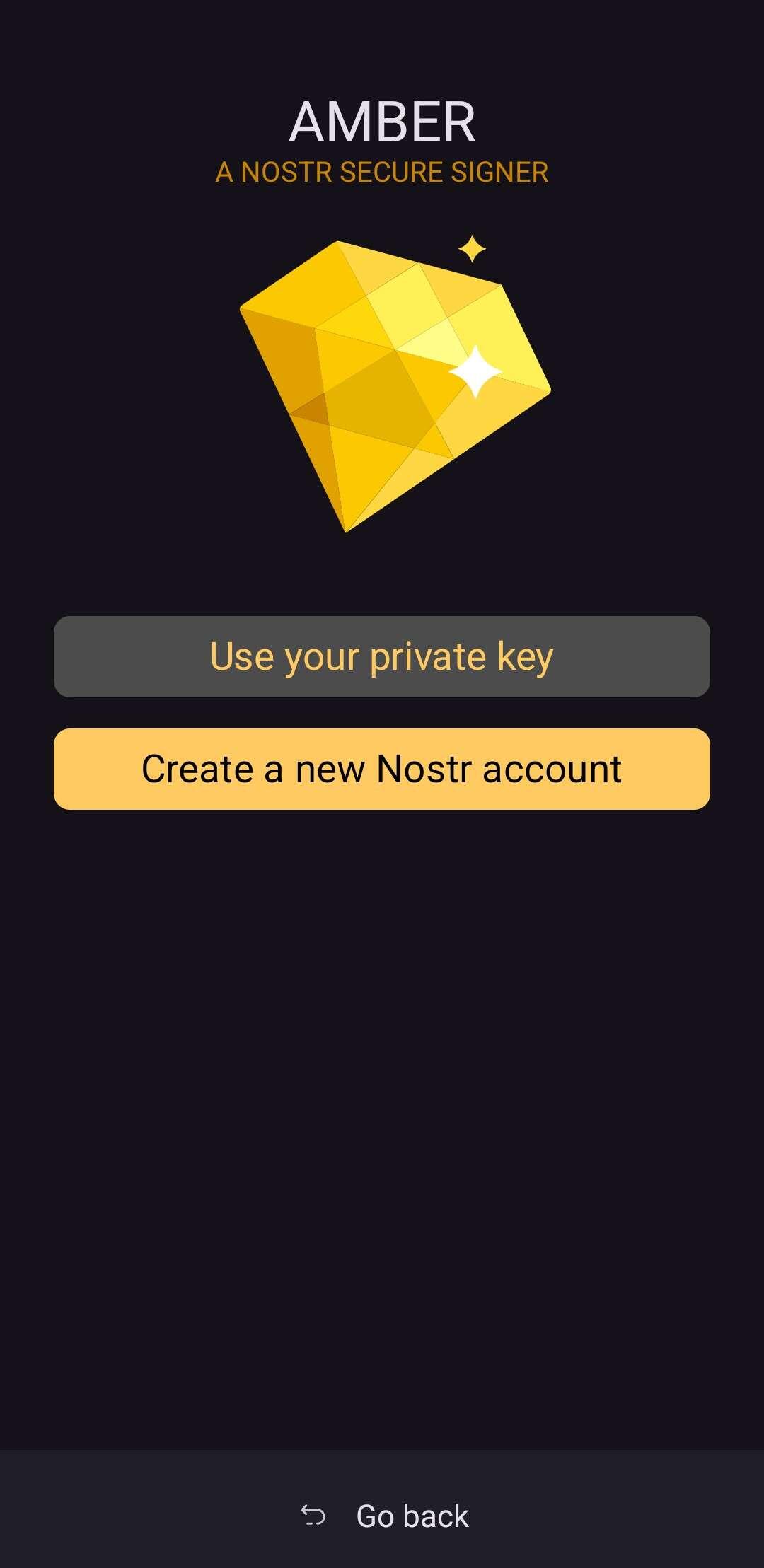
Open Amber and add new account.
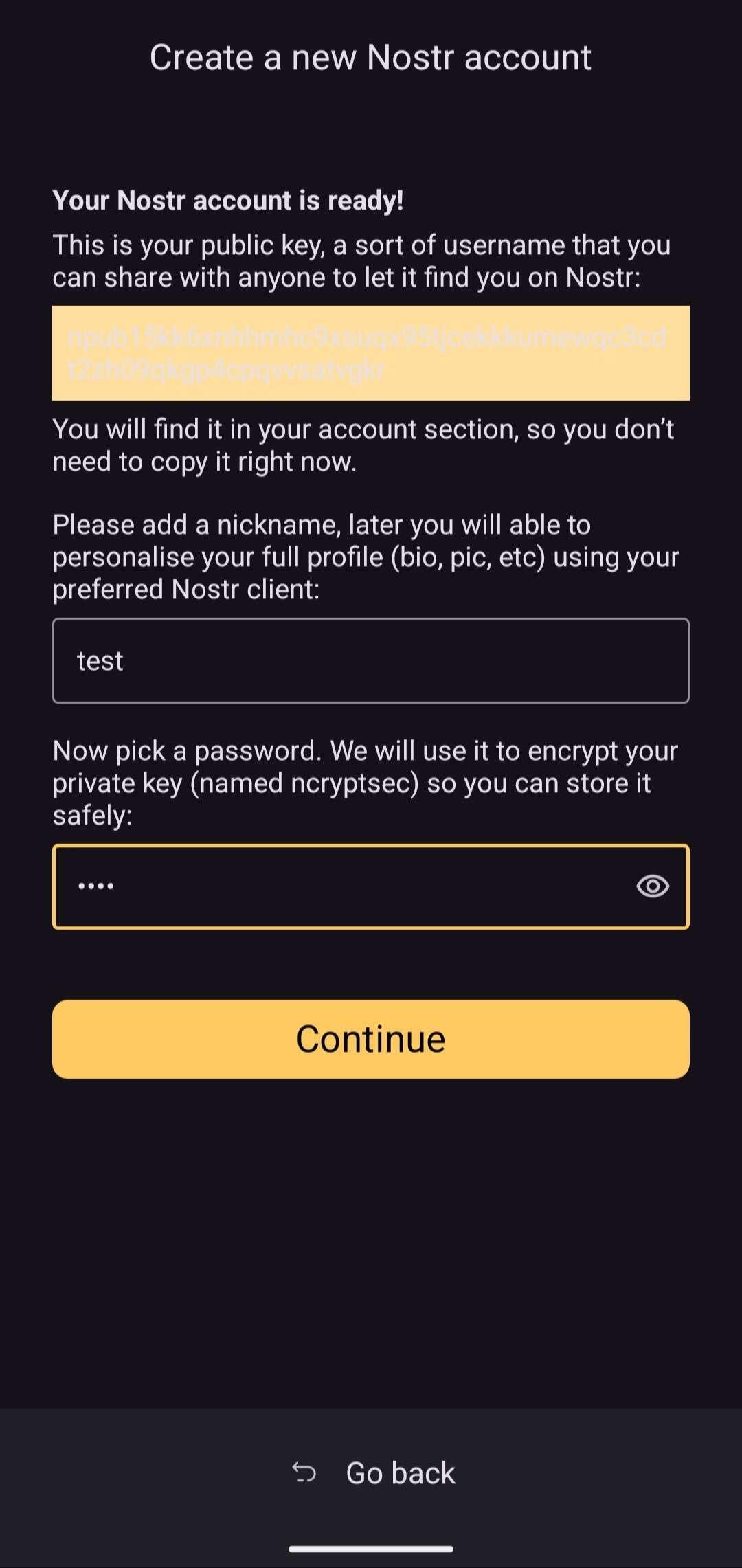
 Name the account and give it a password. Save the password.
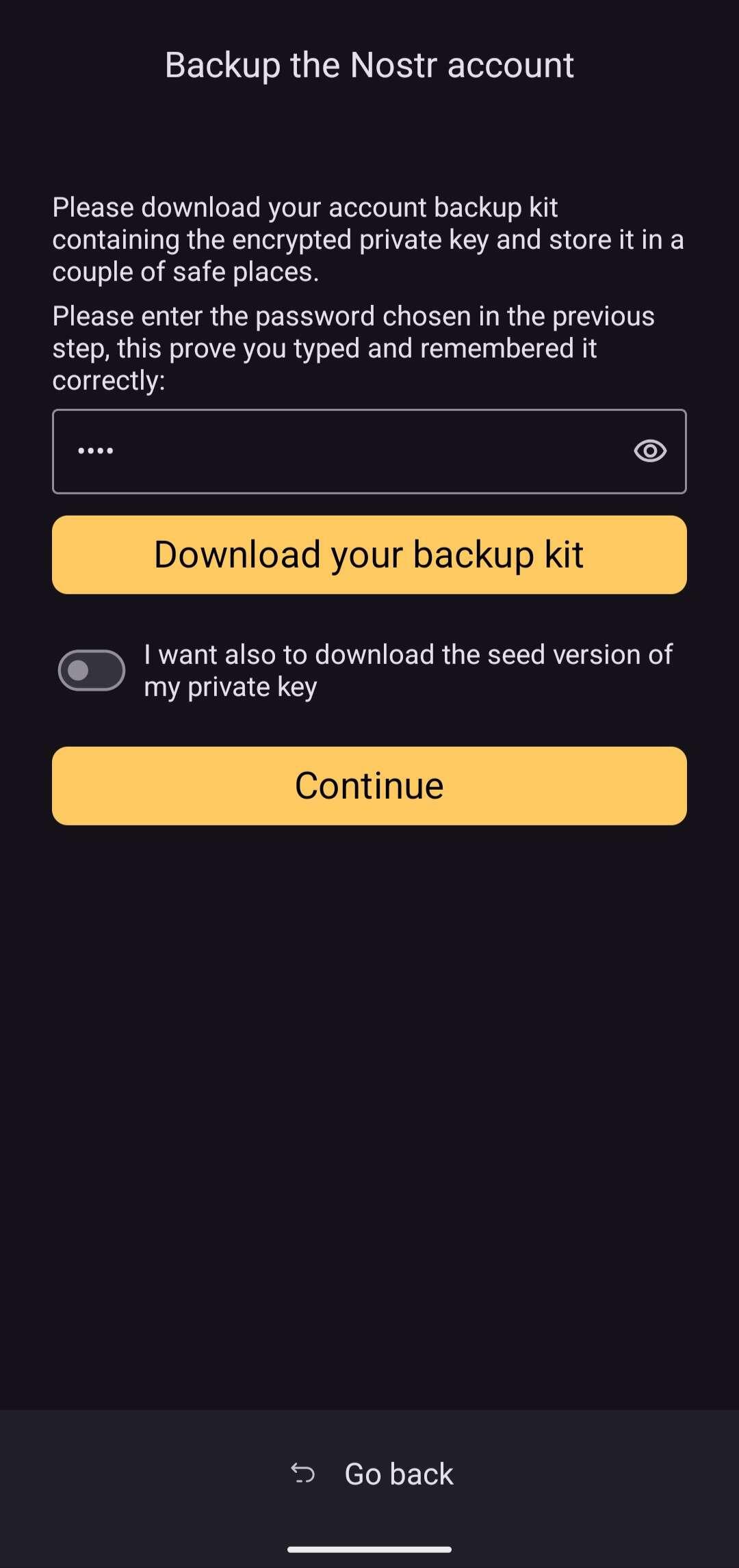
 Download your backup with the seed words.
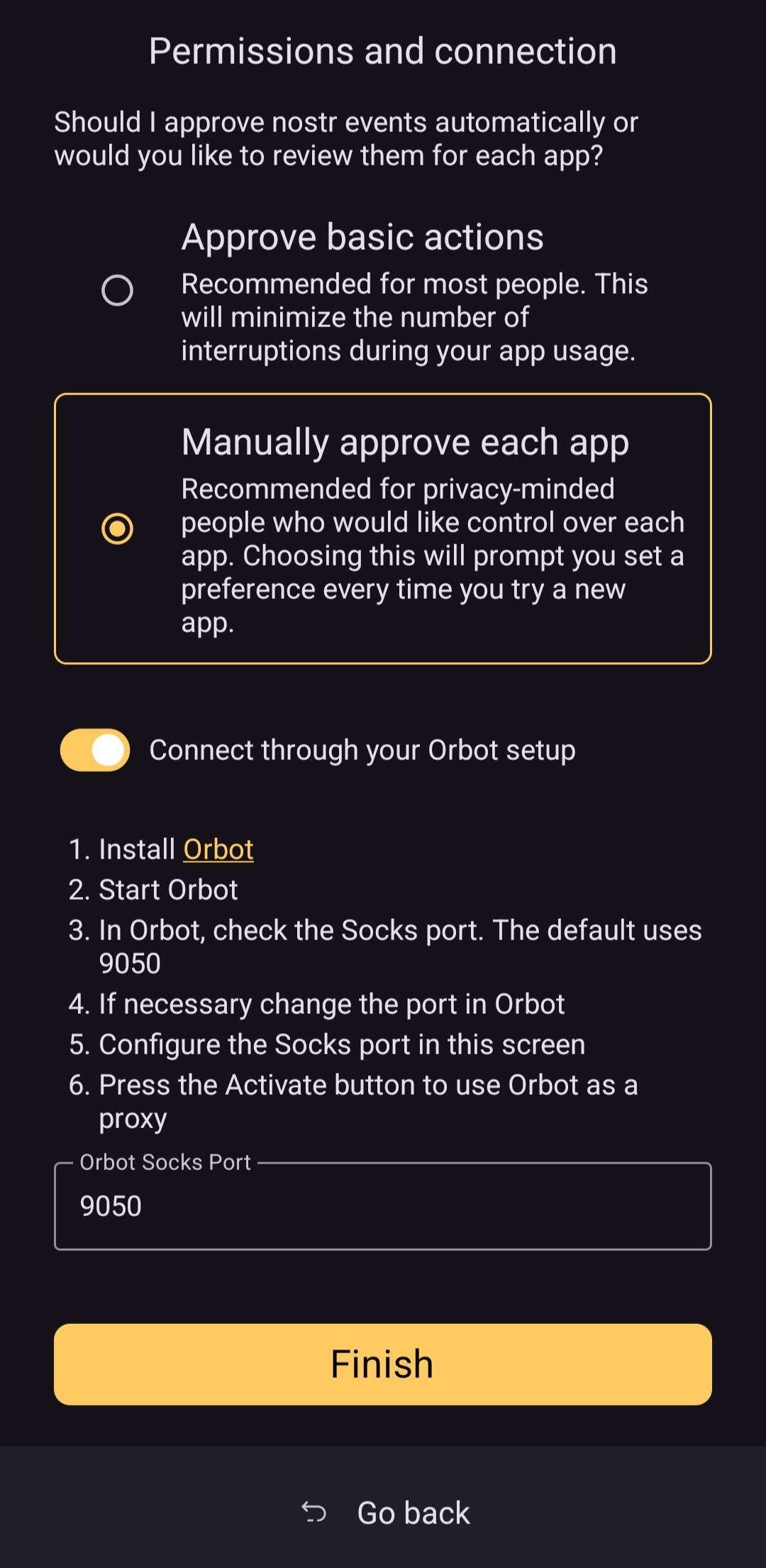
 Choose your permission level and connect over Tor using Orbot app.
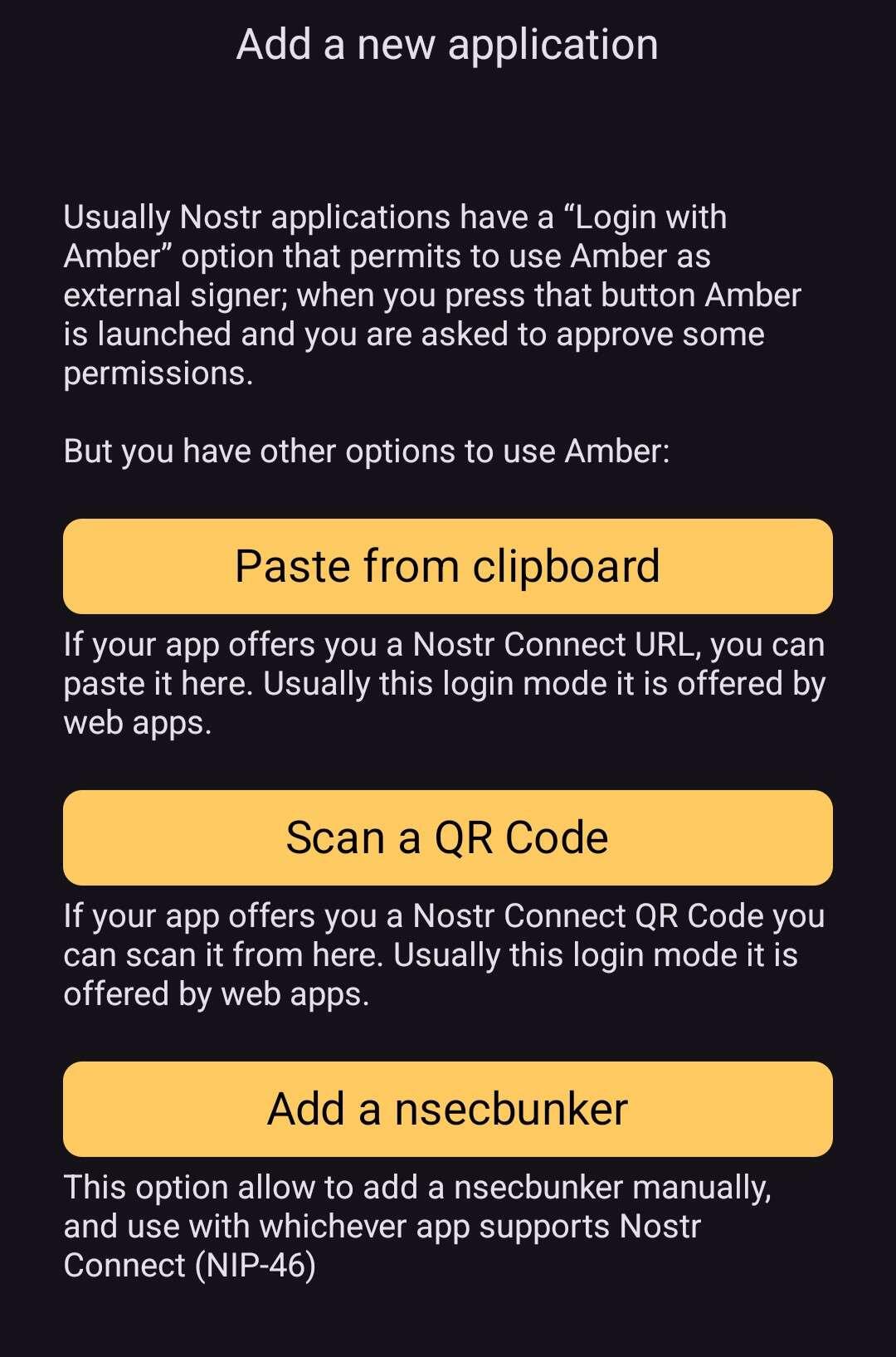
 Now you can download any nostr client that uses nip46 or nip55 and sign in with Amber. Nostr clients will ask if you want to log in with Amber. Select yes and Amber will open. Otherwise you can tap + in Amber and this menu will open to give you options including nsecbunker.
 Amber signs your actions with your private key. This is cryptographically verifying you are the one taking the action.
Amber is available here by @greenart7c3
Amber signs your actions with your private key. This is cryptographically verifying you are the one taking the action.
Amber is available here by @greenart7c3
 Welcome to #nostr #introductions
Name the account and give it a password. Save the password.
Download your backup with the seed words.
Choose your permission level and connect over Tor using Orbot app.
Now you can download any nostr client that uses nip46 or nip55 and sign in with Amber. Nostr clients will ask if you want to log in with Amber. Select yes and Amber will open. Otherwise you can tap + in Amber and this menu will open to give you options including nsecbunker.
Amber signs your actions with your private key. This is cryptographically verifying you are the one taking the action.
Amber is available here by @greenart7c3
GitHub
GitHub - greenart7c3/Amber
Contribute to greenart7c3/Amber development by creating an account on GitHub.