Thread

Zero-JS Hypermedia Browser

Relays: 5
Replies: 4
Generated: 16:33:01
Login to reply

Replies (4)

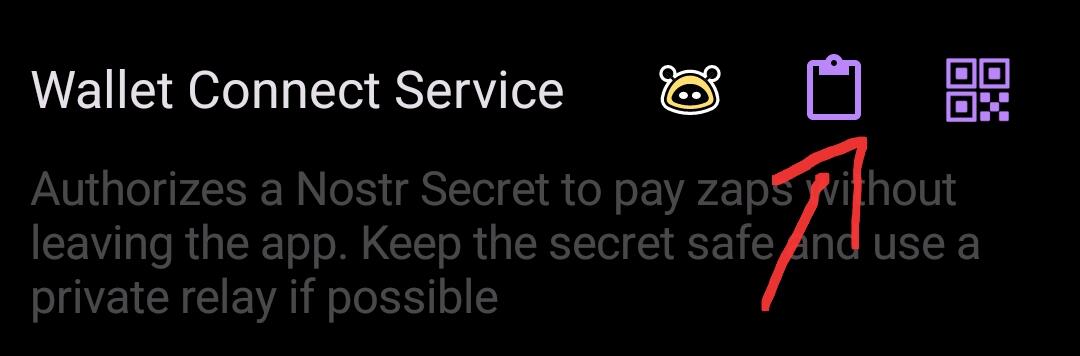
In Minibits: Settings -> Nostr Wallet Connect -> Add Connection Add a name to it like "Amethyst" and set the maximal daily limit Click on Save and click on the button on the right, that will open a QR code, click on "Copy" Go to Amethyst Select any post and long press the zapping bolt ⚡ Go to Wallet Connect Service and click on paste. image SAVE! You are done, go zap yourself in your profile to test it Best wishes


2024-10-08 19:11:02 from 1 relay(s) ↑ Parent Reply
I have, but it is agonizingly slow compared with other NWC enabled applications. I think this is due to the fact that when you zap someone, the invoice is being sent first to your mint, who then has to reach out to your phone, wake it up, get the approval to burn your ecash to send the payment, and only then send it out to whoever you paid. But I could be entirely wrong. All I know is, my Alby Hub on my Start 9 pays invoices via NWC in just a couple seconds, while Minibits takes 10-20 seconds at least via NWC.
2024-10-08 20:39:35 from 1 relay(s) ↑ Parent 1 replies ↓ Reply
You're right in principle. Ecash lives on device and there is some time needed to reach and process it - it can't compare to full custodial servers. As well, to see that zap was paid next to the zapped note requires the receiving node to publish so called zap receipt. That takes some more time.
2024-10-13 14:07:44 from 1 relay(s) ↑ Parent Reply