Replies (58)
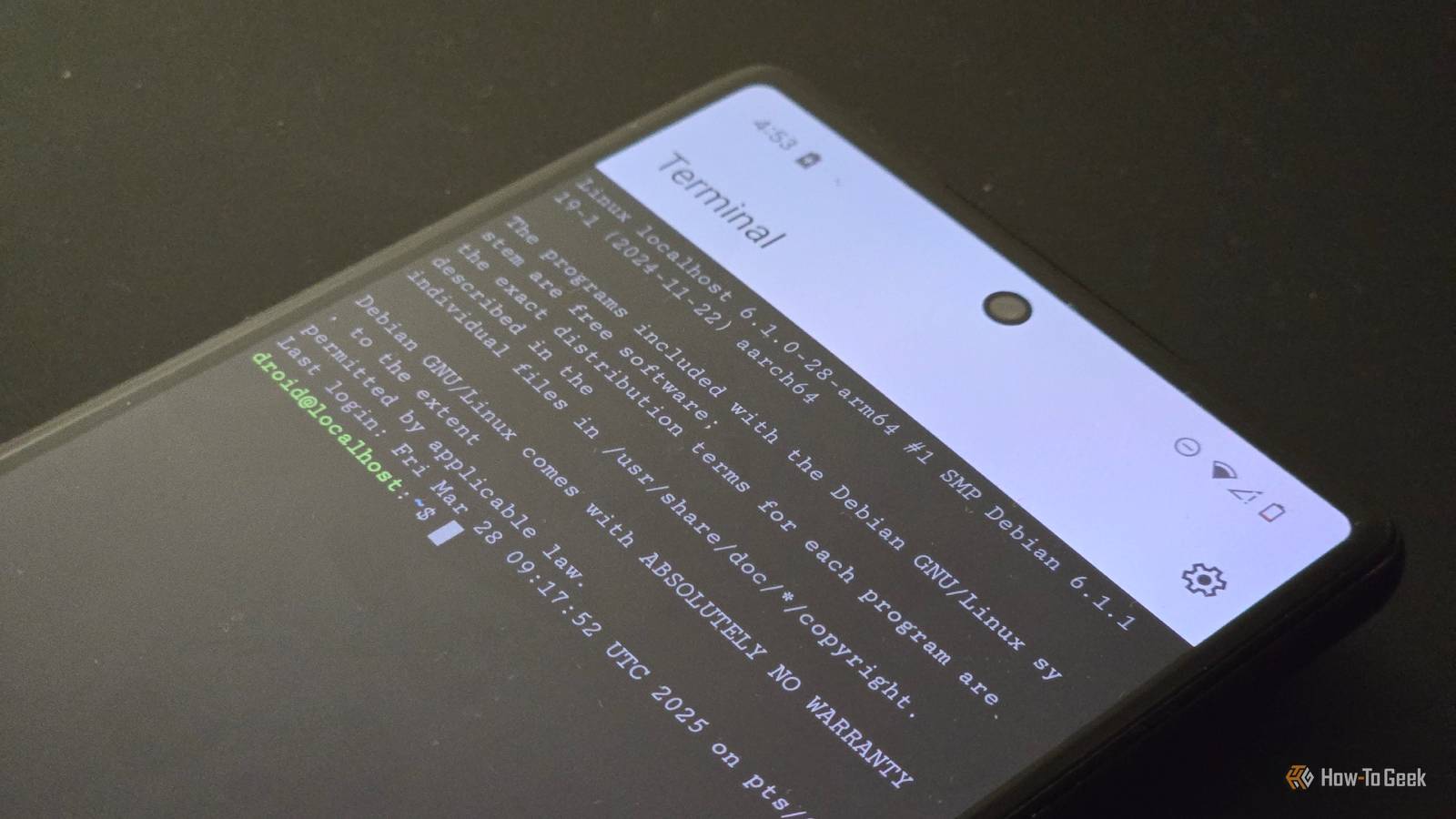
Can you install a terminal app one of the Android devices and see if you can ping out to the internet (8.8.8.8 or similar). This sounds like DNS is getting messed with.
Do you do any whitelisting of MAC addresses? The mobile devices change their MAC addresses often.
Do you have any new electronics in the house? They could be interfering.
Ditch that ISP gateway!
 .
.
Beef up your online bitcoin security by using a private home network 🥷
Self custody is important, now ensure you can always interact & transact without censorship ⚡️
Below is the hardware and software I chose for my simple private home #bitcoin network 🧶

1) APC 1500

Surge protection and battery backup for loss of power without downtime to the network & allowing for proper shutdown of hardware/software.
Plug all your hardware into this.
Screw your internet cable into the back and run an internet cable out.
2) Arris Surfboard SVB3202

This is just a modem, no wifi, no bullshit. Just a nice, but really stupid modem that is just a modem.
Stop using your ISP gateway.
Screw the internet cable from APC into this modem and plug a WAN ethernet line out.
3) Protectli Vault fw4b

This is a four port firewall router plus an auxiliary wifi interface.
This device runs FOSS OPNsense firewall software to protect your home network.
You can decide what comes in and out, separate devices on the network and so much more with this firewall.
Free Open Source Software runs on this dedicated micro computer to control your internet flow.
This is bad ass hardware and Protectli has been rock solid with customer support.
Plug your WAN ethernet from the modem into the WAN port of the vault and plug a LAN ethernet line out.
4) GliNet Flint 1800 WiFi router

This sleek piece of hardware is the ultimate wifi router!
Take complete control of your home internet all from a very nice web based GUI.
This wifi router has four ports and four separate wifi networks each with own password protection.
Easy to add VPN with wiregaurd on the router and run tor on router. Covers every device connected.
Too many features to list including Adguard & DNS.
Plug the LAN ethernet from firewall vault into the LAN port on this wifi router.
5) Start9 DIY home server
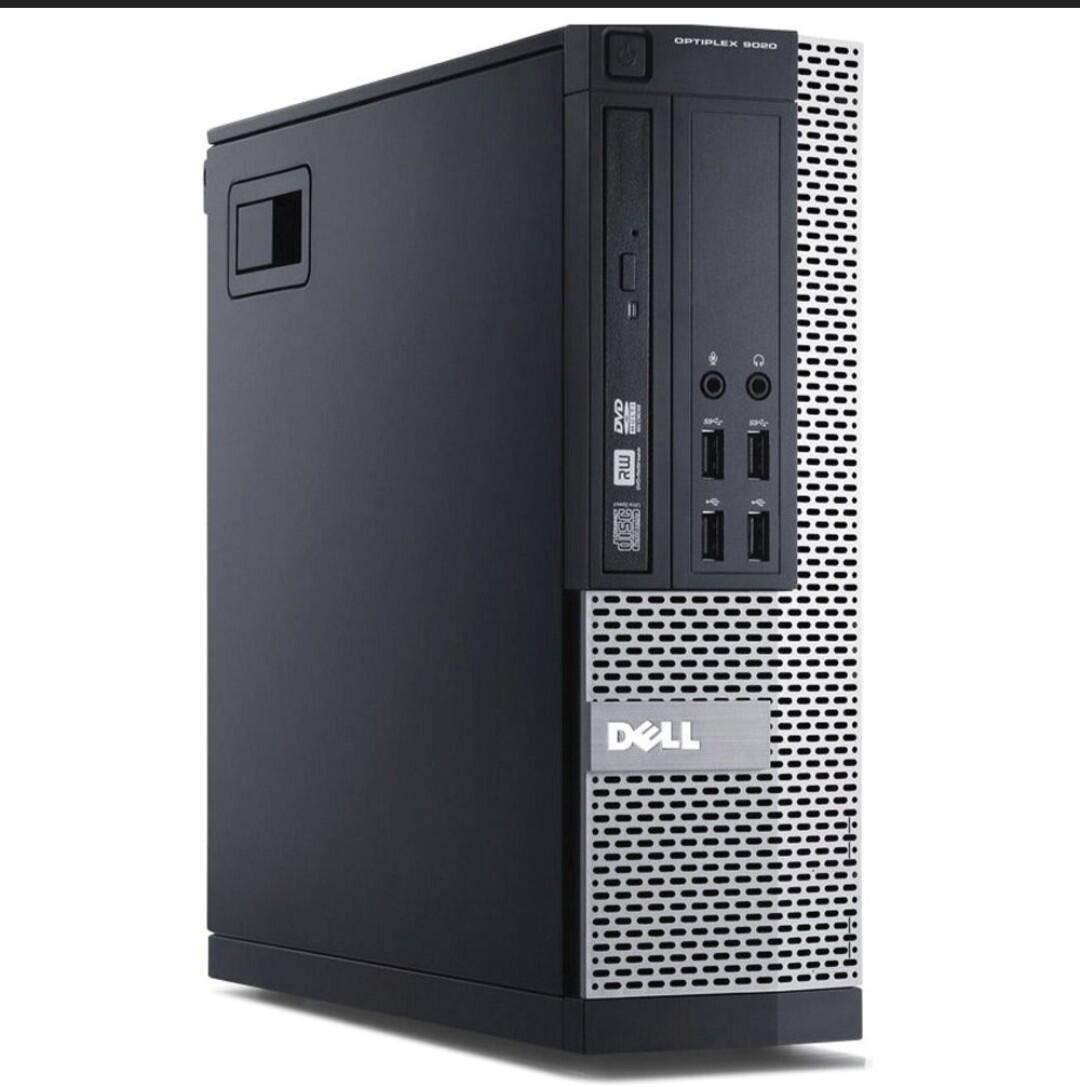
I took a used Dell Optiplex 9020 with 8G and put in a 1T SSD in it.
Flashed it with StartOS and added Bitcoin Core.
Sovereignty in bitcoin is to have your own keys and your own copy of the blockchain and verify your uxto sets against your copy that is in consensus.
Tor web GUI allows you full configurations of what services you wish to add such as LND and mempool.
Pair with your lightning wallet and Sparrow Wallet on laptop.
Plug an ethernet line from your server / nodes into an ethernet port on the GliNET WiFi router.
6) Classic X Thinkpad

This is a Bitcoin only dedicated laptop.
No bullshit, only necessary bitcoin things on this device. I got mine from MiniFree.
Coreboot/ Intel ME disabled
Debian
Sparrow Wallet
Tor
Terminal
OPNsense GUI
GLiNET GUI
Start9 GUI
This is the work station you interact with the Bitcoin network on...a clean linux laptop, behind a fire wall, thru a VPN and over TOR on private network isolated network!
All on hardware you own, running FOSS, in your own home.
7) De googled Pixel
Purchase unlocked with cash so as to not have identity tied to an ime number.
Run Graphene, wifi only, airplane mode
This is a secure private mobile device simply for running your hot/ lightning wallet, #nostr and connecting back to Start9 server away from home.
Can add Silent link service if needed.
Now is the time to take back control of your home network. Build a private home network that is representative of the value of what you hold.
Ensure you can always transact without censorship!
dude!
my mobile devices have been doing the same thing and I've been tearing my hair out for a fix.
do we both (by chance)
have Mullvad VPN set on the router?
I have a SBC acting as router and every interface that goes to Mullvad has this problem.
I have other interfaces that arent forced through VPN and they're unaffected.
ill contribute towards a bounty if its the same problem.
help a brother out!
(I'm having the same problem!)
 QnA
QnA
#AskNostr
CALLING NETWORK GURUS - PLEASE HELP A BROTHER OUT! Bounty available for any hero that suggests something leading to a fix!
Last week my home network suddenly started showing certain devices as 'connected / no internet access'. It seems to only be affecting mobile phones (iPhone and Androids), tablets and the TV. My Linux machine and Macbook are not being affected whatsoever, nor are any ethernet devices like my nodes and security cameras.
When these devices show the error, there is nothing apparent that causes it. There is also nothing apparent that allows them to connect again and function normally (for a short time at least).
Today my ISP sent me a new router, but that did not fix the issue. There has been no devices added or removed from the network in recent weeks that coincide with the problem starting. Finally, I tried setting a static IP on the router for one of the problem devices, but that made no difference.
View quoted note →
Ditch Routers/WiFi. Get an unlimited 5G data plan, and use your phone as a hotspot when you need to access internet on your pc.
 Skipper
Ditch Routers/WiFi. Get an unlimited 5G data plan, and use your phone as a hotspot when you need to access internet on your pc.
View quoted note →
I already have an unlimited data plan, but work from home so it's not really feasible tether my phone all day every day.
Very likely a DNS issue.
I had some server issues with mullvad in the last few days 🤔 many servers were down at some point. seems to be solved by now though
Why not?
I don't have anything set at the router level. Across the affected devices I have a mix of mullvad, proton vpn, and two will no vpn at all.
Afraid not.
Yeah I can try on my pixel tomorrow morning. I've not touched any MAC related settings on any affected devices or at the router level.
very weird.
will update if i learn anything ❤️
Some devices may have problems with IPv6. Try disabling IPv6 in the router settings and see if that helps (Modifying the DNS server directly on the router could also be something that works).
On the affected devices, go to the Wi-Fi settings, "forget" the network, and then enable MAC Spoofing if available, and reconnect by entering the password again.
Try temporarily switching to a less restrictive security setting (like WPA) to see if that resolves the issue.
Try connecting one of the problematic devices to a mobile hotspot (like your phone's) to check if the issue is specific to your network.
Make sure DHCP is enabled on the router. This allows the router to automatically assign IP addresses to connected devices.
When the devices do have internet, check there ips and make sure they are in range.
2.4 or 5g?
Mobile signal is patchy at home for starters.
Try setting the router's power like this:
Channel 149
Channel width of 80MHz
30 dBm power
I know it uses DCHP as I've seen it when poking around in settings today. I'll test the rest out in the morning. Thanks so much for the input.
I'll have a poke around, but I don't think I have that level of granularity in the settings.
I don't experience any issues.
you'll need to use process of elimination.
first, does the problem device have a connection to the local network? (sounds like yes). is it in the same IP range as your other working devices?
then, check dns, can the device connect to or ping an outside ip address? (if yes, the problem is DNS)
find what DNS servers the devices are using, vs. the working machines. (if different,
Does those devices work fine in public networks ? Like Starbucks or Library..
Network people know
It’s always dns
You don't have an open source router? 👀
I thought the same thing
1) Newer mobile phones support MAC address randomization per default. There should be 3 settings for your SSID:
- use per-connection randomized MAC
- use per-network randomized MAC
- use device MAC
Try 2nd or 3rd, it may help.
2) It could also be related to using "private DNS mode" in the "Network & Internet" settings menu. Try switching it off.
3) Can you access your routers' internal IP in a Browser on your phone, i.e.
http://192.168.0.1? If yes, it looks like a DNS issue.
#1 Check device dns settings before moving on to trouble shoot router settings, would be my first step
My thought as well
Q its time to join the flint family, talk to
@Ungovernable Misfits Max for more info
Wouldn't personally use ISP router, get a good router that you can customize and control, use ISP router for it's internet access only.
#2 Do you have issues on other wifi networks?
We tested zaps on this note… we made seven attempts to⚡zap this note, using your lightning address starting with "agrariancontrarian", over a period of 31 minutes. In each case, we found that your lightning address server did not respond correctly. (The failure point was when we did a GET request to your specified callback URL:
https://getalby.com/lnurlp/agrariancontrarian/callback ). Your server did not produce an invoice, thus the zap failed. The error we got was "Recipient wallet error. Please contact the recipient.". You might want to look into using a cloud-based Lightning node which is optimized for Nostr zaps, to get your zaps working.
The new mullvad update is causing the issue.
I changed back to 2 versions.
All good now.
#3 you could connect a wifi access point to your router and try connecting devices to the access point, see if that fixes the issue.
I am curious because this happens to me in the office, I always figured it had to do with IoT (internet of things).
Like an extender you mean? I was using one, but connecting to that didn't work.
Haven't had chance to go anywhere and do any proper testing on that front yet. My phone works fine on 5G when out of the house though.
Been on my to-do list for years, but I fucking despise network shit so have put it off for way too long. Perhaps this is my comeuppance.
What am I looking for?
Thanks for this. Will do some testing later!
QnA
Haven't had chance to go anywhere and do any proper testing on that front yet. My phone works fine on 5G when out of the house though.
View quoted note →
Yep, everyone seems to be coalescing onto DNS problems and I have many things to test and try today. Thanks so much for chiming in!
Right, but to my knowledge we don't live in the same location :D
Search for dns settings on the phone, on GOS its called private dns, if not set try something like all.dns.mullvad.net or if set try a differenz dns server
Yes an extender that is connected via ethernet with wifi, this can be a router you have lying around. If you were using one, unplug it and see if the extender is the trouble maker
#4 The router: the standard isp dns might be blocking traffik, change dns server. I would recommend using something like nextdns.
It's super easy to do with a good open source router😁
But wouldn't that affect all devices on the network?
Not nessessarily, the isp dns server can block specific traffic, that could only affect specific devices. You can rule this out by selecting a specific dns server, instead of using default.
#5 congested wifi channel, maybe, but then your laptop should also have issues
#6 shitty hardware, with shitty wifi implementation
#7 devices are not compatible with wifi protocol used by router
GM Folks ☕
Quick update - I changed nothing and it was fine all day yesterday 🤷♂️
QnA
#AskNostr
CALLING NETWORK GURUS - PLEASE HELP A BROTHER OUT! Bounty available for any hero that suggests something leading to a fix!
Last week my home network suddenly started showing certain devices as 'connected / no internet access'. It seems to only be affecting mobile phones (iPhone and Androids), tablets and the TV. My Linux machine and Macbook are not being affected whatsoever, nor are any ethernet devices like my nodes and security cameras.
When these devices show the error, there is nothing apparent that causes it. There is also nothing apparent that allows them to connect again and function normally (for a short time at least).
Today my ISP sent me a new router, but that did not fix the issue. There has been no devices added or removed from the network in recent weeks that coincide with the problem starting. Finally, I tried setting a static IP on the router for one of the problem devices, but that made no difference.
View quoted note →
There was a time where people would simply help out without the need for a bribe, I miss those days. 😞