Replies (37)
Hey again!
Please have a look here:
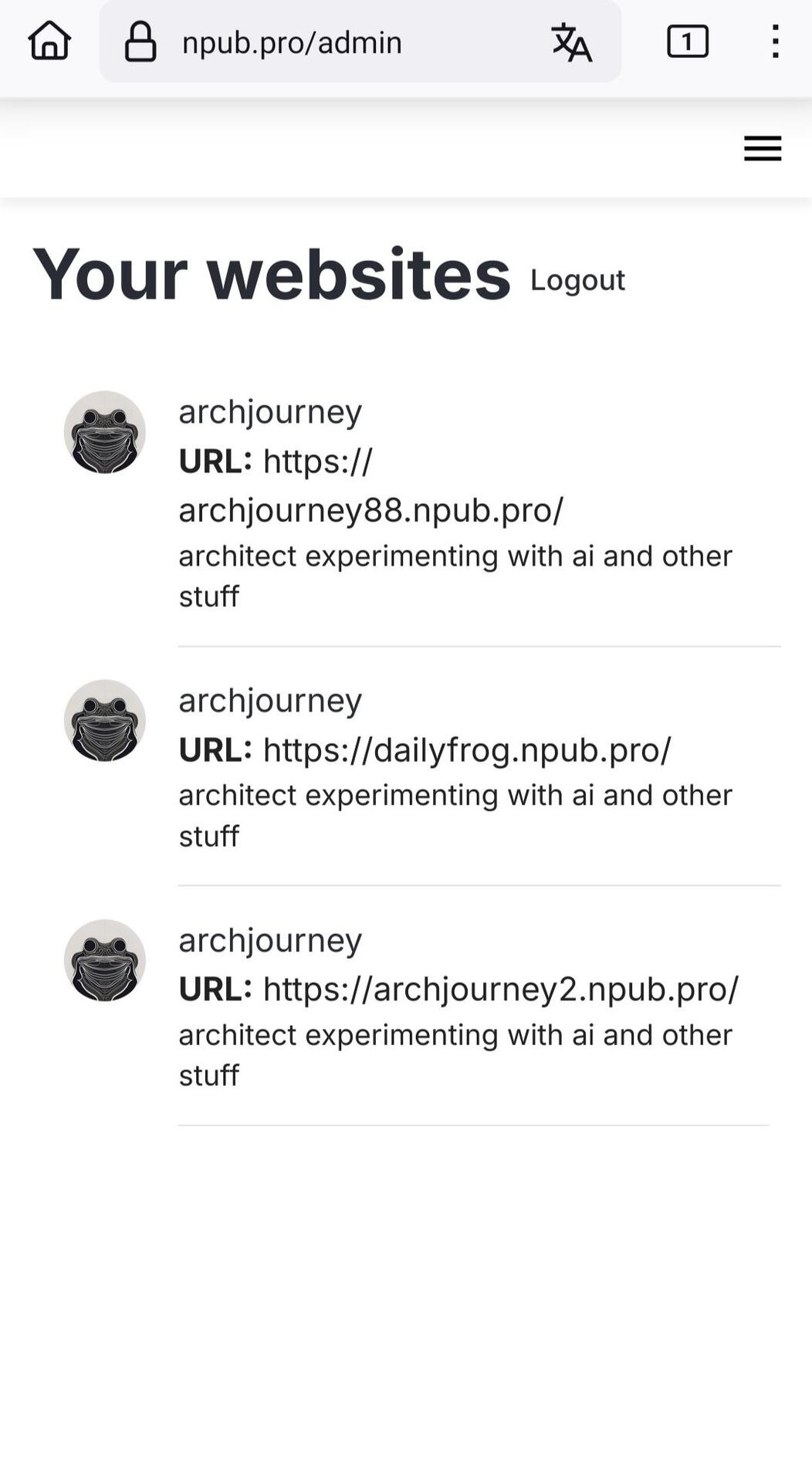
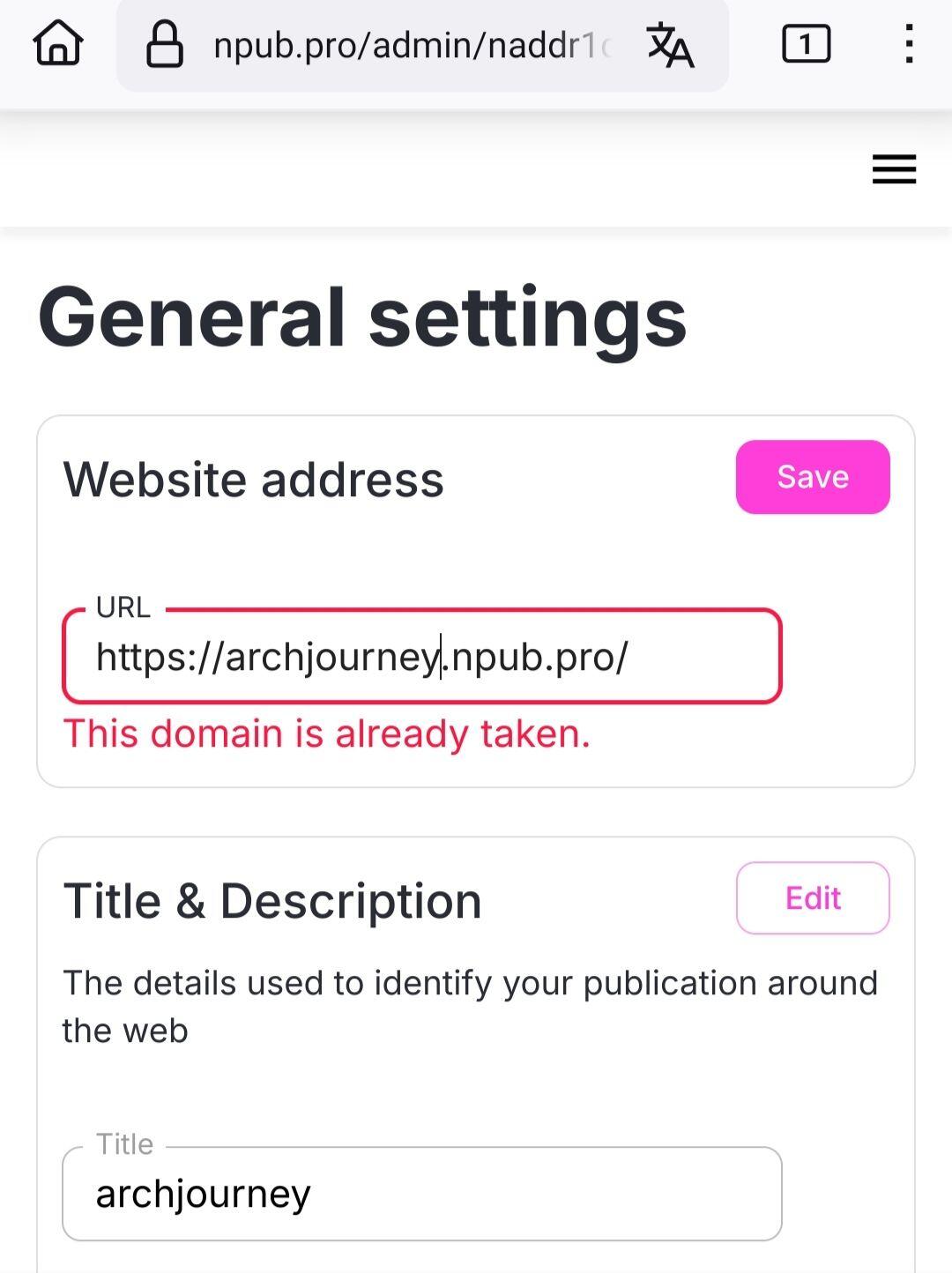
I created yesterday a domain (archjourney.npub.pro) and then rename it just to check how it works. But now when I login as admin it doesn't show me the archjourney domain anymore! And when I try to rename one of my domains back to just "archjourney" it says that the domain already exists..😕
Please help 🙏. Your app it's great and i would be grateful if we can solve this (no problem even if you delete all my domains so I can start a new from the beginning and do it right)
I forgot the image 😁
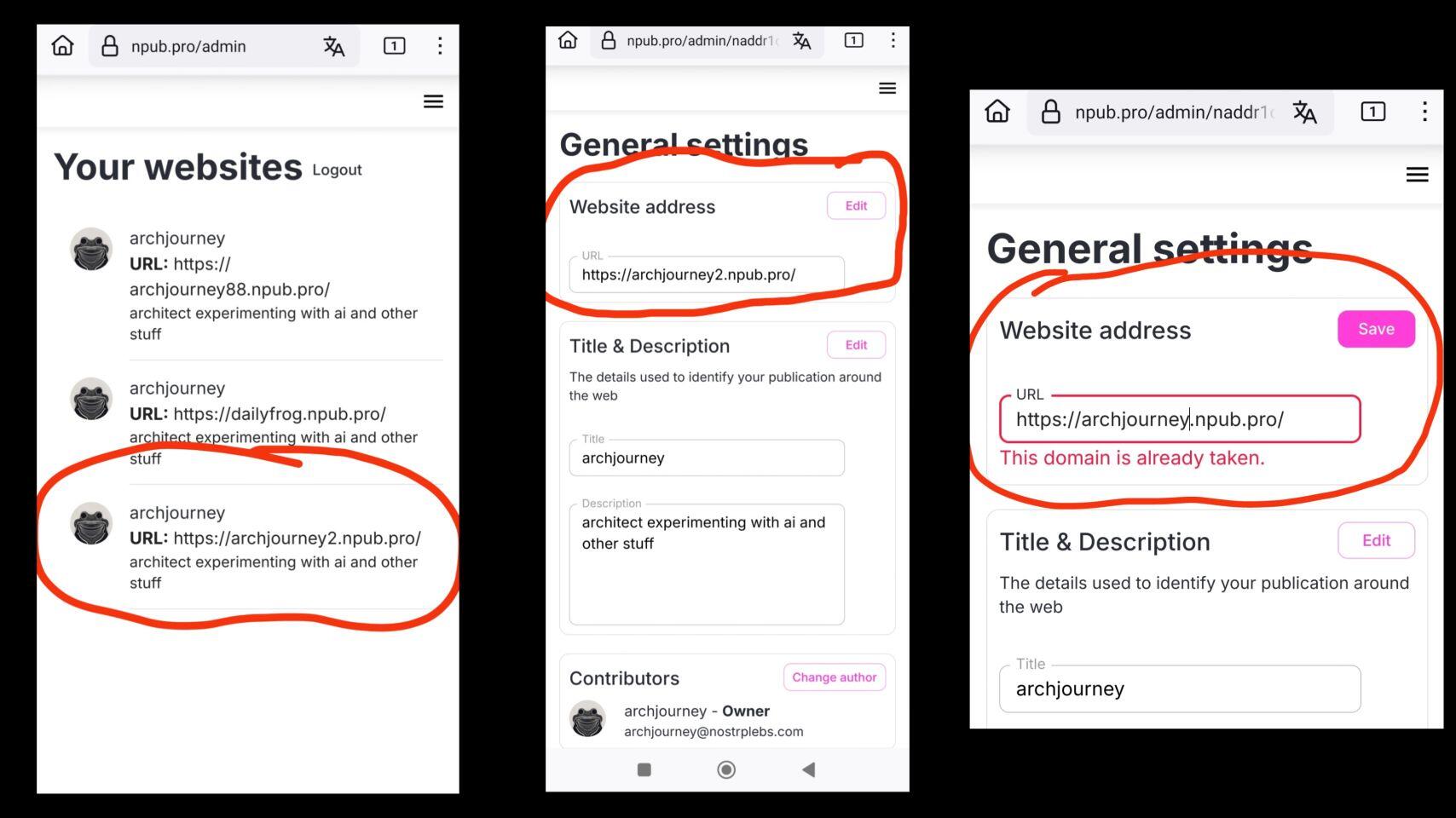
Ok let me check and get back to you
Could you please try again now? Change the domain to archjourney, should work
@brugeman
I just tried. The same again 😕
"domain is not available"
red text "the domain is already taken"
@brugeman @Npub.pro sorry for all these msgs but while it looks that
archjourney
archjourney
creating •° mixing stuff
🟠 pilled 🟣 kissed
exists, it doesn't appear to my sites..dashboard.
And I can't rename any of my domains back to "archjourney". It says that "this domain is already taken"
One more time please try changing the domain
its there!! the change accepted!!! 🙏🙏🙏
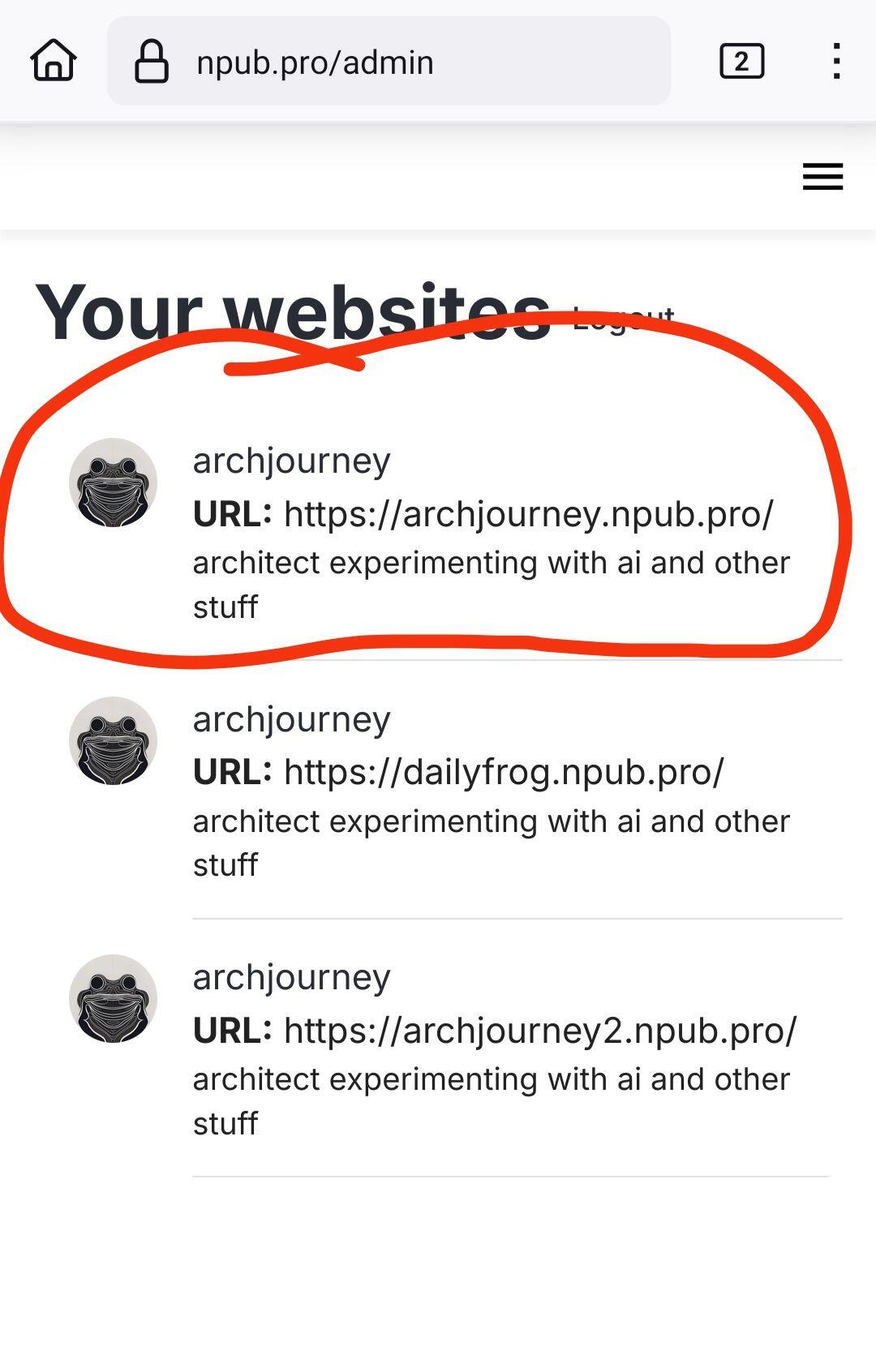
the domain it's there and correct!. But I can't edit now the navigation and hashtags 🤗😁
At least the most important (domain) it's solved
Thanks for your patience and persistence!
I 👀 your progress there npub.pro !
FYI the hashtags edit doesn't work yet for any of my domains and for archjourney domain also the navigation edit
Can you please reload the /admin page and try editing hashtags and/or navigation? I've just tested it and it worked fine, it was fixed a while ago. Thanks!
Hi
@brugeman !
Doesn't seem to work 😐
I edit and save the navigation but when I am going to the website it doesn't seem to update the navigation bar

Oh thanks a lot for the help! I hope to have fixed the hashtag and navigation editing now. Could you please edit hashtag list (at least uncheck and check one of tags) and also try editing navigation - things should get better now. Also the result on the site may take a minute to get updated.
looks like it's working!!!!
Everything it's there after the hashtags and navigation edit! You are awesome 😎
If you develop the "secondary" navigation bar then it would be wonderful. Thank you very much for your effort!
Great to hear, thanks!
Many Ghost themes support secondary nav bar, are you talking about that one?
ok, didn't new this (not familiar with webpages and ghost 🙂). I will try it!!
Houston! we have a problem 😁
Trying to change theme for archjourney npub.pro (just to test it) but seems that's there is an issue.
The settings are missing 🤔
any idea??

Are you still logged in with DM? Or did you use extension or nsecbunker this time?
Please reload the page to try again
extension
Should work this time then
for some reason when I edit "theme" and press "publish" it creates new archjourney-random number pages 😐
Hope I am not doing something wrong

This is super strange! So you press Theme settings and then publish and get a new site? Is it possible for you to record a short video to show what's happening? Thanks a lot!
No need! Found the issue, fixing
Fix deployed, please reload the page, now thene switching shouldn't create new sites. Thanks for the help!
Can I delete what I don't need?
No delete button yet, coming soon
well it's working perfect now 🙂. I think what I did previously was that in the "settings" screen while loading I pressed again the change theme (thought that doesn't working, while it's loading the settings) and after I published it creates these other pages. But not sure if that was the reason or I did something wrong 🤔. Everything ok!!! 🤙🔥
(I have the video in 2x here)

ohhh this think with the threads it's a bit chaotic. Here again. It works perfect
@brugeman . Maybe I did something wrong 🤙
 archjourney
well it's working perfect now 🙂. I think what I did previously was that in the "settings" screen while loading I pressed again the change theme (thought that doesn't working, while it's loading the settings) and after I published it creates these other pages. But not sure if that was the reason or I did something wrong 🤔. Everything ok!!! 🤙🔥
(I have the video in 2x here)
You did everything right, there was a bug, apologies for the confusion
no apologies! Nice that you fixed it! This idea and development deserves the best 🔥
I will inform if I ll find something else 🙏🤙
Thanks!
Hmm, I see different addresses
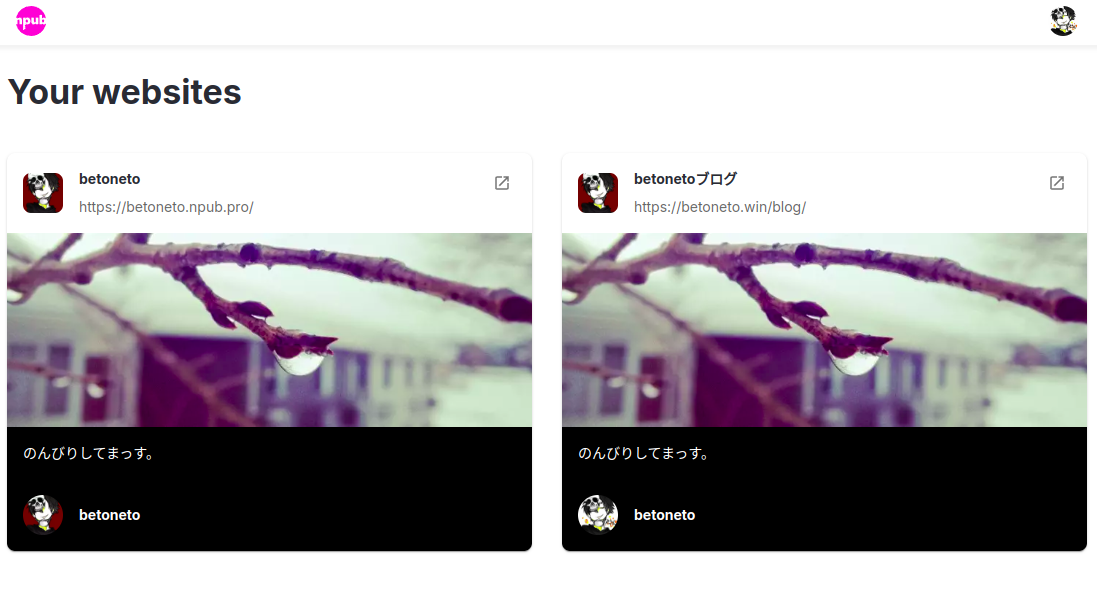
I updated it after seeing this and it fixed it.
 Npub.pro
We have fixed several issues with npub.pro app and websites it generates. If you had any issues recently, please try again now.
And thank you for your feedback and support!
View quoted note →
Awesome!