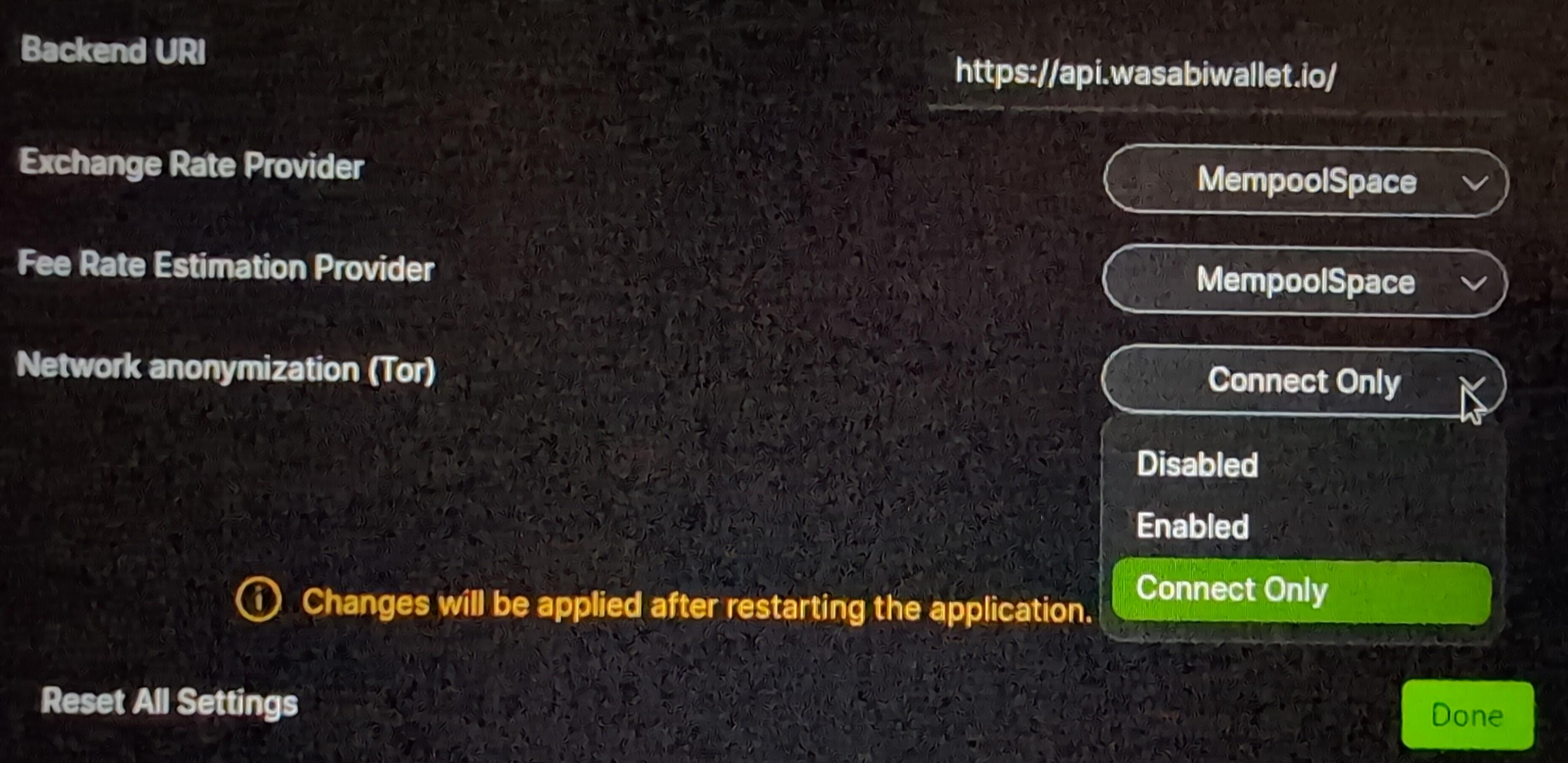
nostr:nprofile1qqsfuv8fgq3cek0ta0rr9qtkm4x3pxqjz22y9u4xcwrj0lrxlfl2jzsppemhxue69uhkummn9ekx7mp0qyg8wumn8ghj7mn0wd68ytnddakj7qg3waehxw309ahx7um5wgh8w6twv5hs25c7t0 I am currently testing nostr:nprofile1qqsf80gvdu7vhtj88z9srtrvuzevqyc3fh9yczxkufcj6nlhzsz68scpp4mhxue69uhkummn9ekx7mqpzemhxue69uhhyetvv9ujumn0wd68ytnzv9hxgqg0waehxw309aek7mr0vdhjumnvmxmjyh under Whonix VM enviroment and I had to disable the Wasabi TOR module to make it work (backend, sync, etc.). The reason I guess is because Whonix is by default connected via TOR.
My question is how the TOR identities are handle with this setup? Is #Wasabi wallet able to change TOR identities as same as it would so it under its own integrated TOR module?
Login to reply
Replies (5)
And yes, it can switch identities using this mode in whonix.
The documentation is correct but not detailed enough. Basically Wasabi can start a new Tor instance or use the one configured by the user or provided by the system as is the case in whonix.
To make sure it uses the system's instance you have to start Wasabi with the option '--usetor=EnabledOnlyRunning' or in the Config.json file set '"UseTor": "EnabledOnlyRunning"', another way to achieve the same is by setting the environment variable 'WASABI-USETOR' to EnabledOnlyRunning.
Thank you nostr:nprofile1qqsfuv8fgq3cek0ta0rr9qtkm4x3pxqjz22y9u4xcwrj0lrxlfl2jzsppemhxue69uhkummn9ekx7mp0qyg8wumn8ghj7mn0wd68ytnddakj7qg3waehxw309ahx7um5wgh8w6twv5hs25c7t0 I honestly missed the FAQ reading.
It is working good with following your nice explanation.
Just to facilitate to users that are more familiar with the GUI, the option to select in GUI is "Connect only" 

tech baby asked for help, kill yourself diaper baby