Replies (28)

Please read the blog post. Add the xpub under Tools > Accounts. Then when opening a channel or sending a TX, select a UTXO from the external account. Note that all hww support is LND only.
Good job integrating new way to create channels with these LSPs. Question. Do you plan to further extend the expiration time of the channels. When you try 12 months you tell me it is too long. Another question one could have for example two channels of 10,000,000 Sats?
We’re working on a renewal flow that will hopefully go into the LSP spec. Total capacity w the LSP is limited to 15m for now. We hope to increase that in time.
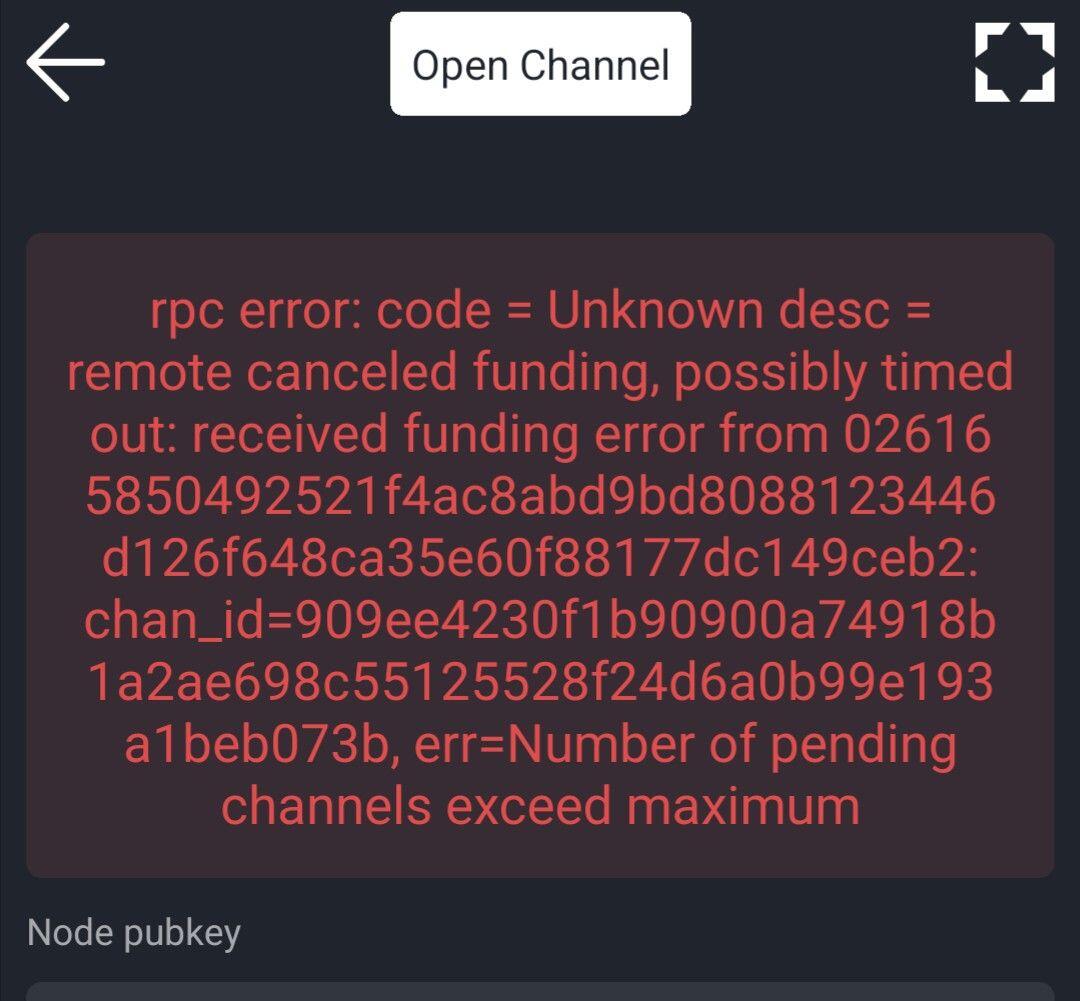
Make sure you generated the address in ZEUS If you already did go to your Neutrino peer settings and make sure the ping times are all under 200ms. Otherwise delete offenders and restart the app. Optimize button also does the trick.
I'm using a remote lnd to test it so neutrino peer is not relevant here? I haven't reached the lnd part yet, I'm just trying to get the watch-only account working first. The address is a good point, I did generate it on the jade. So will try that next.
Die neue ZEUS Version 0.9.0 ist schon geil. Sieht wieder besser und aufgeräumter auf. Die Kamera unten zu platzieren ist auch schlau, da man jetzt super invoices mit einer Hand scannen kann vorallem bei großen Smartphones. Das Pending HTLCs ist witzig, da sieht man mal wie die Node live am schaffen ist.
ZEUS's avatar ZEUS
GM. ZEUS v0.9.0 is now available. This release features: - New LSP service: Purchase channels in advance - Hardware wallet / signing device support - CLNRest backend support - BOLT 12 offers + addresses (CLN) - Pending HTLCs view - New camera - Layout improvements Blog post: image
View quoted note →
You need to install your nodes cert on your phone. Hit the toggle in Node config and follow the instructions on the page link that pops up.