And, mission accomplished, way ahead of schedule.
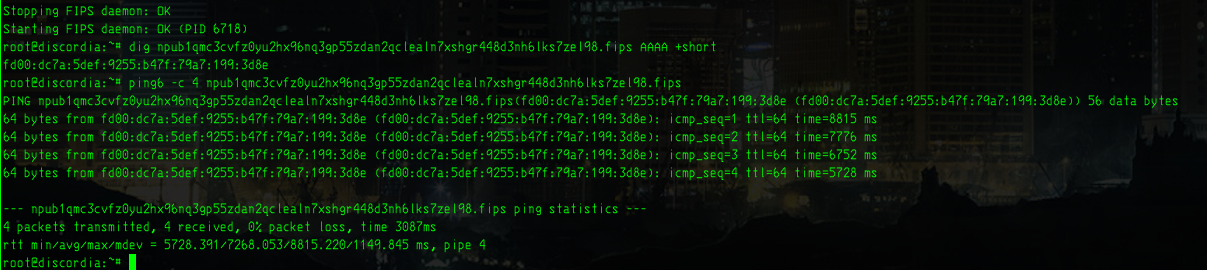
If you're running Slackware64 15.0, this has all of the files necessary to just run the fips.Slackbuild file, and will put a fips-0.5.1-x86_64-1.txz file in /tmp that you can install. You DO need to be running dnsmasq or unbound (just like on FreeBSD), and your /etc/dnsmasq.conf file does need to have your conf-dir line uncommented (conf-dir=/etc/dnsmasq.d). Make sure that 127.0.0.1 or ::1 is your first nameserver listed in /etc/resolv.conf. Beyond this, edit your /etc/fips/fips.yaml file per the instructions here:

GitHub
fips/docs/tutorials/join-the-test-mesh.md at master · jmcorgan/fips
The Free Internetworking Peering System. Contribute to jmcorgan/fips development by creating an account on GitHub.
. Start and stop the daemon with /etc/rc.d/rc.fips start|stop|restart (like any other slackware service).
File is here:
https://blossom.ditto.pub/cc184c148aa1f83033e6929f7358c2b9ed3d77bf3e417211746cc2f31ce8a47e.gz
The slackbuild DOES just grab the source right from github. This isn't the most standard thing, and some may worry about it from a security perspective. It's also trivial to change if you'd like, but is handy this way because you can very quickly edit the Slackbuild script's version variable to grab the newest version (and indeed, there's already a newer one out as of 2 days ago).
I doubt anyone's grabbing this because slackers don't seem to be here on nostr, but if it's useful, glad to offer it up. If anyone's running another non-systemd linux and wants some of what I learned that isn't already spelled out here, happy to chat.
Also, let nobody denigrate free models. This was 1% me and 99% Solar Pro4 running on a Hermes-Agent harness.
#FIPS #Freedomtech


 They really are getting human like...