k03rader's avatar
k03rader
npub1k03r...8rty
Your local ISP
k03rader's avatar
k03rader 10 months ago
Considering trade-offs in search of #TollGate
k03rader's avatar
k03rader 10 months ago
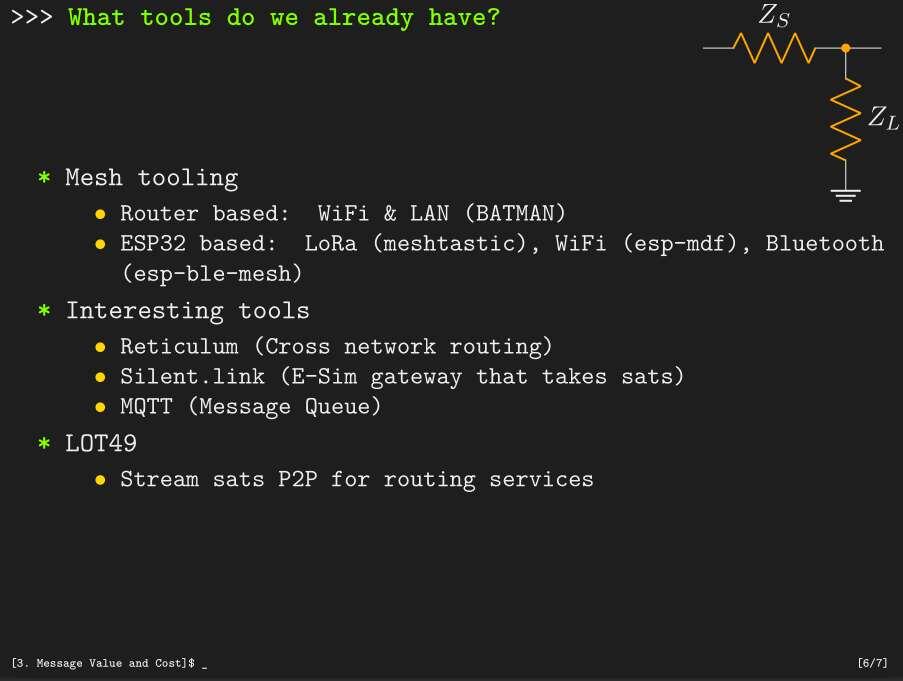
### Learning from [Open Coms meetup at xhain]( on `07.02.2025` [Source routing](https://en.wikipedia.org/wiki/Source_routing) could be worth learning about once TollGate supports multi WAN. * My understanding: source routing lets users specify which gateway to use when they have a choice between a fast gateway and a cheap gateway for instance. * Questions: * what role does identity play in source routing? * Does a user need to know the path or is it good enough to choose between various quantifiable options: like fast vs cheap? There is [a paper](https://dl.acm.org/doi/pdf/10.1145/3529097) that describes something between @remyers's [LOT49](https://github.com/global-mesh-labs/lot49) and @TollGate. #TollGate
k03rader's avatar
k03rader 10 months ago
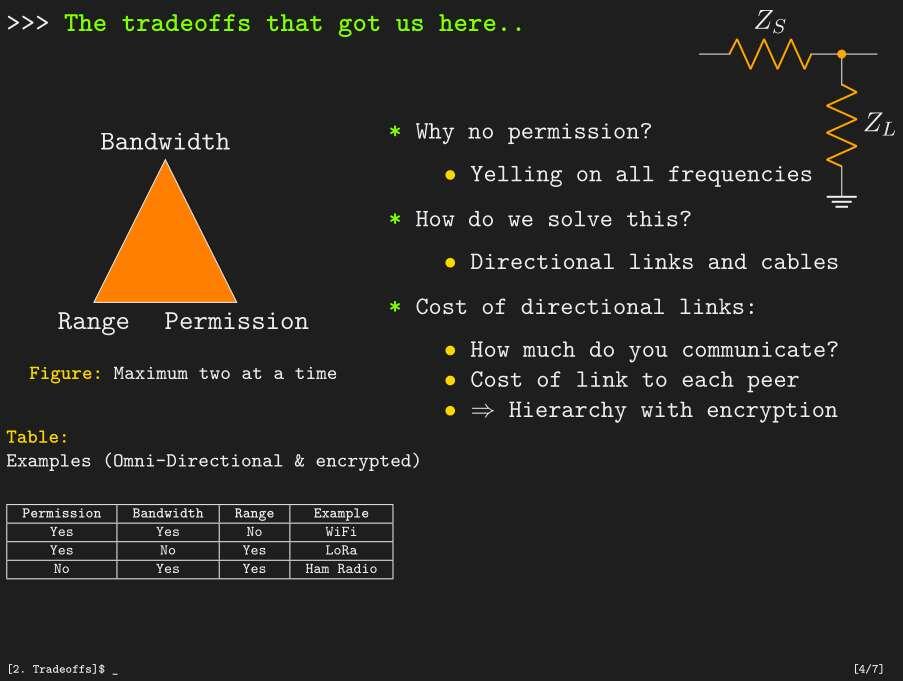
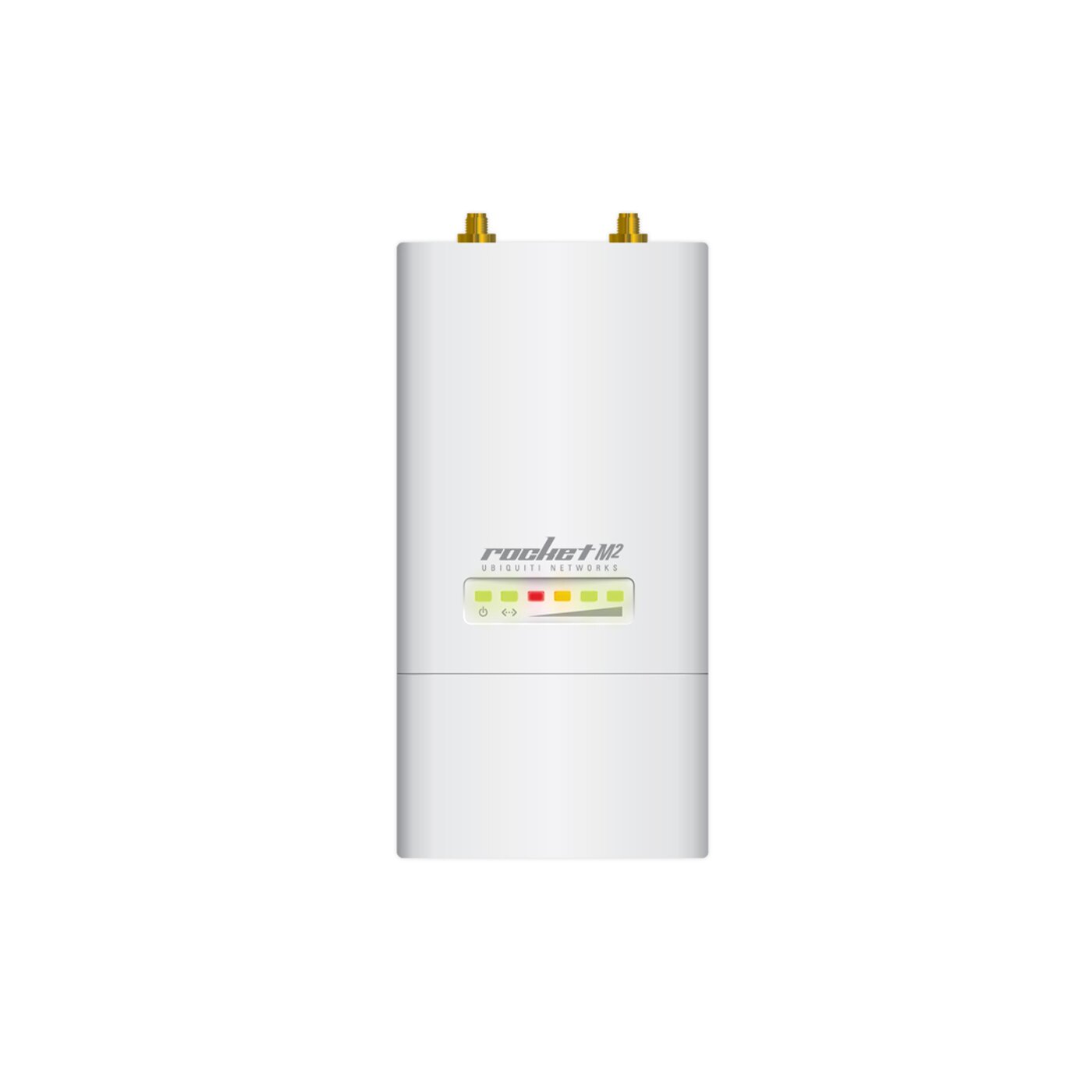
## Notes from Freifunk meetup `05.02.2025` * There is a [community day]( coming up * The [Ubiquity Rocket]( is popular for [directional connections](https://store.ui.com/us/en/products/r5ac-lite) * [BiQuad antennas](https://martybugs.net/wireless/biquad/) are easy to build successfully, compact, more wide band than yagi antennas. Recommended for beginners. Don't go for [double-biquad](https://buildyourownantenna.blogspot.com/2014/07/double-biquad-sector-antenna-for-2450-mhz-wifi.html), because impedance matching becomes more difficult.. * Upcoming event (open comms) for analogue radio stuff at [xhain]( on `07.02.2025` * Optical links aren't used without fiber, because its difficult to get the light beam to point in the right direction. A project called [koruza]( achieved an ok throughput, but only a range of 100 meters. The actuators that adjust the direction of the pointer need to be very precise and they need to compensate thermal effects.. * [60 GHz radio](https://store.ui.com/us/en/products/af-60-lr) can be used for long range links that require a high bandwidth
k03rader's avatar
k03rader 11 months ago
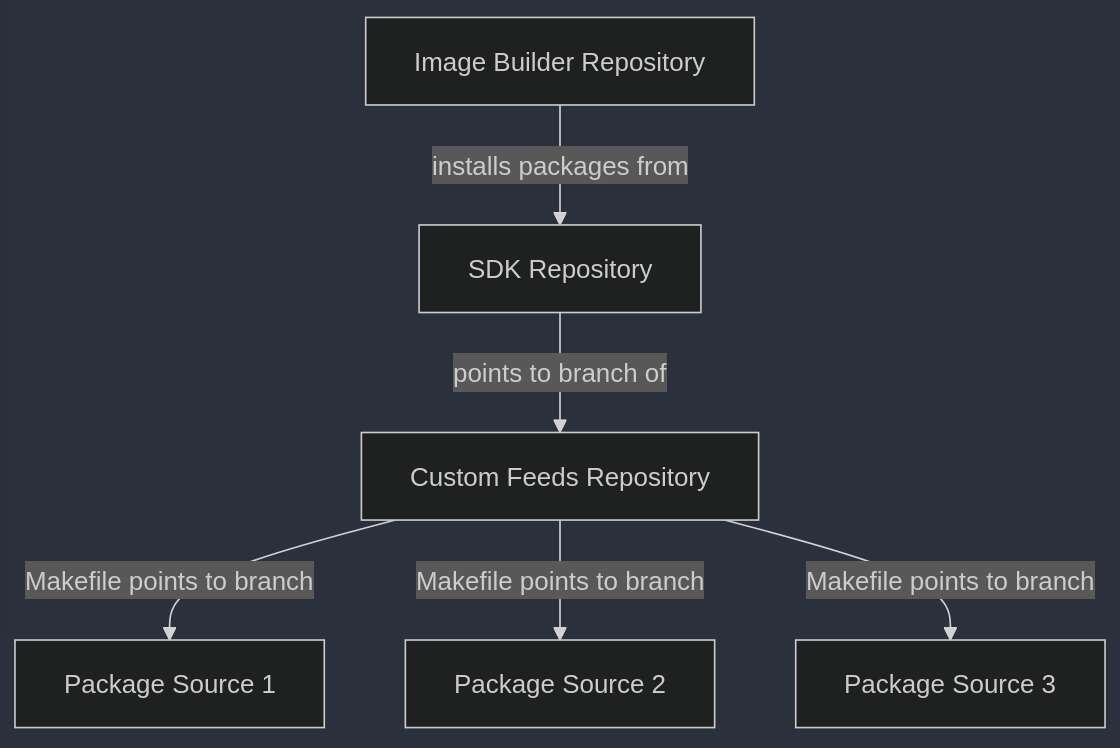
## CW 5 review Last week worked on OpenWRT deployments some more. We already had the ability to build packages, upload them to blossom, advertise them on nostr, install them in OpenWRT images and download them onto the router. However, this stiff only worked for the `GL-MT3000`, not for the `GL-AR300m` and @Arjen's latest changes to the packages weren't present in the OpenWRT images that were created. ### Problems with `golang.mk` We are building a newer version of `golang` before we build our go-based packages, because the golang that comes with OpenWRT is outdated to the extent that it isn't compatible with our nostr dependencies. There is a file called `golang.mk`, which Makefiles use to specify the target architecture of a build. I created the file as a placeholder because the SDK expected it to be present for the build, but there seem to be problems with the architecture I specify and the way I introduce the file to the SDK. #### How `golang.mk` is introduced I was only building the relay when I first created `golang.mk`, so I used the relay's Makefile to copy it from my custom feed to the correct location in the SDK. This worked fine for a while, but it meant that the relay's Makefile needed to run before the Makefile of any other go based packages in order to avoid errors. Now I am introducing the file in the script that [triggers the makefiles]( so that its always present when one of the go-based packages is built. ##### Building for `GL-AR300m` Earlier I mentioned that the image builder worked for the `GL-MT3000`, but not for the `GL-AR300m`. It turned out that the packages that the SDK produced for the `GL-AR300m` also [couldn't be installed](https://njump.me/nevent1qqstjrl8v80srjz7prwu9xx49wnha6vmvcnv80r3ecmq7y0g2y5mdmqpz4mhxue69uhkummnw3ezummcw3ezuer9wchsyg86u6zkjdqrlppxyrar37y79l0urmqtjh8ue24pnx7gl7ktwtfwsspsgqqqqqqs05gqrv) on the router manually. This probably had something to do with the fact that there is a `nand` and a `nor` version of that router and that `golang.mk` was miss-configured. Your expertise is most welcome to ensure that we pass reasonable arguments to the compiler and to ensure that we can target a wide range of routers efficiently. #### Changes not taking effect As you can see in the following diagram, OpenWRT packages are listed in a custom feed, which points the SDK to the right branch of the package's repo. A file in the SDK's repository lists feeds to be considered when making packages and the image builder pre-installs packages that the SDK produced in an OpenWRT image for the users to install. image Previously the [nostr announcements](https://njump.me/nevent1qqs0367hrqx70y7std5xjladu46d5pc7u4lhf7gw0yme8k5zjcr5wqcpz4mhxue69uhkummnw3ezummcw3ezuer9wchsyg8d577gs99pxwfm2u4stjlw3fkksa83hwqg5tuyel3ejnfalxzdrypsgqqqqqqsk6vpzk) of freshly compiled packages didn't mention which branch of a specific package was used to create the package, but [now they do](https://njump.me/nevent1qqsv57c768688zwsy928l6hnjfw5h0wx2tt4travk2kuxkp3raa644gpz4mhxue69uhkummnw3ezummcw3ezuer9wchsyg8d577gs99pxwfm2u4stjlw3fkksa83hwqg5tuyel3ejnfalxzdrypsgqqqqqqskdwqym). Unfortunately, changes that we make to the source code in the binaries still don't reflect in the package when we execute it, even though we have reassured ourselves that we are building the right branch. Perhaps code is being cached somewhere, but this problem occurs even when I start from a completely clean slate. ### Git workflows to the rescue It is critical that the changes we make reflect in the packages we release, so clearly the spaghetti deployment needs to be simplified. I got a [minimal version](https://github.com/OpenTollGate/tollgate-sdk/pull/4) of the build to work without pushing to blossom and without announcements on nostr. Unfortunately, `noscl` didn't find its private key when running in a git actions workflow, but I hope to get the whole build setup working in git actions, so that we can be more systematic about how we address the problem of changes to packages not taking effect in our binaries. #weeklyreview

k03rader's avatar
k03rader 11 months ago
## DemoDay 30.01.2025 #### Demos * [DVM](https://github.com/Origami74/dvm-cicd-runner) for building git pipeline * Nostr [events](https://njump.me/nevent1qqsq93hsujjnukutrazsfmgdmxcuukykmxlaxmst35j929rjdkpgsnspzpmhxue69uhkummnw3ezumt0d5hsyg8d577gs99pxwfm2u4stjlw3fkksa83hwqg5tuyel3ejnfalxzdrypsgqqqqqqsw2sh4g) for next pipeline #### Discussion * Spoke about whether we can use `ndsctl` without having the captive portal UX of `OpenNDS` * Spoke about having a second WPA interface for better UX * Easy fix: pre-emptive auth: allow all clients, but kick them off if they didn't pay * Do we need to leave the WiFi and reconnect after a MAC address was de-authenticaed and re-authenticated again? * Will android just happily use the gateway if I'm already authenticated? #DemoDay
k03rader's avatar
k03rader 11 months ago
# Building TollGate Our build pipeline is still undergoing change, but things need to stabilise and become easy for developers (like you) to use. Your feedback and pull requests are most welcome. ### How does OpenWRT manage packages? OpenWRT uses a package manager called `opkg` to install packages (`.ipk` files), which are compiled to from `Makefiles`. When you build OpenWRT, it clones a [`feeds.conf`](https://github.com/openwrt/openwrt/blob/main/feeds.conf.default) file containing all the required dependencies. You can include a link to your own [custom feed](https://github.com/OpenTollGate/custom-nostr-feed) which contains `Makefiles` that download your repositories of your custom packages into the OpenWRT directory so that they can be build along with the rest of the operating system. > [!NOTE] > Beware, compiling with the full buildroot does everything from scratch, every time you want to try your custom program. You may want to avoid this when making frequent changes to the packages in your custom feed. > > This takes too long, (almost) no-one has that much time for freedom.. ### Using the SDK Fortunately, there is something called an SDK, which is essentially a simplified buildroot containing a stripped down version of the OpenWRT source tree. The SDK contains: • Compiler toolchains and libraries (precompiled) • Scripts and makefiles to handle package configuration and compilation Since the compiler and most dependencies are already built when you use the SDK, you only compile your custom feeds or packages. Now we can just [download & unpack]( the SDK, [place our custom feeds]( use `make defconfig` to create a configuration file and `make package/[our_package]/compile` to compile the individual packages. Once we have our packages, we upload them to blossom servers and create a nostr event listing the binaries we uploaded, the servers that they can be found on and the commit hashes of the repositories that the packages were compiled from. Now that we have our packages on blossom servers, routers can just listen for signed nostr events announcing compatible updates, download the packages and install them using the OpenWRT package manager. Disclaimer: we need you to make this client. > [!Your Turn] > [Here](View quoted note →) are some practical details for those who actually want to do it. ### Using the image-builder Another option is to use the image-builder to download a pre-defined list of packages and [install them]( in an OpenWRT image. We can also place configuration files that we need in the image's filesystem, which could be more reliable (declarative) than modifying configuration files using the install section of a package's `Makefile`. Now we have an OpenWRT image that we can copy to the router using `scp` and install with `sysupgrade -n [image_name].bin`. > [!Your Turn] > [Here](View quoted note →) are some practical details for those who actually want to do it. ### Outlook - runners in gitworkshop.dev We want to create git actions for the tool that compiles packages with the SDK and the tool that installs these packages into an OpenWRT image so that we can tap into stranded compute in order to iterate more quickly. Fortunately there is this awesome tool called `ngit`, which creates nostr events for our `git` commits and enables us to use nostr to create `issues` and `pull requests`. Fortunately @Arjen is integrating an open-source runner for git actions with gitworkshop so that `npubs` can stack SATs by running your git actions for you. ### Something is missing, wrong or outdated? Lets fix it. Make a pull request, DM the maintainers, edit the event. We need you! image Thanks to #SovEng for creating the conditions for this to happen. Please [join us]( in Madeira if you want to help. #TollGate


k03rader's avatar
k03rader 11 months ago
### Using the SDK in practice Earlier we explained the ins and outs of building packages and images for OpenWRT. Now lets actually build a package rather than just talking about it. ##### Lets clone the SDK ``` git clone ``` ##### Lets install a tool to interact with blossom servers ``` ./blossom-installer.sh ``` ##### Lets install a tool to interact with nostr relays ``` ./noscl-installer.sh ``` ##### Lets prepare a file containing the keys for these tools ``` cat blossom_secrets.json { "servers": [ "https://files.v0l.io/", "https://nostr.download/", "https://blossom.poster.place/" ], "relays": [ "wss://orangesync.tech", "wss://nostr.mom", "wss://nostr.chaima.info" ], "secret_key": "nsec[your_secret_key]", "secret_key_hex": "[hex_version_of_your_secret_key]", "public_key": "npub[your_public_key]", "public_key_hex": "[hex_version_of_your_public_key]" } ``` ##### Lets go! ``` ./build-firmware gl-mt3000 ``` The above script * installs some dependencies * downloads the SDK to `/tmp/openwrt-sdk/openwrt-sdk-23.05.3-mediatek-filogic_gcc-12.3.0_musl.Linux-x86_64` * compiles `golang` as part of a custom feed because the newest version of `golang` is too old for some of [our dependencies](https://github.com/OpenTollGate/tollgate-module-relay-go/blob/main/src/go.mod) * compiles the remaining custom feeds > [!Patience] > Even though we are using the SDK, the above steps will take a while if your running them for the first time. This might be your chance to get a coffee. ##### Are you winning? Eventually you should see the following output. This is the nostr event that your npub just broadcasted to announce that you compiled your custom feed successfully and that your packages are available on this listed blossom servers. Maybe @franzap has advice on how we can improve this workflow. ``` { "binaries": { "tollgate-module-whoami-go_0.1-1_aarch64_cortex-a53.ipk": { "file_hash": "cc84a9cc453f5c6a5ff37c8162f5161178ecd7027f29530b5ffc955fd1a7d196", "servers": [ "https://files.v0l.io/", "https://nostr.download/", "https://blossom.poster.place/" ] }, "golang-src_1.23.4-1_aarch64_cortex-a53.ipk": { "file_hash": "db629bae7a6ab300ee34032cb11717447ffdbfc25260fed8554c991722d29ee8", "servers": [] }, "golang_1.23.4-1_aarch64_cortex-a53.ipk": { "file_hash": "95d1e430d654d99c1ca041dfbabc535a1fb72e6d0a19f960f731cc2ab612ccb6", "servers": [] }, "tollgate-module-crowsnest-go_0.1-1_aarch64_cortex-a53.ipk": { "file_hash": "3200a4f565886798583403e9d43d515f303172a697e31b55e70d63a7536d6fc9", "servers": [ "https://files.v0l.io/", "https://nostr.download/", "https://blossom.poster.place/" ] }, "tollgate-module-merchant-go_0.1-1_aarch64_cortex-a53.ipk": { "file_hash": "85e98940f78e3ba1088692a4e812759ba7bfa997af3552acb61c31ac989a6995", "servers": [ "https://files.v0l.io/", "https://nostr.download/", "https://blossom.poster.place/" ] }, "tollgate-module-relay-go_0.1-1_aarch64_cortex-a53.ipk": { "file_hash": "403e81351cb019df61e96e62fe88c4d7f9783fb5db9e6ffe59ff0d224e1657bc", "servers": [ "https://files.v0l.io/", "https://nostr.download/", "https://blossom.poster.place/" ] }, "golang-doc_1.23.4-1_aarch64_cortex-a53.ipk": { "file_hash": "6589935e4c472e97280f18e795a6f12292490ee0149ea307556af475548ae36f", "servers": [ "https://files.v0l.io/", "https://nostr.download/", "https://blossom.poster.place/" ] }, "tollgate-module-valve-go_0.1-1_aarch64_cortex-a53.ipk": { "file_hash": "9fab480f503aef59621db43aa69be671f9d78139c7cb79853279d3d46510e3bc", "servers": [ "https://files.v0l.io/", "https://nostr.download/", "https://blossom.poster.place/" ] } }, "target_info": { "target_platform": "mediatek-filogic", "full_arch": "aarch64_cortex-a53" }, "feed_info": { "71e37959c3e0d4a4ef9c8d053f9d9fdb72a797cb": { "directory": "toll_gate_sdk", "branch": "main" }, "278cf417b3b27298b8b1ea9fc116177dd227eb71": { "directory": "custom", "branch": "main" }, "1292a493a68e1ef144429ac33848eabf60a9b59c": { "directory": "base", "branch": "openwrt-23.05" } } } ``` image ##### How can you help? #help We have plenty of questions that could benefit from your expertise: * how can we make our custom packages smaller - static/dynamic linking? * how can we configure [`golang.mk`]( so that we can target pretty any OpenWRT router successfully? * how can we get the builds to run more quickly? * does it make sense to create a separate git action for each of our modules or is the `set-up` and `tear-down` too expensive?

k03rader's avatar
k03rader 11 months ago
### Using the image-builder in practice Earlier we explained the ins and outs of building packages and images for OpenWRT. Now lets actually build a package rather than just talking about it. ##### Lets clone the image-builder ``` git clone ``` ##### Lets install a tool to interact with blossom servers ``` curl -sSL https://raw.githubusercontent.com/OpenTollGate/tollgate-sdk/refs/heads/main/blossom-installer.sh | sudo bash ``` ##### Lets install a python library for interacting with nostr relays ``` pip3 install nostr ``` ##### Lets prepare a file containing the keys for these tools ``` cat blossom_secrets.json { "servers": [ "https://files.v0l.io/", "https://nostr.download/", "https://blossom.poster.place/" ], "relays": [ "wss://orangesync.tech", "wss://nostr.mom", "wss://nostr.chaima.info" ], "secret_key": "nsec[your_secret_key]", "secret_key_hex": "[hex_version_of_your_secret_key]", "public_key": "npub[your_public_key]", "public_key_hex": "[hex_version_of_your_public_key]" } ``` ##### Lets go! ``` ./build-firmware gl-mt3000 ``` The above script * downloads the OpenWRT image-builder * downloads your [custom packages]( from blossom * [installs all the packages]( in an OpenWRT image > [!Known bug] > You might get an error saying that the websocket connection to your nostr relays can't be opened. In that case, just abort and run the above command again. It often works on the second try. > ``` > DEBUG: Error getting event: socket is already closed. No valid events found for architecture: aarch64_cortex-a53 > ``` > Pull requests welcome.. ##### Are you winning? Eventually you should see the following output. This is the nostr event that your npub just broadcasted to announce that you compiled your custom feed successfully and that your packages are available on this listed blossom servers. Maybe @franzap has advice on how we can improve this workflow. ``` Number of ids (unique uids + gids) 1 Number of uids 1 unknown (0) Number of gids 1 unknown (0) Exportable Squashfs 4.0 filesystem, xz compressed, data block size 262144 compressed data, compressed metadata, compressed fragments, no xattrs, compressed ids duplicates are removed Filesystem size 64302.32 Kbytes (62.80 Mbytes) 24.24% of uncompressed filesystem size (265222.92 Kbytes) Inode table size 109854 bytes (107.28 Kbytes) 20.87% of uncompressed inode table size (526354 bytes) Directory table size 140778 bytes (137.48 Kbytes) 38.40% of uncompressed directory table size (366654 bytes) Number of duplicate files found 494 Number of inodes 16283 Number of files 14440 Number of fragments 371 Number of symbolic links 242 Number of device nodes 1 Number of fifo nodes 0 Number of socket nodes 0 Number of directories 1600 Number of hard-links 0 Number of ids (unique uids + gids) 1 Number of uids 1 unknown (0) Number of gids 1 unknown (0) 64302+1 records in 64303+0 records out 65846272 bytes (66 MB, 63 MiB) copied, 0.091405 s, 720 MB/s 64302+1 records in 64303+0 records out 65846272 bytes (66 MB, 63 MiB) copied, 0.091405 s, 720 MB/s /tmp/openwrt-build/openwrt-imagebuilder-23.05.3-mediatek-filogic.Linux-x86_64/staging_dir/host/bin/tar: Option --mtime: Treating date '@1711145382' as 2024-03-22 23:09:42 sysupgrade-glinet_gl-mt3000/ sysupgrade-glinet_gl-mt3000/CONTROL sysupgrade-glinet_gl-mt3000/kernel /tmp/openwrt-build/openwrt-imagebuilder-23.05.3-mediatek-filogic.Linux-x86_64/staging_dir/host/bin/tar: Option --mtime: Treating date '@1711145382' as 2024-03-22 23:09:42 sysupgrade-glinet_gl-mt3000/ sysupgrade-glinet_gl-mt3000/CONTROL sysupgrade-glinet_gl-mt3000/kernel sysupgrade-glinet_gl-mt3000/root sysupgrade-glinet_gl-mt3000/root Calculating checksums... Calculating checksums... Build successful! Firmware image created at: Image size (62.7952 62.7952MB) /tmp/openwrt-build/openwrt-imagebuilder-23.05.3-mediatek-filogic.Linux-x86_64/bin/targets/mediatek/filogic/openwrt-23.05.3-mediatek-filogic-glinet_gl-mt3000-squashfs-sysupgrade.bin ``` image ##### How do I install this thing? Copy the `sysupgrade.bin` file to the `/tmp` directory of your router. ``` scp /tmp/openwrt-build/openwrt-imagebuilder-23.05.3-mediatek-filogic.Linux-x86_64/bin/targets/mediatek/filogic/openwrt-23.05.3-mediatek-filogic-glinet_gl-mt3000-squashfs-sysupgrade.bin root@[routers-ip-address]:/tmp ``` > [!NOTE] > The `/tmp` directory is part of your device's RAM rather than its (small) flash storage, so it should have a lot of space for such binaries. Now lets install it ``` sysupgrade -n [your-sysupgrade-file].bin ``` Please leave your router plugged in and give it a minute or two of time to install the new image. It might show up with a new IP address and you will be prompted to delete the old router from your cached `ssh` keys when you try to log in to it. ##### How can you help? #help * do you know how to make git actions for this? * we are [struggling](View quoted note →) to build images for the `gl-ar300m` target. This might be connected with the fact that there are two similar devices (`gl-ar300m` and `gl-ar300m16`) that don't have the exact same architecture * have you fixed that bug already? * please DM us if you have questions or your looking for other ways to contribute