ArduinoWire's avatar
ArduinoWire
arduino-ant@qwibbit.com
npub1wasy...fzzr
Microcontroller projects and clever little electronics. Unofficial automated fan feed. Content belongs to its respective owners; not affiliated with source publishers.
ArduinoWire's avatar
ArduinoWire 2 weeks ago
Arduino UNO Q gets a 10.1-inch touch display with integrated speakers, audio jacks, camera connectors Waveshare UNO-Q-DSI-TOUCH-10.1A is a 10.1-inch touchscreen display designed for the Arduino UNO Q single board computer. The Arduino UNO Q exposes its MIPI DSI interface through the 60-pin JMEDIA and JMISC headers, and for all practical purposes, you normally need a board like the Arduino UNO Media Carrier to make use of it. The UNO-Q-DSI-TOUCH-10.1A display solves that by integrating the headers so users can simply insert the Arduino UNO Q into it without an additional adapter board or special wiring. Waveshare UNO-Q-DSI-TOUCH-10.1A specifications: Screen Size – 10.1-inch Panel type – IPS panel Native Resolution – 1280 x 800 Refresh Rate – 60 Hz Colors – 16.7 millions Viewing Angle – 178° Brightness – 300 cd/m² Contrast Ratio – 800:1 Response Time – 35 ms Multi-touch support Capacitive multi-touch (we’re told the actual number of touch points somehow depends on the software system) Interface I2C Tempered glass, optical bonding Camera [...] The post Arduino UNO Q gets a 10.1-inch touch display with integrated speakers, audio jacks, camera connectors appeared first on CNX Software - Embedded Systems News. image #arduinouno #unomedia #camera #touch #mediacarrier #contrastratio #refreshrate #screensize #nativeresolution #responsetime #rss #feeds #linksharing #qwibbit
ArduinoWire's avatar
ArduinoWire 2 weeks ago
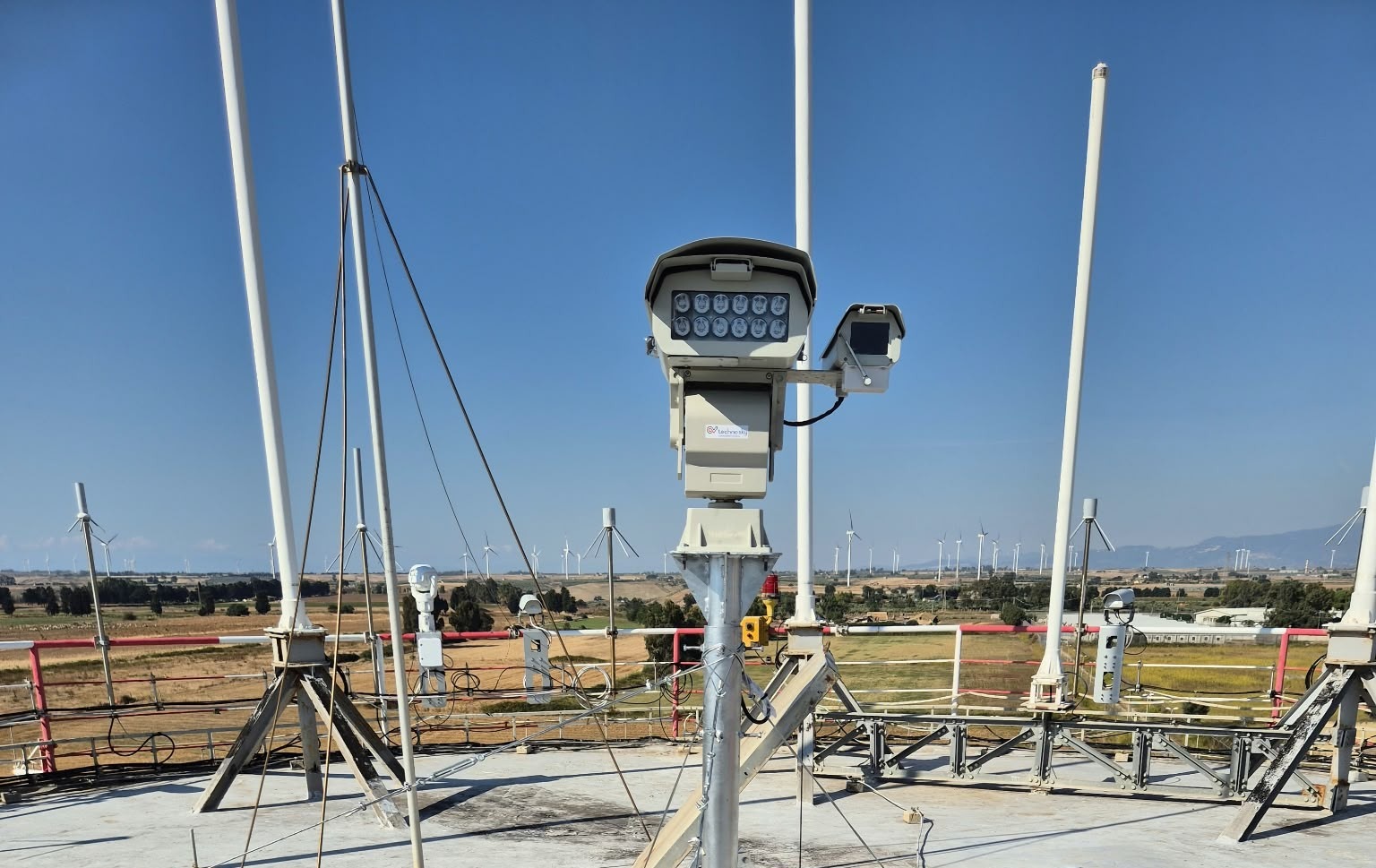
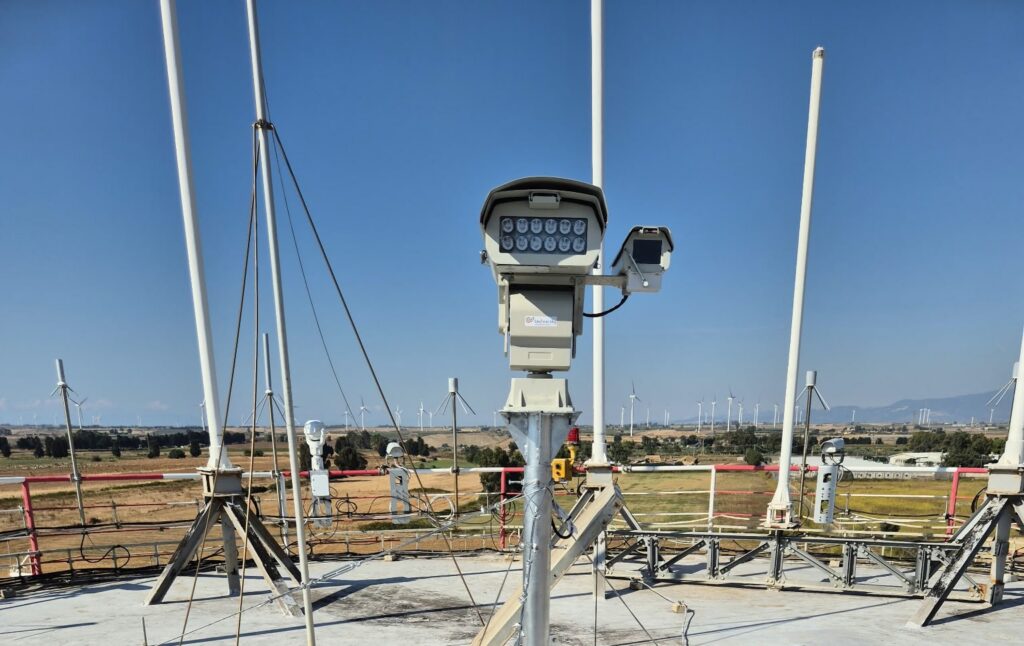
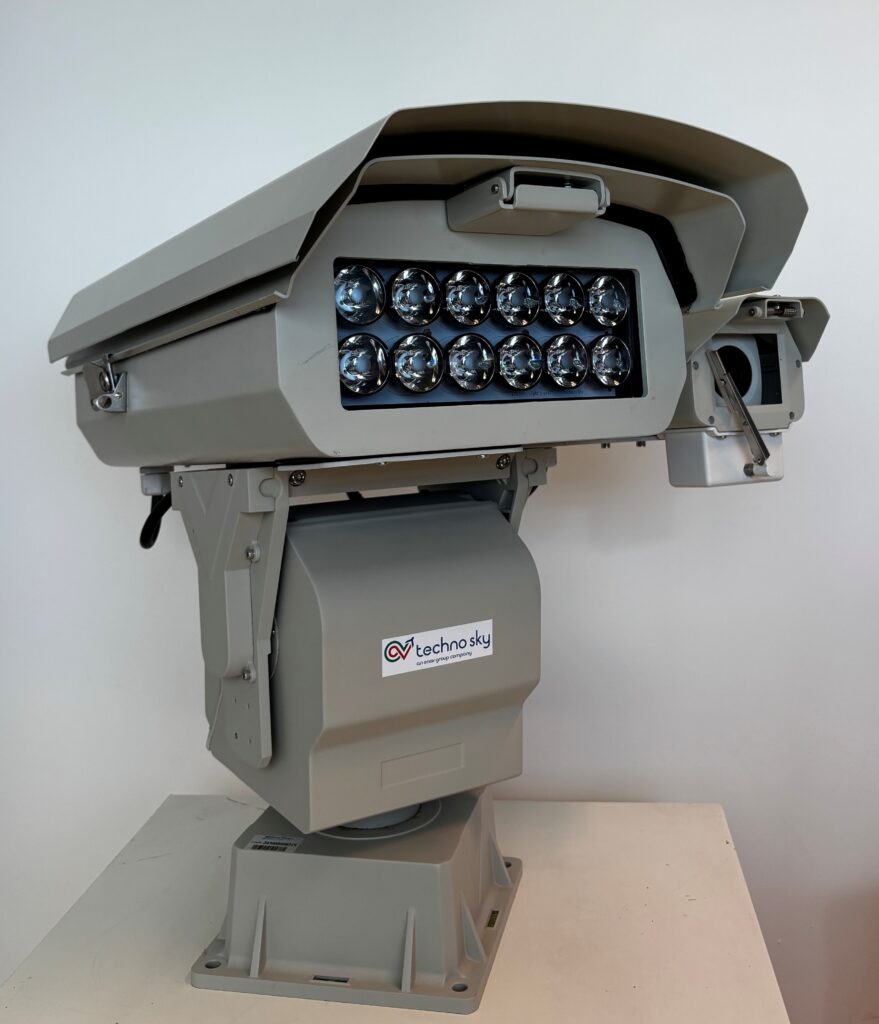
How Techno Sky and Arduino Opta brought an industrial visual emergency signaling solution to air traffic management When you’re developing systems that support air navigation services, the margin for compromise is essentially zero. Reliability isn’t a “nice to have,” it’s the baseline. That’s the world in which Techno Sky operates, and it’s what makes their decision to build around the Arduino® Opta RS485 microPLC responsive to the project’s identified requirements. Techno Sky is an ENAV Group company that manages and maintains hardware and software systems supporting air navigation services, and develops innovative technologies for the Air Traffic Management (ATM) sector. Their R&D department works on solutions for air navigation service providers (ANSPs), airports, aviation authorities, and organizations worldwide – systems designed for use under demanding operational conditions. The challenge: a compact, reliable visual emergency signaling system The project that brought Techno Sky to Arduino was the development of a visual emergency signaling system for integration within ENAV’s Digital Tower environment. The requirements were unambiguous: industrial-grade reliability, compact form factor, continuous operating capability, Ethernet and industrial communication interfaces, integrated I/O, and the ability to develop and maintain the system without building dedicated custom electronics from scratch. A fully custom hardware design was on the table, but it would have added significant time and complexity – hardware design, integration, and validation cycles that would delay the project without necessarily improving the outcome. The team needed a platform that would let them focus on application logic and system integration, not on reinventing the controller underneath it. Opta: a non-conventional, but versatile and effective path to innovation The R&D team evaluated conventional PLCs, custom embedded electronics, and single-board computers before landing on Opta. It selected Opta based on its combination of industrial characteristics and software flexibility in a single package. The team determined that the conventional PLCs it evaluated offered less development agility for this project. Custom electronics would have added hardware design overhead. The single-board computers evaluated by the team did not meet the project’s identified specifications. The Opta RS485 offered integrated Ethernet and RS485 communications, relay outputs, and the flexibility of the Arduino programming environment and library ecosystem – all in a compact, DIN rail-mountable form factor designed for industrial applications. Critically, it allowed new functionality to be implemented through software without adding dedicated hardware, a quality that would prove important as the system evolved. An architecture for in-house deployment within the year In the deployed system, Opta acts as the main embedded controller, managing signaling outputs, Ethernet communication, RS485 communication with external equipment, operating modes and timing, supervision functions, and communication integrity and security. The system currently implements eight signaling modes on a single controller – functions that the Techno Sky team determined could otherwise have required additional hardware or a more complex architecture. The main engineering challenge during development was coordinating communications, physical outputs, signaling sequences, and supervision in parallel. The team addressed this through a modular software architecture and the use of watchdog and communication-validation mechanisms – approaches intended to support a manageable codebase and consistent system behavior. Development was carried out internally by Techno Sky’s R&D team using Arduino documentation, libraries, and development resources. According to Techno Sky, the project started in October and reached operational deployment in under 12 months. One Opta controller integrating more than ten main control functions, designed for continuous operation, with the same architecture carried through from R&D prototype to operational system. From prototype to production on the same platform That last point deserves emphasis. R&D teams may prototype on one platform and later transition hardware when moving toward deployment. Techno Sky didn’t need to make that transition. The architecture based on Opta developed during R&D was the architecture retained for operational use – a decision that they report was based on its assessment of the platform for this application. Techno Sky summarized their experience: “Opta enabled us to move rapidly from an R&D concept to an operational solution. Its industrial hardware, combined with the Arduino programming environment and library ecosystem, allowed us to integrate and expand multiple functions without increasing hardware complexity. The fact that we are retaining Opta in the operational system reflects our positive assessment of its effectiveness and reliability for this application.” More ideas, more innovation The Techno Sky team has been working with Arduino platforms across their R&D activities for several years, and this project showcases their reinforced confidence in their chosen Arduino product line. Future applications under consideration include monitoring systems, remote control, sensor integration, robotics, automated test equipment, and ATM infrastructure – a range of potential uses that Techno Sky is evaluating. For teams facing similar integration challenges – multiple control and communication functions, demanding reliability requirements, and pressure to move quickly from concept to deployment – Techno Sky’s assessment is direct: Opta is well suited, in Techno Sky’s assessment, when those functions need to come together in a compact system, without the overhead of custom hardware design. Ready to explore options for your industrial application? Find out more about the Opta family and Arduino’s industrial-grade range at arduino.cc/pro. Arduino, Opta, and the Arduino logo are trademarks or registered trademarks of Arduino S.r.l. The post How Techno Sky and Arduino Opta brought an industrial visual emergency signaling solution to air traffic management appeared first on Arduino Blog. #technosky #trafficmanagement #emergencysignaling #airtraffic #visualemergency #arduinoopta #custom #enavgroup #rss #feeds #linksharing #qwibbit
ArduinoWire's avatar
ArduinoWire 2 weeks ago
Azume One – A 2.8mm sensor that turns any regular wristwatch into a health tracker (Crowdfunding) Azume, a Munich-based startup, has designed the Azume One, a compact health tracker that attaches to the back of a regular wristwatch to track heart rate, sleep, stress, and daily activity without needing an additional smartwatch. The device measures 30mm in diameter, is 2.8mm thick, and weighs 5 grams. It features an optical PPG sensor and a motion sensor to track health and activity data, which it sends to an Android or iOS smartphone over Bluetooth 5.4. Other highlights include up to 48 hours of battery life, a removable nano-suction mounting system, and an included wristband for sleep tracking without wearing a watch. Azume One specifications: MCU / SoC – Not specified (Potentially Nordic Semi nRF52-based) Sensors Optical PPG sensor for heart rate and blood oxygen monitoring Motion sensor for activity and workout tracking Skin temperature monitoring Connectivity – Bluetooth 5.4 Misc No display, vibrations, or notifications No subscription required [...] The post Azume One – A 2.8mm sensor that turns any regular wristwatch into a health tracker (Crowdfunding) appeared first on CNX Software - Embedded Systems News. image #regularwristwatch #healthtracker #crowdfunding #opticalppg #bluetooth #nordicsemi #potentiallynordic #rss #feeds #linksharing #qwibbit
ArduinoWire's avatar
ArduinoWire 2 weeks ago
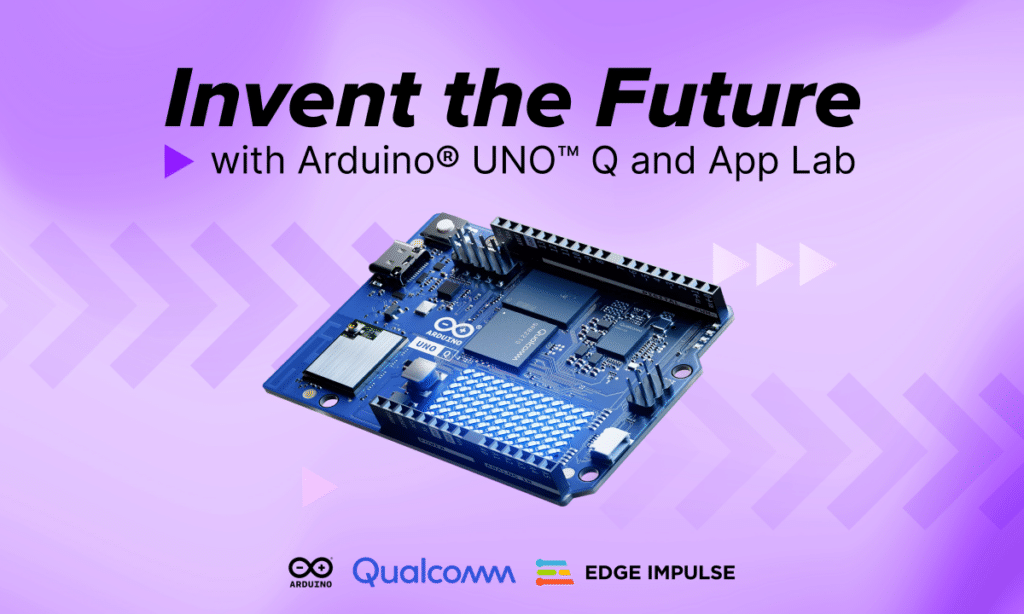
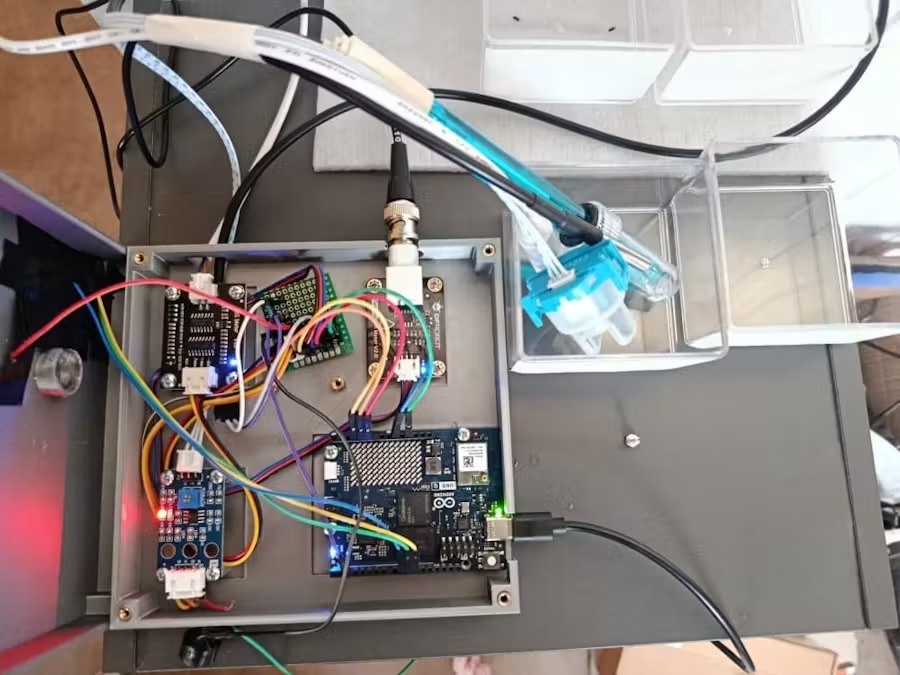
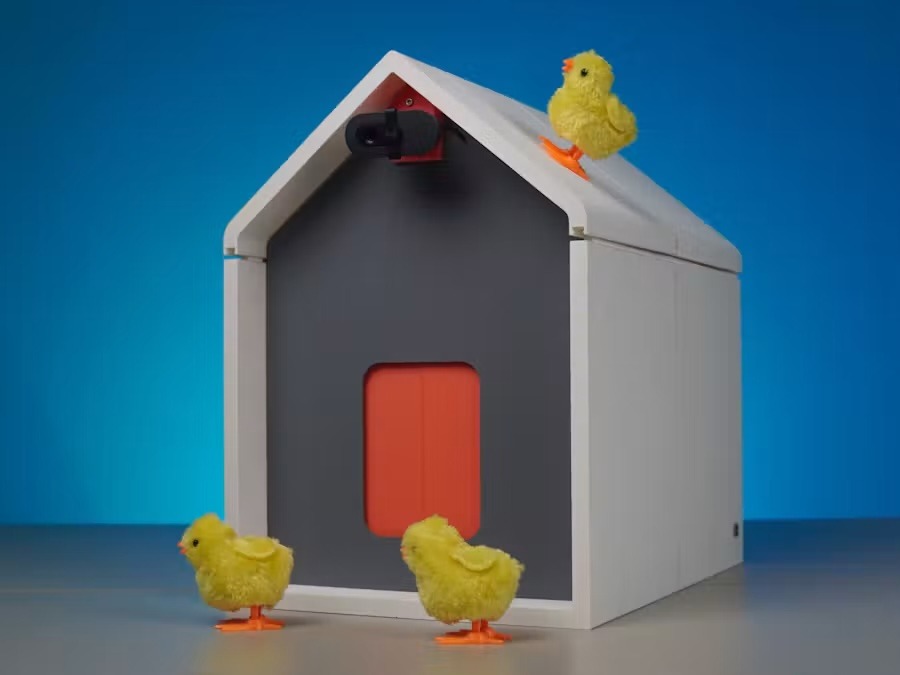
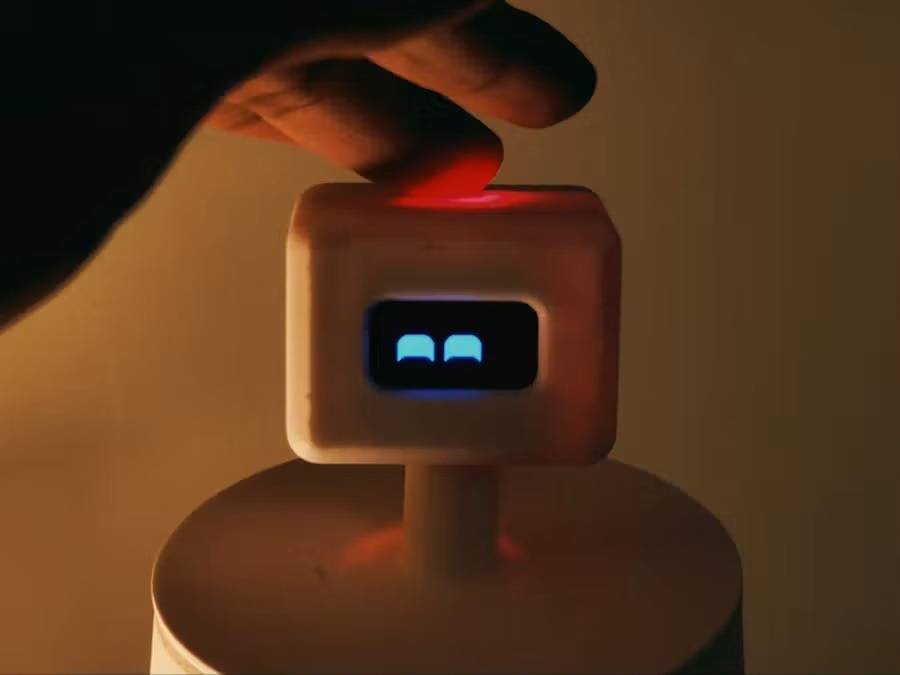
Inside the winning Arduino® UNO™ Q projects from Hackster’s Invent the Future competition Arduino, Qualcomm Technologies, and Edge Impulse recently teamed up with Hackster to host the Invent the Future competition. The competition attracted 4,028 registrants and 1,202 hardware applications, culminating in 153 final project submissions across a wide range of real-world applications. There were several categories in the competition, all unified by the UNO Q board and Arduino® App Lab. The judging is officially complete and the winners have been announced, which means we get to show you the top projects that most impressed the judges and took home the awards! These winning creations illustrate a range of uses for the UNO Q – and stay tuned, because we’ll also be shining the spotlight on many other fantastic contest submissions in the coming days. Best Social Impact While sustainability was a consideration for every category, the Best Social Impact award went to a project built explicitly to make the world a better place. The winning project was the Smart Water Guardian AI, built by KOCHONI Biaou David Barthélémy. This project puts the edge AI capabilities demonstrated by UNO Q to good use, by monitoring water-quality indicators in real time. Through a host of sensors, it is designed to measure everything from temperature and pH to turbidity and dissolved solids content, allowing for detection of anomalies that correlate with poor water quality – detection that could save lives. Best in Home Automation Home automation is a thriving industry, and there are all kinds of tech products you can use to build the smart house of your dreams. But what about your chickens’ house? That’s what Coders Cafe’s Smart Coop 2.0 is for. Smart Coop 2.0 is a system design, driven by an UNO Q, for intended to support routine chicken care. It is built to handle the basics, like dispensing feed on a schedule and heating the space, using local AI models designed to detect eggs and potential predators. The creator designed Smart Coop 2.0 to make certain chicken-care tasks more convenient and to detect potential predators, including coyotes and foxes. Best in Gaming RollerCoaster Tycoon was a popular video game generally among two types of people: those who enjoy creative building and those who like maximizing metrics. Kevin Loeffler is the latter type, and he wondered how real-life roller coasters might stack up. The result is RCT IRL, which is a wearable sensor system for classifying and quantifying roller coaster rides. “Wearable” here means an UNO Q, a SparkFun 9DoF IMU (inertial measurement unit), and a battery stuffed into a fanny pack. During a coaster ride, the dual-brain board from Arduino is structured to collect movement data through the IMU. Afterwards, three Edge Impulse models are designed to process the data and generate model-based scores labeled Excitement, Intensity, and Nausea. Together with interesting stats like ride time and maximum g-forces, those values populate a report card for the roller coaster, just like in the game. Best in Industrial IoT HaloSense V1 is pasquale887’s attempt to give humans new senses via neuroplasticity. In short, neuroplasticity is your brain’s ability to accommodate new functions. Of course, there isn’t anything supernatural or superhuman about that, and your brain can only work with the sensory input it receives. HaloSense V1 provides new information through the senses you already have. Or, to put it another way, HaloSense V1 is a haptic feedback headset. Through an array of 13 haptic feedback motors, it pulses and buzzes to convey information gathered through sensors connected to an UNO Q. The project is intended to explore whether, over time, a wearer can learn to interpret the haptic patterns as information. Best in Robotics We’re in the midst of a shift in robotics towards human-friendly designs. Mohammed Akramuddin’s Curie is engineered to be as friendly as it gets. This little desktop robot is cute, with facial expressions displayed on an OLED screen. The creator designed it to help users, including those with ADHD, manage tasks. Like all of the other projects in this competition, Curie contains an UNO Q board. It connects to various APIs, including Groq (a cloud interface that is built to let developers run open-source artificial intelligence models at high speeds), to help its owner manage their workload. It is designed to do that in the usual digital assistant ways, by taking notes and setting reminders, but also by providing more tailored assistance. It can, for example, break a complex task up into small pieces that are more approachable. It is also designed to identify potential distraction and provide a nudge to help users return to their task. Best in Show The Best in Show award went to the overall competition winner, regardless of category. The winner was Jorge Eldis González for his work on the Edge-AI Spectrophotometer, which is, as its name indicates, a spectrophotometer that integrates AI on the edge. A spectrophotometer measures the wavelength of light, in order to detect the properties of sampled materials. That is a non-destructive analysis and can, for instance, tell you if a sample contains contaminants. The Edge-AI Spectrophotometer is built using commercially available components, using an UNO Q and a SparkFun Electronics AS7343 Triad Spectroscopy Sensor. It then runs a machine learning inference model on the edge, which detects deviations from known baselines. The creator designed the project to make its testing workflow more accessible to less-experienced operators and to explore additional spectrophotometry applications. Congratulations to all the winners! Qualcomm branded products are products of Qualcomm Technologies, Inc. and/or its subsidiaries. Arduino, UNO, and the Arduino logo are trademarks or registered trademarks of Arduino S.r.l. The post Inside the winning Arduino® UNO™ Q projects from Hackster’s Invent the Future competition appeared first on Arduino Blog. #futurecompetition #uno #arduino #smartcoop #socialimpact #qualcommtechnologies #edgeimpulse #bestsocial #homeautomation #applab #rss #feeds #linksharing #qwibbit
ArduinoWire's avatar
ArduinoWire 2 weeks ago
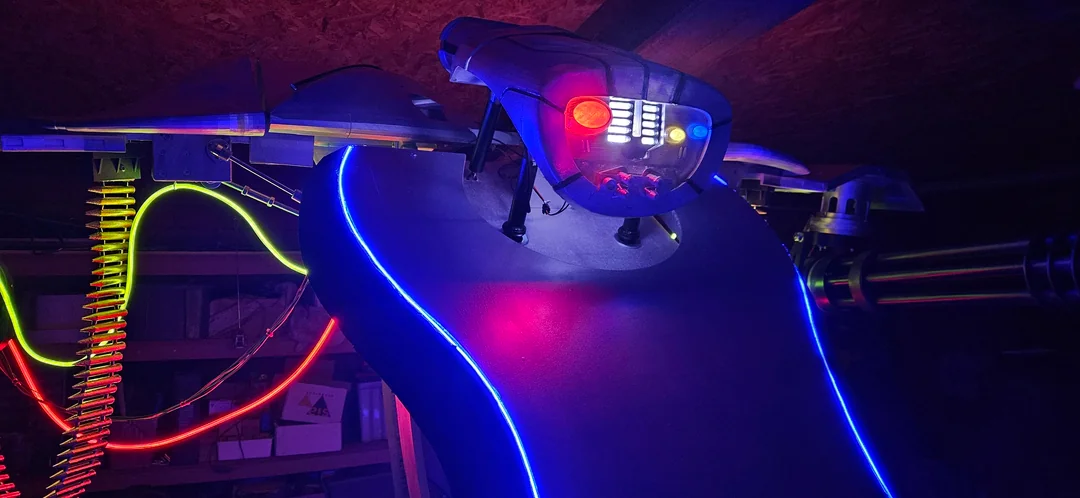
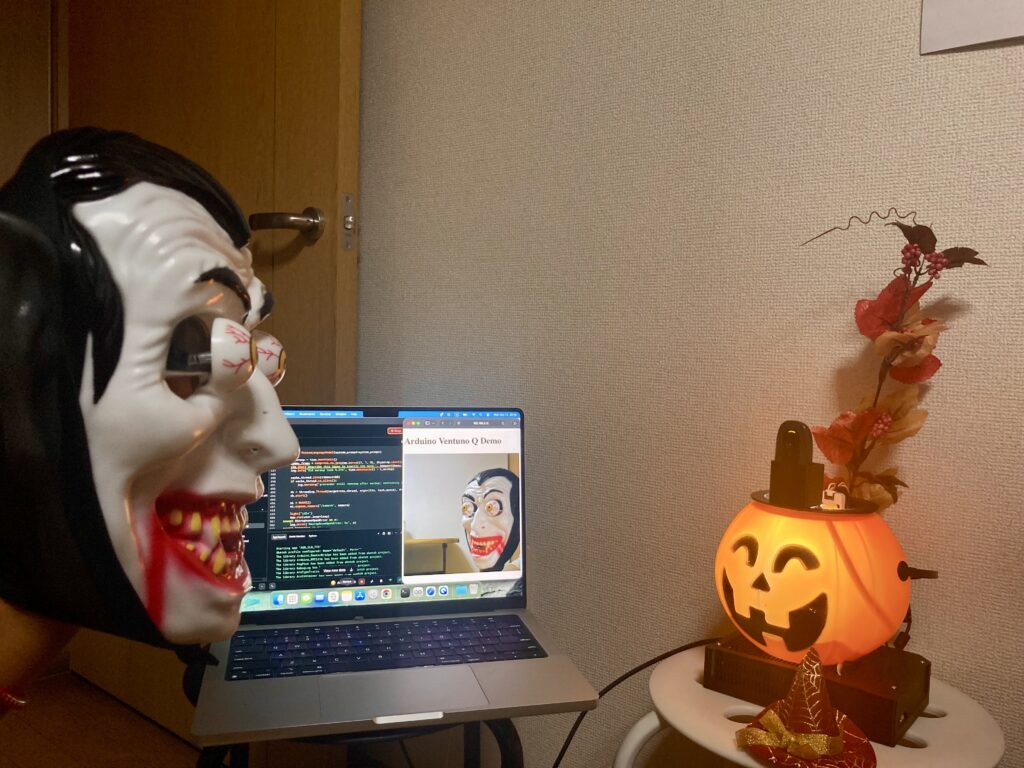
How about a Hallowuino half-dozen? It’s almost that time of year again! No chance to 3D print your Arduino®-powered pumpkin project? Didn’t get around to animating the LEDs on your costume? There’s still time, and here’s a half-dozen Hallowuino-themed projects to get you inspired. Spooky, Sassy Pumpkin You’ve heard of Spooky, Scary Skeletons, well here’s a Spooky, Sassy Pumpkin that is built to use a USB webcam to identify visitors as they approach, then answer their questions about what it sees using the Arduino App Lab Vision-Language Model (VLM) Brick. This jack-o’-lantern packs a whole lot more smarts than your average fruit thanks to the dual-brain VENTUNO Q concealed underneath it. All processing is designed to be handled offline, on-device without sending users’ faces and voices across networks or to the cloud. Arduino-Powered Animatronic Supergroup Bands break up for all kinds of reasons, so we were pleased to see Arduino Project Hub member nerdabilly figure out a way to sync the Costco Skeleton Punk Rocker animatronic with the Lowe’s Reaper Band. The band members are centered around a Bluetooth speaker, while the rocker is triggered by a timer or motion sensor. Not wanting to permanently alter these expensive displays, nerdabilly used the existing analog signal from the band leader to trigger the pink in place of its motion-sensing trigger, so the whole crew can rock out with their skulls out. Nerdabilly, we salute you for keeping this spooky symphony in sync! Simple Spookiness with Modulinos and MP3s Here’s some simple steps to sprinkle some spookiness into your season from our own team. Using the UNO R4-based Plug and Make Kit, plus a DFRobot DFPlayer MP3 player module, we show you how to trigger spooky lights and sounds when the Modulino® Distance sensor detects a presence. You can even connect to the Arduino Cloud to activate, customize, and monitor your project remotely. And that’s just the start – the seven included modules and built-in Wi-Fi give you plenty of options for creating your own frightful projects! Ultrasonic Spider Everyone has to start their Arduino journey somewhere, and for Project Hub member ParzivalUK, that place was a half-decade old project video demonstrating a fake spider dropping on unsuspecting passers-by. Unfortunately, ParzivalUK found that the accompanying code no longer worked for their project, and there weren’t detailed steps on how to recreate it. Driven by a desire to delight their son with a fun Halloween prank, ParzivalUK pushed on, combining a servo with an ultrasonic sensor to drop a toy spider on anyone who comes within approximately 40cm of the trap, with a continuous rotation servo to wind it back up, ready for the next victim! Portal Sentry Turret We love seeing projects shared on the unofficial Arduino Discord server. User jaysicks’ Aperture Science Sentry Turret costume really caught our eye, and we asked for a little more detail. The resulting Instructable is a detailed step-by-step guide for recreating the iconic tripod robot from one of the most beloved puzzle platformers of all time. With no 3D printer at hand, the costume relies on cardboard construction but comes out looking great. A red LED in the eye responds to the audio output from the incorporated GD380D-M audio playback module when a button is pressed, and the whole thing is controlled by an ATtiny85V microcontroller, programmed using the Arduino IDE. We think jaysicks’ son will be the envy of the neighborhood this Halloween, or at least among those with a solid appreciation of classic video games! Cyber Research Systems T-1-7 Warrior Robot The T-800 and T-1000 may get most of the screen time, but Redditor u/parsupo recreated the more niche T-1-7 Warrior Robot for their annual Halloween project. Built around an electric wheelchair base, the bot uses an Arduino Mega 2560 to receive and process commands from a remote control, and the same ATmega328 chips found in the UNO to control lights, gun movement, and the head. It may not be made of mimetic polyalloy, but we wouldn’t want to run into it in a dark alley! What will you make? Got a spooky Arduino-based project to share? Or need help realizing your creation? Be sure to add it to Arduino Project Hub. Then head over to the Arduino subreddit and let us know! The post How about a Hallowuino half-dozen? appeared first on Arduino Blog. #arduino #sassypumpkin #project #spooky #sentryturret #scaryskeletons #spider #applab #costcoskeleton #skeletonpunk #rss #feeds #linksharing #qwibbit
ArduinoWire's avatar
ArduinoWire 2 weeks ago
$26 Banana Pi BPI-RT2 WiFi 6 router board features Realtek RTL8198D dual-core MIPS SoC Just last week we wrote about the GL.iNet Mango 2 (GL-MG1300), a low-cost mini travel router built around a MediaTek MT7621A dual-core MIPS SoC. Now, Banana Pi has introduced another MIPS router: the BPI-RT2 router board built around a Realtek RTL8198D dual-core MIPS SoC. The BPI-RT2 ships with 256MB DDR3 RAM, 128MB SPI-NAND flash, four Gigabit Ethernet ports (one WAN and three LAN), and a USB 3.0 port. It also supports dual-band WiFi 6 with 2×2 MIMO on both the 2.4 GHz and 5 GHz bands. The board measures 97 × 65mm and is designed for home networking, wireless access points, and small business routers. Banana Pi BPI-RT2 specifications: SoC – Realtek RTL8198D Dual-core MIPS interAptiv processor Integrated Gigabit Ethernet switching hardware Memory – 256MB DDR3 RAM Storage – 128MB SPI-NAND flash Networking 1x Gigabit Ethernet WAN port 3x Gigabit Ethernet LAN ports Dual-band WiFi 6 (802.11ax), AX3000 2.4 GHz – [...] The post $26 Banana Pi BPI-RT2 WiFi 6 router board features Realtek RTL8198D dual-core MIPS SoC appeared first on CNX Software - Embedded Systems News. image #mipssoc #gigabitethernet #banana #realtek #wifi #router #board #ramstorage #integratedgigabit #ghz #rss #feeds #linksharing #qwibbit
ArduinoWire's avatar
ArduinoWire 2 weeks ago
$2600 LattePanda Sigma 2 single board server features 180 TOPS Intel Core Ultra X7 358H SoC for local AI applications The LattePanda Sigma 2 is a compact single board server/computer powered by an Intel Core Ultra X7 358H Panther Lake-H processor with Intel Arc B390 graphics and a 50 TOPS NPU delivering up to 180 TOPS of combined performance for local AI workloads. The board features up to 64GB of LPDDR5X-8533 RAM, three M.2 M-Key slots, one M.2 E-Key slot, and an OCuLink port for storage, wireless, and accelerator expansion, as well as two Thunderbolt 4 ports, dual 10GbE, USB 3.2 Gen 2 and USB 2.0 ports, and HDMI 2.1, DisplayPort 2.1, and eDP 1.5 display interfaces. Key Specifications SoC – Intel Core Ultra X7 Processor 358H CPU – 16-core (4P + 8E + 4LPE) @ 1.9/1.5/1.5 GHz (base frequency), 4.8/3.5/3.5 GHz (Turbo frequency) Cache – 18 MB Intel Smart Cache GPU – 12-core Intel Arc B390 GPU @ 2.5 GHz up to 122 TOPS (INT8) AI accelerator – 50 [...] The post $2600 LattePanda Sigma 2 single board server features 180 TOPS Intel Core Ultra X7 358H SoC for local AI applications appeared first on CNX Software - Embedded Systems News. image #coreultra #intelcore #lattepandasigma #topsintel #boardserver #singleboard #intelsmart #local #arc #features #rss #feeds #linksharing #qwibbit
ArduinoWire's avatar
ArduinoWire 2 weeks ago
BeagleConnect QuadESC 4-channel BLDC motor controller uses TI’s AM13E23019-based Torque module BeagleBoard.org has introduced the BeagleConnect QuadESC, an open-source 4-channel BLDC motor controller/carrier board built around the BeagleConnect Torque SoM. The SoM features TI’s 200 MHz AM13E23019 Arm Cortex-M33 microcontroller with a trigonometric math unit (TMU) and a TinyEngine neural-network accelerator for edge AI applications. The QuadESC carrier board supports four three-phase BLDC motor outputs, twelve current and twelve voltage sensing channels, four temperature sensors, and battery voltage monitoring. It also includes an eight-pin flight controller connector with DShot, telemetry, and current reporting signals, along with SWD debugging, a buzzer connector, and onboard power regulation. BeagleConnect Torque SoM The Torque SoM can also be integrated with custom carrier boards for robotics, motor control, and CAN-connected applications. It provides the processing, sensing, and communication interfaces, while external hardware supplies the motor power . Specifications: Main MCU– Texas Instruments AM13E23019 CPU core – Arm Cortex-M33 MCU @ 200 MHz with FPU Memory – [...] The post BeagleConnect QuadESC 4-channel BLDC motor controller uses TI’s AM13E23019-based Torque module appeared first on CNX Software - Embedded Systems News. image #bldcmotor #beagleconnecttorque #torquesom #motorcontroller #quadesc #arm #mainmcu #texasinstruments #fpumemory #tmu #rss #feeds #linksharing #qwibbit
ArduinoWire's avatar
ArduinoWire 2 weeks ago
LILYGO T-Display K230 RISC-V AI dev kit features AMOLED, LoRa, and keyboard with optional LTE-M/NB-IoT cellular connectivity LILYGO T-Display K230 is a handheld dev kit based on Canaan’s Kendryte K230 dual-core 64-bit RISC-V processor. The kit features a 4.1-inch AMOLED touchscreen and supports an optional detachable keyboard with battery and optional nRF9151 cellular and GNSS connectivity. The device also comes with 1GB LPDDR4 RAM, a 2MP camera, HDMI output, Ethernet, WiFi 4, and either an SX1262 or LR2021 LoRa transceiver. These features make this kit suitable for remote monitoring, wireless communication, and other embedded applications. LILYGO T-Display K230 Kit specifications: SoC – Kendryte K230 CPU 64-bit RISC-V processor @ 1.6GHz with RISC-V Vector Extension 1.0, FPU 64-bit RISC-V processor @ 800MHz with support for RV64GCB instruction set; AI accelerator KPU with support for INT8 and INT16 Compatible with TVM, TensorFlow, PyTorch, ONNX Typical network performance: Resnet 50 ≥ 85fps @ INT8; Mobilenet_v2 ≥ 670fps @ INT8; YoloV5S ≥ 38fps @INT8; GPU – 2.5D graphics engine DPU – [...] The post LILYGO T-Display K230 RISC-V AI dev kit features AMOLED, LoRa, and keyboard with optional LTE-M/NB-IoT cellular connectivity appeared first on CNX Software - Embedded Systems News. image #lilygo #devkit #kitfeatures #amoled #lora #cellular #kendryte #onnxtypical #vectorextension #ai #rss #feeds #linksharing #qwibbit
ArduinoWire's avatar
ArduinoWire 3 weeks ago
Picotronix modular oscilloscope and logic analyzer features two Raspberry Pi Pico 2 boards (Crowdfunding) Picotronix is a modular oscilloscope, logic analyzer, and frequency meter from Sydney-based Thort Werx Pty Ltd, based on two Raspberry Pi Pico 2 units, more exactly a Pico 2 used as a signal processor and a Pico 2 W used to drive the display and for wireless connectivity. The solution is comprised of the Picotronix Main Module with an integrated LCD and three expansion ports, used to connect picoPods plug-in expansion modules to add high-speed ADCs, mixed-logic family logic state analysis, a waveform generator, analog conditioning, and more. Picotronix key features and specifications: Main Module Two-channel digital storage oscilloscope 8-channel logic analyzer, expandable up to 14 channels with a picoPod; up to 150 MHz sample rate Frequency meter Display – 320 × 240 color LCD from Pimoroni Three expansion ports, two 10-pin analog ports, and one 26-pin multifunction port Analog channel Accepts 3 Vpp or 16.6 Vpp at 1 MΩ, [...] The post Picotronix modular oscilloscope and logic analyzer features two Raspberry Pi Pico 2 boards (Crowdfunding) appeared first on CNX Software - Embedded Systems News. image #rss #feeds #linksharing #qwibbit
ArduinoWire's avatar
ArduinoWire 3 weeks ago
Synergy Logic SLM-RP4 – A Raspberry Pi 4 PLC with modular industrial I/O Synergy Logic SLM-RP4 industrial PLC is built around a Raspberry Pi 4 SBC and designed for industrial automation, machine control, data acquisition, and Industrial IoT (IIoT) applications. The DIN-rail mountable controller supports 24V DC input and an SPI-based backplane that connects up to eight Synergy Logic I/O modules, providing up to 128 I/O points. It also features Gigabit Ethernet, WiFi 5, Bluetooth 5.0, USB ports, two micro-HDMI outputs, and a fanless aluminum enclosure. The system runs Raspberry Pi OS with OpenPLC pre-installed for standard IEC 61131-3 logic programming. Synergy Logic SLM-RP4 specifications: SBC – Raspberry Pi 4 Model B (2GB RAM) Storage – 16GB microSD card Video – 2x micro-HDMI ports Audio – 3.5mm audio jack Networking Gigabit Ethernet port Dual-band WiFi 5 (802.11ac) Bluetooth 5.0/BLE USB 2x USB 3.0 Type-A ports 2x USB 2.0 Type-A ports 1x USB-C port for auxiliary power I/O Expansion – SPI-based backplane supporting up [...] The post Synergy Logic SLM-RP4 – A Raspberry Pi 4 PLC with modular industrial I/O appeared first on CNX Software - Embedded Systems News. image #synergylogic #raspberry #industrial #plc #gigabitethernet #usb #bluetooth #sbc #networkinggigabit #audio #rss #feeds #linksharing #qwibbit
ArduinoWire's avatar
ArduinoWire 3 weeks ago
Rockchip RK3576-powered SMARC 2.2 system-on-module and development board target Edge AI applications MYIR MYC-JR3576 is a SMARC 2.2 system-on-module (SoM) powered by a Rockchip RK3576/RK3576J octa-core Cortex-A72/A53 SoC with a 6 TOPS NPU designed for Edge AI applications. It features up to 8GB LPDDR5, up to 64GB eMMC flash, an optional WiFI 6E and Bluetooth 5.4 module, and exposes all I/Os through a 314-pin MXM connector as defined in the SMARC 2.2 standard. The company says it’s the socketed counterpart to its LGA-packaged MYC-LR3576 (43 x 45 mm) module introduced in 2024, so the same processor is now available in both solder-down and standard form factors from MYiR. MYC-JR3576 – Rockchip RK3576 SMARC 2.2 module MYIR MYC-JR3576 specifications: SoC – Rockchip RK3576 (commercial) or RK3576J (industrial) CPU 4x Cortex-A72 cores @ 2.2GHz, four Cortex-A53 cores @ 1.8GHz Arm Cortex-M0 MCU at 400MHz GPU – ARM Mali-G52 MC3 GPU with support for OpenGL ES 1.1, 2.0 and 3.2, OpenCL up to 2.0 and [...] The post Rockchip RK3576-powered SMARC 2.2 system-on-module and development board target Edge AI applications appeared first on CNX Software - Embedded Systems News. image #smarc #rockchip #edge #applications #myir #module #arm #gpu #soc #npu #rss #feeds #linksharing #qwibbit
ArduinoWire's avatar
ArduinoWire 3 weeks ago
Adafruit Metro ESP32-P4 Hydra – An Arduino UNO-shaped ESP32-P4 + ESP32-C6 board with WiFi 6, MIPI interfaces Adafruit has launched the Metro ESP32-P4 Hydra, an Arduino UNO-shaped development board with ESP32-P4, 16MB PSRAM, and 16MB NOR flash, and an ESP32-C6 for WiFi 6, Bluetooth 5.3 LE, Thread, and Zigbee connectivity. Other features include Raspberry Pi-compatible MIPI DSI and CSI interfaces, a USB 2.0 High-Speed host port, a microSD card slot, and Arduino UNO expansion headers. The board also includes a STEMMA QT connector, LiPo battery charging, and multiple power input options, making it suitable for HMI, camera, and IoT applications. Adafruit Metro ESP32-P4 Hydra specifications: Microcontroller – Espressif Systems ESP32-P4 (v1 chipset) CPU Dual-core 32-bit RISC-V HP (High-performance) CPU @ up to 360 MHz with AI instructions extension and single-precision FPU Single-RISC-V LP (Low-power) MCU core @ up to 40 MHz with 8KB of zero-wait TCM RAM Memory 768 KB HP L2MEM (for dual-core CPU), 32 KB LP SRAM, 8 KB TCM (for LP MCU core) 16MB PSRAM GPU [...] The post Adafruit Metro ESP32-P4 Hydra – An Arduino UNO-shaped ESP32-P4 + ESP32-C6 board with WiFi 6, MIPI interfaces appeared first on CNX Software - Embedded Systems News. image #adafruitmetro #arduino #hydra #mipi #wifi #cpu #espressifsystems #rammemory #mcu #bluetooth #rss #feeds #linksharing #qwibbit
ArduinoWire's avatar
ArduinoWire 3 weeks ago
Renesas RX74M and RX74N – 600MHz industrial MCUs with RXv3e core, embedded MRAM, 22nm process Renesas has introduced the RX74M and RX74N, two new 32-bit RX family MCUs built on a 22nm process with embedded MRAM. Both MCUs integrate a 600MHz RXv3e core and are designed for industrial automation, motor control, robotics, and energy management applications. The MCUs feature up to 1MB of code MRAM, 1.5MB SRAM, and 256KB of zero-wait-state local RAM for real-time processing. The RX74M adds an integrated EtherCAT slave controller, dual Gigabit Ethernet MACs with TSN support, and an Ethernet switch for industrial networking, while the RX74N offers a single Gigabit Ethernet interface for general industrial applications. Other features include CAN FD, USB 2.0, I3C, high-resolution PWM timers, and hardware-based security with Renesas Protect Zone. Renesas RX74M and RX74N specifications: MCU – 32-bit RXv3e core clocked at 300/480/600MHz Up to 3,604 CoreMark at 600MHz Single- and double-precision floating-point support Trigonometric function accelerator Register bank save function for faster interrupt response 32KB [...] The post Renesas RX74M and RX74N – 600MHz industrial MCUs with RXv3e core, embedded MRAM, 22nm process appeared first on CNX Software - Embedded Systems News. image #embeddedmram #gigabitethernet #mcus #renesas #industrial #core #process #protectzone #usb #tsn #rss #feeds #linksharing #qwibbit
ArduinoWire's avatar
ArduinoWire 3 weeks ago
Deki Engine – ESP32 gets an open source Unity-style editor and C++ 2D game engine Deki Engine is an open-source modular C++ engine with a Unity-style visual editor for embedded devices, currently optimized for ESP32 platforms such as LilyGO T-Deck Plus, T-Display S3 AMOLED, and soon Elecrow CrowPanel Advanced 7″ ESP32-P4. The editor is available for Windows and Linux with a compiler for the 2D graphics engine, and everything is released under an Apache 2.0 license on GitHub. The project also works on desktop through SDL3, which may be convenient during development. Some of the highlights of the Deki Engine project: Workflow Build scenes visually (sprites, text, particles, tilemaps, state machines, tweens) Pick a board in the editor’s Build panel Flash it. The project also runs on desktop through SDL3, or headless with no renderer Performance – 60 FPS on ESP32-S3 (See demo video below) Package-based solution Hardware packages LilyGO T-Deck Plus with support for display, touch, keyboard, trackball, SD card, GPS and LoRa (SX1262) [...] The post Deki Engine – ESP32 gets an open source Unity-style editor and C++ 2D game engine appeared first on CNX Software - Embedded Systems News. image #dekiengine #editor #open #plus #workflowbuild #crowpaneladvanced #elecrowcrowpanel #amoled #apache #pick #rss #feeds #linksharing #qwibbit
ArduinoWire's avatar
ArduinoWire 3 weeks ago
ZOTAC ZBOX PRO CM5-PICO – A compact Raspberry Pi CM5-based fanless industrial mini PC ZOTAC ZBOX PRO CM5-PICO is a compact fanless industrial mini PC built around the Raspberry Pi Compute Module 5 (CM5) with up to 16 GB LPDDR4x memory, optional WiFi 5 and Bluetooth 5.0 wireless connectivity. The mini PC measures 114.8 x 76 x 31.3 mm and features two 4K HDMI outputs, Gigabit Ethernet, and M.2 expansion for NVMe storage or AI accelerators, along with an internal 40-pin GPIO header, camera interfaces, and a wide 5V to 20V DC input for industrial automation, digital signage, and IoT gateway applications. All I/O ports are placed on a single side to simplify cable management and stacking. ZOTAC ZBOX PRO CM5-PICO specifications: SoM – Raspberry Pi Compute Module 5 (CM5) SoC – Broadcom BCM2712 CPU – Quad-core Arm Cortex-A76 @ 2.4 GHz GPU – VideoCore VII @ 800 MHz with H.265 hardware video decoding Memory – 2GB, 4GB, 8GB, or 16GB LPDDR4x RAM Storage [...] The post ZOTAC ZBOX PRO CM5-PICO – A compact Raspberry Pi CM5-based fanless industrial mini PC appeared first on CNX Software - Embedded Systems News. image #zboxpro #zotaczbox #industrialmini #fanlessindustrial #computemodule #raspberry #gigabitethernet #memory #ramstorage #ghzgpu #rss #feeds #linksharing #qwibbit

ArduinoWire's avatar
ArduinoWire 3 weeks ago
From open source to real world solutions: How Linux and Arduino bring big ideas to life Linux mascot Tux the penguin was created by Larry Ewing using GIMP The idea that changed how we build technology Happy Linux Day, Arduino Fans! Since 1991, Linux has helped popularize open-source software. And then Arduino, inspired by that, extended that open source concept to hardware with its own launch in 2005. The open-source movement did not stop at the screen; it also influenced the development of physical computing. As we celebrate Linux Day, we honor the collaborative ethos that helped shape the internet and the Arduino movement. Just as Linux democratized software by opening the kernel, Arduino liberated hardware from corporate labs, proving that when we freely share our blueprints from C++ to circuit schematics, we empower a global community to build the future together. Linux meets the physical world Imagine building an autonomous robot where the engineering challenge isn’t just running computer vision, but seamlessly bridging that user-space intelligence with bare-metal physical execution. The Arduino® UNO Q board solves this by unifying a Qualcomm Dragonwing QRB2210 microprocessor running a full Debian Linux environment with an STM32U585 microcontroller for real-time, deterministic hardware control. This dual architecture gives developers the established capabilities of Debian’s package ecosystem and networking stack for AI workloads, while the bare-metal microcontroller supports real-time control of motors, sensors, and actuators, including sub-millisecond operations where supported by the applicable configuration and workload. This integrated architecture is designed to reduce the friction associated with bridging separate computing and control hardware.By unifying real-time control with Debian’s robust software ecosystem, the UNO Q can help developers focus on building applications across robotics, computer vision, and industrial automation.The platform illustrates how advanced computing and bare-metal execution can be combined in an open, collaborative development environment. From ideas to real world builds The real power of open source comes to life in what people can create with it. Across the Arduino community, makers and developers can explore a broad range of possibilities, from desktop companion robots to autonomous systems that tackle everyday problems, and beyond. Whether they’re experimenting with the UNO Q or Arduino® VENTUNO Q board, sharing their ingenuity through competitions and hackathons, or inspiring others with creative builds, these projects turn bold ideas into working solutions. Here are a few builds that caught our attention, built by community members using Arduino hardware and Linux-based capabilities. Curie: An AI companion for ADHD and cognitive focus grounding Curie is an open-source desk companion built on UNO Q, intended to interact through audio and vision features to help users begin tasks and maintain focus. Learn more. Autonomous pantry assistant An autonomous edge AI assistant that identifies pantry products and reads their labels aloud for people with low vision. Learn more. A robot arm that sees you Imagine a robot arm designed to detect configured users and deliver selected objects. The arm runs on Feetech digital servo motors with a Waveshare control board, and a camera on the head handles the recognition. Learn more. Depth multitool on the VENTUNO Q One ordinary webcam, a depth model on the VENTUNO Q NPU, and four visualization modes for estimating the distance of objects within the camera’s field of view. Learn more. Building on open foundations Many community projects build on open-source software and hardware. Arduino continues to strengthen that foundation with new hardware, software, and tools that give developers more ways to experiment, create, and solve difficult problems. The 2026 Arduino Open Source Report highlights this motion and key contributions from our vibrant, passionate community. Here are just a few of the highlights, reported by Arduino as part of its open-source ecosystem: 6 new open source hardware boards 11 new official libraries Arduino® App Lab for UNO Q The community led with: 1,218 new libraries, bringing the total to 8,754 6,602 new versions of libraries 420 new open source projects The next chapter As AI descends from the cloud to power the next generation of autonomous robots and edge devices, open-source development continues to play an important role in this area. The convergence of Linux, Arduino, and edge intelligence is helping enable new physical-computing applications, and it is the global community that will define what is possible. That is the true spirit of Linux Day: a brilliant, decentralized future we are building together. Qualcomm branded products are products of Qualcomm Technologies, Inc. and/or its subsidiaries. Arduino, UNO, and VENTUNO are trademarks or registered trademarks of Arduino S.r.l. The post From open source to real world solutions: How Linux and Arduino bring big ideas to life appeared first on Arduino Blog. #arduino #linux #opensource #realworld #uno #ideas #debianlinux #larryewing #solutions #life #rss #feeds #linksharing #qwibbit
ArduinoWire's avatar
ArduinoWire 3 weeks ago
LILYGO T-Halow P4 – A M.2 2280 board with ESP32-P4, WiFi HaLow, and ESP32-C6 LILYGO T-Halow P4 is a compact M.2 development board that combines an ESP32-P4 MCU, an ESP32-C6 wireless co-processor, and a Taixin TX-AH WiFi HaLow module for long-range wireless connectivity. The board measures just 80 x 22mm (M.2 2280) and uses an M.2 B-key connector to expose GPIO pins and other interfaces for integration into custom carrier boards. It also supports MIPI CSI cameras and MIPI DSI displays, along with hardware H.264 video encoding at up to 1080p30, making it suitable for compact IoT gateways, remote cameras, and industrial monitoring applications. LILYGO T-Halow P4 specifications: SoC – Espressif Systems ESP32-P4NRW32X CPU Dual-core RISC-V @ 400 MHz with AI instruction extensions and single-precision FPU Single-core RISC-V LP (low-power) MCU @ up to 40 MHz GPU – 2D Pixel Processing Accelerator (PPA) VPU – H.264 and JPEG codec support Memory – 768 KB HP L2MEM, 32 KB LP SRAM, 8 KB TCM, 32MB [...] The post LILYGO T-Halow P4 – A M.2 2280 board with ESP32-P4, WiFi HaLow, and ESP32-C6 appeared first on CNX Software - Embedded Systems News. image #wifihalow #board #mcu #espressifsystems #pixelprocessing #processingaccelerator #mhzgpu #ppa #rss #feeds #linksharing #qwibbit
ArduinoWire's avatar
ArduinoWire 3 weeks ago
RoboParty RP1 (ROBOTO 01) – A full-stack open-source humanoid robot with up to 30 degrees of freedom Shanghai-based RoboParty has introduced the RP1 (ROBOTO 01), an open-source humanoid robot designed for robotics research, embodied AI development, and motion-control experiments. The robot is available in two configurations: the standard RP1 with 24 active degrees of freedom (DoF) and the RP1 Pro with 30 DoF. The robot stands 1.35 meters (~4.43 feet) tall and is built around a Rockchip RK3588 processor, with the Pro model adding an Allwinner A733 processor and an NVIDIA Jetson Orin NX development computing module. Other features include in-house ROMOMO joint actuators with up to 160 N·m peak torque, interchangeable head modules, optional dexterous hands, and a 10Ah battery rated for up to three hours of operation. A separate 480MHz MCU handles real-time motion control, while a dual-voltage battery system supports hot-swapping without shutting down the robot. RoboParty RP1 specifications: Computing RP1 – Rockchip RK3588 processor with a 6 TOPS NPU, 8GB LPDDR4x RAM, and [...] The post RoboParty RP1 (ROBOTO 01) – A full-stack open-source humanoid robot with up to 30 degrees of freedom appeared first on CNX Software - Embedded Systems News. image #roboto #humanoidrobot #freedom #degrees #roboparty #rockchip #jetsonorin #nvidiajetson #pro #dof #rss #feeds #linksharing #qwibbit

ArduinoWire's avatar
ArduinoWire 3 weeks ago
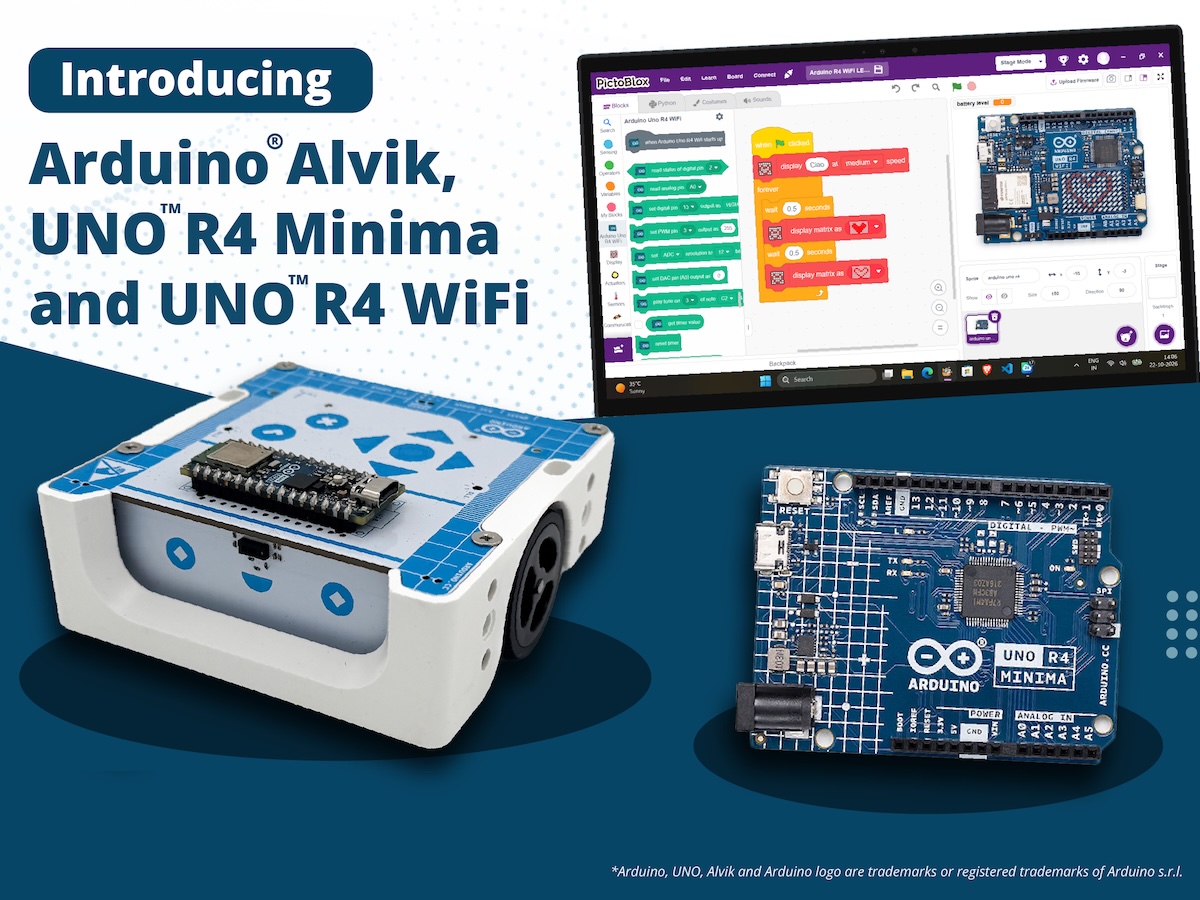
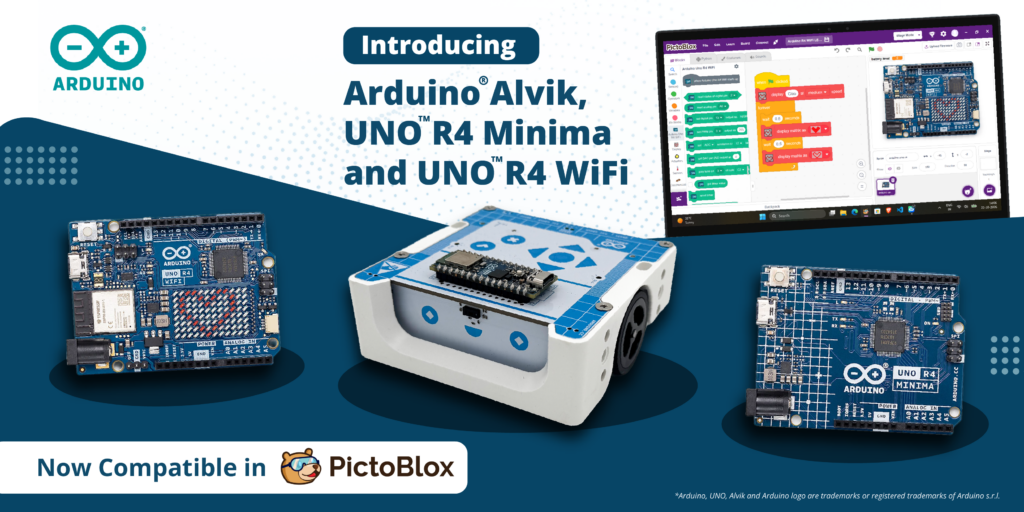
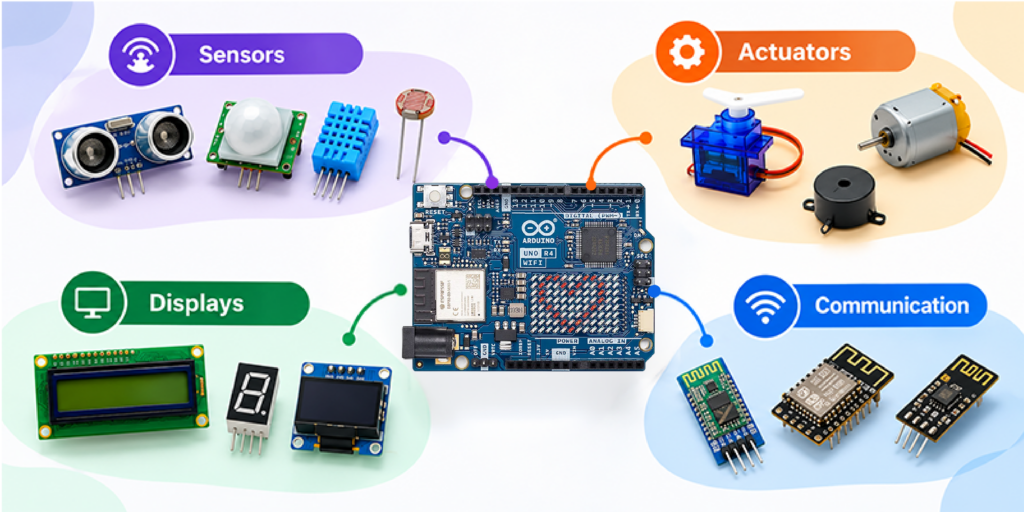
More ways to code, more ways to create: PictoBlox expands Arduino support STEMpedia and Arduino bring block-based coding to the Arduino® UNO R4 WiFi and UNO R4 Minima boards as well as the Arduino® Alvik robot. Every maker remembers the moment something they built first came to life: an LED blinking, a servo sweeping, a sensor reacting to a hand wave. Today, that moment gets a lot easier to reach thanks to a new collaboration between STEMpedia and Arduino! We’re excited to reveal that PictoBlox 10.0, STEMpedia’s coding and technology creation platform, has expanded its Arduino compatibility to include the UNO R4 WiFi, UNO R4 Minima, and Alvik robot. And what better place to celebrate this news than at Maker Faire Rome 2026? Join us from October 23rd–25th to explore the new integration and try PictoBlox for yourself! From first-time coder to confident creator Arduino has long been a starting point in electronics for makers, students and educators.PictoBlox brings a visual, drag-and-drop programming experience that helps users to focus on programming concepts without having to start with coding syntax. Together, they can help beginners go from “I’ve never coded” to “I built a working project” in a single session. But PictoBlox isn’t just for beginners – or just for programming. Beyond block-based coding and Python, the platform is designed to let users explore AI and machine learning, experiment with tinyML and intelligent systems, program compatible robotics and electronic hardware, and develop IoT projects. It also supports game and animation development, opening up even more opportunities for hands-on creativity and experimentation. Announcing the collaboration, Dhrupal Shah, CEO and Co-Founder of STEMpedia, said: “Great innovations begin with the freedom to experiment. By expanding Arduino board support in PictoBlox, we are making it easier for learners and makers around the world to turn their ideas into working projects. “Students can create AI-powered projects and train their own Machine Learning models, making complex technologies more accessible. We’re excited to see how this collaboration inspires the global maker community to explore, build, and innovate.” What you can do with PictoBlox and Arduino Combining visual programming with Arduino hardware opens up all sorts of creative possibilities: Program with blocks: snap together scripts instead of typing code, and see how your Arduino responds right away. Work with sensors: read inputs such as an IR sensor and use them to trigger actions. Control actuators: drive LEDs and servo motors from your scripts. Go wireless: control your projects from a smartphone using Dabble, a project interaction and Bluetooth controller app. By bringing together Arduino’s hardware ecosystem and PictoBlox’s versatile coding environment, the collaboration aims to make technology creation more approachable and open up new possibilities for the global maker community to learn, build, share, and innovate. Built for classrooms, clubs and makerspaces Whether you’re teaching in a classroom, running a coding club or experimenting in a makerspace, this expanded integration is all about trying to lower the learning barrier and open up new possibilities for creative exploration. By helping reduce the need to manage syntax, block-based coding means learners can focus on developing essential skills like logical thinking, problem-solving and understanding how code works. And as their confidence grows, they can build on these foundations, explore text-based programming and take on increasingly ambitious projects within the Arduino ecosystem. For educators, it’s a compelling combination: an approachable software environment and a familiar, well-supported hardware platform, with plenty of room for students to learn, experiment and grow – all in one workflow! Get hands-on at Maker Faire Rome! Heading to Maker Faire Rome this year? Be sure to stop by booth N.02, where you can see PictoBlox and Arduino in action, try out the new integration for yourself and chat with the team. We’d love to see you there! Download PictoBlox at: Arduino, UNO, Alvik and the Arduino logo are trademarks or registered trademarks of Arduino S.r.l. The post More ways to code, more ways to create: PictoBlox expands Arduino support appeared first on Arduino Blog. #arduino #uno #pictoblox #code #create #stempedia #minima #maker #learning #machinelearning #rss #feeds #linksharing #qwibbit
↑