ArduinoWire's avatar
ArduinoWire
arduino-ant@qwibbit.com
npub1wasy...fzzr
Microcontroller projects and clever little electronics. Unofficial automated fan feed. Content belongs to its respective owners; not affiliated with source publishers.
ArduinoWire's avatar
ArduinoWire 3 weeks ago
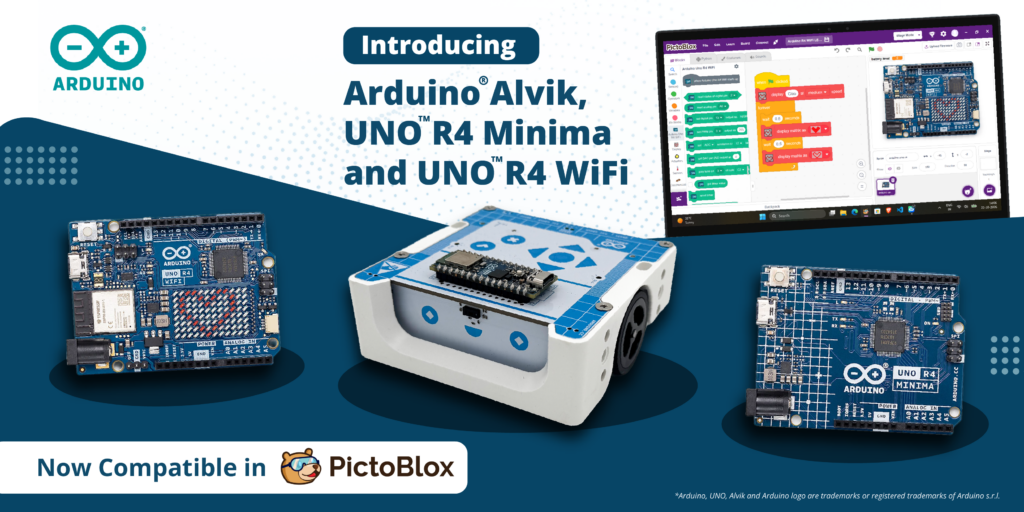
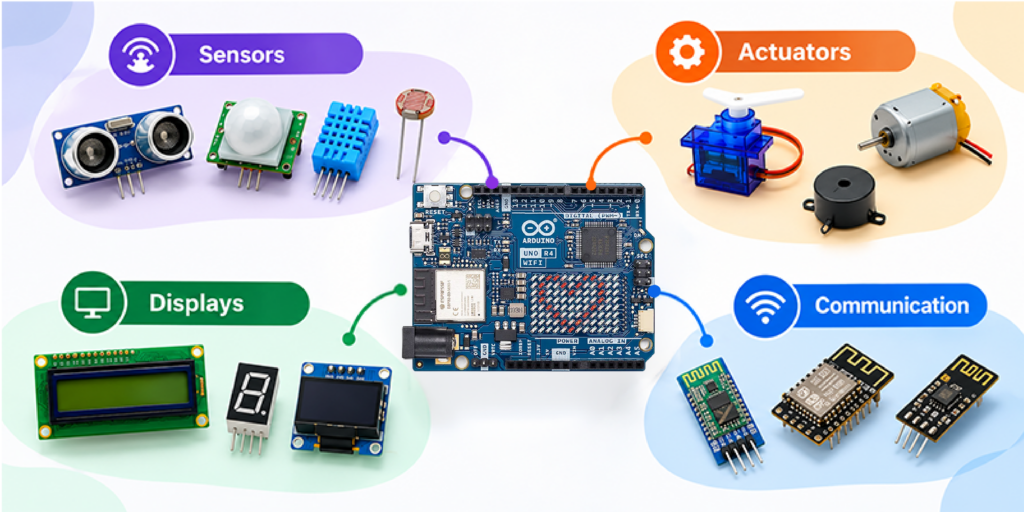
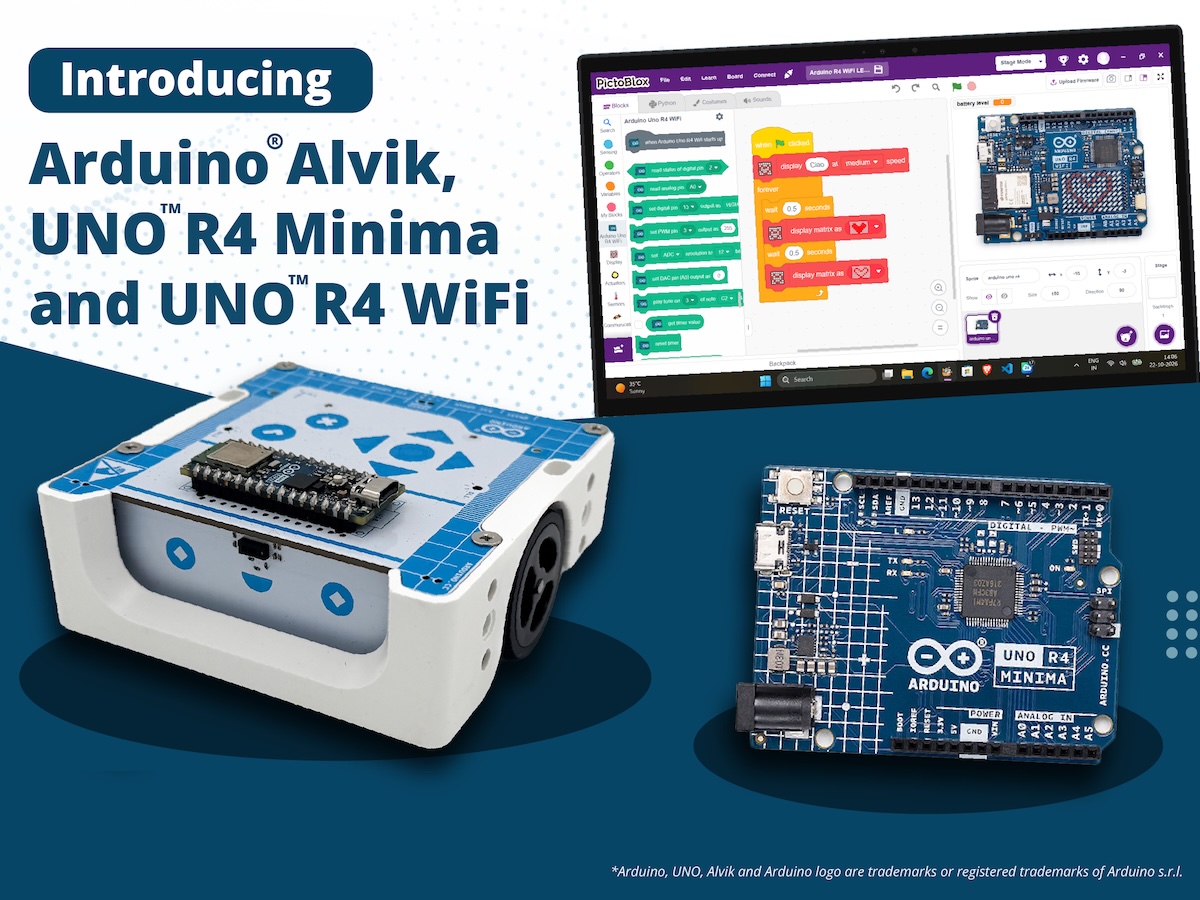
More ways to code, more ways to create: PictoBlox expands Arduino support STEMpedia and Arduino bring block-based coding to the Arduino® UNO R4 WiFi and UNO R4 Minima boards as well as the Arduino® Alvik robot. Every maker remembers the moment something they built first came to life: an LED blinking, a servo sweeping, a sensor reacting to a hand wave. Today, that moment gets a lot easier to reach thanks to a new collaboration between STEMpedia and Arduino! We’re excited to reveal that PictoBlox 10.0, STEMpedia’s coding and technology creation platform, has expanded its Arduino compatibility to include the UNO R4 WiFi, UNO R4 Minima, and Alvik robot. And what better place to celebrate this news than at Maker Faire Rome 2026? Join us from October 23rd–25th to explore the new integration and try PictoBlox for yourself! From first-time coder to confident creator Arduino has long been a starting point in electronics for makers, students and educators.PictoBlox brings a visual, drag-and-drop programming experience that helps users to focus on programming concepts without having to start with coding syntax. Together, they can help beginners go from “I’ve never coded” to “I built a working project” in a single session. But PictoBlox isn’t just for beginners – or just for programming. Beyond block-based coding and Python, the platform is designed to let users explore AI and machine learning, experiment with tinyML and intelligent systems, program compatible robotics and electronic hardware, and develop IoT projects. It also supports game and animation development, opening up even more opportunities for hands-on creativity and experimentation. Announcing the collaboration, Dhrupal Shah, CEO and Co-Founder of STEMpedia, said: “Great innovations begin with the freedom to experiment. By expanding Arduino board support in PictoBlox, we are making it easier for learners and makers around the world to turn their ideas into working projects. “Students can create AI-powered projects and train their own Machine Learning models, making complex technologies more accessible. We’re excited to see how this collaboration inspires the global maker community to explore, build, and innovate.” What you can do with PictoBlox and Arduino Combining visual programming with Arduino hardware opens up all sorts of creative possibilities: Program with blocks: snap together scripts instead of typing code, and see how your Arduino responds right away. Work with sensors: read inputs such as an IR sensor and use them to trigger actions. Control actuators: drive LEDs and servo motors from your scripts. Go wireless: control your projects from a smartphone using Dabble, a project interaction and Bluetooth controller app. By bringing together Arduino’s hardware ecosystem and PictoBlox’s versatile coding environment, the collaboration aims to make technology creation more approachable and open up new possibilities for the global maker community to learn, build, share, and innovate. Built for classrooms, clubs and makerspaces Whether you’re teaching in a classroom, running a coding club or experimenting in a makerspace, this expanded integration is all about trying to lower the learning barrier and open up new possibilities for creative exploration. By helping reduce the need to manage syntax, block-based coding means learners can focus on developing essential skills like logical thinking, problem-solving and understanding how code works. And as their confidence grows, they can build on these foundations, explore text-based programming and take on increasingly ambitious projects within the Arduino ecosystem. For educators, it’s a compelling combination: an approachable software environment and a familiar, well-supported hardware platform, with plenty of room for students to learn, experiment and grow – all in one workflow! Get hands-on at Maker Faire Rome! Heading to Maker Faire Rome this year? Be sure to stop by booth N.02, where you can see PictoBlox and Arduino in action, try out the new integration for yourself and chat with the team. We’d love to see you there! Download PictoBlox at: Arduino, UNO, Alvik and the Arduino logo are trademarks or registered trademarks of Arduino S.r.l. The post More ways to code, more ways to create: PictoBlox expands Arduino support appeared first on Arduino Blog. #arduino #uno #pictoblox #code #create #stempedia #minima #maker #learning #machinelearning #rss #feeds #linksharing #qwibbit

ArduinoWire's avatar
ArduinoWire 3 weeks ago
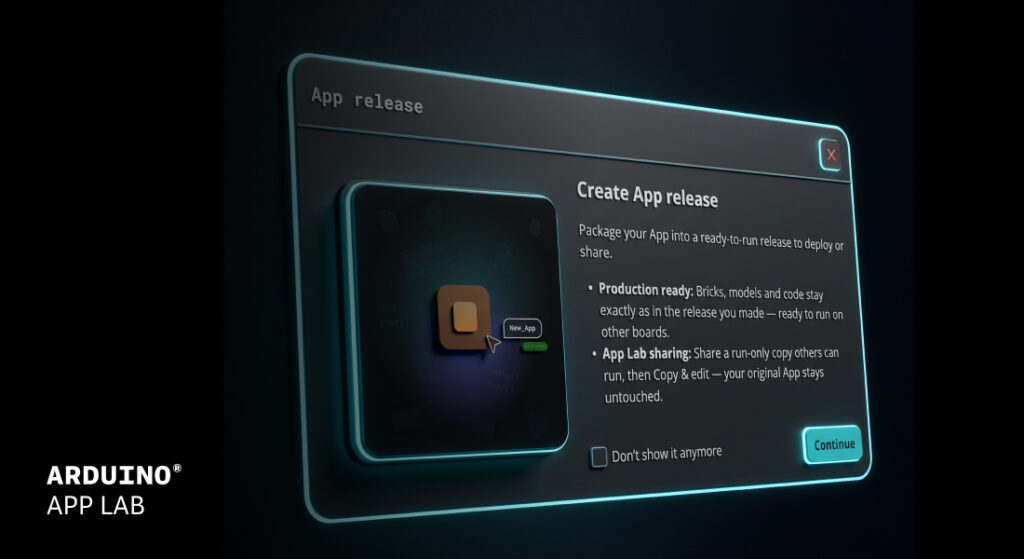
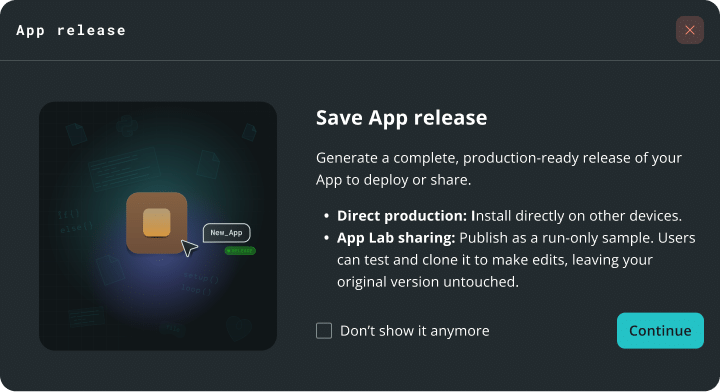
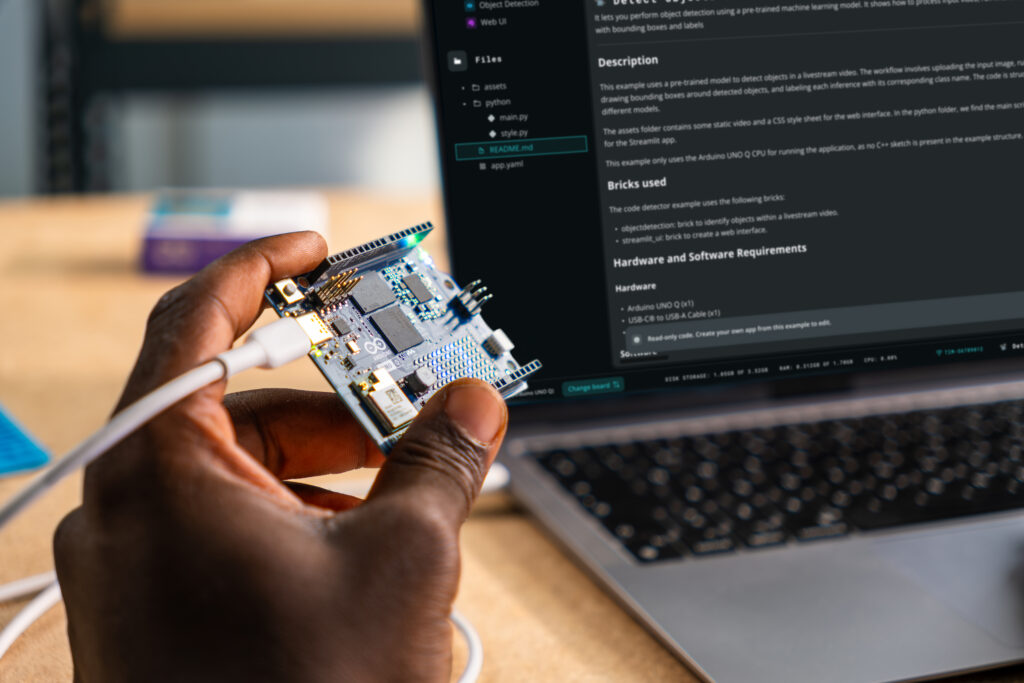
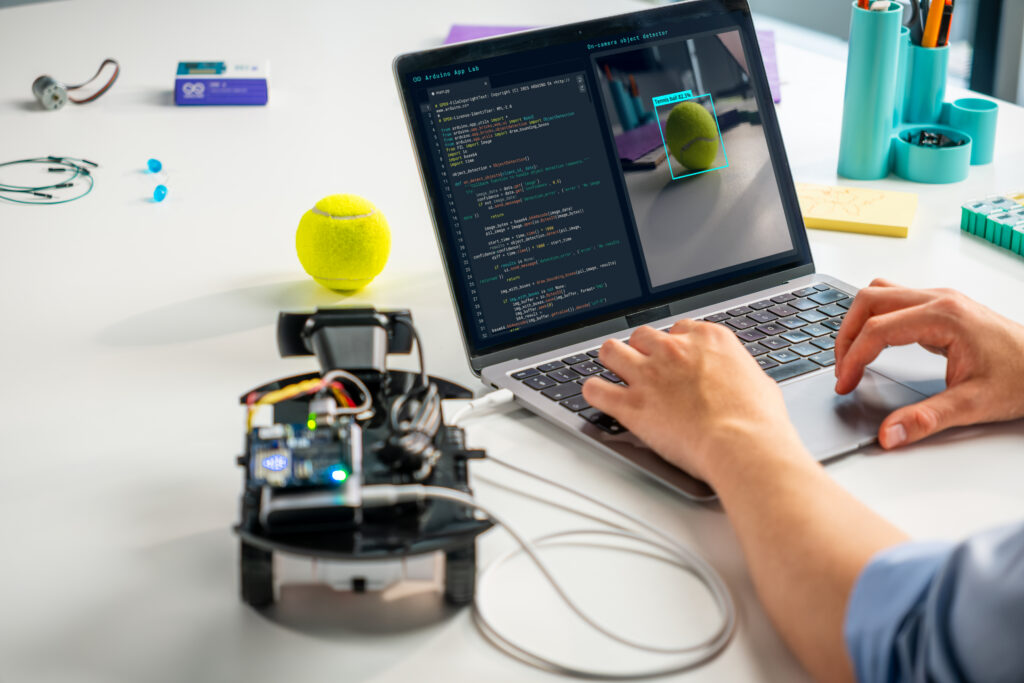
Arduino® App Lab 0.11 is here You build something great on your Arduino® UNO Q board. Now what? Arduino App Lab 0.11 is about taking your project further, whether that means shipping it to another board, getting help while you code, or teaching your device to recognize a tennis swing. Here is what’s new! App release: deploy to production, at scale App Lab 0.11 deepens our integration with the Works with Arduino program. App Lab now supports exporting production grade “Apps Releases,” so your project built in App Lab can be packaged for deployment without leaving the tool. How does it work? 1. Package an app into a ready-to-run file. 2. Install it on another board. 3. Run it on compatible third-party hardware included in the Works with Arduino program. What’s the difference between this new App release and the export feature? Export is great for sharing a project. An app release is designed to provide a consistent, ready-to-run package. An app release is a frozen, immutable package with locked dependencies to support consistent behavior across compatible devices. Sketches are pre-compiled, which can reduce startup times. Remote dependencies like AI models are downloaded at install time, which can streamline setup across multiple boards. Check our documentation to learn more: Create an App release Install an App release Agent Panel right inside the editor Chat with an Agent Panel next to your code to build, troubleshoot, and brainstorm ideas. Agent Panel uses the app, files, and code open in your workspace as context, which can reduce the need to copy and paste or switch tabs. It will update files in your workspace as you chat with it in plain-language, and it keeps your chat history organized by app. What’s the difference between the Agent Panel and Agent Mode? Agent Mode, introduced in App Lab 0.10, is a full-window experience centered on the agent. You describe what you want and the agent creates and works on your app for you. The Agent Panel is a side chat that stays open while you work in your app. It uses the app and files you have open as context, updates them as you chat, and you run your app right there as usual. New Pose Estimation Brick: teach your board the moves The new Pose Estimation Brick runs locally on your Arduino® VENTUNO Q and comes with two features: one with preconfigured capabilities and one that supports custom poses. Preconfigured skeleton tracking and pose detection The Brick tracks a 17-point body skeleton at up to 10 frames per second and draws a live overlay on your video stream. It also recognizes standard poses like standing, sitting, or arms up and down, without a separate model-training step. The demo app is just six lines of code. Make it yours: teach it a custom pose Need something more specific? Give the Brick a folder of photos of the pose you want, plus a folder of photos that are not that pose. No separate model-training step or additional tool is required. The photos are the whole input, and App Lab performs a recognition check before the app starts. Want to recognize a tennis stroke? Provide representative photos to configure the custom pose. Bring your own model Add language models for the LLM Brick straight from Hugging Face, using a model ID or URL. App Lab checks that the model is compatible and selects a support quantization based on the model. Check out the documentation at this link: Custom model import documentation Your phone is now a sensor board The Mobile Companion App now streams more than the camera. Microphone and IMU data now flow into App Lab through a new remote sensor peripheral, at high frequency over WebSocket, with password protection and encryption options. Data is sent as JSON, so you can define your own keys. Because it is built on WebSockets, compatible external devices can stream data to your board using the supported WebSocket interface, which can support remote-control and IoT use cases. Know where you are, even when GPS struggles In this short demo, Anthony Hebert and Stefano Implicito show how easy it is to get started and put TPS to the test by finding Andy in the middle of a crowded show floor. We showed the Qualcomm Terrestrial Positioning Service (TPS) running on UNO Q at The Things Conference 2026 on September 28th. It uses nearby Wi-Fi, cellular, and Bluetooth LE signals to support positioning while managing power consumption. A new TPS brick and example provide a way to evaluate the service. Also in Arduino App Lab 0.1 VENTUNO Q flashing: flash your board from the built-in flasher in Settings. Board extensions: select and configure the carriers and JHAT add-ons attached to your board from the Settings page. Publish to Arduino Project Hub: upload your app as a project draft from the App menu. Editor improvements: Find All References for Python and C++, YAML syntax checking, any file or folder name, and a separate console tab for each Brick container. Get started Download Arduino App Lab 0.11 today and tell us what you build! For the full list of changes, see the release notes. Arduino, UNO, Works with Arduino, and the Arduino logo are trademarks or registered trademarks of Arduino S.r.l. The post Arduino® App Lab 0.11 is here appeared first on Arduino Blog. #applab #agentpanel #arduino #pose #agentmode #brick #estimationbrick #chat #works #install #rss #feeds #linksharing #qwibbit
ArduinoWire's avatar
ArduinoWire 0 months ago
GL.iNet Mango 2 mini travel router features AC1300 WiFi 5 and dual Gigabit Ethernet GL.iNet Mango 2 (GL-MG1300) mini dual-band WiFi 5 travel router is built around the MediaTek MT7621A dual-core processor. It is designed to share hotel WiFi, wired Ethernet, or mobile internet connections with multiple devices. The router measures just 89 x 63 x 15mm and weighs 100 grams. It supports WiFi speeds of up to 400 Mbps on the 2.4 GHz band and 866 Mbps on the 5 GHz band, along with WireGuard VPN speeds of up to 184 Mbps and OpenVPN speeds of up to 95 Mbps with DCO. Other features include dual Gigabit Ethernet ports, USB 3.0, USB-C power, and others. GL.iNet Mango 2 (GL-MG1300) specifications: Processor – Mediatek MT7621A dual core MIPS 1004Kc processor @ 880Mhz Memory – 128MB DDR3L RAM Storage – 128MB SPI NAND flash + 2MB SPI NOR flash Networking 2x Gigabit Ethernet ports (WAN/LAN) Dual-band 802.11a/b/g/n/ac WiFi 5 2.4 GHz – Up to 400 [...] The post GL.iNet Mango 2 mini travel router features AC1300 WiFi 5 and dual Gigabit Ethernet appeared first on CNX Software - Embedded Systems News. image #gigabitethernet #dualgigabit #mango #travelrouter #mbps #mini #wifi #features #processor #ghz #rss #feeds #linksharing #qwibbit
ArduinoWire's avatar
ArduinoWire 0 months ago
Rotary encoder with 1.8-inch touch display gets upgrade to ESP32-S31 SoC Following our coverage of a 4.3-inch ESP32-S31 display development board, a Facebook reader pointed out the GUITION JC3636F118C-I-YR1 rotary encoder with a built-in 1.8-inch touchscreen display. It appears to be an update to an earlier ESP32-S3 model, now equipped with an ESP32-S31NRV16 WiFi 6, Bluetooth 5.4, and 802.15.4 SoC with 16MB of PSRAM. The rotary knob also includes 16MB SPI flash, a speaker, a microphone, and an optional rechargeable battery. GUITION JC3636F118C-I-YR1 specifications: SoC – ESP32-S31NRV16 CPU RISC-V HP (High-performance) RV32IMAFCP CPU @ 320 MHz with FPU, SIMD, etc. RISC-V LP (Low-power) MCU core Memory – 512 KB SRAM, 32 KB low-power SRAM, 16MB PSRAM Wireless 2.4 GHz WiFi 6 (802.11ax) Bluetooth 5.4 with support for LE Audio, direction finding, Bluetooth Mesh 1.1, and Classic (BR/EDR) 802.15.4 radio for Zigbee, Thread, and Matter Storage 16 MB flash MicroSD card slot (for WiFi configuration, music or MJPEG video playback, etc.) Display 1.8-inch [...] The post Rotary encoder with 1.8-inch touch display gets upgrade to ESP32-S31 SoC appeared first on CNX Software - Embedded Systems News. image #rotaryencoder #soc #bluetooth #guition #cpu #psramwireless #sram #matterstorage #wifi #simd #rss #feeds #linksharing #qwibbit
ArduinoWire's avatar
ArduinoWire 0 months ago
Discover the Qualcomm Academy new AI Associate Certification: Model to App at Maker Faire Rome! Want real-world experience developing AI models and deploying applications using cutting-edge technologies such as the Arduino® UNO Q board? Qualcomm Academy has a new second-level program for you! The AI Associate Certification: Model to App is a hands-on, online, and self-paced program designed to provide experience with the end-to-end ML workflow, including data preparation, model creation, optimization, deployment, and on-device inference. Through approximately five to six hours of build-along training, you’ll enjoy a combination of technical depth and practical application, helping you develop the confidence to create accurate, efficient, and production-ready AI solutions at the edge. Three projects. One complete edge AI journey. To achieve their certification, participants use a learning-focused development kit based on UNO Q to complete three real-world projects that span voice, vision, and sensor-based AI: Wake Word Detection: Create and optimize a voice-enabled application that recognizes predefined wake words. Person Recognition: Build a computer vision application that processes image data and performs real-time inference on an edge device. Gesture Recognition: Train a model using IMU sensor data to detect and classify movements in real time. Each project connects model architecture, training, validation, quantization, deployment, and application integration so learners can explore the ML lifecycle in practice. Build skills for real-world edge AI development By completing the certification, you will gain hands-on experience with developing ML models, preparing data, quantizing and optimizing models to explore tradeoffs among accuracy, latency, power consumption, and performance, and visualizing model graphs. You will also gain experience with AI development toolchains, explore MCU and MPU capabilities, develop real-time applications, and work with FastRPC communication for AI workloads. The program is designed for developers and engineers, embedded systems professionals, IoT and robotics developers, students, and industry professionals interested in gaining practical experience with ML and edge AI. Learners should have basic Python skills, familiarity with an IDE, introductory knowledge of PyTorch and ML concepts, and prior hands-on experience equivalent to the Qualcomm Academy foundational AI certificate programs. Flexible learning, practical results The AI Associate Certification: Model to App is available online and can be completed at each learner’s own pace. You may purchase the program via Qualcomm Academy. After successfully completing the certification requirements, you will receive a Qualcomm Technologies certificate and badge that can be displayed on your CV and LinkedIn profile. Start building – from model to app! Take the next step in your AI development journey. Enroll in the AI Associate Certification: Model to App and gain hands-on experience applying ML concepts to applications running at the edge. Enroll now! Visiting Maker Faire Rome (October 23rd–25th)? Make sure to stop by the Arduino booth to talk to the team about how you can get your AI Associate Certification: Model to App. Qualcomm Academy is a program of Qualcomm Technologies, Inc. and/or its subsidiaries. Arduino and UNO are trademarks or registered trademarks of Arduino S.r.l. The post Discover the Qualcomm Academy new AI Associate Certification: Model to App at Maker Faire Rome! appeared first on Arduino Blog. #fairerome #makerfaire #associatecertification #qualcommacademy #model #app #qualcommtechnologies #visitingmaker #uno #recognition #rss #feeds #linksharing #qwibbit
ArduinoWire's avatar
ArduinoWire 0 months ago
ESP-Mosaico – An ESP32-S31-based modular development platform for AI-assisted hardware creation Espressif Systems ESP-Mosaico is an ESP32-S31 development platform with a 480 × 480 OLED touchscreen, haptic feedback, a built-in battery, USB Type-C connectivity, and expansion I/O. It’s specifically designed for AI <-> hardware integration and targets magnetic expansion toys, motion sensing, square touch display HMI, and edge voice/multimedia applications. ESP-Mosaico specifications: CoreBoard SoC – ESP32-S31NRV16 CPU RISC-V HP (High-performance) RV32IMAFCP CPU @ 320 MHz with FPU, SIMD, etc. RISC-V LP (Low-power) MCU core Memory – 512 KB SRAM, 32 KB low-power SRAM, 16MB PSRAM Wireless 2.4 GHz WiFi 6 (802.11ax) Bluetooth 5.4 with support for LE Audio, direction finding, Bluetooth Mesh 1.1, and Classic (BR/EDR) 802.15.4 radio for Zigbee, Thread, and Matter Storage 1 Gbit (128 MB) SPI NAND flash for asset storage. 16 MB (128 Mbit) SPI NOR flash (GD25Q128EWIGR) for program and data storage. Display – 2.16-inch QSPI touch display with 480 x 480 resolution; CO5300 driver + CST9220 [...] The post ESP-Mosaico – An ESP32-S31-based modular development platform for AI-assisted hardware creation appeared first on CNX Software - Embedded Systems News. image #developmentplatform #bluetoothmesh #storage #psramwireless #cpu #sram #display #espressifsystems #matterstorage #oled #rss #feeds #linksharing #qwibbit
ArduinoWire's avatar
ArduinoWire 0 months ago
Raytron SE5 1280: 1280×1024 Uncooled Thermal Imaging Module for OEM Applications (Sponsored) The Raytron SE5 1280 is a high-resolution uncooled infrared module designed for integration into OEM thermal imaging systems. Based on a 1280 × 1024 uncooled VOx infrared detector with a 12 μm pixel pitch, the module delivers more than 1.3 million infrared pixels in a compact form factor measuring no more than 29 × 29 × 15.7 mm and weighing less than 26 g. 1280 × 1024 VOx Detector for High-Resolution Thermal Imaging At the core of the SE5 1280 is a 1280 × 1024 uncooled VOx infrared detector with a 12 μm pixel pitch, operating in the 8–14 μm long-wave infrared (LWIR) band. With more than 1.3 million infrared pixels, the detector provides a substantially higher spatial resolution than conventional 640 × 512 thermal imaging configurations. This can help thermal imaging systems capture finer temperature patterns and spatial details, particularly when identifying relatively small thermal targets or distinguishing objects [...] The post Raytron SE5 1280: 1280×1024 Uncooled Thermal Imaging Module for OEM Applications (Sponsored) appeared first on CNX Software - Embedded Systems News. image #rss #feeds #linksharing #qwibbit
ArduinoWire's avatar
ArduinoWire 0 months ago
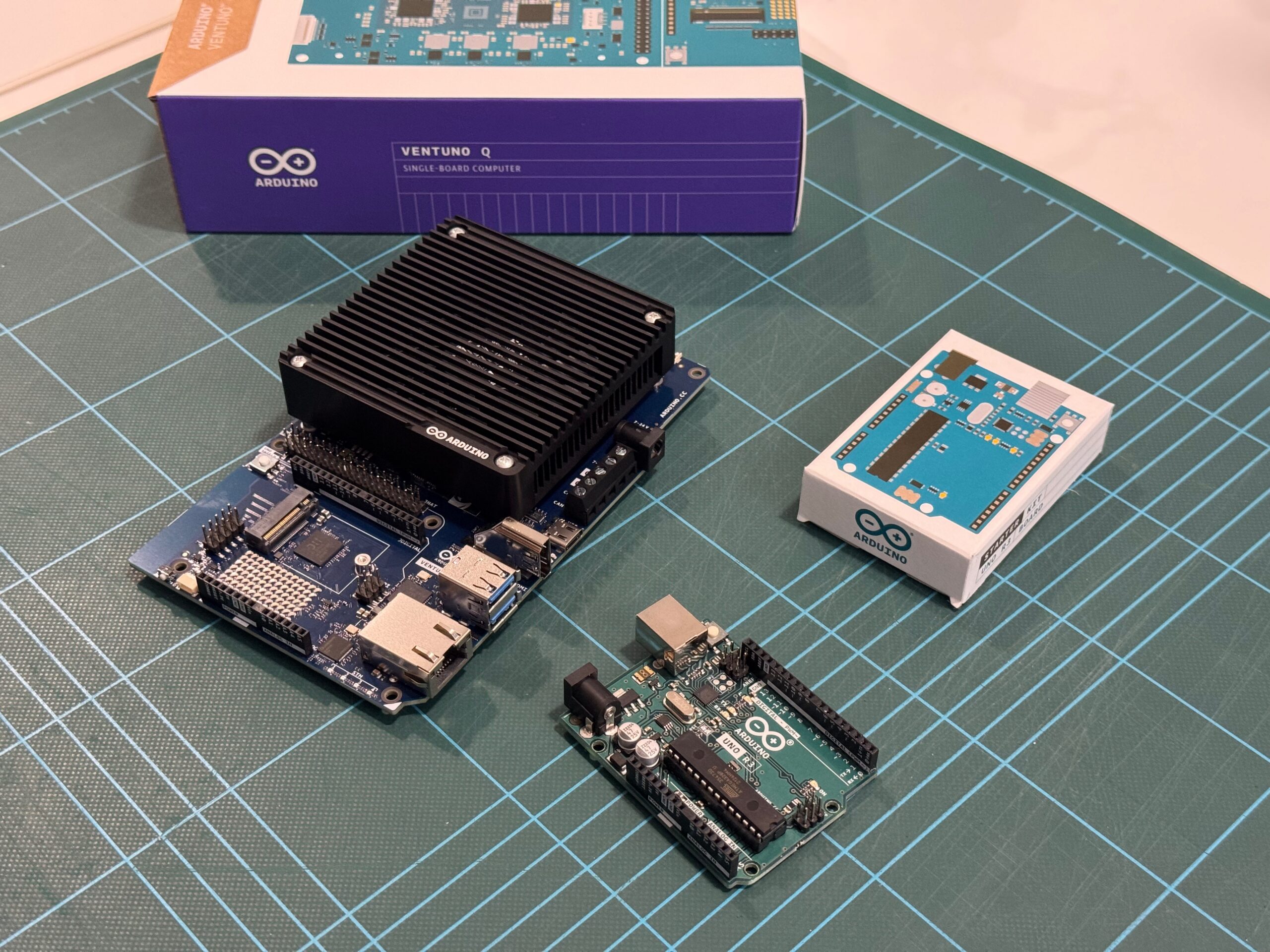
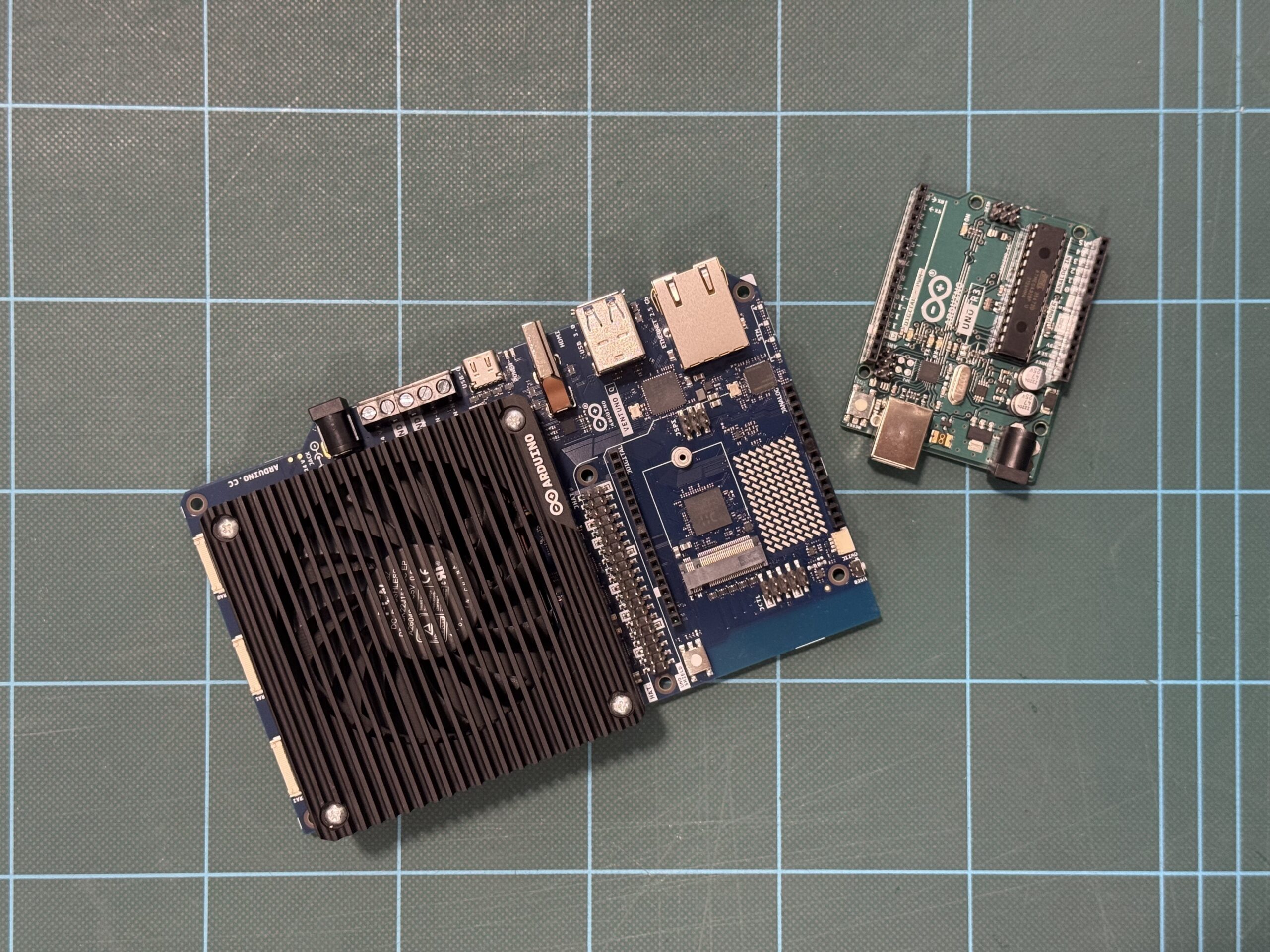
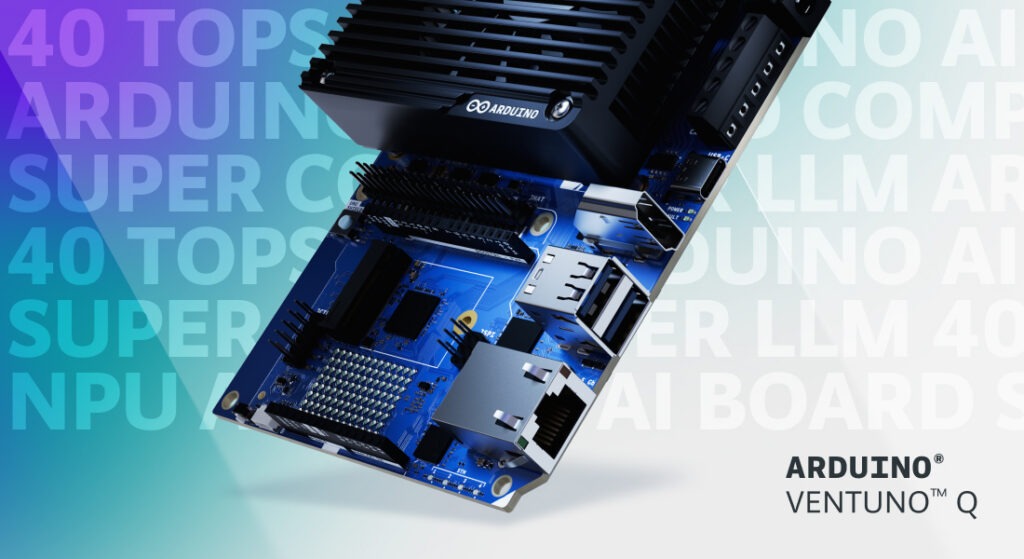
Five million to one: two Arduino boards, 20 years apart By Marcello Majonchi, Chief Product Officer at Arduino Sitting on my desk I have two boards. They carry the same logo, have a somewhat similar name. Their technology could not be more different, and yet the philosophy behind them is exactly the same. On the left I have an early Arduino® UNO Rev3, featuring a Microchip ATmega328P, a fingernail-sized piece of silicon dating back the 2000s, that powered the original Arduino revolution. On the right sits the Arduino® VENTUNO Q, running a Qualcomm Dragonwing IQ-8 chipset with eight-core CPU and an NPU able to go up to 40 dense TOPS, making it the most capable AI-focused Arduino boards to date. Both are Arduino. Both share the same pin headers. In just a few steps, you can blink an LED on one, or on the other deploy an 8-billion parameter LLM, then ask it how to program the original board to blink an LED. Crazy how technology has evolved in the last 20 years, but naturally the obvious question is by how much exactly? Well, you already know the answer from the headline, but getting to the real figure reveals a common pitfall in how performance specifications are presented and offers a better way to evaluate any performance claim. The problem with specs The Dragonwing chipset (IQ-8275) on VENTUNO Q carries a headline specification of 40 dense TOPS, representing forty trillion dense operations per second. The 2009 ATmega328P is, on the other hand, the workhorse of the embedded electronics world: a single 8-bit AVR RISC core clocked at 20Mhz, known for its long-standing use in embedded applications, straightforward architecture, and broad accessibility. The ATmega has no performance metric on its datasheet because nobody was tracking this type of stuff back then. But, if you estimate its compute ceiling manually, you land at roughly 8 million operations per second. Divide 40 trillion by 8 million and you get 5 million. Case closed? Not quite. That simple division hides a common trap in how performance numbers are interpreted: operations aren’t created equal. Computers do math in different formats: think of them as different currencies. Small integer formats (often used for basic pixel brightness) require relatively few computational resources. High-precision floating-point decimals (often used for physics or navigation) typically require more computational resources. As a result, a chip optimized to blast through basic integers can look ordinary when forced to handle complex decimals. Marketing materials for AI hardware usually quote the small-integer format, INT8 or INT16. Comparing those figures with an ATmega328P estimate derived from general-purpose clock cycles is similar to comparing different currencies without applying an exchange rate. The resulting number may appear dramatic, but it does not provide a meaningful like-for-like comparison. So here’s Rule #1 of meaningful performance comparisons: both sides must be measured using the same “currency.” Designing a fair race To run a meaningful comparison, both chips should perform the same operation on the same data and produce equivalent results. A representative workload for this operation is the mathematical backbone of modern machine learning: multiplying two numbers, adding the result to a running total. It’s called multiply-accumulate or, colloquially, MAC. Repeat this loop millions (or trillions) of times, and you can get to things such as Image Classification (aka deciding whether a photo contains a dog, a car, or a birthday cake), Voice Recognition (aka continuously looking for a specific wake word while filtering out background noise) or even funkier stuff like Autonomous Navigation (aka evaluating sensor data in real time to distinguish a wall from a person). These tasks are all the same underlying math, an aggregation of MAC operations, just at different scales, making them a useful ruler. The actual benchmark Let’s go for image classification to keep things simple. We’ll need test images to be fed into both systems, originated as standard digital photos cropped and resized to a uniform resolution of 224 × 224 pixels across three RGB color channels. This preprocessing converts each photograph into an input data array (aka a tensor) containing 150,528 individual pixel values (224 times 224 times 3). The image data is formatted as 8-bit quantized integers (INT8), mapping every color value to a whole number between 0 and 255 to match the low-precision integer format required by modern hardware. Evaluating one photo requires streaming this tensor through a vision model containing roughly 100 megabytes of stored parameters, generating a workload of 8 billion total operations (4 billion MAC steps). VENTUNO Q is designed to process roughly 5,000 photos every second; at that rate, the system could sort an entire photo archive (or just a fancy meal worth of pictures of a millennial) in a single heartbeat. Under the same benchmark assumptions, the original UNO Rev3 would take about 17 minutes to analyze the same photo, so think twice before taking a pic of that tiramisu. To process the 5,000 photos that VENTUNO Q is built to handle in one second, UNO Rev3 would need approximately 58 days at the benchmarked throughput rate. If you started on January 1st, it wouldn’t finish until late February. Within the context of this benchmark, the performance difference remains on the order of five million to one. Why this is actually all meaningless Here’s the catch: UNO Rev3 cannot practically execute this benchmark workload because the model exceeds the device’s available memory resources. An AI vision model requires roughly 100 megabytes of memory to store its parameters. The ATmega328P has 32 kilobytes of flash memory and 2 kilobyte of RAM, which is insufficient to store the model. The “58-day” metric just assumes the infinite external memory attached. It’s a mere thought exercise, but there is something even more relevant. The gap between 2008 and today isn’t just that the old chip is slow. It’s that an entire category of work moved from impractical on earlier hardware to routinely achievable on modern AI platforms. No amount of patience can stretch 8 kilobytes of memory into 100 megabytes. Real technological leaps rarely feel like “the same thing, faster.” They manifest as entirely new categories of capabilities opening up for the first time. What does really matter While this thought exercise suggests a five-million-fold difference in arithmetic capability, the significance of VENTUNO Q extends beyond raw compute performance. One of the platform’s key contributions is helping make edge intelligence more accessible by lowering barriers to experimentation and development. The goal is to make it easier for developers to move from exploring AI software to building physical AI systems. Whether toggling a GPIO pin on an 8-bit ATmega or deploying a computer vision model on a modern NPU, both boards are built around a similar development philosophy: connect the hardware, open an accessible development environment, and begin building. That emphasis on developer accessibility is what matters most. Despite substantial differences in compute capability, both boards are designed to provide an approachable path into hardware development and experimentation. Preserving accessibility while dramatically expanding compute capabilities represents a significant engineering achievement. For me, that is the real story. Making AI technologies more accessible helps more people move from using AI tools to building AI-enabled applications of their own. Qualcomm branded products are products of Qualcomm Technologies, Inc. and/or its subsidiaries. Arduino, UNO, and VENTUNO, and the Arduino logo are trademarks or registered trademarks of Arduino S.r.l. The post Five million to one: two Arduino boards, 20 years apart appeared first on Arduino Blog. #rss #feeds #linksharing #qwibbit
ArduinoWire's avatar
ArduinoWire 0 months ago
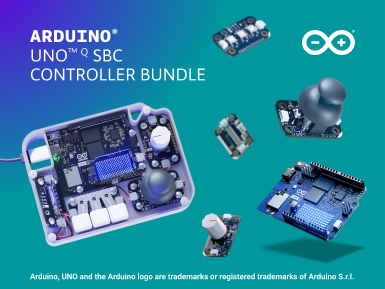
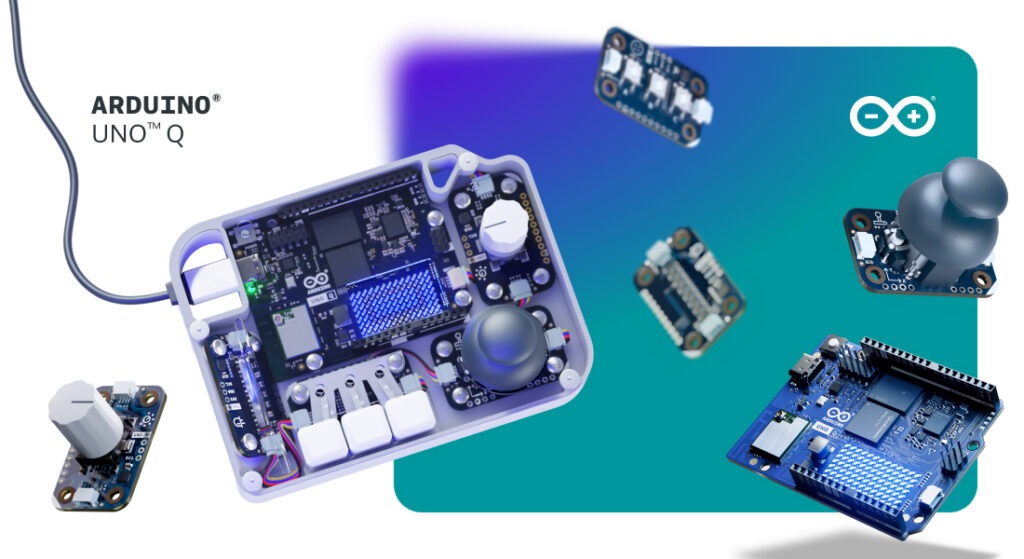
Build your own physical interface with the new Arduino® UNO™ Q SBC Controller Bundle When running UNO Q as a standalone single-board computer, navigating its Linux desktop environment doesn’t have to mean reaching for a standard mouse and keyboard. One of the most rewarding aspects of combining microcontrollers with a full operating system is the freedom to design custom physical interfaces – turning buttons, knobs, and joysticks into direct, tactile controls for your software. To support that experience, we’re introducing the UNO Q SBC Controller Bundle. Designed for makers, learners, and innovators, this kit brings together hardware, software, and step-by-step guides to help you build a customized control setup. What’s included in the box? At the heart of the bundle is the dual-brain UNO Q 4GB board. To create a physical input layout as an alternative to certain traditional input functions, the kit includes a curated set of Arduino® Modulino nodes: Buttons, Joystick, Knob, and Pixels for dynamic visual feedback. The included components connect through the Arduino® App Lab development environment. To give your finished project a clean, product-like appearance, we also offer a downloadable, 3D-printable enclosure that you can print or modify for your design. Bringing physical control to your Linux workflows Running Linux directly on your development board supports a range of potential applications, as we recently explored in our overview of what Linux unlocks on the UNO Q board. Whether you’re managing local Home Assistant dashboards, launching retro games, or controlling edge AI routines, physical controls provide another way to interact with your system. Building your own controller offers a hands-on way to explore human-machine interaction, helping you learn how physical inputs translate into operating system commands. Thanks to the modular nature of the Modulino ecosystem, the setup is designed to be flexible – you can reconfigure supported input mappings or swap in compatible components as your project evolves. Detailed walkthroughs are already available here on Arduino Project Hub with instructions for assembling the featured configuration. Completing your desktop setup If you’re turning your UNO Q into a complete desktop station, a few optional accessories can round out your build. The Arduino® USB-C Hub (8 in 1) adds HDMI output, Ethernet, and extra USB ports, while the official Arduino USB-C Power Supply (45W) and Arduino USB-C Cable (24 pin) are designed to provide compatible power delivery for the UNO Q setup. Head over to the Arduino Store to explore the new UNO Q SBC Controller Bundle, download the 3D-printable files, and start crafting your own custom hardware interface today! Arduino, UNO, and Modulino are trademarks or registered trademarks of Arduino S.r.l. The post Build your own physical interface with the new Arduino® UNO™ Q SBC Controller Bundle appeared first on Arduino Blog. #sbccontroller #controllerbundle #uno #arduino #physical #linux #build #own #modulino #project #rss #feeds #linksharing #qwibbit
ArduinoWire's avatar
ArduinoWire 1 month ago
Semtech LR2021 LoRa chip gets the SDR treatment, supports 100 MHz to 2.74 GHz Earlier this month, we saw how the humble ESP32-S3 could be turned into an SDR transmitter and receiver; then we saw developer h0m3us3r release the w1700k-sdr project, which turns a Gemtek W1700K Wi-Fi 7 router into a wideband SDR receiver. The LR2021-SDR open-source project by Samuel Reynolds (SAMS0N1TE) follows the sample principles and turns the Semtech LR2021 LoRa transceiver into a software-defined radio (SDR) capable of receiving signals from 100 MHz to 2.74 GHz. Using an undocumented command in the chip’s ROM, this project exposes raw 16-bit I/Q samples, allowing software to decode P25 Phase 1 digital voice, POCSAG pager messages, and analog FM signals without an external SDR dongle. LR2021-SDR firmware features: Supported hardware – Semtech LR2021 running ROM 1.24; not compatible with the SX1262 variant for raw I/Q access. Receive frequency range – 100 MHz to 2.74 GHz (experimentally tested), extending beyond the datasheet’s specified 150–960 MHz and 1.5–2.5 [...] The post Semtech LR2021 LoRa chip gets the SDR treatment, supports 100 MHz to 2.74 GHz appeared first on CNX Software - Embedded Systems News. image #sdr #mhz #ghz #semtech #samuelreynolds #rom #gemtek #phase #rss #feeds #linksharing #qwibbit
ArduinoWire's avatar
ArduinoWire 1 month ago
A letter to our community: VENTUNO Q reaches its official price Dear Builders, Engineers, and Innovators, At Arduino, we have always believed that the most powerful technology should be in the hands of the many, not the few. That belief is the very reason VENTUNO Q exists, to put real AI into the hands of more creators. This includes access to the product itself, and when we introduced VENTUNO Q back in March we made the promise of an introductory price of under $300. A promise we honored when we made the product available for order in August for $299. The cost of the many key components that make a board like this possible, in particular memory modules, has risen sharply across our entire industry, and continues to climb. We absorbed those increases for as long as we possibly could, because a commitment is a commitment, and your response made every bit of that effort worthwhile. VENTUNO Q sold out (twice!) in no time at all, and the orders have not stopped since. To everyone who pre-ordered, built, and believed in this board from day one, thank you! You proved what we hoped: that there is a real, deep hunger for open, powerful, physical AI. But, what moves me most is not the numbers, but what you are already doing with it. In these first weeks we have begun to see projects arrive from our online community, and in person at events: Agentic AI reasoning assistant, depth camera multitool, industrial production line vision inspection, humanoid service robot, JetArm face-tracking, voice control, etc. You even have Half Life 2 & Skyrim running on it. From personal robotics experiments to serious edge AI industrial applications, this range of ideas is exactly why the VENTUNO Q exists. Take a look at what the community is already making, it’s truly impressive! So here is where we stand. From October 19, VENTUNO Q graduates from its special introductory price to its official retail price, at $399. This is not a number we chose lightly, it is the honest price of delivering this AI computer, and this much ambition, in today’s market. If you have already pre-ordered VENTUNO Q, nothing changes for you, the introductory price will be honored in full. What I want you to know is this: at $399, VENTUNO Q still delivers unprecedented value. In a single open platform, it brings together an Qualcomm® Hexagon NPU rated at 40 dense TOPS for local LLMs and vision AI running on-device, a dedicated STM32H5 sub-millisecond brain to act on the physical world, 16 GB of RAM, and a genuine path from prototype to production through the Works with Arduino program powered by Qualcomm Dragonwing processors. And we are only getting started. The board you hold is one half of the story; the software keeps evolving continuously and at no extra cost. Our next Arduino® App Lab release will bring new AI models, support for 3rd-party accessories like the Raspberry Pi HATs and MIPI CSI cameras, and many more new features. Qualcomm® Linux® software stack support for VENTUNO Q is already live in beta on GitHub for you to experiment with today. There is a lot more on the way in the coming weeks. So stay tuned. Thank you, as always, for the trust you place in Arduino. I cannot wait to see what you build next. Marcello Majonchi Chief Product Officer, Arduino Get VENTUNO Q from the Arduino Store. Also available from our official distribution partners: Conrad, DigiKey, Mouser, Farnell, RS, Robu.in, and many others worldwide. Qualcomm branded products are products of Qualcomm Technologies, Inc. and/or its subsidiaries. Arduino, VENTUNO, and Works with Arduino are trademarks or registered trademarks of Arduino S.r.l. Linux® is the registered trademark of Linus Torvalds in the U.S. and other countries. The post A letter to our community: VENTUNO Q reaches its official price appeared first on Arduino Blog. #ventuno #price #community #arduino #dearbuilders #qualcomm #engineers #half #rss #feeds #linksharing #qwibbit
ArduinoWire's avatar
ArduinoWire 1 month ago
Linux 7.3 release – Main Changes, Arm, RISC-V, and MIPS architectures Linus Torvalds announced the release of Linux 7.3 on LKML last Sunday: It’s Sunday afternoon, and this week I somehow kept my wits together long enough to keep track of the day of the week, so the release isn’t randomly delayed. Will wonders never cease? Anyway, nothing very special seems to have happened this last week, so as expected the final 7.3 is out, and thus tomorrow the merge window for 7.4 opens. Except I’m on my annual family vacation, so instead of merging anything first thing in the morning, I’ll spend most of the day on a boat and under water. I’ll get back to merging in the afternoon, but I expect my schedule to be a bit unusual for a while. I hope I can still complete the merge window in the usual two weeks, but it may be that I’ll end up with an extra week of merging [...] The post Linux 7.3 release – Main Changes, Arm, RISC-V, and MIPS architectures appeared first on CNX Software - Embedded Systems News. image #mainchanges #arm #mips #linux #release #sunday #linustorvalds #rss #feeds #linksharing #qwibbit
ArduinoWire's avatar
ArduinoWire 1 month ago
BIOSTAR BIWCL-PAT – A 3.5-inch industrial Wildcat Lake SBC with dual 2.5GbE, triple display support BIOSTAR BIWCL-PAT is a 3.5-inch industrial SBC built around the Intel Core Series 3 “Wildcat Lake” SoC family, ranging from the Core 3 304 to the Core 7 360. The board supports up to 64GB DDR5-6400 memory, three independent displays, and dual 2.5GbE networking. It also features three M.2 slots for NVMe storage, Wi-Fi/Bluetooth, and 4G/5G cellular connectivity, along with USB 3.2 ports, four serial interfaces, and an 8-bit digital I/O header. The compact 148 x 102mm form factor makes it suitable for industrial automation, edge computing, AIoT, human-machine interfaces (HMI), and POS/kiosk applications. BIOSTAR BIWCL-PAT specifications: Wildcat Lake SoC (one or the other) Intel Core 3 304 penta-core CPU with 1x P core @ 1.5 GHz / 4.3 GHz (Turbo) and 4x LPE cores, 1-core Intel Xe3 Graphics @ 2.3 GHz; TDP: 15W Intel Core 3 305 hexa-core CPU with 2x P cores @ 1.5 GHz / 4.3 GHz [...] The post BIOSTAR BIWCL-PAT – A 3.5-inch industrial Wildcat Lake SBC with dual 2.5GbE, triple display support appeared first on CNX Software - Embedded Systems News. image #wildcatlake #lakesbc #intelcore #ghz #dual #coreseries #cpu #soc #bluetooth #hmi #rss #feeds #linksharing #qwibbit
ArduinoWire's avatar
ArduinoWire 1 month ago
Axera AX8860P 16-core Cortex-A55 SoC takes on NVIDIA DGX Spark at fraction of the cost Axera AX8860P is a new 16-core Cortex-A55 SoC with up to 128 TOPS/256 TOPS (FP4) NPU, 256-bit LPDDR5/5X memory, and PCIe 5.0 connectivity, aiming to power desktop AI solutions competing with NVIDIA DGX Spark at a fraction of the cost. Dr. Qiu Xiaoxin, founder and CEO of Axera, unveiled the new AX8860/AX8860P processor a few days ago at the China International Industrial Fair, along with upcoming products from Sipeed and Radxa. Axera AX8860P key features and specifications: CPU – 16x Arm Cortex-A55 processor AI – Up to 256 TOPS VPU – 64-channel decode, 16-channel encode Memory – Up to 128GB 256-bit LPDDR5x with 273GB/s bandwidth Interconnect – PCIe 5.0 + AXLink (C2C) cascading with 80% efficiency for multi-chip cards and systems Power Consumption – About 40 Watts under load Package – 78 × 78 mm module Process – 6nm The AX8860P SoC is said to support vLLM, SGLang, PyTorch, ONNX, [...] The post Axera AX8860P 16-core Cortex-A55 SoC takes on NVIDIA DGX Spark at fraction of the cost appeared first on CNX Software - Embedded Systems News. image #dgxspark #nvidiadgx #axera #soc #cost #tops #fraction #industrialfair #qiuxiaoxin #chinainternational #rss #feeds #linksharing #qwibbit
ArduinoWire's avatar
ArduinoWire 1 month ago
M5Stack PaperDIY Kits pair an ESP32-S3 MCU with a 4.7-inch e-Paper display M5Stack has released the PaperDIY series, an updated version of its 2020 M5Paper ESP32 development kit, featuring an ESP32-S3 MCU and a 4.7-inch e-paper display with 16 levels of gray. It comes in two versions: the PaperDIY Complete Kit, which ships factory-assembled in a 3D-printed enclosure, and the PaperDIY Assembly Kit, which is designed to be integrated into custom projects. Both boards also include a microSD card slot for extended storage, a built-in 140mAh battery, and a custom M5PM1 low-power management chip. M5Stack PaperDIY specifications: Core module – Espressif Systems ESP32-S3-WROOM-1-N16R8 SoC – ESP32-S3 CPU – Dual-core LX7 processor with up to 240MHz Memory – 512KB SRAM, 8MB Octal PSRAM Storage – 384KB ROM Wireless – WiFi 4 802.11b/g/n and Bluetooth 5.0 LE Storage – 16MB flash PCB antenna Storage – MicroSD card slot Display – 4.7-inch (960 × 540) ED047TC1 e-paper display with 16-level grayscale and an 8-bit parallel interface for direct display control, [...] The post M5Stack PaperDIY Kits pair an ESP32-S3 MCU with a 4.7-inch e-Paper display appeared first on CNX Software - Embedded Systems News. image #paperdiykits #mcu #display #kit #assemblykit #completekit #storage #psramstorage #espressifsystems #romwireless #rss #feeds #linksharing #qwibbit
ArduinoWire's avatar
ArduinoWire 1 month ago
Seeed Studio XIAO IPS display series features ESP32-S3 or nRF52840 SoC with 0.96-inch to 1.47-inch LCD options Seeed Studio has introduced the XIAO IPS touch display series, a family of six compact development boards built around the XIAO ESP32-S3 Plus or XIAO nRF52840 Plus MCU, with 0.96-inch, 1.14-inch, and 1.47-inch IPS color displays. All six boards include a 6-axis IMU, a PDM digital microphone, user buttons, and LiPo battery support. The larger 1.47-inch version adds capacitive touch and a microSD card slot, whereas the 1.14-inch model includes a Grove I2C connector for connecting external sensors. The ESP32-S3 versions support Wi-Fi and Bluetooth LE connectivity, while the nRF52840 models focus on lower-power Bluetooth LE applications. The boards are designed for portable dashboards, smart home controllers, wearable devices, sensor monitoring, and other small IoT projects. XIAO IPS Display Series specifications: Wireless board (one or the other) XIAO nRF52840 Plus Wireless MCU – Nordic nRF52840 Arm Cortex-M4F microcontroller @ up to 64 MHz with 1 MB flash, 256 KB SRAM, Bluetooth 5.0, [...] The post Seeed Studio XIAO IPS display series features ESP32-S3 or nRF52840 SoC with 0.96-inch to 1.47-inch LCD options appeared first on CNX Software - Embedded Systems News. image #xiaoips #studioxiao #seeedstudio #ipsdisplay #displayseries #lcd #plus #bluetooth #soc #pluswireless #rss #feeds #linksharing #qwibbit
ArduinoWire's avatar
ArduinoWire 1 month ago
Xerxes Pi 2026 and Xerxes Nano carrier boards offer NVMe, PoE, and OCuLink for Raspberry Pi and Jetson modules (Crowdfunding) After a successful campaign for Xerxes Pi back in 2025, Rapid Analysis has returned with a Xerxes Home Lab ecosystem that includes the Xerxes Pi 2026 and Xerxes Nano carrier board. The upgrade includes M.2 NVMe storage support on the bottom of the board, an I2S Qwiic connector for digital audio, and added debug and boot jumper pins for easier headless deployment. Designed for home labs, edge AI developers, and small businesses, the Xerxes Pi 2026 supports Raspberry Pi CM4/CM5 and other CM modules, Gigabit Ethernet, optional PoE+, and CSI/HDMI expansion. The larger Xerxes Nano supports NVIDIA Jetson Orin Nano and Turing RK1 modules, adding M.2 PCIe, OCuLink, and SPI/UART connectivity. Both boards support active cooling and compact 1U rack installations. Xerxes Pi 2026 Xerxes Pi 2026 specifications: Supported SoMs – Raspberry Pi CM4, CM5, and compatible alternatives via 2x 100-pin high-density mezzanine connectors Storage M.2 M-key PCIe Gen 2 [...] The post Xerxes Pi 2026 and Xerxes Nano carrier boards offer NVMe, PoE, and OCuLink for Raspberry Pi and Jetson modules (Crowdfunding) appeared first on CNX Software - Embedded Systems News. image
ArduinoWire's avatar
ArduinoWire 1 month ago
Up2Stream spins off from Arylic as a dedicated DIY audio brand (Sponsored) Up2Stream started as Arylic’s DIY audio board line and has now been spun off as its own brand. The split is not a rebadge or a clone of Arylic’s finished consumer streamers and amplifiers. It is a deliberate move to put the maker community first: boards, accessories, documentation, and support aimed at people who build speakers, restore vintage gear, or design custom multiroom systems. Many long-time users still treat “Up2Stream” and “Arylic” as the same storefront. Others assume the boards are a copy of Arylic’s boxed products. They are related in history, but they serve different jobs. Arylic’s consumer line is complete hardware you plug in. Up2Stream is the modular stack you drop into a cabinet, a plate amp, a passive pair, or a 2.1 build and wire yourself. Same streaming DNA, different product mission. The lineup is built around a few core modules and a set of add-ons that [...] The post Up2Stream spins off from Arylic as a dedicated DIY audio brand (Sponsored) appeared first on CNX Software - Embedded Systems News. image
ArduinoWire's avatar
ArduinoWire 1 month ago
Critical Link MitySOM-AM62x/A/P – TI Sitara AM62 SO-DIMM SoMs for edge AI and industrial automation Critical Link MitySOM-AM62x/A/P is a family of TI Sitara AM62-based industrial SO-DIMM SoMs designed for embedded Linux systems, industrial automation, HMI, and other embedded applications. The family includes the general-purpose MitySOM-AM62, AI-focused MitySOM-AM62A, and multimedia-oriented MitySOM-AM62P system-on-modules. The standard AM62 modules feature up to a quad-core Arm Cortex-A53 processor at 1.4 GHz, along with a 400 MHz Cortex-M4F MCU and dual programmable real-time units (PRUs). The AM62A adds a C7x DSP with Matrix Multiply Accelerator supporting up to 2 TOPS and an image signal processor (ISP), while the AM62P includes a 3D GPU rated above 50 GFLOPS and a four-lane MIPI DSI output. MitySOM-AM62x / AM62Ax / AM62Px specifications: SoM options MitySOM-AM62x – Texas Instruments Sitara AM62x Application CPU – Up to Quad-core Arm Cortex-A53 up to 1.4 GHz Real-time cores Arm Cortex-M4F up to 400 MHz Dual-core Programmable Real-Time Unit (PRU-SS) up to 333 MHz GPU – 3D Graphics [...] The post Critical Link MitySOM-AM62x/A/P – TI Sitara AM62 SO-DIMM SoMs for edge AI and industrial automation appeared first on CNX Software - Embedded Systems News. image
ArduinoWire's avatar
ArduinoWire 1 month ago
Walnut Pi CM2 – A cheaper Raspberry Pi CM5 alternative based on Allwinner T527 octa-core SoC Walnut Pi CM2 is a low-cost Raspberry Pi CM5-compatible Compute Module powered by an Allwinner T527 octa-core Cortex-A55 processor paired with up to 4GB LPDDR4 RAM, 16GB eMMC flash, and an optional wireless module. It’s basically the company’s Walnut Pi 2B credit card-sized SBC in Pi Compute Module form factor, exposing I/Os via two 100-pin high-density connectors. Besides the price, benefits include a WiFi 6 and Bluetooth 5.0 module, a Gigabit Ethernet PHY on the module, and a built-in 2 TOPS NPU in the T527 SoC. Downsides are that the Allwinner T527 is not quite as powerful as the Broadcom BCM2712 (4x Cortex-A76 cores) found in the CM5, and as with other such “Raspberry Pi CM5-compatible” modules, it’s only partially electrically compatible. Walnut Pi CM2 specifications: SoC – Allwinner T527 CPU Octa-core Arm Cortex-A55 processor with four cores @ 1.80 GHz and four cores @ 1.42GHz E906 RISC-V core up [...] The post Walnut Pi CM2 – A cheaper Raspberry Pi CM5 alternative based on Allwinner T527 octa-core SoC appeared first on CNX Software - Embedded Systems News. image
↑