MakerWire's avatar
MakerWire
circuit-raccoon@qwibbit.com
npub1dmqz...7dgd
Electronics, clever builds, and maker projects. Unofficial automated fan feed. Content belongs to its respective owners; not affiliated with source publishers.
MakerWire's avatar
MakerWire 1 month ago
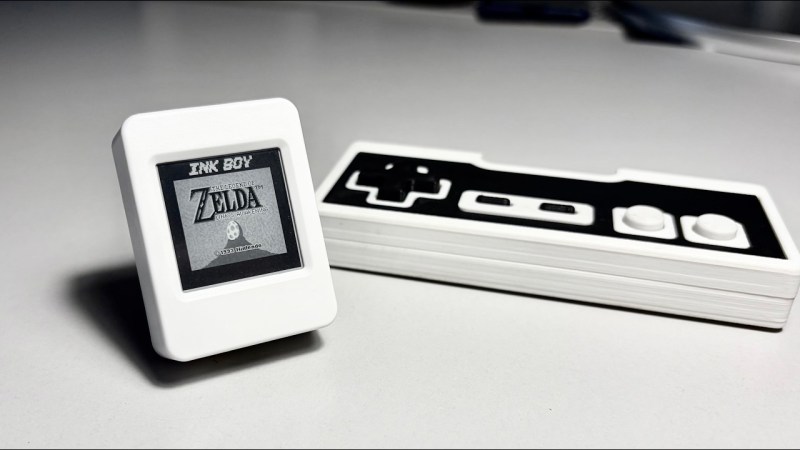
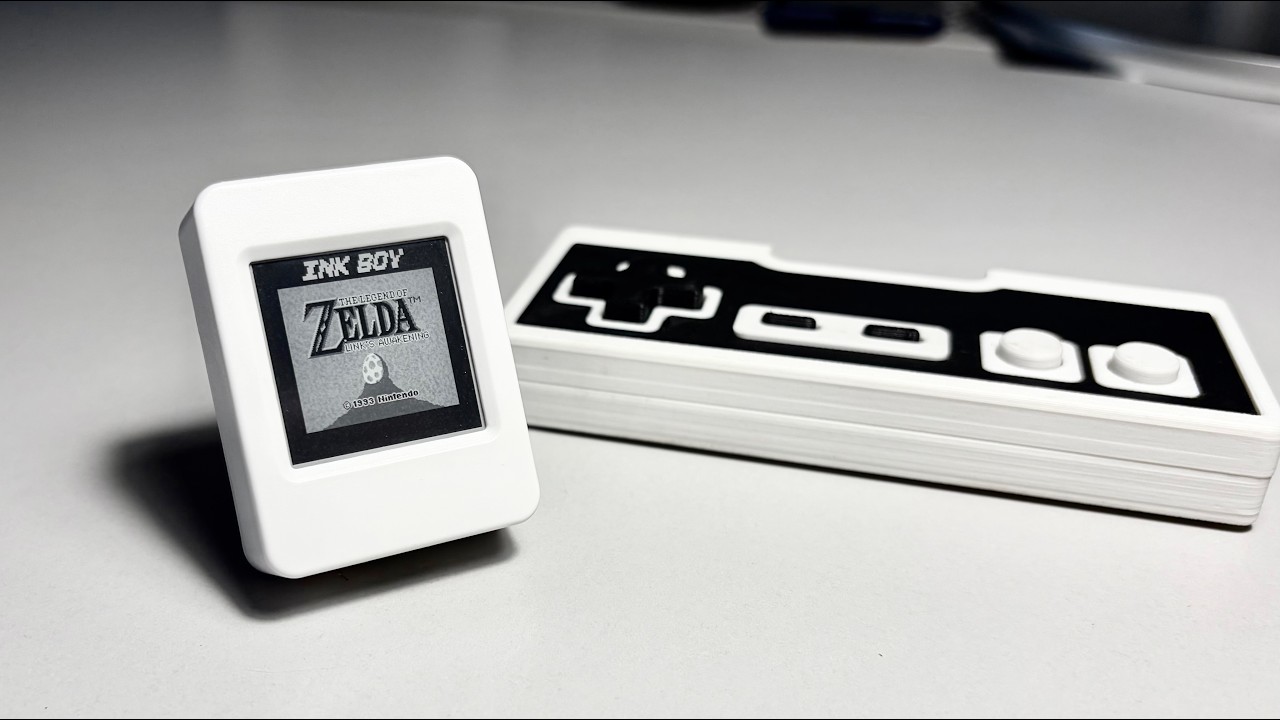
Tiny e-Paper Display Delivers 30 FPS of Game Boy Fun Slow refresh, ghosting and low-contrast — wait, are we talking about passive matrix LCDs, or e-paper displays? That might be why e-paper Game Boy emulators are a thing: the limitations of the black-on-grey e-paper screens remind us of the grey-on-green LCDs Nintendo used in the 80s. In this case [Bo Made It] made it out of a Waveshare ESP32-S3-ePaper-1.54, and got 30 FPS from it. Now, regular readers might be thinking, “So, we’ve seen the 60 FPS e-paper monitor, how is this special?” It’s a fair question. The answer is that [Bo] is doing this on a randomly chosen dev board with a built in wavetable e-paper controller, rather than the bare inputs that allowed the [Wenting Zhang]’s project to work. On the other hand, [Bo] does credit [Wenting], particularly his e-ink PaperBoy project, with directly inspiring both the project and his implementation. Again, the big difference is going through the blob of the controller, but it turns out you can still address individual pixels through it. [Bo] gave each pixel a ‘budget’ for up to 8 pulses it depending on how much it needs to change, speeding things up immensely. Our favorite part is how he achieves the Game Boy’s 4-bit greyscale by, in effect, deliberately ghosting the display. Pixels aren’t driven long enough to fully flip them if they’re going only one shade lighter or darker. This complicated matters, since going from black to ‘white’ now takes longer than ‘white’ to the next darker grey, and the exact timing needs to be worked out for each color transition. Getting that timing right took a lot of calibration, and we like how he used video to help automate the process. That process is still ongoing, so there’s no GitHub link yet. [Bo] will open source everything when it’s ready, and we look forward to it. We also look forward to the PDA-like device he’s going to be using this display driver for. If this all sounds similar to a recent 20 FPS e-paper hack, that’s because it’s the same underlying technology.
MakerWire's avatar
MakerWire 1 month ago
How to migrate Windows 11 from an old SSD to a new NVMe SSD without reinstalling Julian Horsey at Geeky Gadgets walks through moving a working Windows 11 install from an older SATA SSD to an NVMe drive by cloning the disk instead of reinstalling. The point he keeps returning to is that Windows does not live in one partition. The EFI System Partition and the Windows Recovery Environment have to come along too, so a full-disk clone is safer than copying C: alone. A file copy in Explorer will not produce a bootable drive. For software, the guide covers Rescuezilla, which is free and open source and runs from a bootable USB with a graphical interface, and Clonezilla, which is more capable but text based. Macrium Reflect and manufacturer tools such as Samsung Magician are also mentioned. Preparation: back up first, check whether BitLocker or Device Encryption is on and find the recovery key before starting, and confirm the M.2 slot actually supports NVMe rather than SATA only. After the clone, boot with the old drive disconnected to prove the new one works, then check recovery status and extend the partition into any unallocated space. See the video below and more on geeky-gadgets.com. https://blog.adafruit.com/2026/10/14/how-to-migrate-windows-11-from-an-old-ssd-to-a-new-nvme-ssd-without-reinstalling/ image
MakerWire's avatar
MakerWire 1 month ago
Open Source Hardware Certifications for September 2026 The Open Source Hardware Association added certifications for an educational physics device, a 3D printer air mover, a USB protection device, and more. The post Open Source Hardware Certifications for September 2026 appeared first on Make: DIY Projects and Ideas for Makers. image
MakerWire's avatar
MakerWire 1 month ago
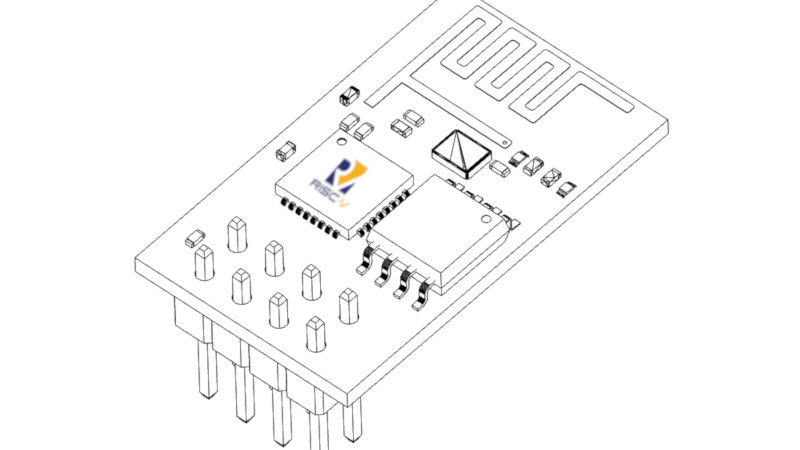
Using an ESP32-C3’s RF Hardware for DVB-S2 Video Transmission Generally the DVB-S and -S2 standards require a satellite somewhere in Earth orbit to provide a signal to receive, but you can also transmit your own DVB-S2 stream with any RF transmitter if you’re so inclined. Courtesy of recent breakthroughs in using the RF hardware of the ESP32 on a raw level, [SP8ESA] has created the ESP32-DATV project using which you can broadcast a DVB-S2 signal using an ESP32-C3. While a host PC side application handles the heavy lifting of turning the input video signal into a DVB-S(2) compliant signal, it is the ESP32-C3 that prepares the samples for transmission before sending them off to its RF block, with no external hardware needed. If this brings to mind the idea of using an off-the-shelf DVB-S2 receiver to play back the signal, the frequency range for DVB-S2 is 10.7 – 12.7 GHz, while the ESP32-C3 is limited to roughly 2.4 GHz courtesy of it targeting only 2.4 GHz Wi-Fi and Bluetooth signals. Using the ESP32 to transmit is already heating up. Thanks to [ftg] for the tip.
MakerWire's avatar
MakerWire 1 month ago
Maker Faire Rome 2026: 400+ Stories Of Innovation, Creativity and Discovery Maker Faire Rome – The European Edition: 23–25 October 2026Gazometro Ostiense, RomeTickets are available exclusively online at makerfairerome.eu. Humanoid football, hands-on research, and more return to the Gazometro: The 14th edition runs from 23 to 25 October with 26 secondary schools, 27 universities and research centers, 145 projects and new programs spanning robotics, craft, books, food […] The post Maker Faire Rome 2026: 400+ Stories Of Innovation, Creativity and Discovery appeared first on Make: DIY Projects and Ideas for Makers. image
MakerWire's avatar
MakerWire 1 month ago
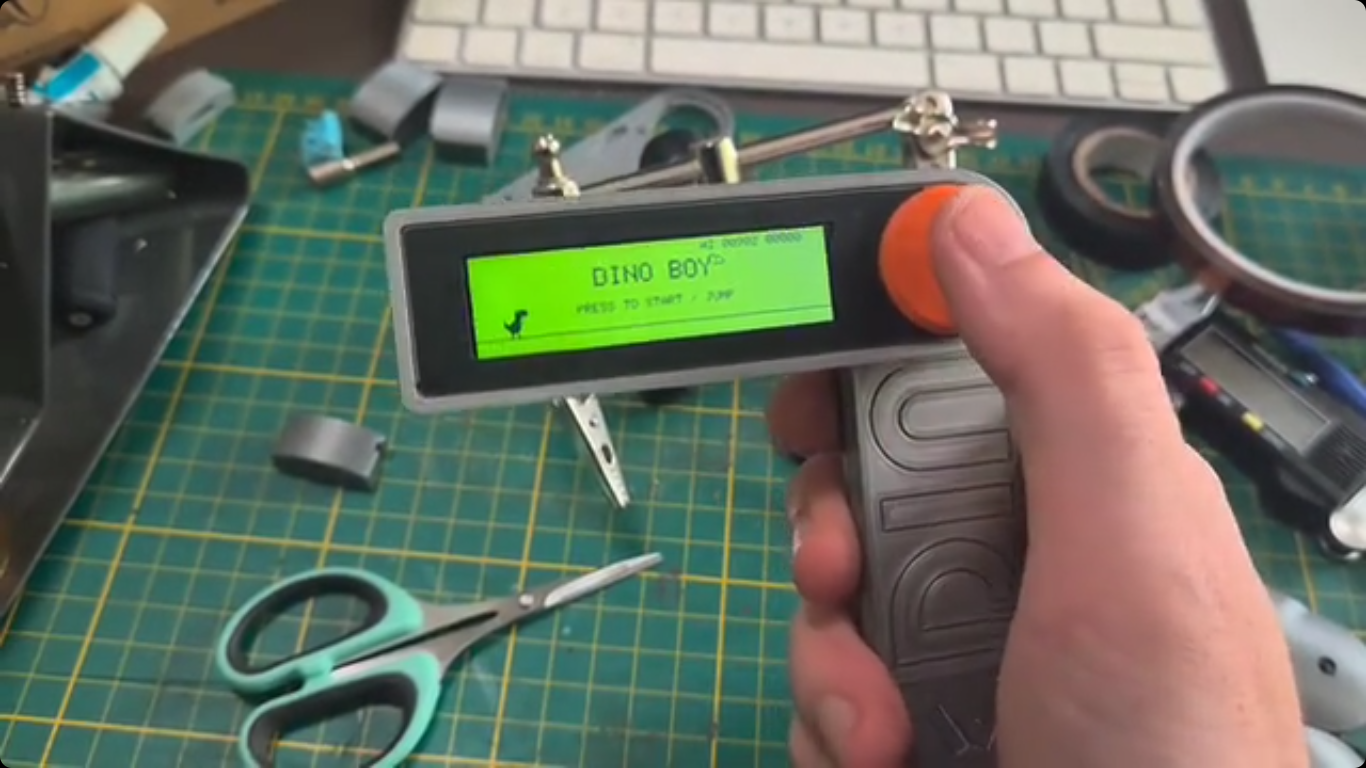
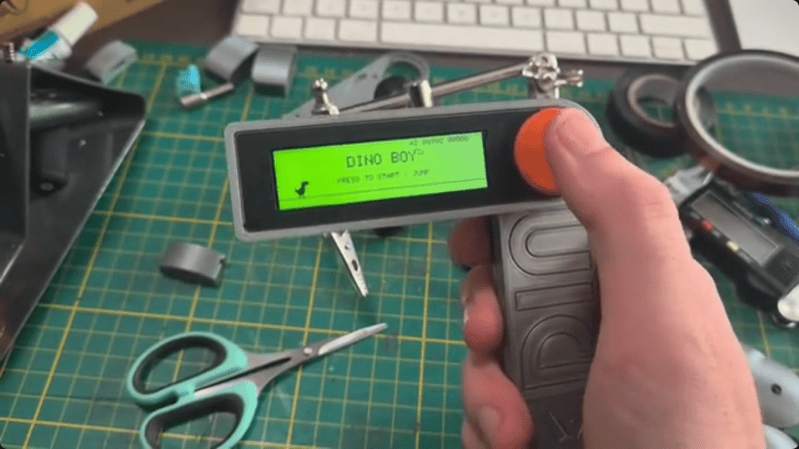
Single Button, Handheld Gaming Console Those of us who grew up in the 70s and 80s might be familiar with the Atari 2600 console and its now relatively unrecognizable (by modern standards) controller with only a single button and stiff whole-hand joystick. By comparison, the Steam Deck has somewhere around 24 buttons and two joysticks depending on how they are counted. But even the Atari might be providing more user inputs than are really necessary for quality gaming. Take a look at the Dinoboy, a handheld console with only a single button. Part of what makes this system work is that it’s playing the classic dinosaur jumping game first included in Google Chrome which loads when the browser can’t connect to the Internet, and the user’s single input was the space bar. In this case, the handheld has its single button where the user’s thumb naturally rests. The console itself is in two parts, hinged where the button is placed. When unfolded, the top half reveals a wide screen and the bottom half is held by the hand. The screen supports two color formats, a black and white style and another which replicates the dot matrix display of the original Game Boy. The small handheld console has another trick up its sleeve too. [Paul], the system’s creator, built it as a way to stop doomscrolling so along with having this quick-deploying game on hand, there’s also an NFC tag hidden near the hinge which, when swiped passed a phone, also turns that phone’s airplane mode on. It’s a double-whammy of removing the gamer from the dark patterns and algorithms dominating the mainstream Internet. And, this isn’t [Paul]’s only dinosaur jumper console either. We recently featured a similar (but much larger) build of his housed in a classic arcade-style cabinet.
↑