You don't add buttons to it you give the app the permissions it needs & then the extra folder & button will appear automatically.
Login to reply
Replies (13)
I will try again. But have tested this a few months ago and nothing changed.
Try giving amethyst permission to all files access.
Are you a coder? Wanna send a PR?
No i'm not but I will send you this.
I hope it helps.

Android Developers
Photo picker | App data and files | Android Developers

Android Developers
Access documents and other files from shared storage | App data and files | Android Developers
Stack Overflow
How to add files access permission on device android
My problem is when I am not getting files permission in the device.
Below image is showing: photos and media access are showing but files acces...
Stack Overflow
How to add Write to File Permission on Android
I want to write in a file by using the following:

 BufferedWriter buf = new BufferedWriter(new FileWriter("test2"));
 buf.write(mytext...
Yeah, that's what we have and what I tried... I will try again
As far as I see amethyst has no media permissions at all.
Just for specific files. Google doesn't allow broad media permissions anymore.
I thought that's what all file access was?
Yes, but they are now forcing apps to not use those things anymore. They want apps to ask for specific permissions for each file they want to access. That's what the new permission system does. There is no broad file access anymore.
Fron what I understand these need to be added.
```
<uses-permission android:name="android.permission.MANAGE_EXTERNAL_STORAGE"/>
<uses-permission android:name="android.permission.MEDIA_READ_EXTERNAL"/>
<uses-permission android:name="android.permission.MEDIA_WRITE_EXTERNAL"/>
```



Kodular Community
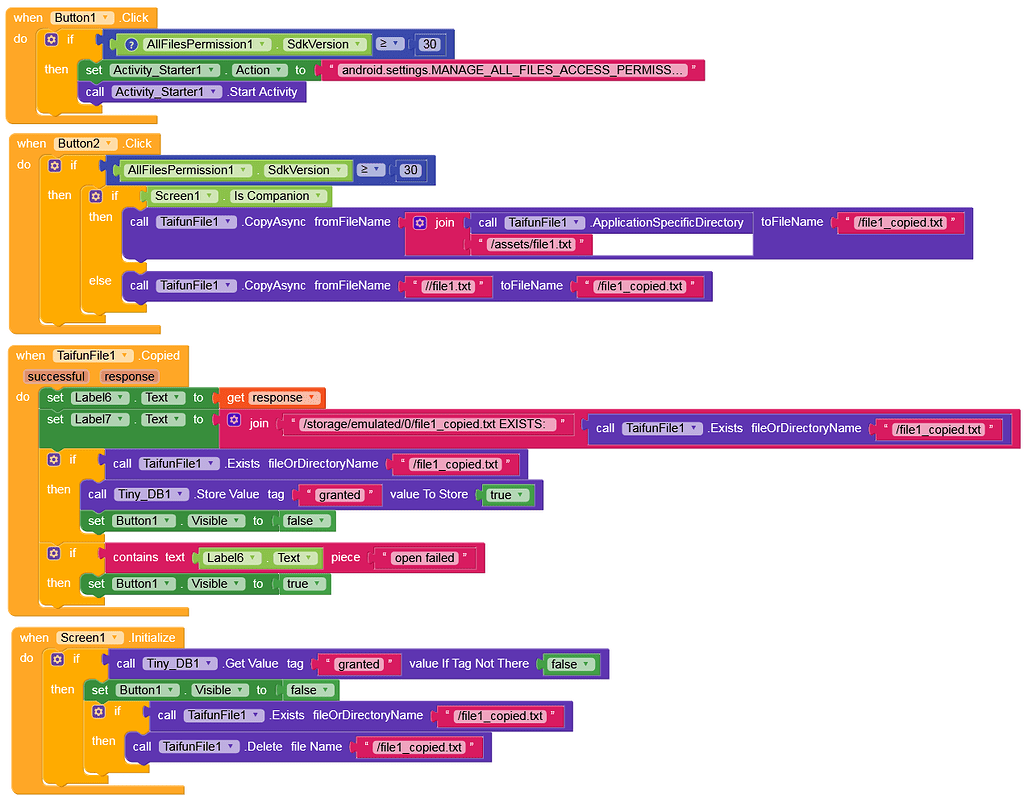
How do you request and grant MANAGE_EXTERNAL_STORAGE?
How do you request and grant → MANAGE_EXTERNAL_STORAGE on devices with Android 11+? I am aware that this permission is usually not granted by Goo...

Kodular Community
How to request and grant MANAGE_EXTERNAL_STORAGE permission
In this guide I show you, how to request and grant → MANAGE_EXTERNAL_STORAGE on devices with Android 11+. Be aware that this permission is usuall...
I still see apps using them & haven't seen one that does stop all of a sudden.
We already do READ_EXTERNAL_STORAGE. The others are old and don't exist anymore.
From what I read they are needed to make it work. Test it out?