I needed to take a look at some live logs and quickly analyze some old ones, but I couldn't find anything effective to highlight terms, except for esoteric sed and awk commands.
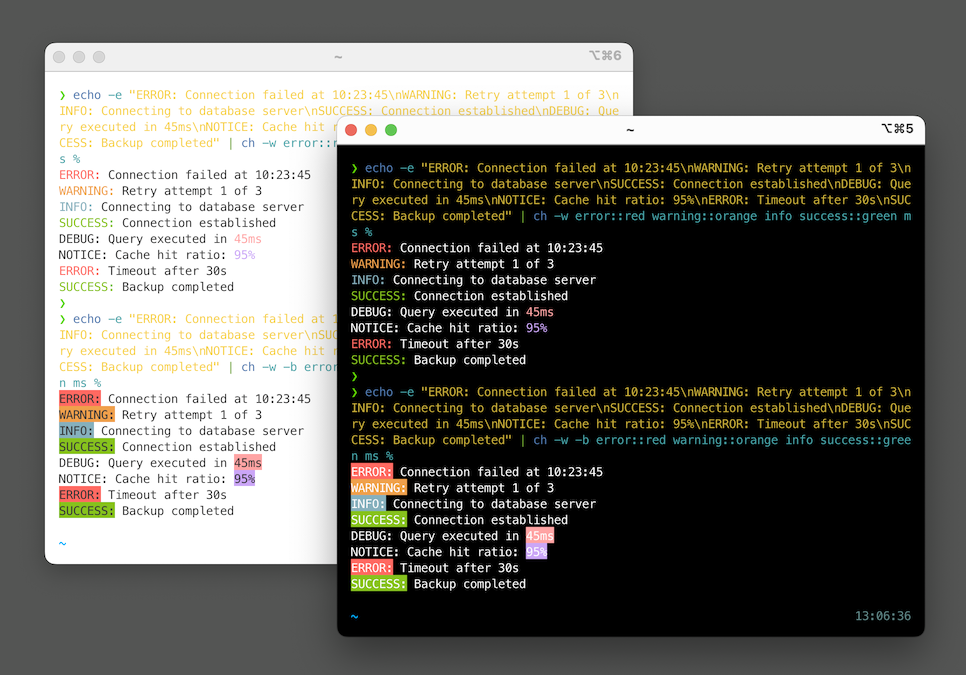
So I built `ch` - Colored Highlighter - a simple terminal tool to highlight specific words in your command output with colors. Perfect for tailing logs, debugging, and making command output more readable.
 Read more and grab binaries & source code at
Read more and grab binaries & source code at GitHub
GitHub - dtonon/ch: Colored Highlighter - A fast, simple terminal tool to highlight specific words in your command output with colors
Colored Highlighter - A fast, simple terminal tool to highlight specific words in your command output with colors - dtonon/ch