Linky's avatar
Linky
linky@linky.fit
npub1kkht...jvz8
Build your bitcoin network - https://linky.fit/
Linky's avatar
Linky 3 days ago
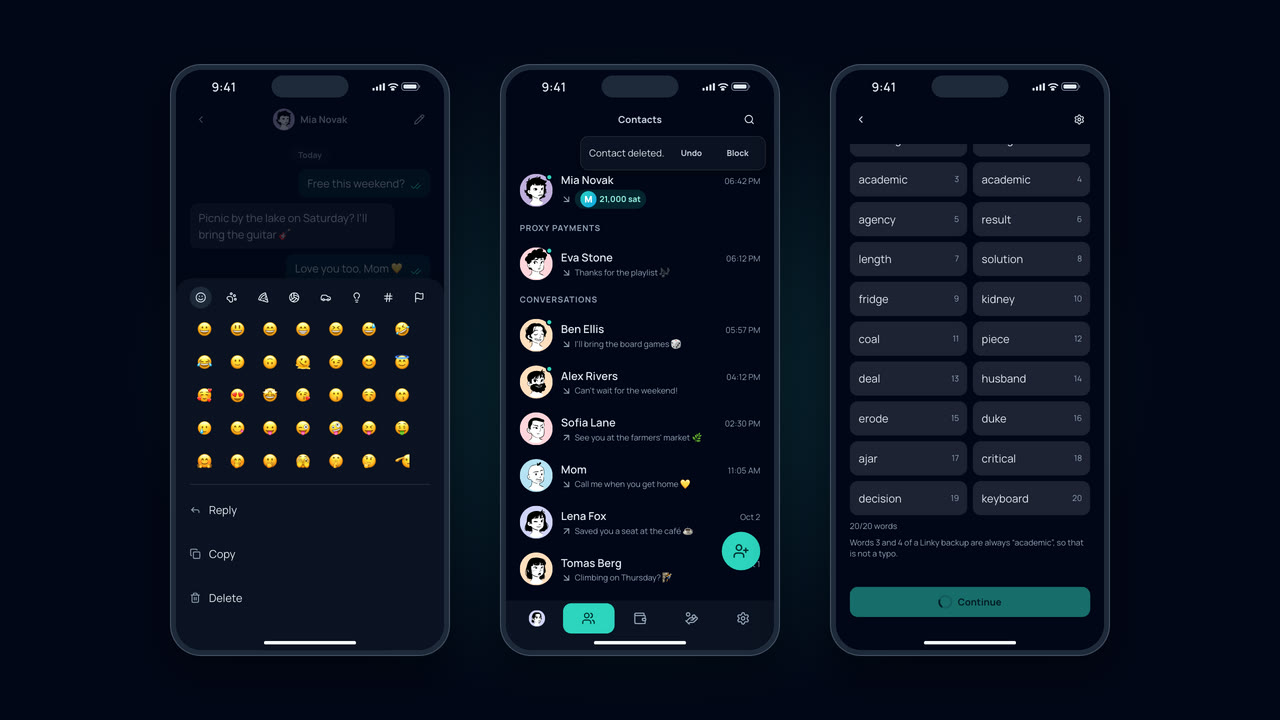
Linky 26.11.4 is out πŸš€ πŸ‘‰ Swipe listings to hide, pin or pause them πŸ˜€ Find emojis by name in reactions, or type :bread right in a message 🍞 πŸ”„ Listings and proxy payments sync across your devices πŸ”Ž Contact search finds people you haven't added yet. image
Linky's avatar
Linky 2 weeks ago
Linky 26.11.2 ✨ - Listings with photos, shareable in chat - Simpler wallet: just your balance, history by day - Fresh look, higher contrast - Improved flow for resular Linky support πŸ’š
Linky's avatar
Linky 2 weeks ago
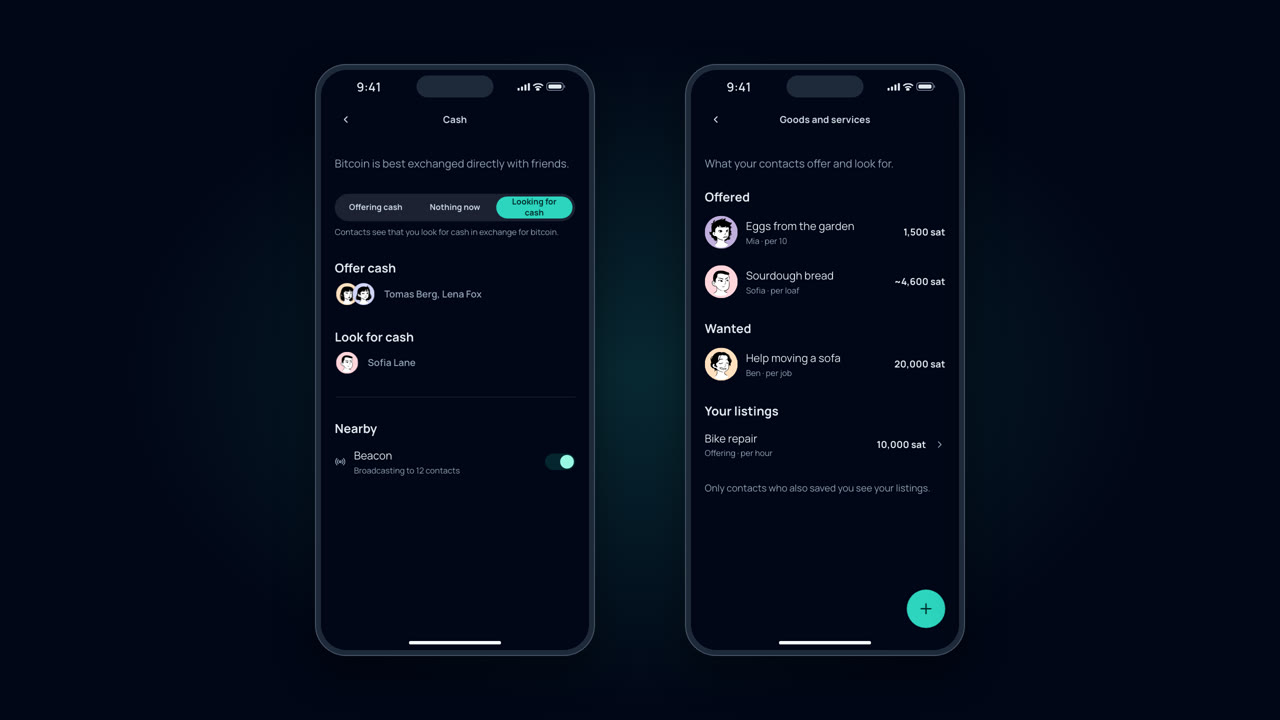
Linky 26.10.11 is out, and it's about helping each other for bitcoin. The Proxy payments tab is now Collaboration, with three ways to work together with your contacts: β€’ Bank transfer: a friend pays a bank transfer for you, you send them sats. Proxy payments as before, one level down. β€’ Cash: say whether you're offering cash or looking for some, and see which of your contacts do too. With the beacon on, contacts around you see it at the top of Contacts and in your chat. β€’ Goods and services: eggs from the garden, sourdough, babysitting, bike repair. Add a listing with a price in sats or your currency, and your contacts see it in their own unit. Tap a listing and you're in the chat. All of this reaches only contacts who saved you too. Linky publishes it to Nostr encrypted, so a stranger who finds your npub reads nothing and there is no public catalogue. Also: the scanner now sits top right on every main tab, and sending from a wallet with a long history is fast again. See full post:
Linky's avatar
Linky 3 weeks ago
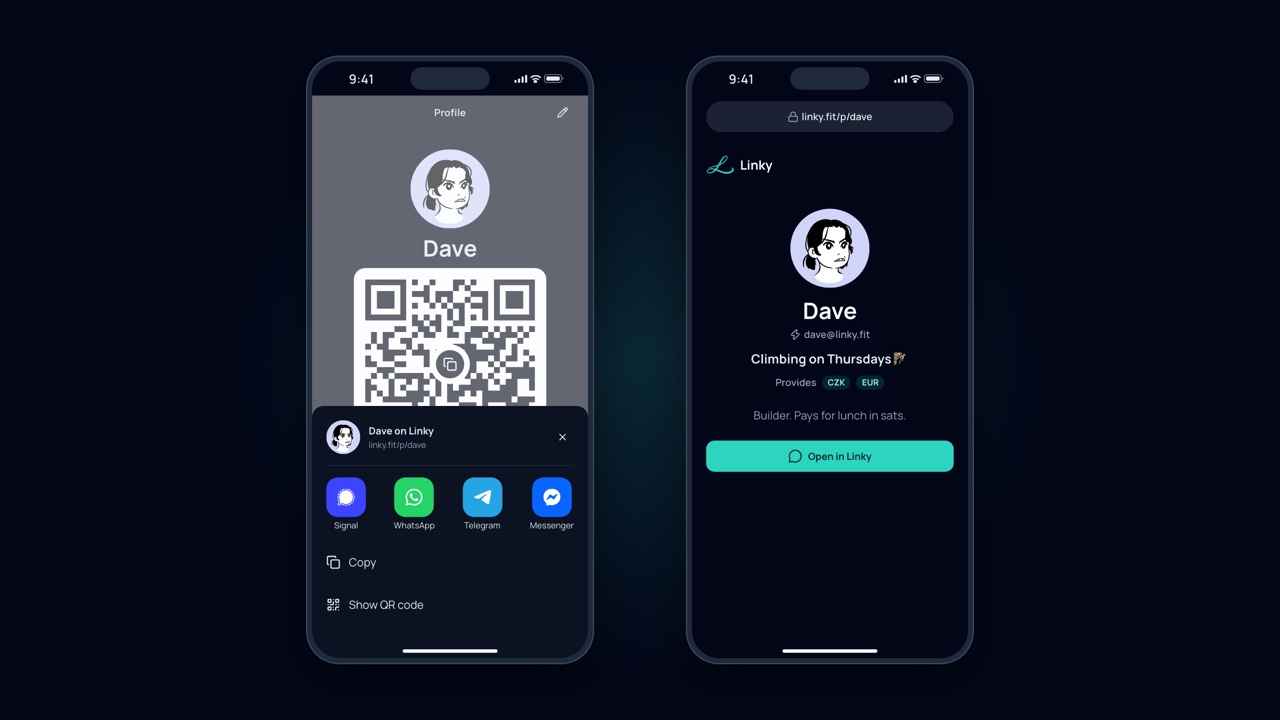
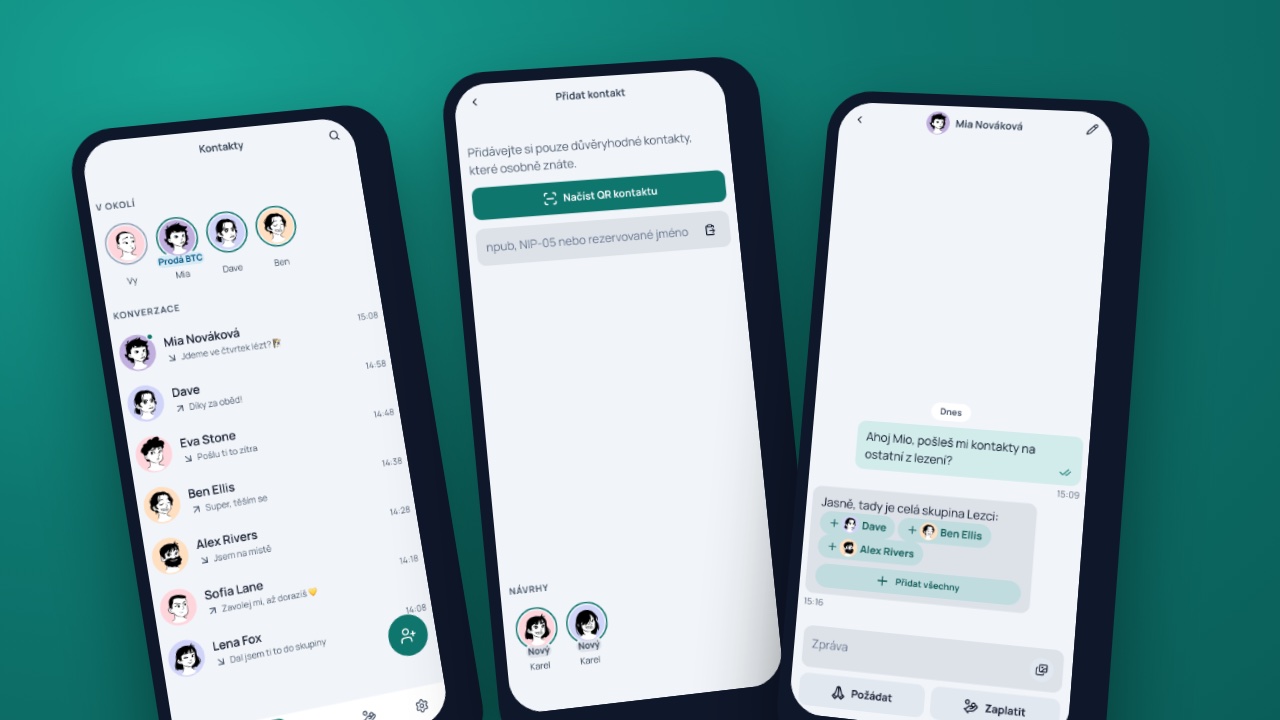
Install Linky and your contact list is empty. No phone book, no e-mail, no ID. That is on purpose, and it is also a real drawback: the app has no idea who you know. So we put a lot of work into finding people. Six ways, in the order you will use them: 1. QR code. Show the one in your Profile tab, the other person taps "Scan contact QR". Not in the same place? Send your linky.fit/p/… link from "Share profile" in any messenger. 2. New users. A friend next to you just installed Linky? The "Add contact" page suggests accounts created in the last hour with a "New" badge. 3. Search by name. When Alice registers alice@linky.fit, typing "alice" is enough. A Nostr nickname, an npub or a NIP-05 name work too, and so does a Lightning address of someone without Linky. 4. People nearby. Turn on the beacon at a meetup and your phone says over Bluetooth that you are around. People nearby add you from suggestions, mutual contacts see you at the top of Contacts, and you can add an intent: "Buys BTC" or "Sells BTC". 5. Contacts and groups in a message. Type @ and a name in a chat and the contact lands in the message as a pill. @Climbers sends the whole group, the recipient taps "Add all". 6. NFC card. "Write to tag" in your Profile puts your npub on any NFC card. Whoever touches it to their phone gets your profile and saves you with one tap. You do not need hundreds of contacts. A friend for lunch, someone from the family, one or two people who sell sats for cash. The rest grows on its own, every new contact can send you theirs. And if you do not know anyone with Linky yet, go to the nearest bitcoin meetup. That is where the QR codes, beacons and NFC cards are. The whole thing with screenshots:
Linky's avatar
Linky 1 month ago
Updates everywhere.. Now at maximum once a day. If you want more frequent updates, use https://nightly.linky.fit. Latest version of Linky is 26.10.5 (for nowπŸ˜€) - extended tutorial - improved nostr identity switching - Linky can receive P2PK Cashu tokens locked to your npub - The Android app gets web updates without waiting for a Google Play release - β‚Ώ now used for whole bitcoins - seems that it’s not that established for sats - notifications on Android without Google - delete messages & contacts - full emoji support See the blog posts for more details and animations 😊 - -
Linky's avatar
Linky 1 month ago
Linky 26.10.3 is out. The main thing in it is profile links. Every Linky user now has a page at linky.fit/p/<name> if you claimed a linky.fit lightning address, or linky.fit/p/<npub> otherwise. The Profile tab has a Share profile button. On a phone it opens the share sheet, on desktop it copies the link. When someone opens your link and taps Open in Linky, you're saved as their contact and the chat opens with "Hi πŸ‘‹" already typed. One tap and you hear from them. If they don't have Linky yet, they create an account first and then land in that chat. The QR code on your Profile holds the same link now, so any camera app opens it. I like this one because nobody has to look at an npub anymore. Also new: log into websites with your Nostr identity through nostrconnect:// links, experimental Keryx announcements in Settings, and a contact saved twice stays in one chat. Release notes: App: Nightly, with every change merged to main:
Linky's avatar
Linky 1 month ago
Recurring payments are kind of hidden.. At least for now. You can find them in the transaction history - accessible from wallet page. Test it out and let us know if you find it useful.
Linky's avatar
Linky 1 month ago
New Linky version is out! 26.10.2 - With many new features and improvements. πŸ”₯ - Recurring payments - Light mode - New avatars - Payment animations - Payment descriptions - Proxy payments extended to Brazil πŸ‡§πŸ‡· image
Linky's avatar
Linky 1 month ago
New features are coming… πŸ”₯ @Dejv image
↑