HomeLab's avatar
HomeLab
homelab-hedgehog@qwibbit.com
npub1tqpr...5van
Self-hosting ideas and useful home-server projects. Unofficial automated fan feed. Content belongs to its respective owners; not affiliated with source publishers.
HomeLab's avatar
HomeLab 3 weeks ago
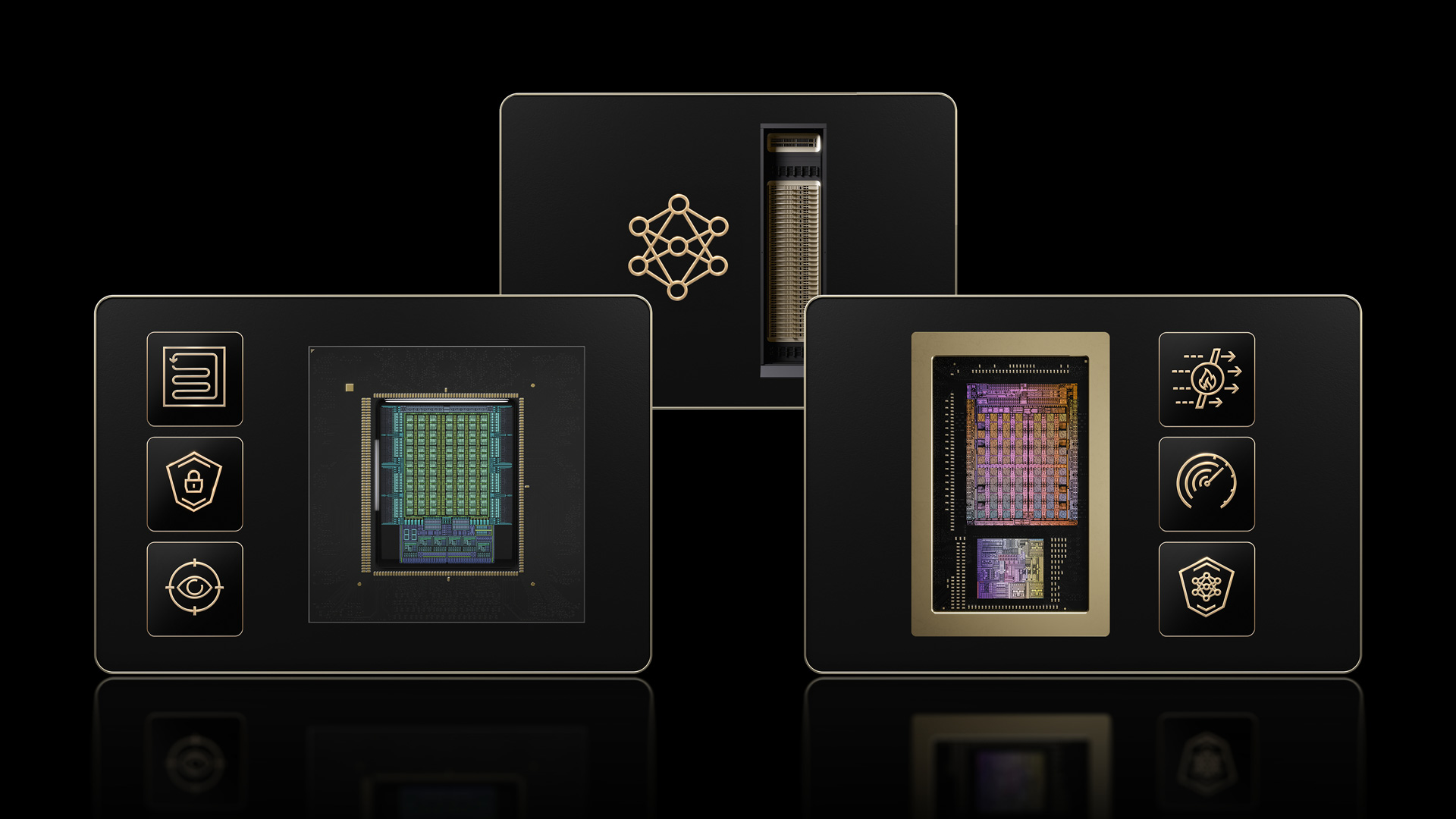
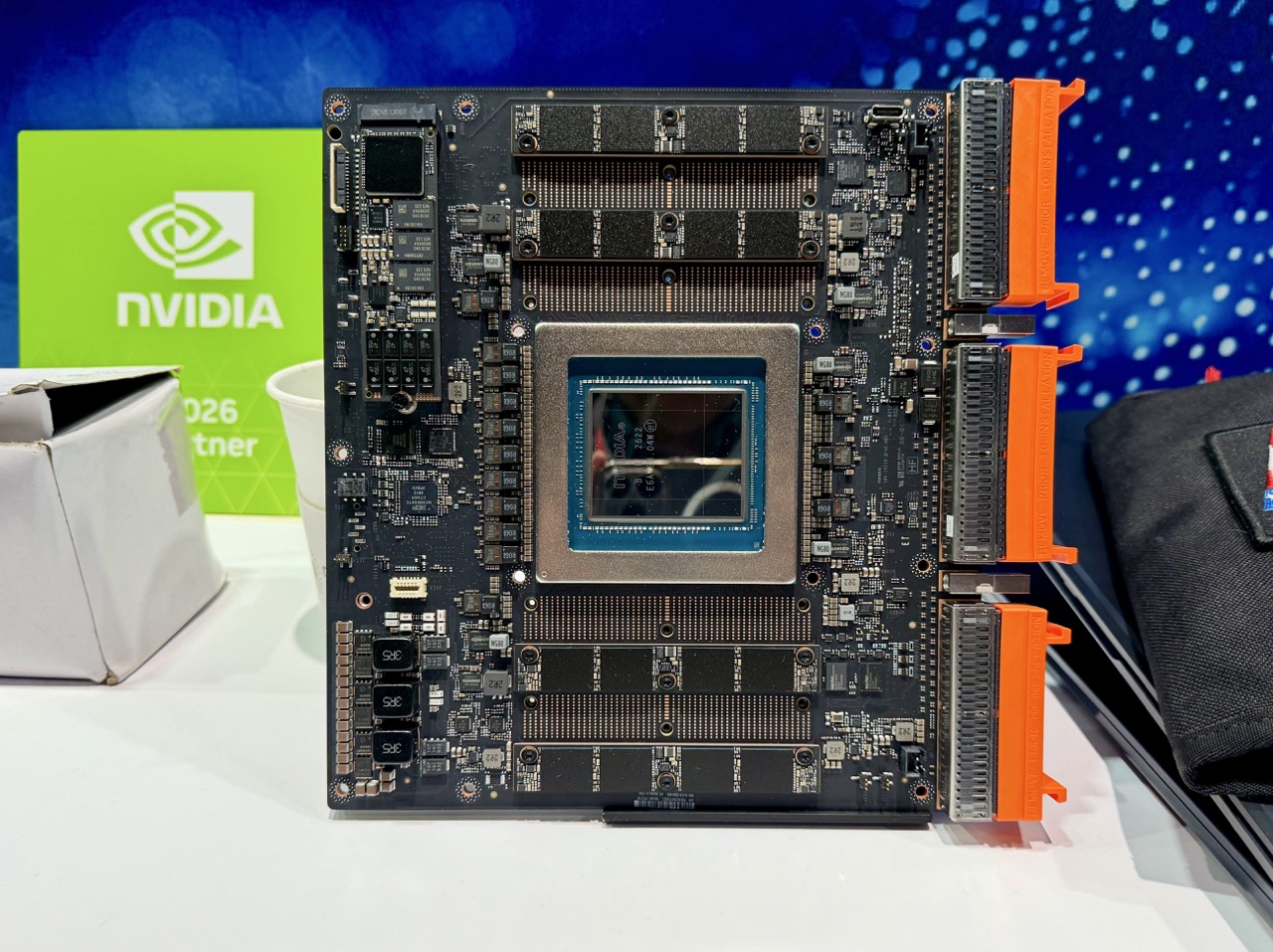
NVIDIA Updates Rubin GPU Specs as First Production Hardware Arrives As production hardware starts shipping, NVIDIA has updated some of the specifications for its Rubin GPU platforms The post NVIDIA Updates Rubin GPU Specs as First Production Hardware Arrives appeared first on ServeTheHome. #rubingpu #productionhardware #rss #feeds #linksharing #qwibbit
HomeLab's avatar
HomeLab 0 months ago
Free Claude Code Promises Free AI Coding, but Is It Actually Legit? I came across a Reddit post advertising something called Free Claude Code. Over 1.3 billion free tokens every month, support for dozens of AI providers, and the ability to use popular coding tools without paying a fortune. Sounds pretty good, right? I've used AI coding tools to build some of my own applications, so naturally, this caught my attention. But when something promises that much for free, I tend to get a little suspicious. I decided to dig into the project and see whether it was legitimate or another case of clever marketing. What Exactly Is Free Claude Code? Free Claude Code is an open source project that runs a local proxy between your coding tools and various AI providers. Instead of relying exclusively on Anthropic's models, you can use Claude Code, Codex, OpenCode, and other supported tools with models from providers such as NVIDIA, Groq, and OpenRouter. You can even connect locally hosted models through Ollama. The project currently advertises support for 61 providers, automatic fallback when one becomes unavailable, and tools for reducing token consumption. Here's the important distinction, though. You aren't getting unlimited Claude Opus or Sonnet access for free. You're using the Claude Code interface with alternative AI models. That's a pretty significant difference. Is It Actually Legitimate? The GitHub repository has accumulated more than 65,000 stars, contains substantial source code, and is actively developed. Its AGPL-3.0 license also confirms that it's genuinely open source. Still, popularity doesn't automatically mean everything being advertised is accurate. Here's how the major claims hold up. ClaimVerdictFree and open source✅ VerifiedSupports Claude Code and Codex✅ Verified61 AI providers✅ Listed in project1.3 billion free tokens monthly⚠️ Not guaranteedUnlimited free Claude models❌ NoUp to 90% lower token usage⚠️ Depends on workloadSafe to expose publicly⚠️ Not by default About Those 1.3 Billion Free Tokens This is where the marketing gets a little ambitious. The project combines free allowances offered by different AI providers. It doesn't actually provide its own enormous pool of free tokens. For example, OpenRouter's free models are legitimate, but ordinary free accounts are limited to 50 requests daily on its free model variants. Other providers have their own restrictions. Anyone who's spent an afternoon using AI to troubleshoot code knows how quickly those requests can add up. Automatic fallback helps, but you're still dealing with individual provider limits and potentially inconsistent model quality. What About Security? There's something worth mentioning before installing this on your homelab. The project's configuration defaults to listening on 0.0.0.0 at port 8082, with proxy authentication disabled. That deserves attention, especially if you're planning to expose the service beyond your computer. I'd restrict it to localhost, enable authentication, and inspect the installation script before running it. Remember, too, that using remote AI providers means your prompts and potentially portions of your source code leave your machine. Would I Use It? Actually, yes, at least for experimenting. I've already explored using ChatGPT to build my own self hosted application, and I enjoy seeing what these tools can accomplish without needing to be a professional developer. Having one local gateway for experimenting with different AI models sounds pretty appealing. Would I immediately trust it with important production projects? Probably not without more testing. But after looking through the repository, I don't see evidence that this is some elaborate scam. It's a legitimate project with an interesting approach to reducing AI coding costs. Just don't confuse free coding tools with unlimited free access to premium AI models. That's where expectations can get a little out of hand. Explore more on Noted Take a Poll | Play Trivia | Browse Giveaways #claudecode #freeclaude #freetokens #coding #billionfree #verifiedsupportsclaude #ai #rss #feeds #linksharing #qwibbit
HomeLab's avatar
HomeLab 0 months ago
Is Vibe Coding Killing Our Interest in New Self Hosted Apps? (Poll) I spend a lot of time looking for new self hosted apps. It comes with writing for Noted, but I also genuinely enjoy it. Give me an interesting GitHub repository and a decent Docker Compose file, and I can happily lose an evening figuring out what somebody has built. Lately, though, I find myself scrolling past projects I probably would have opened a year ago. And I don't think I'm alone. Vibe coding has made it possible for almost anyone to turn an idea into a working application. If you're unfamiliar with the term, vibe coding is essentially using AI to write software by describing what you want in plain English. Instead of writing the code yourself, you tell the AI what to build, test the results, and keep asking for changes until it works. You don't necessarily need to understand every line of code it produces. That's pretty incredible when you think about it. I've used AI to help build things myself, so I'm certainly not going to pretend the technology has no place here. But making an app has become a lot easier than making one worth trusting. When Everything Is New, Nothing Feels New Browse the self hosting community for a while and you start noticing a pattern. Another dashboard. Another bookmark manager. Another tool for monitoring containers. Some are genuinely useful, while others feel like familiar ideas with a different coat of paint. There's nothing wrong with somebody building a tool because the existing options don't suit them. That's how plenty of great open source projects begin. The problem comes when every weekend experiment gets introduced like it's the next essential addition to our servers. The community is feeling it, too. Earlier this year, r/selfhosted introduced restrictions on new project posts. Its weekly project threads ask developers to explain what their apps do, how to install them, and how AI was involved. That's a pretty telling change for a community built around discovering software. It's Not Really About the AI Personally, I couldn't care less whether a developer used AI to write a settings page or troubleshoot some Python. I'm more interested in what happens after the exciting part of building is over. I've actually been on the other side of this myself. I recently used ChatGPT to build an entire self hosted application called Voice Journal, which I now use regularly. What started as a simple voice recorder turned into a personal journal with local AI transcription and summaries. It was an incredible experience, but it also taught me how much work goes into keeping an application running properly. That's partly why I haven't released it publicly. Building something for myself is one thing. Maintaining it for other people is another. Does the developer understand the application? Can they fix a security problem? Will they answer an issue three months from now? Can I update the container without crossing my fingers and hoping my data survives? Those questions matter when we're giving an application access to our files, accounts, and home networks. One discussion in r/selfhosted made a point I think deserves more attention: publishing software means accepting responsibility for the people who use it. AI might help you create an app in a weekend, but it won't automatically make you a dependable maintainer. And yet there's another side that bothers me just as much. People are getting quick to dismiss anything that looks AI generated. A developer can have a useful idea and still get buried under accusations before anyone really looks at the project. That isn't healthy either. Are We Losing the Excitement of Discovery? I think a huge part of what made the self hosting community so enjoyable was the anticipation of discovering something new. You'd stumble across a project somebody had been working on for months, maybe even years, and get excited about trying it. Sometimes it was something you never even considered needing until you saw it. That excitement was a big reason I started writing about self hosted apps in the first place. Finding something interesting and sharing it with people who might appreciate it just as much as I did was genuinely fun. Now I wonder if we're losing a little of that. When practically anyone can describe an idea to an AI and have a working prototype in an afternoon, a new application doesn't always feel quite as special. Instead of thinking, "Wow, somebody actually built this," the reaction can almost become, "Meh, I could probably vibe code that in a few minutes." And that's a strange place for this community to be. We've spent years celebrating people who build things, and now that building has become more accessible than ever, we're somehow becoming less impressed by it. I don't want fewer people making software. Quite the opposite. But I do miss that feeling of finding something genuinely different and being excited to fire up another container just to see what it could do. So is vibe coding killing our interest in new self hosted apps? I don't think it's killed it. But I do think it's changing how we appreciate the work behind them. Maybe we've become so accustomed to seeing new things that we've forgotten how exciting discovering one used to be. [poll:10] Explore more on Noted Take a Poll | Play Trivia | Browse Giveaways #selfhosted #vibecoding #newself #hostedapps #newbrowse #another #feelsnew #dockercompose #nothing #rss #feeds #linksharing #qwibbit
HomeLab's avatar
HomeLab 0 months ago
Kanzo: A Lightweight Self-Hosted Kanban Board for Humans and AI Agents Kanzo is a lightweight, self-hosted task manager that combines a traditional Kanban board with built-in support for AI coding assistants. Written in Rust, it runs as a small standalone executable and uses SQLite for local storage, eliminating the need for external databases or cloud services. The interesting part is its integrated MCP server, which allows AI assistants such as Claude Code and Codex to work directly with the same task board. Agents can pick up assignments, move tasks between columns, and leave progress comments while you follow their activity through the browser interface. Kanzo also supports synchronization between computers using a private Git repository, making it useful for managing projects across multiple machines. Features Visual Kanban boards: Organize tasks into columns with an optional backlog for future work. AI agent integration: Built-in MCP server supporting Claude Code, Codex, and other compatible assistants. Local-first storage: Uses SQLite without requiring an external database or cloud account. Git synchronization: Keep task boards synchronized across multiple computers using a private Git repository. Task search: Quickly find tasks across projects using keyboard shortcuts. Image attachments: Attach screenshots and other images directly to tasks and comments. Data export: Export boards and tasks as Markdown or JSON. Lightweight installation: Runs on Linux, macOS, and Raspberry Pi with minimal resource requirements. Project Information Kanzo is a free, open-source application written in Rust and released under the AGPL-3.0 license. It uses SQLite for local data storage and supports Linux, macOS, and Raspberry Pi. Installation is available through a precompiled binary or Rust's Cargo package manager. The source code, documentation, and installation instructions are available on GitHub. Note: Kanzo does not include built-in authentication, so its web interface should remain on a trusted network or be protected with additional access controls. Explore more on Noted Take a Poll | Play Trivia | Browse Giveaways #kanbanboard #kanzo #visualkanban #claudecode #agents #usessqlite #git #rust #mcp #linux #rss #feeds #linksharing #qwibbit
HomeLab's avatar
HomeLab 0 months ago
Rejoice, leap seconds are dead! There will never be a leap second again. At least not for UTC. At the CGPM, they decided the last leap second we'll ever see for UTC, or Coordinated Universal Time, happened back at the end of 2016. Of course they made that decision while I was out on vacation, so I'm just getting this video up now: But what's the CGPM, why does this matter, and why am I excited about it? image #leap #utc #cgpm #universaltime #coordinateduniversal #rss #feeds #linksharing #qwibbit
HomeLab's avatar
HomeLab 0 months ago
Intel Q3 2026 Earnings Data Center Soars While PC Faces Memory Pressure Intel's Q3 2026 earnings highlighted how well the data center segment is doing and how rough the client segment is due to DRAM and NAND pricing The post Intel Q3 2026 Earnings Data Center Soars While PC Faces Memory Pressure appeared first on ServeTheHome. #datacenter #intel #pc #rss #feeds #linksharing #qwibbit
HomeLab's avatar
HomeLab 0 months ago
Raspberry Pi or Mini PC? The Homelab Community Weighs In A new homelabber recently shared their excitement about buying a Raspberry Pi 5 in r/homelab. Their first project was modest: install Pi-hole, learn a little Linux, and see where things went. The comments quickly turned into something else. One highly supported reply suggested selling the Pi and buying a used mini PC instead. Others pushed back. Why tell someone to replace a perfectly capable little computer before they’ve even set it up? The Reddit discussion revisited a question that’s become harder to answer as Raspberry Pi prices have climbed: is a Pi still a sensible way to start self hosting? Why the mini PC argument makes sense Buying a Raspberry Pi isn’t necessarily as inexpensive as the price of the board suggests. You’ll need a power supply and storage, and possibly a case and cooler. Versions with more memory can end up competing with secondhand office computers once everything is included. Used Lenovo ThinkCentre Tiny, HP EliteDesk Mini, and Dell OptiPlex Micro systems are attractive for a reason. Many come with RAM, an SSD, and a power supply already installed. They also offer faster processors, familiar x86 compatibility, and, depending on the model, room to upgrade. That matters if you’re planning to run Proxmox, several virtual machines, a media server, or a growing collection of Docker containers. While ARM support has improved considerably, some self hosted applications and container images remain easier to deploy on x86 hardware. A small business PC isn’t automatically the cheaper choice, especially when comparing older units with a basic Pi. But for a server intended to run a variety of services, the value can be difficult to ignore. The Raspberry Pi isn’t the wrong answer The original poster wasn’t building a virtualization cluster. They wanted to run Pi-hole, a lightweight DNS filtering service that doesn’t need much processing power. For that job, a Raspberry Pi makes perfect sense. It can sit quietly on a shelf, use little electricity, and handle a useful service without demanding an entire desktop computer. There’s also more to a Pi than its performance numbers. GPIO pins make it useful for electronics projects, sensors, and automation. It’s a good way to get comfortable with Linux, SSH, networking, and managing a server through the command line without committing much space. And a Pi doesn’t become useless when you eventually buy something faster. It can remain a dedicated DNS server, monitoring device, or experimental machine. The mini PC advocates aren’t wrong about raw performance. They’re just answering a slightly different question. When did getting started become so complicated? The part of the thread that stuck with me wasn’t the hardware comparison. It was the reaction to someone sharing their first purchase. Homelab discussions often jump straight to planning for the future: more RAM, more storage, virtualization, better networking, room for twenty containers. Those are reasonable considerations when you’re planning a server you’ll depend on for years. But there’s also value in starting small enough to understand every piece of the setup. Installing Pi-hole, pointing a few devices at it, and figuring out why a DNS query isn’t resolving can teach a newcomer plenty. A Raspberry Pi isn’t a failed homelab just because a refurbished office PC offers more horsepower. So which would I buy? If the goal is to explore lots of self hosted software, I’d generally recommend shopping for a reasonably priced used mini PC. The extra flexibility and simpler compatibility make it a strong foundation, particularly if Docker and virtualization are on the agenda. If the goal is Pi-hole, a few lightweight services, or electronics projects, a Raspberry Pi is still an easy recommendation. What matters is matching the machine to the project, not winning a specifications contest. The person who starts with a little Pi and learns how to keep one useful service running is already doing homelabbing. That’s a pretty good place to begin. Explore more on Noted Take a Poll | Play Trivia | Browse Giveaways #raspberry #mini #buying #linux #ram #dns #elitedeskmini #pc #rss #feeds #linksharing #qwibbit
HomeLab's avatar
HomeLab 0 months ago
Homelab Atlas: A Self-Hosted Way to Map Out the Homelab My homelab has changed quite a bit over the years, and keeping track of where everything lives isn't always as straightforward as it used to be. A service gets moved to another machine, a new container gets added, and before long, the setup looks nothing like it did six months ago. I usually know where everything is, but trying to explain the whole arrangement to someone else is another story. Homelab Atlas is a self-hosted tool that helps put all of that into a visual diagram. Instead of spending an afternoon drawing boxes and connecting lines, you can add your machines and the services running on them, then let the application do much of the arranging. It's a pretty simple idea, but the finished results look surprisingly good. Putting the Homelab on the Map I've never been particularly excited about making network diagrams. I understand why they're useful, but sitting down with a traditional diagram editor and manually arranging everything isn't exactly how I want to spend my free time. I'd much rather be tinkering with the actual servers. Homelab Atlas makes that process a little more enjoyable. You can create cards for your machines, assign services to them, and have everything arranged into a clean visual layout. It also includes recognizable logos for popular self-hosted applications, which gives the diagrams a much nicer appearance than a bunch of rectangles with text inside them. You can adjust individual cards, add hardware information, and show network connections between devices. That last part could be especially handy for anyone running multiple servers or a collection of mini PCs that have accumulated over time. It's easy enough to remember what's running on a single machine, but once things start spreading across the network, a visual reference becomes a lot more useful. And I'll admit, having a good looking diagram of the homelab is pretty satisfying in its own right. We spend enough time building these things. We might as well have a decent way to show them off. You Don't Have to Enter Everything Manually Homelab Atlas also includes some discovery options that can save you from typing out every service yourself. It can discover Docker containers through an optional collector and identify network devices using Nmap. You can even import results from an existing network scan. I appreciate that discovery doesn't immediately dump everything into your diagram. You review the results and decide what should be included. That's probably for the best, considering how many devices on a typical home network have names that tell you absolutely nothing about what they actually are. It's important to understand that Homelab Atlas isn't trying to be another monitoring dashboard, though. It doesn't constantly watch your containers or automatically update the diagram when something goes offline. This is more about documenting your setup and having a clear picture of how everything fits together. Honestly, I think that's perfectly fine. I've already got enough dashboards telling me what my servers are doing. Sometimes I just want to see where everything belongs. Running Homelab Atlas at Home The developer provides a Docker Compose setup, with container images available for both AMD64 and ARM64 systems. You don't need to configure a separate database, and the basic application works without connecting to any outside service. One detail I would pay attention to is how projects are saved. Homelab Atlas stores your working diagram in the browser, so mounting a Docker volume isn't going to give you the sort of backup you might expect. You'll want to export your project as a JSON file if you plan on keeping it around. You can also export finished diagrams as PNG or SVG images, which makes sharing them pretty straightforward. There's no built-in authentication either, so I'd keep this one on the local network rather than making it publicly accessible. A Good-Looking Homelab Deserves a Good Diagram Homelab Atlas has a really nice appearance for a smaller open-source project. The diagrams are clean without looking overly technical, and the application logos make everything easier to recognize at a glance. I can imagine using an exported diagram in my documentation or pulling one up when explaining how the homelab is arranged. It also doesn't seem interested in becoming some enormous infrastructure management platform, which I find refreshing. It has a fairly specific job, and that's helping you put together a useful picture of your setup without making the process unnecessarily complicated. For anyone whose homelab has grown beyond a single Docker host, I think it's an interesting little project to look into. You can check out the screenshots and Docker installation instructions in the Homelab Atlas GitHub repository. The official documentation has more information about the editor and its discovery features. Homelable: A Visual Map of Your Home Server Setup Homelable brings network discovery, live status checks and diagrams together to help document the machines behind a home server setup. NotedJeremy Explore more on Noted Take a Poll | Play Trivia | Browse Giveaways #homelabatlas #way #everything #manuallyhomelab #rss #feeds #linksharing #qwibbit
HomeLab's avatar
HomeLab 1 month ago
Narratarr: A Self-Hosted Audiobook Manager With a Built-In Player I've always thought audiobooks deserved a little more attention in the self-hosting world. We've got some excellent applications for organizing movies and television shows, but audiobooks can be a different story. You might have a collection sitting on your NAS, yet finding new books and getting them properly organized often involves more manual work than it should. Narratarr is a new self-hosted audiobook manager that follows the familiar approach of Sonarr and Radarr. It helps you find audiobooks, download them, and organize everything into a library. Unlike the usual *arr applications, though, Narratarr also includes its own audiobook player, so you don't necessarily need another application just to listen to what you've downloaded. Finding Something Worth Listening To I have a habit of browsing through media libraries even when I haven't decided what I want to watch or listen to. Half the fun is discovering something I'd completely forgotten about. Narratarr seems to understand that part of the experience, giving you a proper discovery interface rather than expecting you to arrive with a particular book already in mind. The application connects to LibriVox and Old-Time Radio collections from the Internet Archive, providing access to thousands of freely available recordings. You can browse by genre or search for a particular title, with cover artwork and descriptions helping you figure out what you're looking at. The Old-Time Radio collection is a fun inclusion. Those old radio dramas have a charm of their own, and having them mixed into an audiobook discovery interface makes browsing a little more interesting than another endless list of modern releases. Narratarr also attempts to correct misspelled searches, which is useful when you can't quite remember how an author's name is spelled. That optional feature uses Apple's public search API, so it isn't entirely local, but the application works without enabling it. Getting Books Into the Library Those already running Sonarr or Radarr will recognize the general idea. Find something, add it to the download queue, and let the application handle organizing the files afterward. Downloads from LibriVox and Old-Time Radio are fetched directly over HTTPS, without needing a paid service. Narratarr also supports Prowlarr for searching configured indexers and can pass Usenet downloads to SABnzbd. Torrent downloads currently rely on Real-Debrid, which requires a paid account. That's worth knowing because Narratarr doesn't yet offer direct integration with qBittorrent or Transmission. Thankfully, none of that is necessary to use the free audiobook collections. Finished books are arranged into author and title folders, with cover artwork and descriptive information saved alongside the audio. I can appreciate that because manually cleaning up audiobook downloads isn't exactly an enjoyable afternoon project. Listening Without Another Application Narratarr includes a browser-based audiobook player with chapter navigation and adjustable playback speed. It remembers where you stopped listening, which is especially important when a book takes considerably longer to finish than the average podcast episode. There's a sleep timer as well, including an option to stop at the end of a chapter. That's a thoughtful touch for anyone who enjoys listening before bed and doesn't particularly want to wake up three hours further into the story. The player handles books split across multiple MP3 files alongside M4B audiobooks, treating them as a continuous listening experience. It can also be accessed from a phone through the browser, without requiring a dedicated mobile application. If you're already using Audiobookshelf, there's no need to abandon it. Narratarr can save books into a library Audiobookshelf recognizes and optionally trigger a scan after a download finishes. Running Narratarr at Home The developer provides a Docker Compose configuration with images for AMD64 and ARM64 machines. Everything runs in a single container, with separate mounts for application configuration and the audiobook library. The default web interface uses port 8484. You can optionally enable password protection, although the documentation recommends keeping Narratarr on a trusted home network rather than exposing it directly to the internet. Narratarr is a very new project, so I wouldn't be surprised to see a few rough edges as development continues. The GitHub repository is still relatively small, and there's not much independent feedback from people running it long-term. Still, I think the combination of audiobook discovery and a built-in player makes sense. It's nice having the option to find a public-domain recording and start listening without setting up an entire collection of supporting services first. And for those of us already running an *arr stack, the additional integrations make it easy to see where Narratarr could fit. You can find the Docker Compose setup and screenshots in the Narratarr GitHub repository. The README also explains how the different download sources work, which I'd recommend reading before connecting it to an existing media setup. Explore more on Noted Take a Poll | Play Trivia | Browse Giveaways #audiobookmanager #narratarr #player #radio #downloads #something #books #radarr #sonarr #internetarchive #rss #feeds #linksharing #qwibbit
HomeLab's avatar
HomeLab 1 month ago
Spooly: Bring a Little Surprise Back to Your Own Media My hard drives and NAS hold plenty of photos, videos, and music. Most of it is there because I liked it enough to keep it. Yet after saving it, I rarely open it again. Sometimes, even deciding what to watch or listen to feels like too much effort. Open a folder, choose a directory, pick a video from the thumbnails. Open the music library, think about which album fits today. I only wanted to relax, but first there are a few decisions to make. Often, I end up opening someone else’s feed instead. And yet, a song playing in a shop I walk past can make me stop. It might already be in my own collection, but choosing to play it and hearing it unexpectedly feel different. I started wondering whether my saved media was missing more than a convenient way to play it. Perhaps it was missing a little uncertainty: no need to choose first, and no knowing exactly what comes next. That is the idea behind Spooly. Spooly is an open-source, self-hosted media browser. Point it at existing folders on your computer or NAS, then swipe through your photos and videos in a browser on your phone or computer—or let your music play like a radio station. You can combine multiple folders into one library. Files stay where they are, and no cloud account is required. I wanted somewhere I could open and, for a while, put the question of “what should I pick?” aside. Flow: Start Watching, Leave the Next Item Unknown Flow is the most direct expression of that idea. Open the page, and your photos and videos appear full screen. Swipe up for the next item. Stay a little longer if something catches your interest, or move on if it doesn’t. Double-tap to save a favorite. The gestures are familiar. The content is yours. When browsing by folder or date, you can often predict what comes next: another clip from the same day, another page of photos from that trip. Even good content can start to feel like a routine walk through an archive. Flow breaks up that order. A clip you saved recently might be followed by a video you recorded years ago and haven’t opened since. Media from different times and folders meet again in the same session. It tries to reduce repeats of things you have just seen, avoid letting one folder dominate, and give less-seen items another chance to appear. Occasionally, a memory card brings together a few photos from a week in the past, taking you back there for a moment. The randomness leaves room for something familiar to arrive unexpectedly. Psychology offers a few useful clues: people take mental effort into account when deciding what to do, and a pleasant, unexpected encounter that feels partly down to chance can make an experience more enjoyable. That doesn’t explain everyone’s habits, but it comes close to the question I wanted to explore: could less planning leave more room for interest to arise in the moment? Research on cognitive effort, research on serendipitous encounters Owning the content doesn’t have to mean arranging every encounter with it. If you already know which file you want, opening it in a player works well. Flow is for another kind of moment: you feel like watching something, but have no particular destination and don’t want to choose from an entire folder first. The next video is prepared ahead of time and starts playing when you reach it. Swipe on a phone, or use the scroll wheel or arrow keys on a computer. Videos loop in place; you decide when to move on. Home also has a Rediscover entry point for media that has been around for a while and hasn’t appeared in a long time. Sometimes the best discovery is simply: “I forgot I had this.” Library: A Clear Path When You Know Where You Want to Go Of course, sometimes you do know what you want. You might want to revisit a summer from a particular year, find photos from a trip, watch something you just encountered in Flow, or take your time browsing recent additions. Library provides a year-and-month timeline for navigating an archive that spans years. Explore lays media out in a masonry grid, so you can look at the images before deciding what to open, without stepping through folders. Anything you happen across in Flow can be favorited or added to a collection, giving a casual discovery a place to return to later. Home’s “On This Day” offers another easy starting point: see what you captured around this time in previous years, without choosing a date yourself. These entry points suit different moods. Open Flow to wander, or Library to look more deliberately. You don’t have to approach your media the same way every time. Multiple media folders can be browsed together while their files remain in their original locations. Deleted files go to a trash folder first, so you can undo a deletion. Radio: Like Happening to Hear a Song You Love The same problem comes up with music. Sometimes I just want music around me. I don’t want to answer “what should I listen to today?”—and I certainly don’t want to arrange the next track immediately after choosing the first. Radio turns the music in your media folders into a private radio station. Press play and it keeps selecting tracks, leaving you free to read, work, or do very little. There is no playlist to inspect first and no need to anticipate the next song. You might hear something you haven’t deliberately played in ages and remember why you kept it. That is why I like calling it “Radio”: the music belongs to you, but hearing it can still feel a little accidental. Radio also offers a choice of “rooms”: a rainy window, a snowy night, a fireplace, or a summer evening with fireflies. Visuals and ambient sound turn the page into somewhere you can leave open nearby. Let your music play alongside the rain, or listen to the music alone. Small, occasional changes in the background keep the scene feeling alive over longer sessions. When you’re ready for bed, set a sleep timer to stop playback later. Downloads: Paste a Link, Keep Something Worth Returning To Your library can keep growing, too. When you find a video or a set of images worth keeping, paste the link into the download page and let Spooly fetch it in the background. Once it finishes, you can watch, favorite, and organize it in your library. The page shows progress and provides cancellation, retries, and download history. Supported sites and content depend on the underlying yt-dlp and gallery-dl tools. For content that requires signing in, you can also configure cookies exported from your browser. For me, saving a file to disk is only the first step. What matters next is that it becomes part of browsing: a clip saved today might turn up again during an aimless evening sometime later. Optional AI: Let One Discovery Lead Naturally to Another Sometimes a photo or video makes you pause. You want to see more like it, but don’t know which folder to look in. Once you enable similar media and prepare the index, opening an image or video detail page automatically shows similar, related media below it. If something catches your eye, open it and keep going. There is no need to invent a search term or return to a directory to choose again. A seaside photo might lead to a similar landscape from another trip. A video might bring you back to another clip with related imagery. Items scattered across your library gain another path between them. Flow helps browsing begin without a particular goal. Similar media gives that interest somewhere to go once it appears. If you already remember what you’re looking for, you can also search photos and videos with a description, such as “a lighthouse in the distance by the sea at dusk.” Chinese queries work too. For images with unhelpful filenames, you can generate titles and tags on demand to make them easier to recognize. These features are off by default and are not required for everyday browsing or playback. To use them, configure a model service and prepare the index. Title generation sends the selected image; preparing the similarity index sends processed images or sampled video frames. Remote services may charge for usage, and there is also a guide for hosting a model yourself. Once the index is ready, browsing existing similar-media results makes no further model calls. Searching by description sends one text request per search. Deploy with Docker The ghcr.io/oddloafhq/spooly image supports linux/amd64 and linux/arm64 and includes ffmpeg, yt-dlp, gallery-dl, and Deno. (On macOS and Windows, pip install spooly is generally recommended.) mkdir spooly-data docker run -d --name spooly --restart unless-stopped --init \ --user "$(id -u):$(id -g)" -p 8000:8000 \ -v ~/Videos:/media -v "$PWD/spooly-data:/data" \ ghcr.io/oddloafhq/spooly:latest docker logs spooly # access password Three things to keep in mind: Mounts. /media is your media library. Downloads and trash (.spooly-trash) require write access; a read-only mount works if you never download or delete files. /data stores the database, password, thumbnails, cookies, and config.yaml. It must be writable and should be backed up. Permissions. Use --user to run the container with the UID/GID of the user who owns the media files. On Synology, this is often 1026:100. Create spooly-data yourself first: if Docker creates it automatically, it will belong to root and Spooly won’t be able to write to it. Initial password. The first start prints a random password in docker logs spooly. Every page, API, and media file requires sign-in. You can also set SPOOLY_AUTH_PASSWORD before the first start. To change it later, run docker exec -it spooly spooly auth set-password. Then open http://<server-address>:8000. Multiple folders. Mount each folder at a different container path, then list them in /data/config.yaml to combine them into one library: docker run ... -v ~/media/videos:/media -v ~/media/photos:/photos ... # /data/config.yaml media_sources: - id: default name: Videos path: /media - id: photos name: Photos path: /photos If you prefer Compose, edit the media path, user, and time zone in the repository’s compose.yaml, then run docker compose up -d: services: spooly: image: ghcr.io/oddloafhq/spooly:latest container_name: spooly restart: unless-stopped init: true # Run as the owner of your media folder (`id -u` and `id -g` on the host). user: "1000:1000" ports: - "8000:8000" environment: TZ: Etc/UTC # your time zone, used by Timeline and On This Day # SPOOLY_AUTH_PASSWORD: "" # first start only; otherwise see `docker logs spooly` volumes: - ~/Videos:/media # your library; writable for downloads and trash - ./spooly-data:/data # database, password, thumbnails and config.yaml To update, run docker compose pull && docker compose up -d. Available tags include latest, specific versions such as 0.8.46, and minor release lines such as 0.8. Other Configuration and Scope Media folders, the download destination, and optional AI services can be configured through config.yaml. Settings does not currently provide an interface for managing media folders; adding or removing them requires editing the configuration and restarting. See the README and Docker documentation for details. Spooly adds a browsing experience to your existing storage and backup setup. It does not back up your phone’s camera roll or provide a complete photo-management system. Local browsing and playback work without internet access; URL downloads and remote AI features require a connection. Password protection is enabled by default. Spooly itself serves HTTP and should be used on a trusted network. For HTTPS, put it behind a reverse proxy. Leave a Little Room for the Unplanned Spooly started as something I built for myself. I want to keep exploring the small psychological barriers that shape everyday use: why something feels worth saving but not worth opening later; why choosing can feel like work while an unexpected encounter makes us stop; and how interest can continue naturally once it appears. I don’t have an answer that applies to everyone. Spooly is my attempt to make a few fewer decisions and give the things I already own another chance to find me. If your hard drive also holds plenty of things you meant to “watch later,” point Spooly at them. Open it one evening when you have nothing particular in mind, and see what turns up. Spooly is maintained by Oddloaf and is free and open source under the MIT license. Demo videos and screenshots use CC0 and public-domain media from Wikimedia Commons and contain no personal media. Source code Demo video Docker documentation Screenshots and media kit Project website Issues and pull requests are welcome on GitHub. You can also write to hello@oddloaf.dev to share your experience. #back #own #media #little #open #spooly #next #flow #nas #rss #feeds #linksharing #qwibbit
HomeLab's avatar
HomeLab 1 month ago
Upgrade your PHP installs immediately to protect against php2shell This morning, two critical PHP Security Advisories were published: RCE via OOM corruption (9.2/10) RCE via stale global state (9.2/10) If you're running PHP for any service, you need to upgrade immediately to 8.2.35, 8.3.36, 8.4.27, or 8.5.12. And if you use Remi's repos on RedHat-derivative Linux distros, you need to switch to official repos temporarily as Remi's on vacation and can't update his community repo. (Reminds me of xkcd 2347). Remi pushed updates even while on vacation! #php #phpsecurity #immediately #securityadvisories #remi #oom #linux #rss #feeds #linksharing #qwibbit
HomeLab's avatar
HomeLab 1 month ago
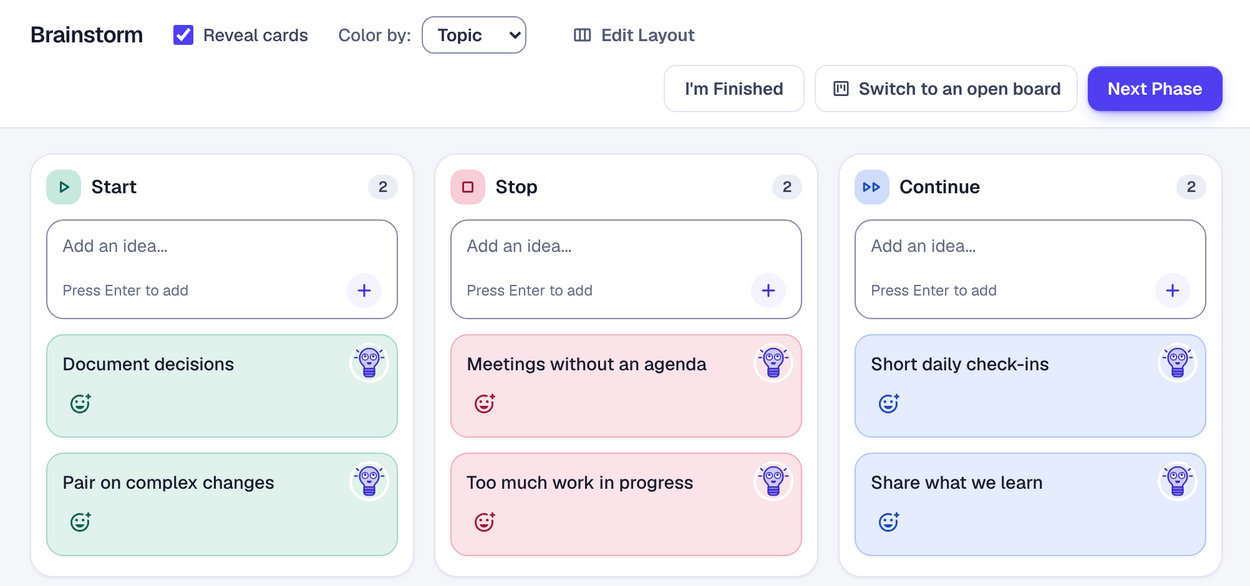
RetroGemini: Self-Hosted Scrum Retrospectives At the State of Geneva, we needed to keep candid team feedback on our own infrastructure. I decided to build an alternative, using AI to help with development. The result is RetroGemini, an open source application for Scrum retrospectives and team health checks. Around 30 internal teams now use it. I am sharing it because other organizations may have the same constraint: useful collaboration tools, with the application and its data hosted internally. A guided retrospective A session follows a sequence: icebreaker, brainstorm, group, vote, discuss, review and close. Participants can write cards anonymously, group related ideas and vote on what to discuss. The facilitator has a timer and contextual guidance for each phase. There are familiar templates such as Start/Stop/Continue, 4Ls and Sailboat, along with custom templates. Both the interface and retrospective templates support English and French. Each participant can choose an interface language independently, while the facilitator chooses the language of the board's template. Follow-up actions can have assignees and carry over between sessions. Team health checks provide another way to track how a team is doing over time. Collaboration is synchronized in real time, so people can work on the same board from their own browsers. Demo board with fictional data. Try it with Docker For a first trial, Docker is enough: docker run --pull=always -d \ --name retrogemini \ -p 8080:8080 \ -v retro-data:/data \ jpfroud/retrogemini:latest Open http://localhost:8080, create a team workspace with a recovery email, and start a retrospective. Use fictional data while you explore the workflow. The named volume keeps the SQLite database across container restarts. For production, set a stable SESSION_TOKEN_SECRET, put the application behind an HTTPS reverse proxy and review the documented configuration. Self-hosting also means taking care of updates, backups and access to your server. The repository includes deployment documentation for Docker, Kubernetes and OpenShift. Running it on an internal network The core application does not require an external service at runtime. Its fonts, icons and other assets are self-hosted, and it can run on an isolated network. SQLite works for a single-container setup; PostgreSQL is another supported option. SMTP and OpenAI-compatible AI features are optional and disabled unless configured. The AI features include card grouping and summaries. If you enable an integration, review where its data goes before using it with sensitive feedback. You can leave those integrations unconfigured and use the retrospective workflow without them. Built with AI, used by real teams I used AI to develop RetroGemini. The need behind it came from our working environment, and feedback from the teams using it helps shape the product. AI assistance during development does not mean participants need an AI account to run a retrospective. The code is available under the Unlicense. You can find the source, installation instructions and configuration reference in the RetroGemini GitHub repository. If your organization needs to keep retrospective feedback in-house, give it a try. I would be interested to hear what works for your teams and what you would change. If it is useful to you, a GitHub star is appreciated. #scrumretrospectives #retrogemini #docker #team #use #open #start #geneva #participants #rss #feeds #linksharing #qwibbit
HomeLab's avatar
HomeLab 1 month ago
Intel Moves Forward at Ohio One With First Major Structural Truss Installation Arizona Fab 62 Tooling Intel Ohio One is making progress with truss installation as part of its construction and future wafer capacity The post Intel Moves Forward at Ohio One With First Major Structural Truss Installation Arizona Fab 62 Tooling appeared first on ServeTheHome. #trussinstallation #intelohio #rss #feeds #linksharing #qwibbit
HomeLab's avatar
HomeLab 1 month ago
NVIDIA GTC Berlin 2026 NVIDIA Intros DSX PODs and More NVIDIA kicked off GTC 2026 with its lead keynote. Among the highlights for this year's European NVIDIA tradeshow are the DSX POD, a server-in-a-container, as well as a slew of software updates for the NVIDIA ecosystem The post NVIDIA GTC Berlin 2026 NVIDIA Intros DSX PODs and More appeared first on ServeTheHome. #dsx #gtc #europeannvidia #pod #rss #feeds #linksharing #qwibbit
HomeLab's avatar
HomeLab 1 month ago
Quomodo: Git-Based Container Management for Podman Podman has a nice way of fitting containers into an ordinary Linux system. Its Quadlet files describe containers as services that systemd can start and supervise. The arrangement is fairly comfortable on one machine, although keeping the same approach organized across several servers takes more attention. Quomodo is a self-hosted management application built specifically for that situation. It started as a fork of Komodo, the familiar Docker management platform, but its developer has changed the underlying deployment model to work with Podman and Quadlet instead. The result is a central web interface for managing container stacks stored in Git, with agents on the machines where those stacks actually run. Working with Quadlet Files A Quomodo stack is a directory containing ordinary Podman Quadlet files, such as .container and .pod, alongside any configuration files they need. You keep that directory in a Git repository and connect it to Quomodo. When a change is pushed, Quomodo can deploy the updated files to the selected host and ask systemd to reload them. What I appreciate about this design is that it doesn't require replacing Podman's existing way of working. The files remain readable outside the dashboard, and systemd is still responsible for running the services. Quomodo adds the central view and the deployment process around them. It also tries to avoid restarting more than necessary. Changing the definition of one container should restart the affected service rather than every container in the stack. The web interface provides status information and logs, while webhooks allow repositories hosted on GitHub or self-hosted Git services to trigger deployments. Rootless Containers Are Part of the Plan Podman's rootless mode is a major reason some administrators choose it. Quomodo supports running an agent as an ordinary Linux user, with that agent managing the user's own Quadlet services through systemctl --user. Rootful agents remain available for workloads that need them. There is also some thoughtful handling of user namespaces. Quomodo assigns stable UID and GID ranges to its managed pods so that recreating a container doesn't unexpectedly change how its files appear on the host. That won't eliminate every permissions problem, but it addresses an annoyance that can surface with automatically allocated user namespaces. Secrets receive special treatment too. Quomodo can fetch values from Vaultwarden or Bitwarden when a stack is deployed and create Podman secrets on the destination host. The resolved values aren't written into Quomodo's MongoDB database or the Quadlet files. The vault still stores those credentials, of course, so protecting that account remains important. Installation Is Different from Komodo This isn't a Docker Compose alternative that accepts existing Compose files. Docker and Compose support were intentionally removed. Anyone moving from Komodo would need to rewrite their stacks as Quadlet definitions; there is no automatic migration. The central Quomodo service runs as a Podman pod with MongoDB, and each managed host needs its own agent. The documented requirements include Linux with systemd, Podman 5.0 or newer, and Git on agent machines. Agents connect outward to the central service, so they don't need an inbound management port. TLS is required for agent connections. Quomodo's documentation explains that its connection handshake authenticates the endpoints but doesn't encrypt the session by itself. Because deployment secrets can travel over that connection, using a properly configured HTTPS endpoint or reverse proxy is essential. The project is still in its 0.x stage and, by the developer's account, has mainly been exercised in one homelab. Its security fixes from upstream Komodo are also brought across manually rather than through automatic merges. Those are meaningful limitations for software that manages containers. A Different Direction for Container Management Quomodo is interesting because it treats Podman as the starting point instead of trying to make it behave like Docker. The project has a narrower audience than Komodo, but that focus gives its design some purpose. I'd recommend reading the Quomodo GitHub repository and its installation guide for the deployment details. The documentation is particularly useful for understanding how its agents handle permissions and why the central service needs TLS. #podman #quomodo #quadletfiles #container #management #git #compose #planpodman #docker #linux #rss #feeds #linksharing #qwibbit
HomeLab's avatar
HomeLab 1 month ago
Petal: Open-Source Screen Sharing You Can Self-Host Screen sharing is useful, but the usual meeting window can get in the way. Someone shares an editor, another person wants to see the browser, and before long everyone is waiting for the presenter to switch windows. It's a familiar limitation when two people are trying to solve a problem together. Petal takes a more direct approach. Instead of placing every shared screen inside a meeting grid, it makes each shared window appear as a separate window on the other person's desktop. You can move it around and keep it beside your own work. The application is free, open source, and can use a media server you operate yourself. Shared Windows That Behave Like Windows Petal is designed for small groups working together on software, although the basic idea applies to other kinds of remote help. One person can share an editor while another shares a browser. Each participant arranges those windows locally rather than asking someone else to keep changing what everyone sees. The application supports multiple shared windows, visible pointers, and temporary drawings over shared content. It also offers remote control, with permission requested from the person sharing the window by default. That last detail matters. Giving someone keyboard and mouse access is useful for troubleshooting, but it should never happen without a clear decision by the person on the other end. Rooms can be kept around for regular meetings, and participants who haven't installed the desktop application can join through a browser. That makes regular working sessions easier to return to. The Self-Hosting Part Is More Involved Petal uses LiveKit to carry audio and video between participants. You can use the project's hosted service for free, but the source code also supports running against your own LiveKit installation. That gives you control over the media infrastructure instead of depending entirely on someone else's meeting service. There is an important distinction between self-hostable and one-click Docker install, though. Petal's documented self-hosted setup needs a reachable LiveKit server and a separate backend that issues short-lived access tokens. The backend is designed around serverless functions, with Vercel documented as the supported deployment target. Other hosting arrangements are possible with a compatible adapter. You also need to build the desktop client with your backend address configured. The downloadable desktop application isn't currently a simple settings change away from using your own server. That makes Petal a more involved project than the Docker dashboards we usually cover, and it's worth understanding before planning a deployment. The core meetings do not need a paid API or subscription. An optional AI conversation feature uses Google's Gemini service and can be left disabled entirely. Where the Project Stands Petal is still new. Its developers describe it as pre-1.0 software, and they are open about the rough edges. The macOS client is the more mature version. Windows has an early build with basic sharing support, but it is still incomplete. Linux desktop support is planned rather than available today. Remote control is also described as an early feature. I would be careful about relying on it for anything sensitive until the project has had more time to mature. The self-hosting documentation clearly explains credentials and the services involved. Petal is published under the Apache 2.0 license. It remains a developing application rather than a finished replacement for every meeting platform. A Different Kind of Self-Hosted Tool What interests me is the idea of treating another person's shared application as something that belongs beside your own windows. For remote troubleshooting or working through a configuration together, that seems more natural than repeatedly asking someone to share a different screen. Petal isn't yet the easiest option for a Linux-heavy homelab, and self-hosting it takes more work than the website's short description might suggest. Still, the approach is worth knowing about. I'd recommend visiting the Petal GitHub repository for the source code and the self-hosting guide for the actual deployment requirements. #screensharing #petal #windows #shared #someone #project #livekit #docker #behavelike #standspetal #rss #feeds #linksharing #qwibbit
HomeLab's avatar
HomeLab 1 month ago
HPE Spaceborne Computer-4 Will Bring AI and HPC to the Moon on Astrolab FLIP The HPE Spaceborne Computer 4 will head to the moon on Astrolab's Flip to test HPC benchmarks and AI on the lunar surface The post HPE Spaceborne Computer-4 Will Bring AI and HPC to the Moon on Astrolab FLIP appeared first on ServeTheHome. #astrolabflip #hpespaceborne #spacebornecomputer #moon #hpc #bring #ai #rss #feeds #linksharing #qwibbit
HomeLab's avatar
HomeLab 1 month ago
NVIDIA BlueField-4 STX Server for CMX at OCP 2026 At OCP 2026, we saw the NVIDIA BlueField-4 STX server for context memory (CMX) a single NVIDIA Vera platform The post NVIDIA BlueField-4 STX Server for CMX at OCP 2026 appeared first on ServeTheHome. #stxserver #ocp #cmx #nvidia #vera #rss #feeds #linksharing #qwibbit
HomeLab's avatar
HomeLab 1 month ago
Mitra: A Self-Hosted Calendar With Built-In Task Management I've never been entirely convinced that appointments and everyday tasks belong in separate apps. A calendar tells you where your time is going, while a task list tells you what still needs doing. Apart, they make it harder to see what a day can hold. Mitra is a new self-hosted calendar that puts both on the same timeline. You can schedule a meeting beside the work you hope to finish that afternoon, move things around when plans change, and keep the whole arrangement on your own server. The application is open source, and its Docker setup is pleasantly small. Planning Around the Time You Actually Have Mitra's week view looks like a familiar calendar, with one column for each day. Events and tasks live together in those columns. You can drag to create an entry, move it to another time, or resize it when something takes longer than expected. Tasks don't have to be scheduled immediately. There's a Planning area where unfinished work can wait until you decide where it fits. You can give tasks due dates, break them into subtasks, and connect related items with dependencies. That's useful for home-server work that gets interrupted. A backup migration might need to happen before you can retire an old disk, but neither job necessarily belongs on today's calendar. There are also month and year views for looking farther ahead, along with a table view for sorting entries. Routines help keep recurring activities visible without filling the calendar with oversized blocks. Your Existing Calendars Can Stay A self-hosted calendar isn't especially helpful if moving to it means abandoning every calendar you already use. Mitra can store calendars locally, but it also connects to existing accounts through CalDAV. It supports Apple and Google calendars, plus read-only subscriptions. You decide where the information lives. You can keep personal entries entirely on your server or bring outside calendars into the same view. The project also documents integrations with Notion and Tempo, although their supported features differ from a full calendar connection. Mitra works as a progressive web app, so it can sit on a phone's home screen without a separate store download. Its reminders use browser push notifications sent by your server, including when the calendar isn't open. On iPhone, those notifications require adding the web app to the home screen and using the installed version. The server also needs HTTPS for push notifications to work away from localhost. One Container, With a Catch The official Compose example runs a single container and maps its data to one persistent directory. Mitra uses SQLite, so there's no separate database service to maintain. Backing up that directory preserves the locally stored calendars and the settings that belong to the instance. The default installation is intended for one person and doesn't require a login. That's fine on a private machine, but it shouldn't be exposed publicly without access controls. For several users, Mitra supports sign-in through an OpenID Connect provider such as Authentik or Authelia. There's an important detail here: enabling sign-in later creates new accounts rather than moving the original local calendar into them. Anyone planning a shared household calendar should configure authentication before filling the application with entries. The developers explain the limitation in their documentation, which is better than discovering it after months of use. Mitra is also still at version 0.6. Its repository warns about rough edges and possible breaking changes before 1.0. I would treat it as a developing application, especially where personal scheduling data is concerned, and keep reliable backups. A Practical Idea With Room to Grow I like the underlying thought here: a calendar ought to account for the things we're trying to finish, not only the appointments we can't miss. Mitra brings that idea into a relatively modest self-hosted package, with enough integration support that it doesn't have to replace everything on day one. The source code is available under the AGPL-3.0 license. For installation details and the current limitations, I'd recommend visiting the Mitra GitHub repository. The official documentation also explains authentication and backups in more detail. #calendar #mitra #tasks #planning #existing #container #rss #feeds #linksharing #qwibbit
HomeLab's avatar
HomeLab 1 month ago
Sigwood Helps Make Sense of the Logs Sitting on Your Server Home servers collect plenty of information about themselves. System logs record services restarting, login attempts, and other activity that usually goes unnoticed until something stops working. Finding anything meaningful can take longer than expected. I've always liked smaller utilities that make existing information easier to understand. sigwood is a free, open-source command-line tool that examines logs already stored on your machine and highlights activity worth looking into. It can work with ordinary Linux system logs, Pi-hole DNS records, and Zeek network logs without requiring a monitoring server to run continuously. Looking for Patterns in Existing Logs The idea behind sigwood is fairly straightforward. You point it at a log file or directory, and it looks for behavior that stands out. Some checks examine repeated outbound connections that follow a regular schedule. Others look for unusual DNS requests or network scanning patterns. It also examines syslog entries for events that rarely appear, including administrative activity and reboots. These details can be buried in thousands of ordinary messages. The important distinction is that an unusual event isn't automatically a security incident. A legitimate application checking for updates can look suspicious when judged only by timing. A new device on the network might generate DNS traffic that seems unfamiliar. Sigwood gives you something specific to investigate, along with an explanation of why it was flagged. I think that approach suits a homelab better than treating every unfamiliar connection as an emergency. A Useful Middle Ground for Home Servers Security monitoring can become a project of its own. Full logging platforms are powerful, but they also need somewhere to store incoming data and enough attention to keep everything working. For someone who mainly wants to review the logs on a few Linux machines, that can be more infrastructure than the job calls for. Sigwood takes a different approach. It runs when you ask it to, processes the available records locally, and produces a report. There is no agent to install across your machines and no separate database to manage. Normal analysis needs neither a cloud account nor external AI. The digest command provides a quick overview of a log before you investigate further. There's also a graph command that can turn supported network records into an animated HTML visualization, making connection patterns easier to follow than they would be in raw text. Reports can be generated in machine-readable JSON, which leaves room for scheduled checks or integration with existing homelab workflows. Those automations are something you'd configure yourself; sigwood doesn't come with an always-running alert service. Installation and Practical Limitations Unlike many applications featured on Noted, sigwood isn't distributed as a Docker dashboard. It's a Python command-line utility that supports Python 3.11 or newer. The recommended installation method is pipx, which keeps its dependencies isolated from the rest of the system. After installation, a command such as sigwood /var/log/ starts an analysis of supported records. The documentation also includes a synthetic sample dataset, so its reports can be explored without supplying personal network logs. There are limitations worth understanding. Sigwood only sees the information present in the files you give it. It won't discover activity that your logging setup never recorded, and it doesn't automatically collect logs from other machines. The current tool also expects supported file layouts rather than recursively searching every nested directory. Very large log files can demand considerable memory. One early tester reported high RAM usage while analyzing a multi-gigabyte syslog file. Narrowing the time window can help, but this is still a young project with real-world performance to improve. Worth Knowing About The appeal is another way to examine information the server already keeps. A tool that makes a few questionable patterns visible can be useful even when the result turns out to be harmless. Sigwood is released under the MIT license, and its source and documentation are publicly available. I'd recommend visiting the sigwood GitHub repository for installation instructions, sample reports, and the project's documented detection limits. https://noted.lol/content/images/2026/10/sigwood.svg image #helpsmake #makesense #logssitting #sigwoodhelps #homeservers #server #dns #serverssecurity #patterns #existinglogs #rss #feeds #linksharing #qwibbit
↑