Danie's avatar
Danie
danie@nostr.fan
npub1g2jp...yjj6
Testing out new the noStrudel web client
Danie's avatar
Danie 7 months ago
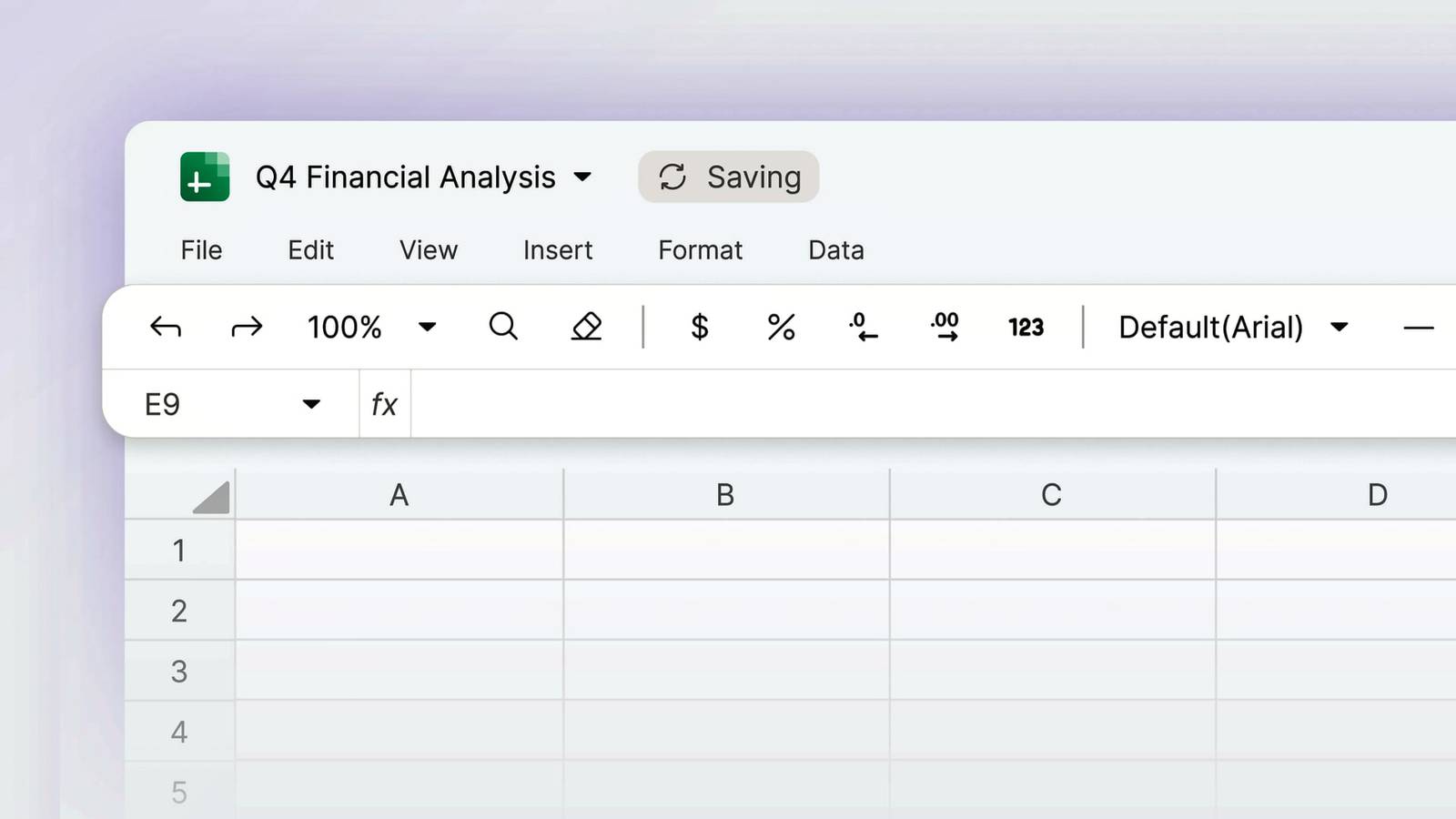
Been waiting for this! Proton now has a Google Sheets clone with end-to-end encryption Spreadsheets are finally rolling out over the next few days for Proton users. I actually use spreadsheets more often than documents, for product comparisons or purchase decisions. So this is something that has been holding me back a bit from using Proton Drive more fully. Yes, the feature set is going to be rather minimal right now compared to more mature products, and it also is not (yet) exporting to ODF format. "Proton Sheets is protected by end-to-end encryption, ensuring that no one else, not even Proton, can access your spreadsheet and the information it contains. Whether you’re tracking your home budget or managing a multi-team project, Sheets can help you get the job done. Use built-in formulas to perform analysis, turn raw data into easily understood charts, and collaborate with remote teams knowing your information is safe." See #technology #privacy #spreadsheets
Danie's avatar
Danie 8 months ago
Why I Ditched My Smartwatch for a Retro-Styled Casio Watch This video takes you through my decision-making process and reasons for ditching my Samsung Galaxy Watch 7 (and other smartwatches) for a modern, retro-styled Casio ABL-100WE watch. The video starts with the straw that broke the camel's back, and concludes with two other possibilities I'll weigh up early in 2026. Watch #technology #smartwatches #retro #Casio #gadget
Danie's avatar
Danie 8 months ago
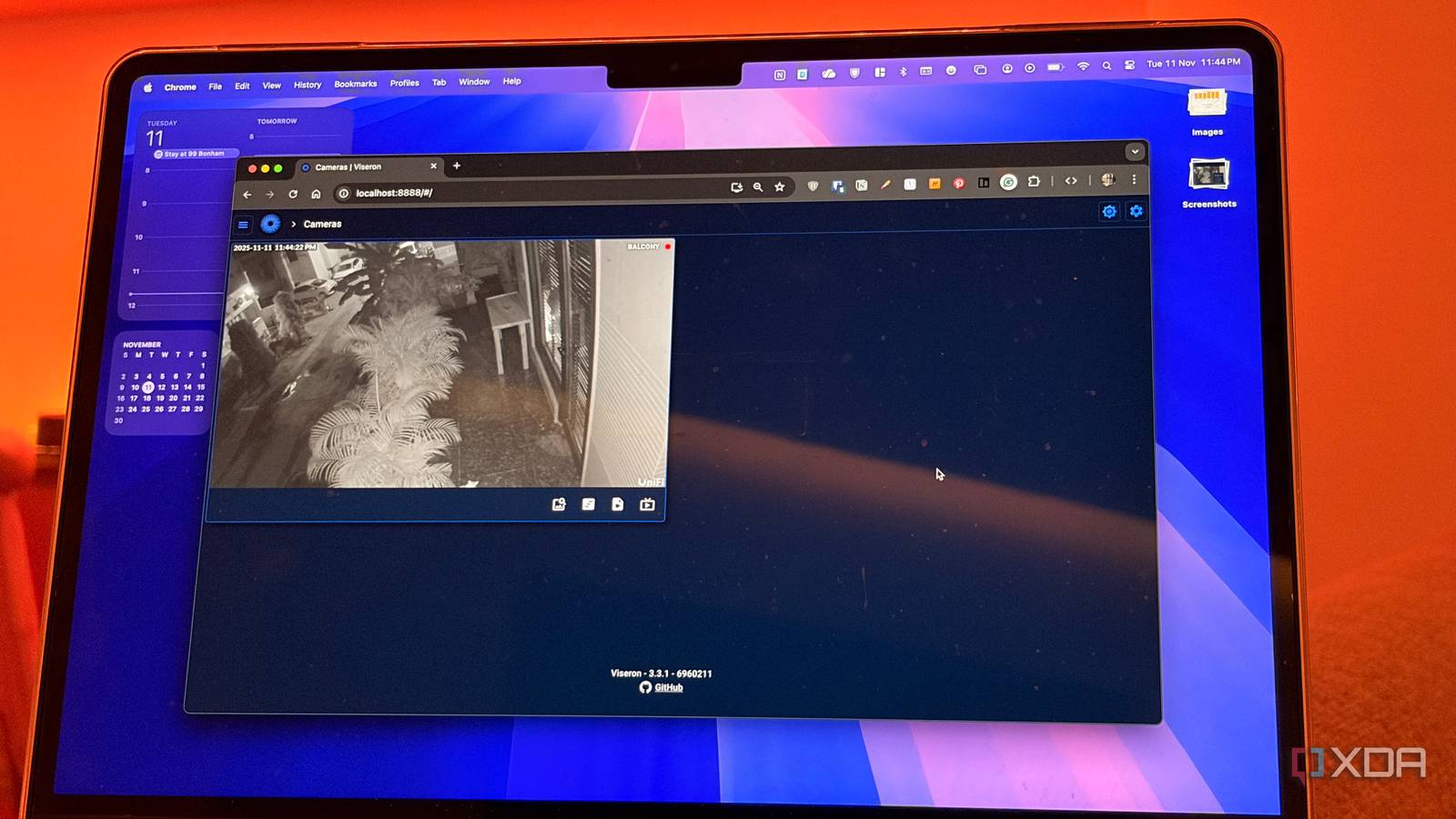
Viseron is a self-hosted camera monitoring app and the perfect Frigate alternative “If you've ever wanted to keep an eye on your surroundings without sending data to third-party servers, you've probably heard of Frigate. The open-source is a popular choice as an NVR that runs locally and taps into the power of AI to detect people, cars, and more. But Frigate isn't the only game in town. There's another contender worth looking at. It's called Viseron, and it's a self-hosted camera monitoring platform that offers a polished interface, widespread hardware support, and, most importantly, it works on your local network. Viseron is designed from the ground up to be simple, flexible, and private. There are no subscriptions to worry about, no hidden restrictions, and, of course, no cloud dependencies to worry about.” Having any CCTV cameras running 24/7 in or around your home has to be a concern for privacy. We have seen way too may vulnerabilities, with even a website dedicated to showing you everyone's exposed cameras, which included children's nursery cams. My own cameras are restricted to a VLAN that has no Internet access (ingoing or outgoing). So it is good to see more and more self-hosted alternatives becoming available for everyone. This one even has AI-powered object detection, which my much older Reolink system does not have. See #technology #privacy #opensource #CCTV
Danie's avatar
Danie 10 months ago
Tecmint's 6 Best Linux Distros for Gaming and Playing Windows Games “The good news is that gaming on Linux has improved dramatically in recent years. Besides the many native Linux titles already available, you can also play a huge selection of Windows-only games using compatibility tools like Proton (built into Steam) and Wine. In fact, nearly 80% of the most popular Windows games now run on Linux with little to no extra effort.” For myself, I've been using Manjaro Linux the last few years, and I am playing all the games I've needed to so far on Linux. My list includes: * Snowrunner * War Thunder multiplayer * Ships at Sea * Assetto Corsa EVO * Assetto Corsa Competizione * BeamNG Drive * Train Fever * Euro Truck Sim in multiplayer * American Truck Sim * FORZA Horizon 4 * Hell Let Loose * Red Dead Redemption II * Dirt Rally 2.0 * rFactor 2 * Train Sim World 5 All in all, it is 77 games, so I have more than enough to keep me playing. I've not got Microsoft Flight Sim 2024 so cannot comment on that one, but the only one that I think did not play for me on Linux was World of Subways 3. See #technology #linux #gaming image
Danie's avatar
Danie 10 months ago
Switzerland releases its own AI model trained on public data and its open source “Switzerland launched an open-source model called Apertus on Monday as an alternative to proprietary models like OpenAI’s ChatGPT or Anthropic’s Claude, reports SWI as spotted by Engadget. The model’s source code, training data, model weights, and detailed development process are available on the AI model platform HuggingFace.” Of course, being Switzerland, this is an attempt to adhere to the European Union’s copyright laws and voluntary AI code of practice, which may set it apart from some other AI models. Some may argue then it is won't be as good as some other AI models, but I suppose the analogy may be a thief could be richer than most workers who earn their honest dime through their own hard work. See #technology #privacy #AI #opensource
Danie's avatar
Danie 11 months ago
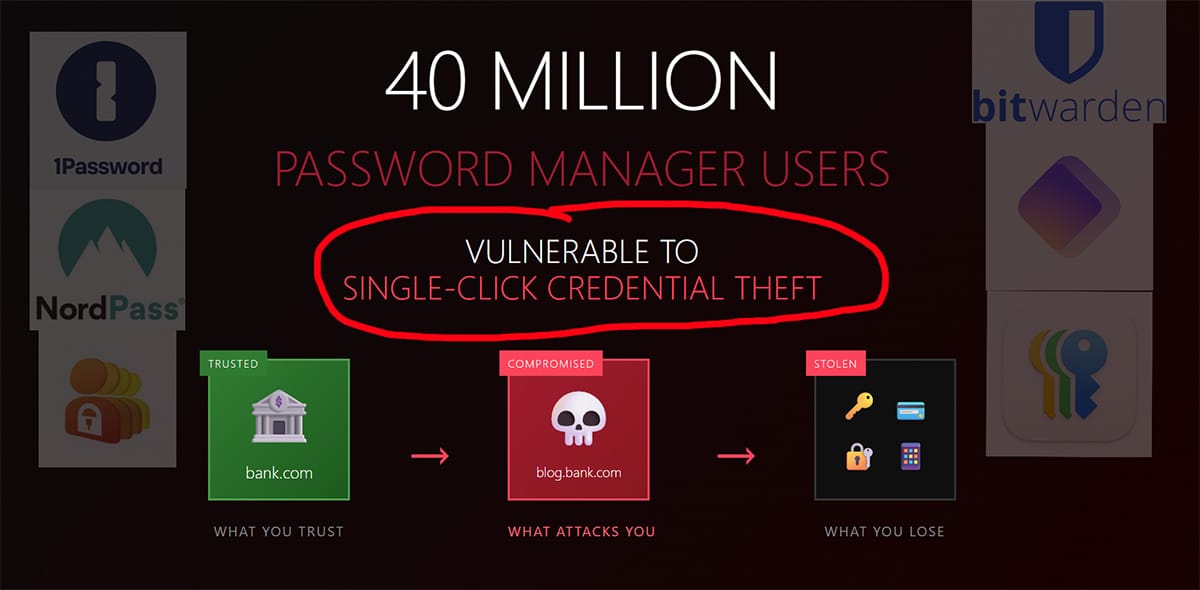
[URGENT] DEF CON Researcher Exposes How Password Managers Betray Your Trust "Czech security researcher Marek Tóth demonstrated at DEF CON 33 how a single click on any malicious website can steal passwords, credit cards, and 2FA codes from 40 million users of major password managers, with vendors like 1Password and LastPass refusing to fix the vulnerabilities." What this brings home yet once again is, in regard to security, the easier something is to use is usually not better for security. In this case, much of the issue is around the autofilling of passwords on page loading (because that is easier). So, to some extent, this is all helped along by settings we choose to set. Again for subdomains vs exact domain, it is easier to match to just the base domain… Many password managers will be addressing these issues in the coming week or two, but it is worth rethinking your "ease of use" settings on your password manager so long. See #technology #security #vulnerabilities
Danie's avatar
Danie 11 months ago
You can once again buy an official Commodore C64 "Basically, there is a whole gamut of ways to get some part of the C64 experience, ranging from emulator-only to a full hardware DIY or pre-assembled format. Each of which come with their own price tag, starting at $0 for running VICE on your existing system. With so much choice we can only hope that the renewed Commodore company will become something more than Yet Another C64 Experience." The video in the linked article gives a good run down of the various Commodore C64 options up to now, before ending with the details and cost of the revived "official" C64. Apart from holding the world record for the most microcomputer sales of all time. I had one as well, after my ZX81, and it was a major breakthrough with colour graphics, sound, etc. I have very happy memories from that C64, although I must say I did enjoy my Amiga 500 a lot more as the game quality was just that much better, and it had a lot of games. I still play some of those Amiga games today such as Ports of Call every now and again on my Linux PC using an emulator. So the question is, would there still be interest in 2025 for the C64? Well it certainly has been modernised a bit with regard to HDMI and peripheral support, and apparently many thousands of the unofficial C64s are still being sold. See #technology #Commodore #retrocomputing
Danie's avatar
Danie 11 months ago
Homepage - An Open Source Self-Hosted Dashboard Homepage is a modern, fully static, fast, secure fully proxied, highly customizable application dashboard with integrations for over 100 services and translations into multiple languages. Easily configured via YAML files or through docker label discovery. With features like quick search, bookmarks, weather support, a wide range of integrations and widgets, an elegant and modern design, and a focus on performance, Homepage is your ideal start to the day and a handy companion throughout it. My video explains why I moved from Heimdall to Homepage. It also shows what various service and information widgets are available, what my dashboard looks like, what the various parts do, and how the configuration files work. My docker compose file is also unpacked. Watch #technology #selfhosted #opensource #dashboard
Danie's avatar
Danie 11 months ago
Various desktop Linux tips for newbies I'm also seeing more and more new Linux users popping up. They're noticeable for often saying "why did they not do this earlier". The point is, today's Linux is very different from 20+ years ago. It generally just installs and works, often looking very similar to what users experienced before (meaning basically everything can be done in the graphical menus and windows). Linux gets a bit more interesting if you venture into using the AUR or Git versions of apps (you have to enable this, as these are more bleeding edge). This is where dependencies may break, and you need a bit of terminal skill often to fix things, but the good news is, you're not losing any data. Over the years I've also opted to having all my user data (the stuff under /home) in its own partition so that is it fully separate from the main OS. The reason was in the early years I used to format the drive and do clean installs, or was distro hopping. Nowadays, I just use Manjaro KDE, and it just keeps updating all then time - have not reinstalled for many years now (and no nagging to activate it or end of life coming). You may wonder what happens if a distro is no longer supported? Well firstly it keeps working, and it may well still pull some patches and updates. But usually you will be able to migrate to using some other distro, and your user data all stays intact. But this is also a good reason for picking one of the many mainstream distros, that should be around still for a very long time (measuring that long time in terms of Windows release cycles). No-one has to move to Linux, but for those curious enough to want to find out more, the usual approach is to start with a liveboot version and just run it from a USB stick or external drive to test it out a bit. The next step is typically to install it side-by-side with Windows, but I'd really recommend a separate hard drive, as Windows does some odd things to the boot partition sometimes. Linux can access the user data on a Windows drive, but I'd be careful with that, as Windows can lock the drive if it uses hibernation mode. The point is, lots of things are possible for Linux. One will find of course that many companies only bring out their software for Windows and macOS. And example is Stream Deck. But I discovered two excellent 3rd party apps that work even better under Linux with Stream Deck. Da Vinci Resolve for example produces world-class video editing software that runs on Linux natively, but there is also Kdenlive that will work just as well for most users. So always do a bit of research before buying software or hardware to choose wisely. Personally, for me, it's more about the freedom to what I want with it. See https://akselmo.dev/posts/how-to-linux-2025 #technology #Linux #opensource
Danie's avatar
Danie 1 year ago
I'm finally able to use Wayland on an ongoing basis It was the need for Waydroid only working under only Wayland, that forced me to again have another go at Wayland this week on my Manjaro KDE Plasma. Yet again I hit some issues, one or two of which were show-stoppers, but I have finally overcome them, and although there are some irritations, they are now pretty minor, and I have workarounds to make everything work now. These were all issues that made Wayland feel, for me, it was not quite ready for full prime time. Key for me was to be sure that: * Steam games worked * KMyMoney finance app worked * My hundreds of shortcuts in Steam Deck worked * OBS Studio worked * VLC Media player worked * Wayland was stable without intermittent crashes I suspect that XWayland has largely been the reason everything now seems so much better. For KMyMoney I had long since sorted out that if I added the environment variable "QT_QPA_PLATFORM=xcb", this sorted out the non-display of the application. This may even not be needed any more. My biggest challenge had been to find alternatives to the excellent xdotool utility, which I use extensively in Bitfocus Companion for my hundred plus productivity shortcuts. Not only is xdotool exclusively for X11, but it is really easy to use as it uses the key names such as Enter, Space, etc. Yes there is ydotool, but it is really difficult to do set up say 'xdotool key Ctrl_L+f' in ydotool as this must be 'ydotool key 29:1 33:1 33:0 29:0' and just don't dare forget one of the key up sequences otherwise it will all break. I started looking into dotool this week as well as other options. Nothing beats xdotool for simplicity of use. I'm not sure why or when, but I tested out an existing xdotool shortcut... and it just worked! Wow, OK so this must be some XWayland improvement. This made me very happy, as converting everything to ydotool would be pain times 100. Wayland still has its 'security' limitations on insertions into keyboard/mouse input, so I do sometimes get a popup that I must accept, but it works! Wayland also does not like keystrokes to be inserted into background windows, but I see there is now an application called Kdotool which I must still explore. The other irritation was not being able to resize application windows. Normally, I'd move the mouse cursor to any corner of an app and then drag it bigger or smaller. Wayland was just not allowing this to happen. So what I've discovered to make this happen is two things: One can hold down the Meta key and then hold the right mouse button near that corner, and then do the usual resizing quite quickly. How will I remember the key combination? Well with my Stream Deck, as I now have a key mapped to hold the Meta key down, and reminds me to right-click the mouse. The other thing I discovered was, resizing does sort of work if you have extremely fine motor skills. You have to position the mouse about a pixel outside the corner of an app, and then you can grab and resize it like 'normal'. If you do this on the corner or just inside the app, it does not work. So the issue seems to be that the resize handle area is extremely small. I've looked inside the window theme settings and cannot seem to see anything that would make this larger. Yes, I know there is a setting called 'Enable extended resize handles' and I have that ticked already. There is also a window menu that has an option for resizing, but that is too clunky to use, so the above two workarounds see m to work OK for me for now. Another thing was my mouse cursor 'sticking' as it moved across screen one to two, and from two to three. It only happens when I move it fairly slowly. Turns out this is a feature for those not wanting to go past the screen edges. But there is a setting not only to adjust the stickiness, but also to disable that. So sorted too. I have some open apps that show blank icons in the toolbar. This is not too serious, as if I hover the mouse cursor over them, their preview shows what they are. For now too, it is only my Joplin notes app that does this under Wayland. OBS Studio works as-is. The only issue seemed to be the screen to capture. It is a super easy fix, but must be reversed if you ever use X11 again. Basically I had to just add a new screen capture and I think its properties were for Pipewire capture or something like that. Everything else worked as before. The last thing that was broken, was VLC media player was giving codec errors on playback. The short of it was I just needed to install additional codec plugins (not sure why, as it all worked as-is on X11). Or one can also install the Flatpak version of VLC and that works out of the box (or is that inside the container?). Other media players like MPV just worked as normal without any changes. Some screenrecorders, like Vokoscreen will work, but they lose their ability to record only a window or a rectangular area, as they are X11 specific. OBS Studio can do the job, but I also installed Kooha which does do rectangular areas under Wayland. I've now been using Wayland for two and a bit days. No need yet to go back into X11 to do anything, and Wayland has been stable so far. I've tried two games under Steam Games, and they are working, and my Stream Deck shortcuts for those games are also working fine. Very ironically, the Waydroid app is not starting after the second day. It was the reason for me re-trying Wayland again. But that is not really a Wayland issue itself. It looks like I'm now fully moved over to Wayland, and my mind is at rest, at least for the showstoppers I had before with it. image #technology #Linux #opensource #Wayland
Danie's avatar
Danie 1 year ago
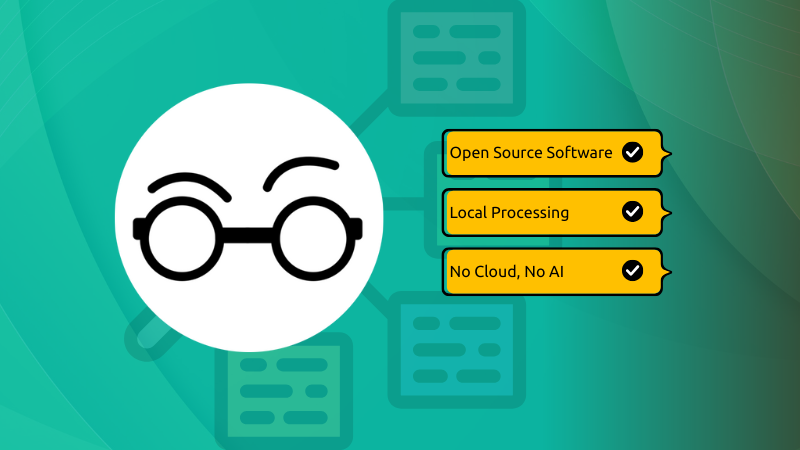
Harper is a grammar checker that is on-device and open source "When it comes to grammar checking, Grammarly is the premium tool for it. It's a proprietary tool and it was among the first one to make a mark as a web-based Grammar checking tool. Then there is LanguageTool that is/was open source, made in Germany and offers hosted service for free or for a price (you get additional features). LanguageTool was acquired a couple of years back and since then it's privacy policy has changed as it processes data on US servers, instead of European ones." I'm trying out Harper and although it works fine, it is a very new product (less than a year old), so there are some improvements that can be made. For example, I'd like to see auto-correction rules we can add ourselves for whenever I type teh to be changed to the. But it is being updated regularly I see. Right now too it only supports English (but being open source I think that will change soon). It has plugins for Firefox, Chrome, Obsidian, WordPress, and it can be integrated into various code editors as well as into JavaScript/TypeScript/Rust codebases. There are no mobile apps as the view is that most keyboards have their own built-in spell and grammar checkers. But the privacy-first approach does mean no data going into someone's cloud, and does mean also better speed and even working offline. That would also mean right now no syncing of personal dictionaries across devices, but I'm sure that can be added in time to use Nextcloud, Dropbox, and other personal cloud services. See and GitHub site at #technology #opensource #spellchecker #privacy
Danie's avatar
Danie 1 year ago
Jack Dorsey made an open source peer-to-peer encrypted Bluetooth messaging app called Bitchat “Twitter co-founder and Block Head Jack Dorsey launched a new peer-to-peer messaging app over the weekend called Bitchat that runs entirely over Bluetooth. Bitchat relies on Bluetooth Low Energy mesh networks to send encrypted communications directly to nearby devices without requiring internet or cellular service.” Don't be too concerned about the Bluetooth range as this app sets up mesh connections across multiple peers, much like how Meshtastic and Reticulum radio works. So, hopping across two or more peers will quickly extend this reach. Bitchat is working over Bluetooth LE and the claims are that distance between peers could be as much as 300m. Certainly, for line of sight such distances should be easy to achieve. The plan in future seems to be to include Wi-Fi Direct as another connectivity option. I'm wondering if this could evolve in future to work something like the Reticulum network, across all sorts of protocols. As with Nostr and other similar projects, Bitchat requires no account creation, no servers, no e-mail or mobile phone registrations, and also it has password protected channels, and even a panic mode that will clear all data in the logo is triple-tapped. Right now, it is working on iOS devices through Apple Testflight, and an Android client is still expected to be released in the near future. As this type of app is normally easier to released for Android, I'm wondering if it was not primarily intended right now to protect the privacy of protesters inside the USA. See and the GitHub site at #technology #privacy #opensource #P2P
Danie's avatar
Danie 1 year ago
Samsung Galaxy Watch 7 battery life hammered by Samsung Health Monitor app I noticed about a month or two back that my Galaxy Watch was suddenly no longer getting its two days of use out a battery charge. I do keep my watch usage quite light, and normally have the Wi-Fi off, display set to lower brightness, etc, so 2 days is usually fine. I do use watch with the Sleep For Android app that monitors sleeping heart rate etc, and that does chew about 11-12% during the night, but that has been my normal usage. I thought at first maybe it is the battery ageing, but it is not even a year old yet. But checking the battery usage stats showed that the Samsung Health Monitor app (not the standard Samsung Health app) was chewing the battery by a good 3%, higher than any other app. Rebooting had not helped either. Seeing that app is only used for ECG, sleep apnoea and blood pressure, not of which I had used for quite a while, that app should be idling with no battery usage. I tried to delete the app, but it deleted off the phone but not from the watch at all. It would also not disable properly, nor could I turn off the background usage toggle. In the end, I used the ADB command to manually delete the app. And wow, now I have a full 2 days battery use again, plus a little extra. It shows again what impact badly behaved apps have on hardware. Ideally, this app should not be using any battery power if I don’t have sleep apnoea detection active, or if its parent app on the phone is deleted. #batterylife #samsung #technology
Danie's avatar
Danie 1 year ago
How To Check Disk Health In Linux: A Beginners Guide “Your computer's disk drive stores all your important files. Photos, documents, videos, and everything lives on your disk. But what happens when your disk starts to fail? You could lose everything. Worry not! Linux has built-in tools to check your disk health. You can spot disk-related problems early and save your data.” Smartmontools is a package on Linux that provides tools for monitoring and managing the health of storage devices—such as hard drives and SSDs—using the built-in Self-Monitoring, Analysis, and Reporting Technology (S.M.A.R.T.) system found in most modern drives. But other tools are also covered such as badblocks, fsck, and the graphical user interface app GNOME Disks. See #technology #Linux #diskdrives
Danie's avatar
Danie 1 year ago
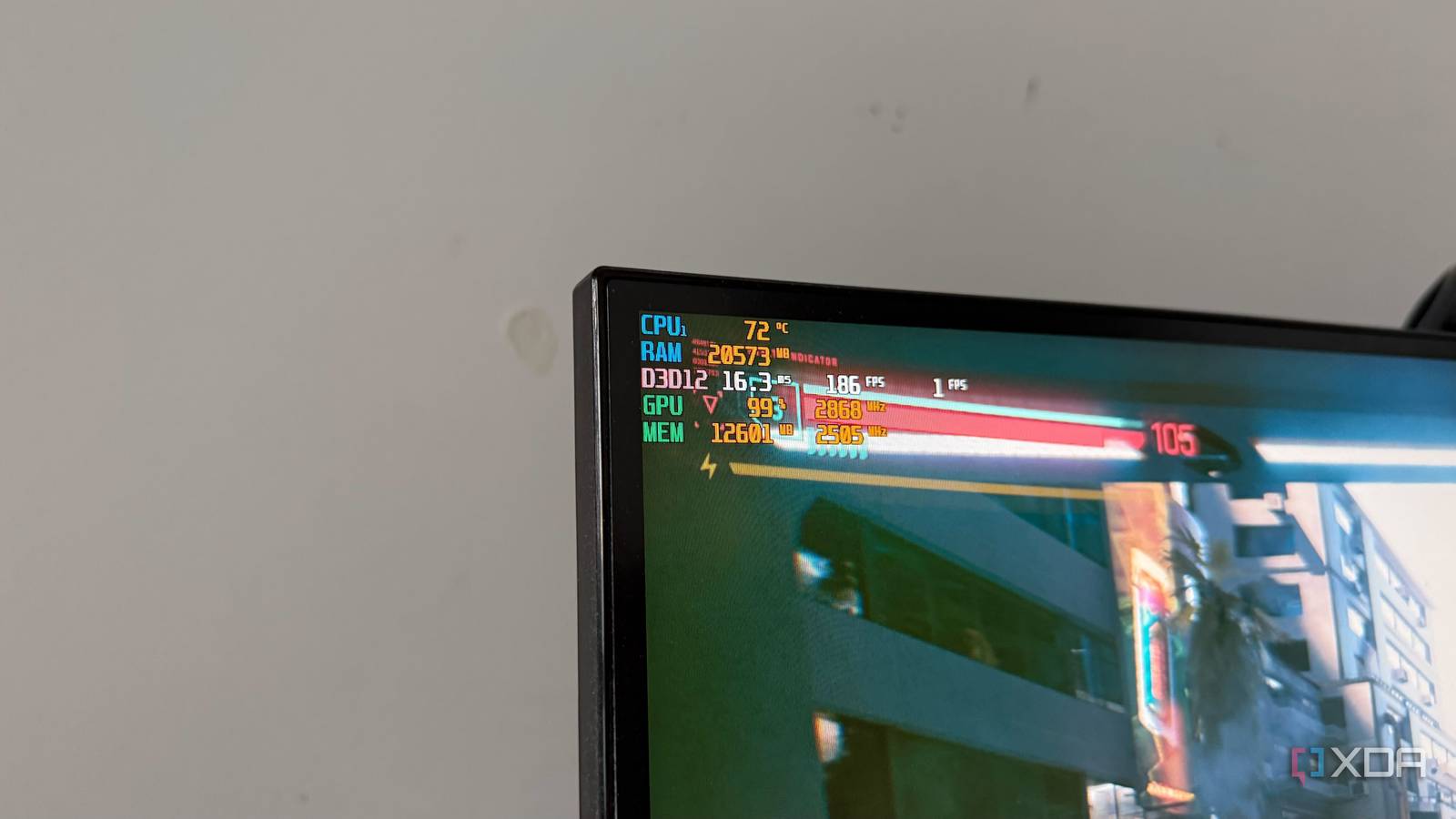
How much VRAM do games really use in 2025? Why this caught my eye is because I just hit a VRAM limitation this week with my RTX 2060 card. It has been playing games just fine without any issue, but DaVinci Resolve Studio reports an issue with one of the new AI features requiring a minimum of 8 GB VRAM to work. So, this is something to keep in mind when looking for a new GPU. The advice seems to be to not necessarily buy the fastest or latest GPU, but rather go for something lower down the ladder, but with a lot more VRAM. See #technology #GPU
Danie's avatar
Danie 1 year ago
@Alby why did I get a mail saying my lightning channels was closed? I did not close it. It was all configured and working until this morning (I logged in with my browser extension and it showed my SATS balance). Now my SATS show 0. I have a self-hosted Alby Hub running 24/7 on a VPS, and that is fully operational and reachable. Now it shows I must "buy my first channel". I already did buy a channel. It has been operational daily. What is asks for now to buy a channel, is my entire SATS balance. Not understanding this?
Danie's avatar
Danie 1 year ago
Peep show: 40K IoT cameras worldwide stream secrets to anyone with a browser “Security researchers managed to access the live feeds of 40,000 internet-connected cameras worldwide and they may have only scratched the surface of what's possible. The US was the most affected region, with around 14,000 of the total feeds streaming from the country, allowing access to the inside of datacenters, healthcare facilities, factories, and more. Bitsight said these feeds could potentially be used for espionage, mapping blind spots, and gleaning trade secrets, among other things.” After all the previous warnings, and even sites published that show these camera feeds, I can't believe this is still such a big thing. There are essentially two ways to quickly stop this with any of your cameras: 1. Prevent any Internet access for the cameras at all: Put them on a VLAN that has no Internet access, or on a guest network that has Internet disabled, and make sure UPnP is disabled on your router (that automatically opens firewall ports), etc. 2. Log into each camera and change the default password or set a password. The problem is most of these cameras come with an enabled API, and also a default username and password (which are known). It is clear that too many people are just bringing home any old IP camera or IoT device and plugging them in on their home (well in many cases work too it seems) networks. Yes it may work fine, but it could be punching holes through your firewall. This is not malicious really, as some devices try to get time sync from the Internet, or they want to check for updated firmware, etc. But they can expose your video and your network. These IoT devices are becoming a bigger and bigger problem, as default security is just about non-existent (remember Microsoft wanting to keep things simple and enable everything so as not to complicate things for users?), and they often have no way of really getting proper security patch updates either. Unfortunately, as I mentioned in a post about two months back around IoT and security, ease of use and security are diametrically opposed to each other. Security is not easy, and easy is usually not secure... See #technology #security #vulnerabilities
Danie's avatar
Danie 1 year ago
Linux Foundation unveils decentralised WordPress plugin manager “A collective of former WordPress developers and contributors backed by the Linux Foundation has launched the FAIR Package Manager, a new and independent distribution system for trusted WordPress plugins and themes.” An interesting development. Something like this is needed, and maybe if the other WordPress parties are not managing to get the issues sorted out, this may be another way forward. WordPress is probably the most used content management system across the Internet. The biggest weakness, as far as vulnerabilities goes (for most platforms, actually), is the 3rd party plugin system. See #technology #vulnerabilities #security
Danie's avatar
Danie 1 year ago
OpenAI slams court order to save all ChatGPT logs, including deleted chats This is going to become more and more of a privacy problem in the coming years, mainly because: Millions of people use ChatGPT daily for a range of purposes, OpenAI noted, “ranging from the mundane to profoundly personal.” The other problem is one that the US is causing for the free world. Most of the mainstream (centralised) social media as well as AI tools are controlled by the US. With the US more and more placing restrictions on the freedoms of speech, and legally compelling companies in its jurisdiction to hand over the data of their users (this is not new though as there has long been the PATRIOT and CLOUD Acts), there is more interest in citizens elsewhere in the world to preserve their privacy, protect minorities, defend their rights of association, etc. I very nearly did a post recently about Venice, an AI tool: Venice.ai is hosted on a decentralised GPU computing network provided by third-party companies such as Akash, which operate data centres and GPU cards distributed around the world. This decentralised infrastructure supports Venice's privacy-first architecture by processing user inputs without storing or logging prompts or model responses on centralised servers. Chat records are stored locally on the user's device and can be deleted at any time, while the company only accesses users' IP addresses, which can be masked with a VPN. The challenge was that Venice is legally registered and operates under the jurisdiction of the state of Wyoming, United States. So I left that post undone. It is no wonder that there is a bigger and bigger ground swell towards self-hosting and alternative social media today. I have done hundreds of posts about both of these types of alternatives, and it is good to see them all flourishing. But AI itself is growing quickly, and I hope that we see more alternatives outside of US control as well, as the world does need some balance. You cannot have just one country dominating social media, AI, and other technology when the world is full of a diversity of cultures and beliefs, and we need to create safe spaces for everyone to participate in. It also brings home to me what I was recently reading about in the book 'Careless People: A Cautionary Tale of Power, Greed, and Lost Idealism', that when you are operating on a global scale, you do need to navigate some very difficult, diverse, and challenging waters, and you do need to actually care about all of that if you want to be a global player. The coming year may be an interesting one for technology globally (and maybe even broader than just technology). I still cling to my old mantra: Be careful of what you wish for, because you may just get it. Being a global and caring player in technology, means thinking in the global context, and especially of the cause and effect that will result down the line. South Africa has certainly already experienced this itself. In quite a few ways, South Africa is ahead of what may come to be in the US (not politically, but more around technology). The irony is some companies had headquartered outside of the US for tax purposes, and maybe the same thing will happen for privacy purposes in future... Of course everyone has long had the opportunity to use alternative tools, alternative social networks, etc, so no-one can say they are forced to use anything. We do in fact have freedom of choice, but it is often our own friends and family who shackle us to something. The network effect is one of the most powerful rip currents I know of, that works against individuals and corporations. But like I discovered myself over the last 12 months or so, after switching medical insurance, banks, social networks, e-mail provider, and more, sometimes once you've mad e change you wonder why you did not make the move a few years earlier. The grass is not always greener on the other side, but there are many lawns out there, and sometimes your eyesight just gets too accustomed to the colour and texture of one's own grass (it becomes a box, which you need to think outside of). See #technology #privacy
Danie's avatar
Danie 1 year ago
Self-Hosting Isn’t Just for Nerds Anymore—Here’s Why You Should Care “Let's face it, we use the internet for just about everything. We even use the internet for sensitive things, be that banking, sending sensitive data, or just storing our photos. With all of that, privacy is expected (and not an unreasonable request, either). However, privacy is rarely given by the companies that house all of that data, even if that means skirting the law to achieve what they want. Companies will often tout that your privacy is at their core—but is it really?” The article goes into this point as one of the driver's for self-hosting for many. It is also the reason we are seeing so many decentralised and federated social networks springing up as well. Others want to self-host to save money on expensive cloud storage costs, whilst some in South Africa do it so they have services to still enjoy when the grid is busy load-shedding. But whatever the reason, most of us start out small, and the habit keeps growing as you realise self-hosting works pretty well. I started out with one Raspberry Pi, and by the time I had my 3rd Raspberry Pi going, I realised I need to migrate to an Intel NUC, which then migrated to a Lenovo M720q. Exactly the same has happened with the storage side, and only from this month have I finally moved to a proper RAID 1 storage solution. Only last month, I finally built my first own network cabinet. Most of my YouTube videos over the last year or two have been about various solutions I have self-hosted, and been finding very useful. So, do not be intimidated by expensive looking home labs that some YouTubers show off (the flashing lights usually serve no functional purpose). Any self-hosting can start off with a Raspberry Pi and an SD card. Your next step may be to just attach an old hard drive to that Pi, and it goes from there at whatever pace works for you (in many cases, your spouse with reign you in any way). See #technology #selfhosting