Various desktop Linux tips for newbies
I'm also seeing more and more new Linux users popping up. They're noticeable for often saying "why did they not do this earlier". The point is, today's Linux is very different from 20+ years ago. It generally just installs and works, often looking very similar to what users experienced before (meaning basically everything can be done in the graphical menus and windows).
Linux gets a bit more interesting if you venture into using the AUR or Git versions of apps (you have to enable this, as these are more bleeding edge). This is where dependencies may break, and you need a bit of terminal skill often to fix things, but the good news is, you're not losing any data.
Over the years I've also opted to having all my user data (the stuff under /home) in its own partition so that is it fully separate from the main OS. The reason was in the early years I used to format the drive and do clean installs, or was distro hopping. Nowadays, I just use Manjaro KDE, and it just keeps updating all then time - have not reinstalled for many years now (and no nagging to activate it or end of life coming).
You may wonder what happens if a distro is no longer supported? Well firstly it keeps working, and it may well still pull some patches and updates. But usually you will be able to migrate to using some other distro, and your user data all stays intact. But this is also a good reason for picking one of the many mainstream distros, that should be around still for a very long time (measuring that long time in terms of Windows release cycles).
No-one has to move to Linux, but for those curious enough to want to find out more, the usual approach is to start with a liveboot version and just run it from a USB stick or external drive to test it out a bit. The next step is typically to install it side-by-side with Windows, but I'd really recommend a separate hard drive, as Windows does some odd things to the boot partition sometimes. Linux can access the user data on a Windows drive, but I'd be careful with that, as Windows can lock the drive if it uses hibernation mode. The point is, lots of things are possible for Linux.
One will find of course that many companies only bring out their software for Windows and macOS. And example is Stream Deck. But I discovered two excellent 3rd party apps that work even better under Linux with Stream Deck. Da Vinci Resolve for example produces world-class video editing software that runs on Linux natively, but there is also Kdenlive that will work just as well for most users. So always do a bit of research before buying software or hardware to choose wisely.
Personally, for me, it's more about the freedom to what I want with it.
See https://akselmo.dev/posts/how-to-linux-2025
#technology #Linux #opensource
Danie
danie@nostr.fan
npub1g2jp...yjj6
Testing out new wallet
Using Signal groups for activism
"Things are heating up. Millions of people are taking to the streets against Trump's rising authoritarianism. Communities around the US are organizing to defend against ICE raids, to protest Israeli genocide, for mutual aid, and for other forms of fighting fascism. Signal can help people safely organize in all of these contexts. Signal groups, in particular, are more powerful than you might be aware of, even if you already use them all the time. In the linked post you'll see how."
Of course, activism is also about a much wider range of topics than the above, and many have been running for decades. Apart from activism in 1st Word Countries, there is also activism in many 3rd World Countries, which in many cases are really life and death situations if users are caught.
Signal is not THE most private network around. There are many others like Threema (not public link group invites though) and SimpleX (really open group invites with custom names per group) that enable far more anonymity. In other words, they don't require any form of registration or a mobile number to work, meaning there is even less to link back to any individual user.
But this is why I wanted to make this post. It often comes back to many people wanting to find their friends on their chat app. Yes, finding friends makes communicating easier, but that in itself does leak metadata. The reason I only have two or three contacts on Threema and SimpleX are that it is way more difficult to build out your network. This is where Signal does strike an excellent middle path - it is simpler to use and find friends, whilst also going as far as it can to guard your privacy.
It has some good group options (including an announcements only group) and most importantly where it differs from WhatsApp and Telegram, are that it's metadata cannot be accessed by Signal (WhatsApp goes as far as actively sharing users metadata with advertisers and partners, which is why WhatsApp has so many businesses on board).
Telegram may handle far bigger numbers for its groups, but the problem is users do need to set up their privacy settings very carefully, and their metadata is at the risk of being subpoenaed now, and of course Telegram's encryption is proprietary. Signal's groups are limited to 1,000 users, and another issue may be that there is one profile across all groups (unlike SimpleX where you choose a name for each group you belong to, but it does not scale well to large groups at all).
Signal does hit a sweet spot though and should really be adopted by a lot more mainstream users. Signal's user privacy is way ahead of both WhatsApp and Telegram, yet it is just as easy and intuitive to use.
But, as I mentioned above Signal is not perfect. To summarise those shortcomings, they are:
1. Even announcement-only groups are limited to 1,000 users (Telegram has 200,000 for normal groups and unlimited users for broadcast groups).
2. A phone number is required to register the account initially (SimpleX and Threema do not require anything).
3. The profile your friends see is the same profile seen in a group (SimpleX allows different names) so select your profile name with this in mind, although the phone number is hidden by default.
See
#technology #privacy #chatapps #activism

micahflee
Using Signal groups for activism
Things are heating up. Millions of people are taking to the streets against Trump's rising authoritarianism. Communities around the US are organizi...
How to Clear RAM Cache, Buffers, and Swap in Linux Without Reboot
"Like any other operating system, GNU/Linux has implemented memory management efficiently and even more than that. However, if any process is eating away your memory and you want to clear it, Linux provides a way to flush or clear the RAM cache. In general, it is not a good idea to manually free up Buffer and Cache in Linux which might be used by the Linux kernel, which is designed to manage these resources efficiently, and manually clearing them can disrupt system performance."
So, you can choose to apply any of these commands, and they won't do any harm, but the closing thought is that you should not normally really need to do so. Linux will use available RAM anyway so do not think that if it only uses 20% of RAM that is better than 80%.
See
#technology #Linux #opensource

How to Clear RAM Cache, Buffers, and Swap in Linux Without Reboot
How to Clear RAM Cache, Buffer, and Swap Space in Linux
Is your Linux system slow? Learn how to safely clear RAM cache, buffer, and swap space to instantly free up memory. Simple steps, no reboot required.
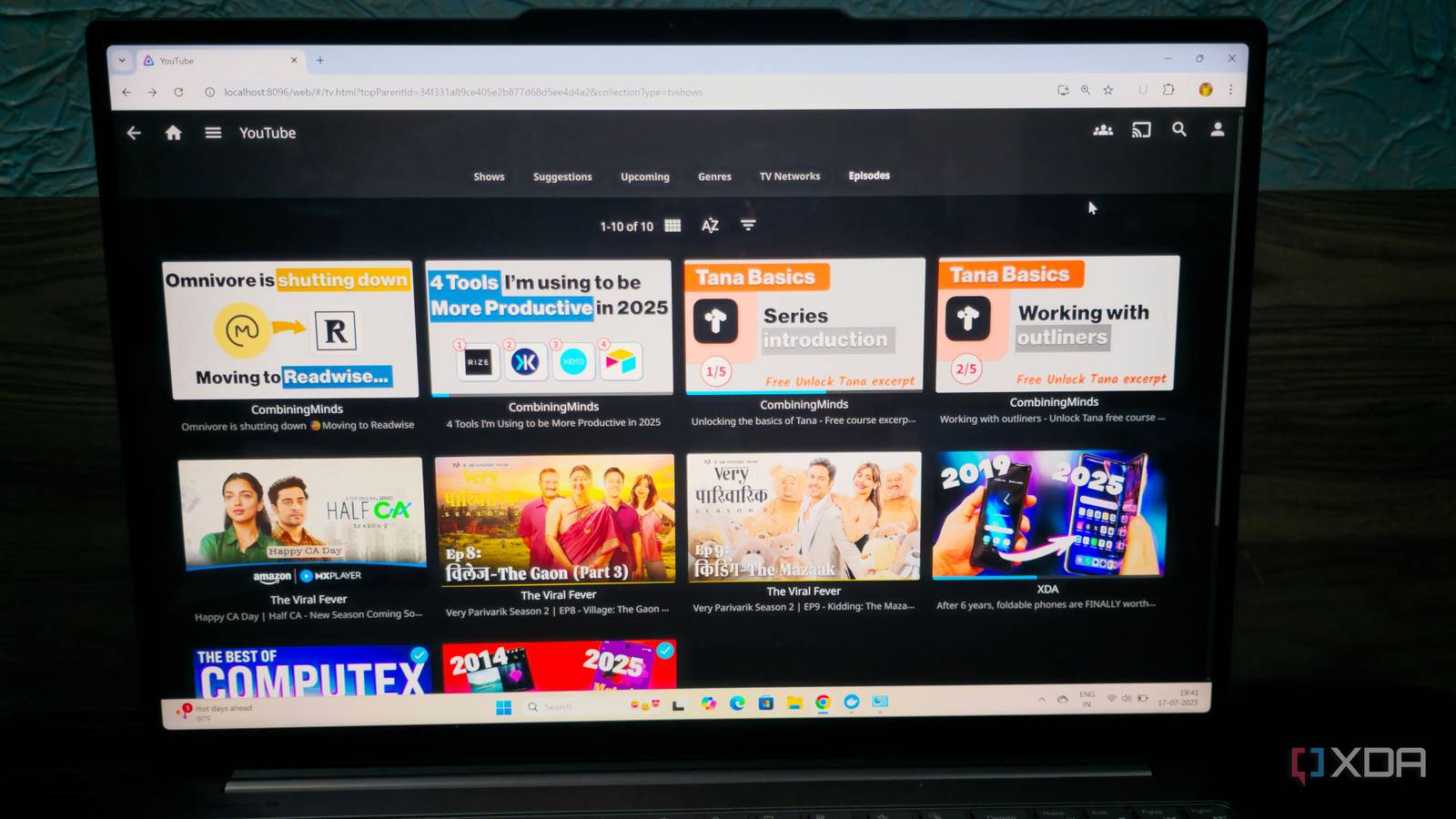
You can watch YouTube on Jellyfin with TubeArchivist
This is quite interesting, especially for those with bandwidth issues or wanting to watch offline (dare I say without ads or tracking...). TubeArchivist actually will run completely self-contained on its own, but there is also a Jellyfin plugin that will integrate it into Jellyfin, and the power of Jellyfin is the organising and curating of what you watch.
You can tweak many settings, including resolution, but of course it may still fill up your disk storage over time. There are quite a few handy stats though and that includes how much disk storage is being used. Also, interestingly, it will pull through the views and likes from YouTube.
The linked article is especially useful with regard to the integration with Jellyfin.
See
#technology #videos #Jellyfin #opensource #selfhosting

XDA
I finally found a way to watch YouTube on Jellyfin — and it's incredibly easy
No more YouTube headaches on your Jellyfin server
Proton's New AI Assistant Lumo Offers a Private and Encrypted Chat Alternative
On the plus side (not the Plus plan) this is an AI assistant that promises to keep your conversations completely private, even for the free version.
"Proton says Lumo doesn't keep chat logs on its servers, and everything stays encrypted on your device using the same technology that protects the company's other services, so no one else can read your conversations – including Proton itself."
On the not so Plus side, there is a Plus version, but it appears that Proton "Unlimited" plan subscribers, like myself, are limited to the free version only. Which is OK, but it may be time to reconsider that naming of that plan as it is getting further and further away from "unlimited".
Some quick comparisons by running through some queries I already did in Perplexity is leaving me with a feeling that it is not as intuitive as Perplexy in terms of interpreting my actual question, and the answers are a bit more vague versus Perplexity's. It does however also provide sources for its answers (not all though). And of course a Proton subscriber, I don't get anything extra on the AI.
So, I'm a little mixed on this one, but I suppose its privacy first focus may be plus for many.
See
#technology #AI #privacy

MacRumors
Proton
Proton today launched Lumo, an AI assistant that promises to keep your conversations completely private. Best known for its encrypted Mail and VPN ...
I'm finally able to use Wayland on an ongoing basis
It was the need for Waydroid only working under only Wayland, that forced me to again have another go at Wayland this week on my Manjaro KDE Plasma. Yet again I hit some issues, one or two of which were show-stoppers, but I have finally overcome them, and although there are some irritations, they are now pretty minor, and I have workarounds to make everything work now. These were all issues that made Wayland feel, for me, it was not quite ready for full prime time.
Key for me was to be sure that:
* Steam games worked
* KMyMoney finance app worked
* My hundreds of shortcuts in Steam Deck worked
* OBS Studio worked
* VLC Media player worked
* Wayland was stable without intermittent crashes
I suspect that XWayland has largely been the reason everything now seems so much better.
For KMyMoney I had long since sorted out that if I added the environment variable "QT_QPA_PLATFORM=xcb", this sorted out the non-display of the application. This may even not be needed any more.
My biggest challenge had been to find alternatives to the excellent xdotool utility, which I use extensively in Bitfocus Companion for my hundred plus productivity shortcuts. Not only is xdotool exclusively for X11, but it is really easy to use as it uses the key names such as Enter, Space, etc. Yes there is ydotool, but it is really difficult to do set up say 'xdotool key Ctrl_L+f' in ydotool as this must be 'ydotool key 29:1 33:1 33:0 29:0' and just don't dare forget one of the key up sequences otherwise it will all break. I started looking into dotool this week as well as other options.
Nothing beats xdotool for simplicity of use. I'm not sure why or when, but I tested out an existing xdotool shortcut... and it just worked! Wow, OK so this must be some XWayland improvement. This made me very happy, as converting everything to ydotool would be pain times 100.
Wayland still has its 'security' limitations on insertions into keyboard/mouse input, so I do sometimes get a popup that I must accept, but it works! Wayland also does not like keystrokes to be inserted into background windows, but I see there is now an application called Kdotool which I must still explore.
The other irritation was not being able to resize application windows. Normally, I'd move the mouse cursor to any corner of an app and then drag it bigger or smaller. Wayland was just not allowing this to happen. So what I've discovered to make this happen is two things:
One can hold down the Meta key and then hold the right mouse button near that corner, and then do the usual resizing quite quickly. How will I remember the key combination? Well with my Stream Deck, as I now have a key mapped to hold the Meta key down, and reminds me to right-click the mouse.
The other thing I discovered was, resizing does sort of work if you have extremely fine motor skills. You have to position the mouse about a pixel outside the corner of an app, and then you can grab and resize it like 'normal'. If you do this on the corner or just inside the app, it does not work. So the issue seems to be that the resize handle area is extremely small. I've looked inside the window theme settings and cannot seem to see anything that would make this larger. Yes, I know there is a setting called 'Enable extended resize handles' and I have that ticked already.
There is also a window menu that has an option for resizing, but that is too clunky to use, so the above two workarounds see m to work OK for me for now.
Another thing was my mouse cursor 'sticking' as it moved across screen one to two, and from two to three. It only happens when I move it fairly slowly. Turns out this is a feature for those not wanting to go past the screen edges. But there is a setting not only to adjust the stickiness, but also to disable that. So sorted too.
I have some open apps that show blank icons in the toolbar. This is not too serious, as if I hover the mouse cursor over them, their preview shows what they are. For now too, it is only my Joplin notes app that does this under Wayland.
OBS Studio works as-is. The only issue seemed to be the screen to capture. It is a super easy fix, but must be reversed if you ever use X11 again. Basically I had to just add a new screen capture and I think its properties were for Pipewire capture or something like that. Everything else worked as before.
The last thing that was broken, was VLC media player was giving codec errors on playback. The short of it was I just needed to install additional codec plugins (not sure why, as it all worked as-is on X11). Or one can also install the Flatpak version of VLC and that works out of the box (or is that inside the container?). Other media players like MPV just worked as normal without any changes.
Some screenrecorders, like Vokoscreen will work, but they lose their ability to record only a window or a rectangular area, as they are X11 specific. OBS Studio can do the job, but I also installed Kooha which does do rectangular areas under Wayland.
I've now been using Wayland for two and a bit days. No need yet to go back into X11 to do anything, and Wayland has been stable so far. I've tried two games under Steam Games, and they are working, and my Stream Deck shortcuts for those games are also working fine.
Very ironically, the Waydroid app is not starting after the second day. It was the reason for me re-trying Wayland again. But that is not really a Wayland issue itself.
It looks like I'm now fully moved over to Wayland, and my mind is at rest, at least for the showstoppers I had before with it.
#technology #Linux #opensource #Wayland

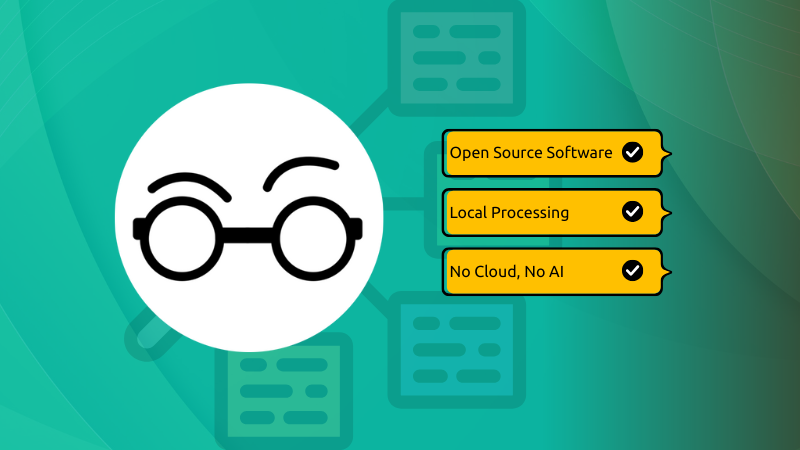
#technology #Linux #opensource #WaylandHarper is a grammar checker that is on-device and open source
"When it comes to grammar checking, Grammarly is the premium tool for it. It's a proprietary tool and it was among the first one to make a mark as a web-based Grammar checking tool. Then there is LanguageTool that is/was open source, made in Germany and offers hosted service for free or for a price (you get additional features). LanguageTool was acquired a couple of years back and since then it's privacy policy has changed as it processes data on US servers, instead of European ones."
I'm trying out Harper and although it works fine, it is a very new product (less than a year old), so there are some improvements that can be made. For example, I'd like to see auto-correction rules we can add ourselves for whenever I type teh to be changed to the. But it is being updated regularly I see.
Right now too it only supports English (but being open source I think that will change soon).
It has plugins for Firefox, Chrome, Obsidian, WordPress, and it can be integrated into various code editors as well as into JavaScript/TypeScript/Rust codebases.
There are no mobile apps as the view is that most keyboards have their own built-in spell and grammar checkers.
But the privacy-first approach does mean no data going into someone's cloud, and does mean also better speed and even working offline. That would also mean right now no syncing of personal dictionaries across devices, but I'm sure that can be added in time to use Nextcloud, Dropbox, and other personal cloud services.
See
and GitHub site at
#technology #opensource #spellchecker #privacy

It's FOSS
I Found a New Open Source Grammar Checker Tool And I Like it... Well... Kind of
Sometime simple is better. This new open source grammar checker is what we need in this age of data collection and AI.
GitHub
GitHub - Automattic/harper: Offline, privacy-first grammar checker. Fast, open-source, Rust-powered
Offline, privacy-first grammar checker. Fast, open-source, Rust-powered - Automattic/harper
KDE Itinerary is a digital travel assistant with a priority on protecting your privacy
This is an open source Linux and Android app, that syncs between devices using services such as KDE Connect, Nextcloud, or DavDroid.
It does itinerary planning for various modes of transport and accommodation booking, complete with map views, boarding passes, train coach layouts, etc.
It can even do real-time delay and platform change information for trains, and give weather forecasts for destinations along your trip (services permitting, I imagine).
The focus is on privacy, though, so this does not seem to be a travel sharing app that shows photos etc.
See
#technology #opensource #travel

KDE Applications
KDE Itinerary
Digital travel assistant
Jack Dorsey interview on the problems with Big Tech social media
Really interesting insights into the beginnings of Twitter, and why any company running a centralised social network can be a problem.
Investors/VCs = profits = permissions needed ≠ open protocols. He covers the cycle of how new profit based ventures want to lure in as many users as possible, and then close the taps and squeeze out as much profit as they can.
As much as a profit corporation (or public benefit corporation) wants to do what is right for the Internet, the problem is their loyalty to shareholders/investors comes first.
Jack explains the why's of this quite well in the interview, and the solution he sees is to have open protocols and permissionless access, as this would prevent many platforms from being able to take decisions that cause greater harm than good.
The drive toward open standards was undertaken for much the same reason when it comes to all sorts of standards, whether they be document standards, units of measure, USB interfaces, tyre sizes, etc. Open standards promote interconnectivity, more competition, less vendor lock-in, etc. All of these benefits users and consumers.
It is the same with social networks. A centralised social network is easy to target for censorship, managing permissions for access, government control, etc.
Unfortunately centralised networks with centralised control and investors/VCs, means money to advertise, create great looking user interfaces, to influence politicians and media organisations, etc to use them. But these could still play a role with open protocols and permissionless access, where they channel that money into the influencing and great UI, but still compete openly using open protocols. Users can choose to use their app or service, but they won't be locked into it.
Everything could change tomorrow if all users demanded only open protocols and permissionless access (both already exist with networks like Nostr, Secure Scuttlebutt, and others which do not require registering for an account on any server). Certainly, any social network would have to then follow the users... but that will never happen as that is not how users think or act in the real world.
One way would be for governments to enact laws that only open protocols are allowed to be used, but that also won't happen in practice. We've seen many governments enact regulations that bound them to only using open document standards, and then they continued to use .docx formats.
So it is quite clear that we know technically would be the best way forward, we also know those solutions actually exist, but how to move the masses to them to create a tipping point... Big unknown!
So where we sit right now is, many users have already opted to go the way of open protocols and permissionless access, and although these networks are flourishing in their own right, they do not represent anything close to a tipping point of change.
Part of the challenge may be that these are all separate networks (you need to choose one or more to use) and there is no network of networks (a single protocol to rule the interoperability between all networks). But despite that, the foundations are laid, and fundamental to that is that a user owns and controls their profile. No-one can take away or ban you from using your profile on Nostr, Secure Scuttlebutt, and similar networks.
I'm hoping the Revolution.Social podcast series will start to create greater awareness around this challenge, and try to establish a greater global consensus around moving towards a new tipping point for creating a protocol to rule them all, owned by no-one, but used by all. That also needs to mean that your profile is portable enough to be used everywhere, and not be locked into a single network.
But listen to episode one of this podcast to understand why this is needed and to understand why any corporation running a centralised social network, is never going to be in the interests of its users or the Internet at large.
See
#technology #socialnetworks #decentralisation #openstandards
revolution.social - A Podcast About the Social Media Revolution
Join us as we explore the social media revolution and how we can build an open world for all.
Bluestar Linux: Arch Power, User-Friendly Polish
“While the Linux universe is full of distros—314 active distributions, according to Distrowatch—there are arguably only a handful that strike a good balance between high performance and great aesthetics. One such distro is Bluestar Linux. Those coming to Linux from Windows or macOS will find the Plasma desktop environment to be a natural progression from their previous operating systems.”
Personally, I'm quite hooked on a blend of an Arch based distro with a KDE desktop environment, so I found this option quite interesting. Arch distros are certainly getting more and more popular. My own days of distro hopping though have long been on pause, and I suppose I'll only hop again if something is very seriously bugging me on Manjaro.
Being Linux though, any distro really does not stop you running anything made for Linux (and usually even for Windows), so don't think the default selection of software offered by Bluestar would in any way limit you.
See
#technology #opensource #Linux

FOSS Force
Bluestar Linux: Arch Power, User-Friendly Polish - FOSS Force
Think Arch is only for the hardcore? Bluestar Linux rewrites the rules—delivering power, polish, and zero intimidation.
A fascinating listen into the power of Public Relations, and how it became another term for propaganda. Awareness should be the school curriculum.
"In this episode we'll meet the godfathers of American PR, Ivy Lee and Edward Bernays, and explore the origins and evolution of industry-funded experts who shaped everything from the breakfast table to our understanding of the economy and science."
Listen at 

Spreaker
S1 Ep1 | Fake Experts and Real Bacon
In this episode we'll meet the godfathers of American PR, Ivy Lee and Edward Bernays, and explore the origins and evolution of industry-funded...
My Short Overview Video of the Ships at Sea Simulation Game
Experience the thrill of navigating a wide range of ships. In single- and multiplayer modes, immerse yourself in tasks such as service, cargo transport, and commercial fishing as you explore the breathtaking open world of Norway's Islands and its stunning scenery. The ocean is within your reach!
The game is still in early access (so you can expect some minor glitches and for features to still be rolling out) but it is playing perfectly well for me on Manjaro Linux with Steam's Proton compatibility layer.
In this video, I show what I'm loving about the game so far, and why I find it so relaxing to play. This is not a detailed how-to or walkthrough of the game, but if you are curious about it and wondering whether to buy it, my video may give a better feel for what you can expect to see.
Watch
#technology #gaming #simulation #ships
Bluesky is rolling out age verification in the UK - No Way I Trust any Social Network with my ID
I don't live in the UK, but my point just is that I would never upload my government ID to any social network. I don't even like having to upload it to government sites, as they have a tendency to get hacked.
Seeing I do have unlimited virtual banking cards, I suppose I could upload a payment card, and just freeze that card. But again, there is no way I'm uploading any image of my physical bank card to any social media site.
And I can imagine that this is where the trend will, go for all the larger networks. I doubt this will ever make it to networks like Mastodon, Nostr, and the countless other decentralised sites anyway (and who have zero revenue to fine anyway).
For the many who end up being harassed online, I'd expect they will be only too happy to not do age verification, as it will mean maybe having more guardrails in place against online harassment. My point being, that younger users are absolutely NOT the only users who need protection and privacy online.
This is a rather short-sighted view of social networks as it really only tackles the Big Tech social networks, and ignores everything else. It is also ignoring the fact that actually most adults also don't want online harassment.
Users should choose their platforms wisely according to their needs, and if parents think platforms are not suitable for their kids, then they should be enforcing that or making their kids aware of the dangers.
As this stands right now, there is zero friction at all to kids just choosing any of the other alternative platforms out there that are way worse when it comes to any protections. Even younger users should just not be on adult social networks at all. It is only parents who can judge how ready their kids are, and what sort of devices to give them to use.
But yes, these laws will just go ahead regardless, and hopefully all the ostriches remember to pull their heads out of the sand, to just breathe once in a while. For the rest of us, we have lost and lost of options, so luckily no-one is ever locked into one single social network.
See
#technology #ageverification #socialnetworks

The Verge
Bluesky is rolling out age verification in the UK
Bluesky users in the UK can verify their age using their face, ID, or payment card.
Jack Dorsey made an open source peer-to-peer encrypted Bluetooth messaging app called Bitchat
“Twitter co-founder and Block Head Jack Dorsey launched a new peer-to-peer messaging app over the weekend called Bitchat that runs entirely over Bluetooth. Bitchat relies on Bluetooth Low Energy mesh networks to send encrypted communications directly to nearby devices without requiring internet or cellular service.”
Don't be too concerned about the Bluetooth range as this app sets up mesh connections across multiple peers, much like how Meshtastic and Reticulum radio works. So, hopping across two or more peers will quickly extend this reach.
Bitchat is working over Bluetooth LE and the claims are that distance between peers could be as much as 300m. Certainly, for line of sight such distances should be easy to achieve.
The plan in future seems to be to include Wi-Fi Direct as another connectivity option. I'm wondering if this could evolve in future to work something like the Reticulum network, across all sorts of protocols.
As with Nostr and other similar projects, Bitchat requires no account creation, no servers, no e-mail or mobile phone registrations, and also it has password protected channels, and even a panic mode that will clear all data in the logo is triple-tapped.
Right now, it is working on iOS devices through Apple Testflight, and an Android client is still expected to be released in the near future. As this type of app is normally easier to released for Android, I'm wondering if it was not primarily intended right now to protect the privacy of protesters inside the USA.
See
and the GitHub site at
#technology #privacy #opensource #P2P

The Verge
Jack Dorsey made an encrypted Bluetooth messaging app
Just don’t abbreviate it.
GitHub
GitHub - permissionlesstech/bitchat: bluetooth mesh chat, IRC vibes
bluetooth mesh chat, IRC vibes. Contribute to permissionlesstech/bitchat development by creating an account on GitHub.
I'm enjoying playing Ships at Sea on Steam Games
I did a short summary with quite a few photos at my blog at
#technology #gaming #ships #simulation

GadgeteerZA
I'm enjoying playing Ships at Sea on Steam Games
This is a pretty relaxing simulation game to play. No shooting, or being shot as soon as you respawn! It is pretty well much like Snowrunner, but i...
CoMaps is a fully open source navigation app that works offline and doesn’t track users
“Born out of governance concerns in Organic Maps, CoMaps has been created with a goal of restoring transparency, community control, and privacy-focused navigation. It’s a fully open source navigation app that works offline and doesn’t track users. A few weeks after the project began, CoMaps has officially launched with apps for both Android and iOS.”
It will look similar to Organic Maps but some key differences (apart from the governance) are that remappable left button, and some choices to reduce display clutter. I noticed too, there is an optional (off by default) choice to use Google detected Wi-Fi hotspots for assisting in location.
See https://news.itsfoss.com/comaps-launch
#technology #navigation #opensource
French City of Lyon Kicks Out Microsoft
“European countries have been growing increasingly wary of relying on Microsoft for critical government and public sector services. Concerns about data privacy, digital sovereignty, and potential governmental surveillance have led many to question the viability of depending on an American tech giant for sensitive infrastructure.”
The point is, this is actually quite possible to do. Whether an organisation invests in its own people, or employs local companies to assist, it can be done. It is the marketing machine of Microsoft that convinces executives that Microsoft is so easy, that pays to certify installers and consultants, etc. The same can be done by governments, just like the UK government established their PRINCE project methodology, which all consultants and training companies were certified against.
The same also goes for document formats. There is no reason to be stuck on .docx after so many governments committed to actually using ODF instead. Governments are not helpless, and can set standards to be complied with, and industry will conform if they want contacts. The big benefit for everyone involved is, anyone can freely download fully compliant ODF suites, and they do really work much the same as Microsoft Office does.
I know this personally as I was part of a project to ready our own government to transition away from Microsoft in 2007. Yes, that never happened, but the reasons had nothing to do with the technology not working, or workers not being able to use Zimbra mail or LibreOffice. It was all politics and backroom manoeuvring around the IT staff.
Such a change though does take guts and drive to implement, and the willingness of someone to stand up to the so-called “norm” of Microsoft. The world not only needs digital sovereignty, it also needs more competition and choices. Such choices do rest on having proper open standards for the formats of data being stored and processed. Vendor lock-in should be a major red flag for any government.
See https://news.itsfoss.com/french-city-replaces-microsoft
#technology #opensource #France #government
South Korea Brought High-Rise Fire Escape Solutions To The Masses
“When a fire breaks out in a high-rise building, conventional wisdom is that stairwells are the only way out. Lifts are verboten in such scenarios, while sheer height typically prevents any other viable route of egress from tall modern buildings. If the stairs are impassable, or you can’t reach them, you’re in dire peril. In South Korea, though, there’s another option for escape. The answer involves strapping on a harness and descending down ropes hanging off the side of the building, just like in an action movie. It might sound terrifying, but these descending lifeline devices have become a common part of fire safety infrastructure across the country.”
Interesting that the design works in both directions, so as one person descends, the other side is going up ready for the next person to descend. It is limited to 15 stories high, but it is real food for thought for skyscraper designers regarding better planning for evacuation of taller buildings. The fact is, things do go wrong, and what happens to the people up on 30 plus floors? Many skyscrapers also have sealed windows. It's a bit like planning for the ideal scenarios, and we hope nothing else ever happens.
See
#technology #escape #fire

Hackaday
South Korea Brought High-Rise Fire Escape Solutions To The Masses
When a fire breaks out in a high-rise building, conventional wisdom is that stairwells are the only way out. Lifts are verboten in such scenarios, ...
EasiShop is a South African comparative groceries shopping service developed by an ex-student from Cape Town
"A former Fish Hoek High School learner is using his tech skills to help South African families stretch their grocery budgets. Tinashe Madanire, a 26-year-old student at Stellenbosch University, along with his co-founder Tendai Katiyo, launched a price-comparison website called EasiShop earlier this year. The idea? A simple website where users can track deals, build shopping lists, and find the best prices across major retailers.”
This was something I've long thought we've needed. One place to put a shopping list of grocery items together, and then have the prices compared across Pick 'n Pay, Checkers, Woolworths, etc to find where it will be cheapest to buy.
It is not yet going to be perfect, as many retailers also offer reward programs, personalised discounts, and many consumers also have additional kick backs through eBucks, GreenBacks, etc as well. Ideally, you'd want to be able to tick these relevant additional discounts too, and to also have Clicks and Dis-Chem added in future.
But it is a great initiative and something that is certainly needed. I hope that it is going to continue to grow, and to benefit many local consumers.
See the story at
or website at
#technology #southafrica #groceries
IOL
How a former Fish Hoek student is helping families save on groceries with EasiShop
Discover how Tinashe Madanire, a former Fish Hoek High School student, is leveraging technology to help South African families manage their grocery...

EasiShop - Compare Prices from Different Retailers
Find the best deals from different stores. Save money by comparing grocery prices with EasiShop!
I replaced my ISP router with OPNsense months ago, and I don't regret it at all
OPNsense can also be fairly simple to set up if you go with the basics (like most home routers offer). But the great thing is you can also deep dive into it and setup separated VLANs and masses of tweaks and rules.
What you need to know, though, is that you will need to run it on a separate piece of hardware (just like you'd have bought a router device) and ideally you'd want at least 4 Ethernet ports on it. The minimum is really two ports (a WAN port and a LAN port).
My OPNsense device is a Protectli with 4 ports. One is a WAN port, and I have reserved another for a LAN port, and I have the remaining two ports connected as a LAGG interface to my main switch (so it has dual links for load balancing and redundancy). But again, you don't to do this either if you want to keep it simple.
What I still want to explore with mine, is using the Haproxy plugin to do my reverse proxying directly on the OPNsense device, instead of in a container on my server. This will mean that some traffic destined for my OpenWebRx device can flow directly from the router through the main switch and to the OpenWebRx device (instead of via the server and then back through the main switch).
OPNsense (and PFsense) does mean total control in your hands, and also ongoing updates and patches for many many years...
See
#technology #opensource #security #routers

XDA
I replaced my ISP router with OPNsense months ago, and I don't regret it at all
I took the plunge a while ago, and OPNsense is fantastic.