Danie's avatar
Danie
danie@nostr.fan
npub1g2jp...yjj6
Testing out new wallet
Danie's avatar
Danie 8 months ago
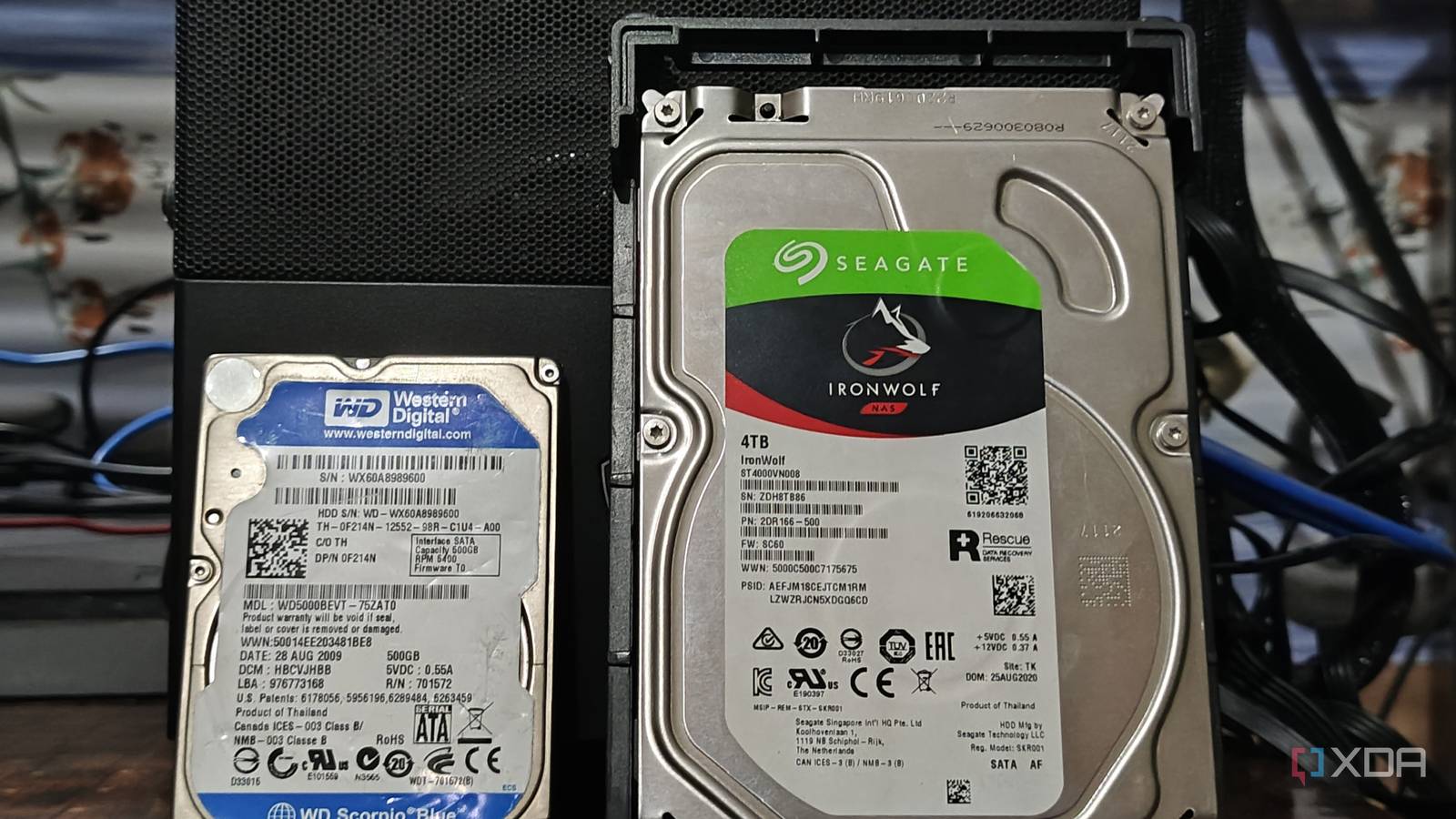
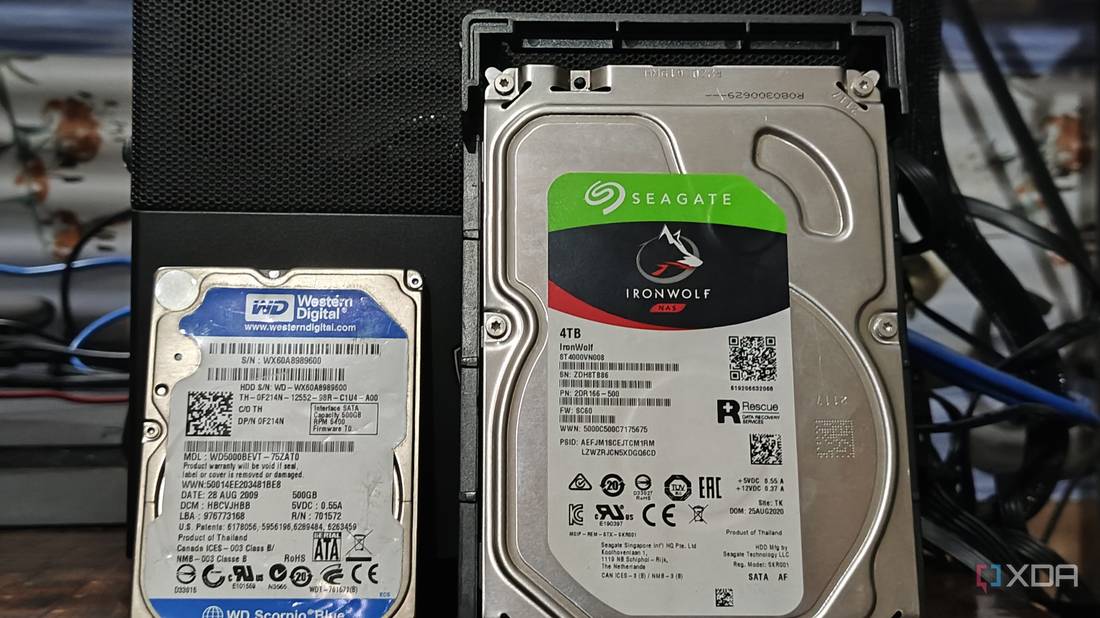
How having an online backup saved my home server today I have a physical server running at home that has a few services running on it, including Nginx Proxy Manager to route external network traffic to an OpenWebRx SDR that I host at home. The server boots off its own NVMe internal drive, but has two 4 TB 2.5″ drives connected by USB to it, on which the Docker container data sits. The server runs Open Media Vault OS which monitors everything. The backups are configured with Timeshift backing up the OS boot drive to external drive 1. My desktop computer backs up over the network also to external drive 1. At about 02:00 or so, there is a rsync that runs to mirror external drive 1 to external drive 2. So external drive 2 is a full backup of everything. I noted about a week ago I was getting SMART reports mailed to me complaining that external drive 1 had picked up about 32 uncorrectable errors. I checked its age and yes the drive has been running continuously for over 5 years now. These are Seagate Barracuda drives, so actually are not designed for this type of punishment. They are anyway due for replacement (with Seagate IronWolf drives, which are better for NAS type operation). I also decided to order the SATA port kit to allow me to connect the new drives via eSATA connections. This would allow better access from the BIOS for managing the drives, and also some faster performance than USB. This kit is on order from the Tariff War country and still on its way. Just yesterday, I decided to order the first Seagate IronWolf drive from a local supplier. I ordered it with normal “cheaper” courier delivery. But little did I know that the first external drive was about to go downhill. I noticed yesterday’s SMART report now mentioned 80 unrecoverable sectors. Ouch, this means the situation is actually worsening. But there are millions of sectors, so surely this will hang on OK for a few more days… External drive 2 was still OK as, although it was spinning for 5 years, it only did a rsync every 24 hours. Well, no, it seemed it would not. At about midnight last night, I was just going to check something on Jellyfin on my phone, before I went to sleep, and I was prompted for the login password. The password was not accepted, and I struggled a bit further until I noticed most of my Docker services were not responding. I rebooted the server but still nothing. So, I stumbled through to my study at 01:00 and switched the desktop PC on. After logging into OMV I noticed external drive 1 was not showing. Long story short(ish), I realised it had died. I did manage to remove that drive from the fstab boot config, and to set external drive 2 to use drive 1’s description, etc. OMV then was able to recognise drive 2 as drive 1, and everything worked again. So, it is all up and running, but without any backup drive now. There was quite a bit of fiddling needed to remove drive 2’s references, as OMV kept complaining that the drive config could not be removed as it was still referenced somewhere. So another lesson to try to make this easier in future, is now that I will have the eSATA connections to the drives (OMV does not want to do RAID with USB connected drives), I will rather set up a RAID 1 mirroring. This is not so heavy on the drives, as it just does a write to drive 2 every time anything gets written to drive 1. But there is no heavy-duty RAID rebuilding taking place. RAID 1 will work pretty well, much like my rsync did, but will be more real-time, so I won’t lose a few hours of changes if there is a crash in future. Also, any RAID does mean you have to format the drives and use the accepted RAID naming hierarchy. But something interesting I picked up for RAID 1 mirroring, is that you can configure it using just drive 1, and tell it drive 2 is missing for now. Then you can copy your data over from drive 2 to drive 1, configure OMVs paths for the containers to see new locations, and then format and mirror to drive 2. So why did I not go for a full external NAS or a DAS (Direct-Attached Storage) without NAS functionality)? Well, if you want to properly monitor and manage your drives via SMART data, a DAS is not really an option if RAID is used, as OMV will not see the individual drives. Also, my Lenovo server does not have port multiplying functionality, which is needed to recognise multiple SATA drives across a single eSATA link. A full NAS of course is probably ideal as all the CPU and bandwidth sits inside the NAS, as well as the management software. But a 4-bay NAS is not really affordable for me. So after looking around for quite a while I actually found an interesting drive enclosure that will house both 2.5″ (my current drives) as well as 3.5″ drives (the new Seagate IronWolf, with the 123V external power needed for the 3.5″ drive) and it can connect via USB or eSATA. It is sort of the best of all worlds for transitioning between drives and setups. I’ll only be able to get another IronWolf drive next month, so this will work for now. It is the Vantec NexStar JX NST-358SU3-BK. So, as soon as I have the drive enclosures and the new IronWolf drive has been tested, I’ll set up the new drive on its own in a RAID 1 configuration, copy the data from the remaining Barracuda drive onto it. Then let the Barracuda drive be drive 2 in the RAID config so that backups can continue. When the next IronWolf drive arrives, that can replace the Barracuda drive, and the RAID setup should rebuild it for backup use. So quite a bit of drama, but it has made me realise two things: * It is vital that you have full backups which are automated to run daily. * RAID 1 is an easier way to mirror a drive, and makes any drive replacement a lot more seamless in future. * Bonus lesson also is not to use desktop drives in a server type setup. For the price I paid for 2.5″ drives (powered by USB) I could have bought better suited NAS drives in 3.5″ form factor. Yes, I suppose a proper NAS is going to be a better solution than software RAID in the longer run. So I will spend some time researching options around that later this year. The drives are not wasted as they can be used in a NAS as well now. From #technology #storage #backups
Danie's avatar
Danie 8 months ago
4 reasons you may want to use Virtual Hard Disks instead of partitioning storage, or not This is quite interesting, but something not mentioned is performance of a virtual hard disk. I'm familiar with virtual disks from using virtual machines like VirtualBox, QEMU, etc. But what I found was that if I made a separate macOS or Windows partition, and booted off that, my virtual machines were blindly fast. This was because it was using a natively formatted partition versus a 5 GB or whatever file the virtual disk would have been. So, yes there is flexibility probably and the other advantages with using a virtual hard drive, but it may be at the cost of performance. Partitioning can also be easier to back up, depending on how you do your backups. And you'd want to think about how you create the single 5 GB or 20 GB virtual hard drive because if that is physically all over your hard drive (fragmented), again it may not perform best. See #technology #harddrives #storage
Danie's avatar
Danie 8 months ago
South Africa gets online system for reporting data breaches “South Africa’s Information Regulator has launched an online platform for public and private entities to report security compromises. It has instructed all organisations to report any compromises through the system. The system is accessible through the Information Regulator’s eServices portal, and the Information Regulator will no longer accept reports via email.” Well, you can be very sure that many e-mail addresses don't get answered by SA Gov, as the mailboxes are full. I've tried reporting something before, so I know. The link to the portal is in the linked article below. There is a warning too about the need for timeous reporting, and I'm sure that will also count for the numerous SA government departments that have been breached in the last year! See https://mybroadband.co.za/news/security/590254-important-information-for-companies-that-get-hacked-in-south-africa.html #technology #SouthAfrica #databreaches #security
Danie's avatar
Danie 8 months ago
'Careless People' Is the Book About Facebook I've Wanted for a Decade, but it is Banned “Careless People, by Sarah Wynn-Williams, is the book about Facebook that I didn’t know I had been waiting a decade to read. It’s also, notably, a book that Facebook does not want you to read; Wynn-Williams is currently under a gag order from a third-party arbitrator that prevents her from promoting or talking about the book because Facebook argued that it violates a non-disparagement clause in her employment contract.” Well of course now everyone will try to get hold of this book and read it. Nothing promotes a book better than a gagging or banning order. It implies there is some truth in it that someone does not want to get out. We've all known for a long time, at least since the Cambridge Analytica scandal, that Facebook has done some despicable things. Their efforts at fact checking etc was all part of the PR to try to disguise the questionable ethics that seemed to be ruling the roost. If we just think back to the very beginning why Mark created Facebook, it was questionable from the get-go. I still have a video clip where Mark is interviewed, and he clearly states the user's data belongs to the user, yet that data got sold and reshared elsewhere. To this day, WhatsApp has in its T&Cs that metadata will be shared upstream to Facebook and other partners. They are not trying to hide that fact. Out of all the Big tech companies, it is Facebook (Meta) that I have the least liking for. This is mainly for the repeated transgressions of privacy over many years. I can even stomach a company like Google using data (like reading our GMail) if they are not actually on selling or resharing that data like FB does. As far as we know, no other company has crossed the line like Facebook has. So of course I'll be interested in this book now too. I know it won't change much because at the end of the day, the only way a company like this feels anything, is if its users dessert its platform. That is just not likely to happen with Facebook in the shorter to medium term. “When I wonder if the company knows that its platforms are being taken over by the worst AI slop you could possibly imagine, if it knows that it is directly paying people to flood these platforms with spam, if it knows it is full of deepfakes and AI generated content of celebrities and cartoon characters doing awful things, if it knows it is showing terrible things to kids. Of course, it does. It just doesn’t care.” See #technology #Facebook #privacy #banned
Danie's avatar
Danie 8 months ago
Zorin OS 17.3 Tries to Attract Windows 10 Users “Users considering a switch from Windows will find that Zorin OS 17.3 is broadening its built-in app detection database. It now recognizes more than 150 popular Windows apps, steering newcomers to either a native Linux version or a well-matched alternative.” I do like that this distro tries to make Linux friendly for those just leaving Windows. The way it will steer users to a native Linux app if there is one, or to seamlessly install a Windows app when there is no direct alternative, is great for new Linux users. One thing that is good to keep in mind about Linux distros though, is underneath they all still run the same Linux kernel. What works on one Linux distro will work on another one (barring sometimes a few dependencies to install). The point is, your first choice of distro need not be your last one, so don't get too hung up on trying to decide which one to use. I've moved a few times between different distros and still have all my user data (including all my documents etc from my old Windows OS). Just backup your /home folder. I actually mapped my /home folder to its own hard drive, so there is no danger of me just formatting it by mistake. I'm glad Zorin OS is growing well, as they seem to have a good business model, and that is showing through the increased adoption rate and their popularity. See #technology #Linux #opensource
Danie's avatar
Danie 8 months ago
Lessons from open source in the Mexican government “The adoption of open-source software in governments has had its ups and downs. While open source seems like a “no-brainer”, it turns out that governments can be surprisingly resistant to using FOSS for a variety of reasons. Federico González Waite spoke in the Open Government track at SCALE 22x in Pasadena, California to recount his experiences working with and for the Mexican government. He led multiple projects to switch away from proprietary, often predatory, software companies with some success—and failure.” More open source progress, although it also faced its challenges. The lessons learnt are especially interesting. The first lesson mentioned is especially true: The regulations around open source helped a lot, "because it gave a legal framework to explain to people why we were doing stuff", but it was not enough. South Africa's own open source project had similar Cabinet level policy signed off, but the entire project floundered in the late 2000s. What is worrying is that Mexico may face a similar challenge, as they've also had a change of administration. In South Africa's case, and a number of key political leaders changed, and suddenly the focus was elsewhere. Our lesson learnt was you need to progress as quickly as possible to secure your ground before changes come. Don't ever assume you've gained the high ground. Unfortunately in government, a change of leadership, often means no continuity in projects as the change wants to prove their own new visions, and are not keen to make a previous leaderships projects a success. That, and Big Tech will apply pressure at a political level, and not at an IT level, where they will typically meet their match. So far, BRIC of the BRICS countries have all made very good progress on their own open source projects, but S has sadly lagged behind. I'm still hoping the success of these projects will rub off on S too, one day. See #technology #opensource #Mexico #government
Danie's avatar
Danie 9 months ago
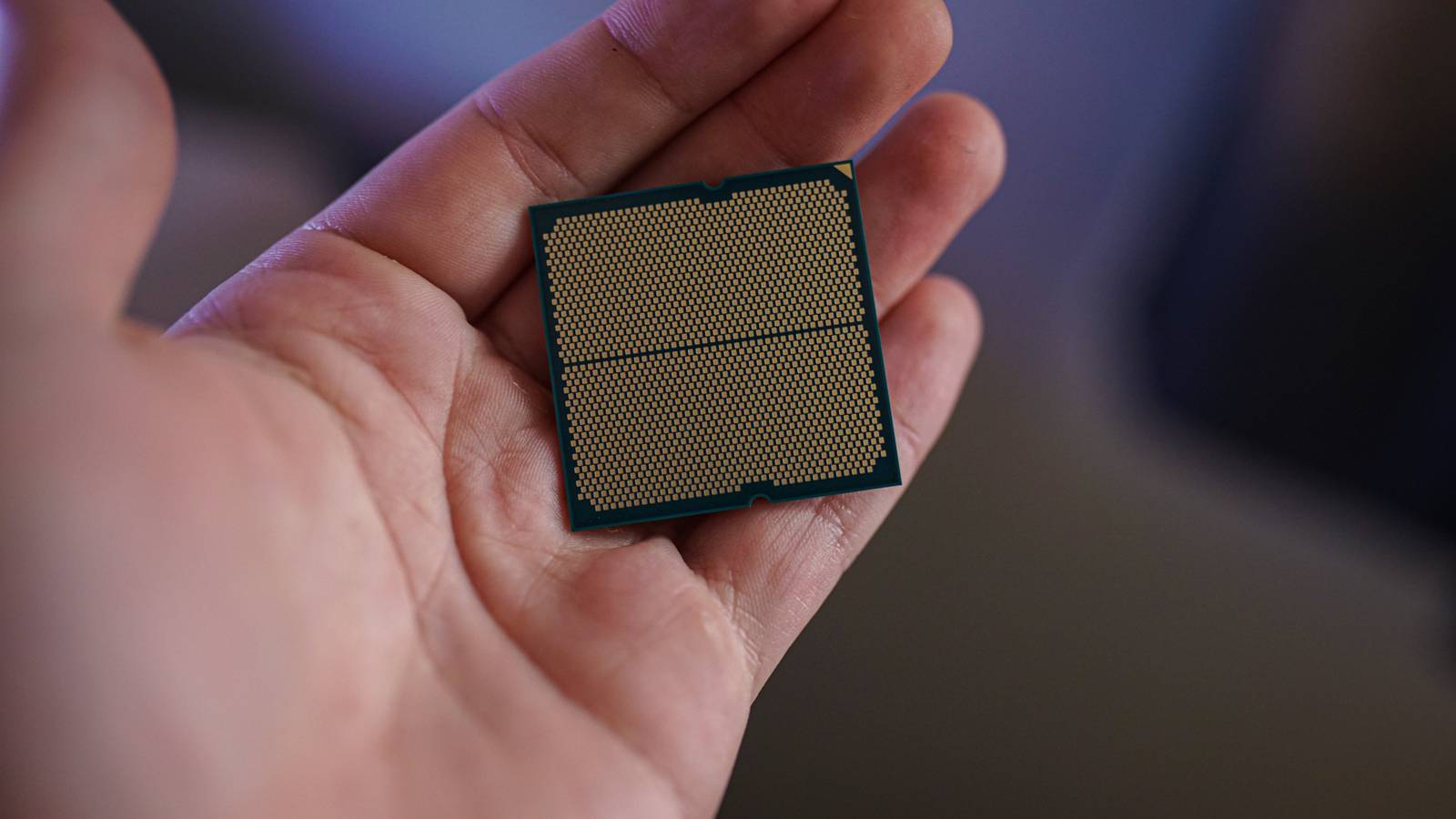
It's not just clock speed: Here's what makes one CPU better than another “When you're comparing two of the best CPUs, the first spec that comes to mind is clock speed. It quite literally represents how fast the CPU can churn through clock cycles, and naturally, you'd assume a higher clock speed means higher performance. Today, however, clock speed doesn't say much. It can still represent performance differences between two CPUs, but when choosing a processor for your rig, there are several other considerations you should keep in mind.” So true as a CPU has multiple cores as well as threads, cache, etc that all work together. One CPU clock speed versus another does really not mean much. Way back in the day we had single and dual-core processors where it was perhaps a bit more meaningful. I also look at CPU benchmarks, but then also compare both single processor and multiprocessor benchmarks. Certainly for gaming and video editing, multicore processing is important (well and along with your GPU of course). See #technology #CPU
Danie's avatar
Danie 9 months ago
GKrellM: A Cross-Platform Open Source System Monitor GKrellM is a single process stack of system monitors which supports applying themes to match its appearance to your window manager, GTK, or any other theme. It could be seen a GUI equivalent to Conky. It is easy to configure and runs well on Linux, macOS, and Windows. It will show monitors for a host of sensors and activities on your PC, and you can even set alarms to alert you when thresholds are exceeded. There are also numerous plugins that further extend its capabilities. My video shows what it looks like, what sorts of themes there are, what menu options there are, and how to set audible alerts. I also contrast various aspects of GKrellM with Conky itself. Watch #technology #opensource #GrellM #systemmonitors
Danie's avatar
Danie 9 months ago
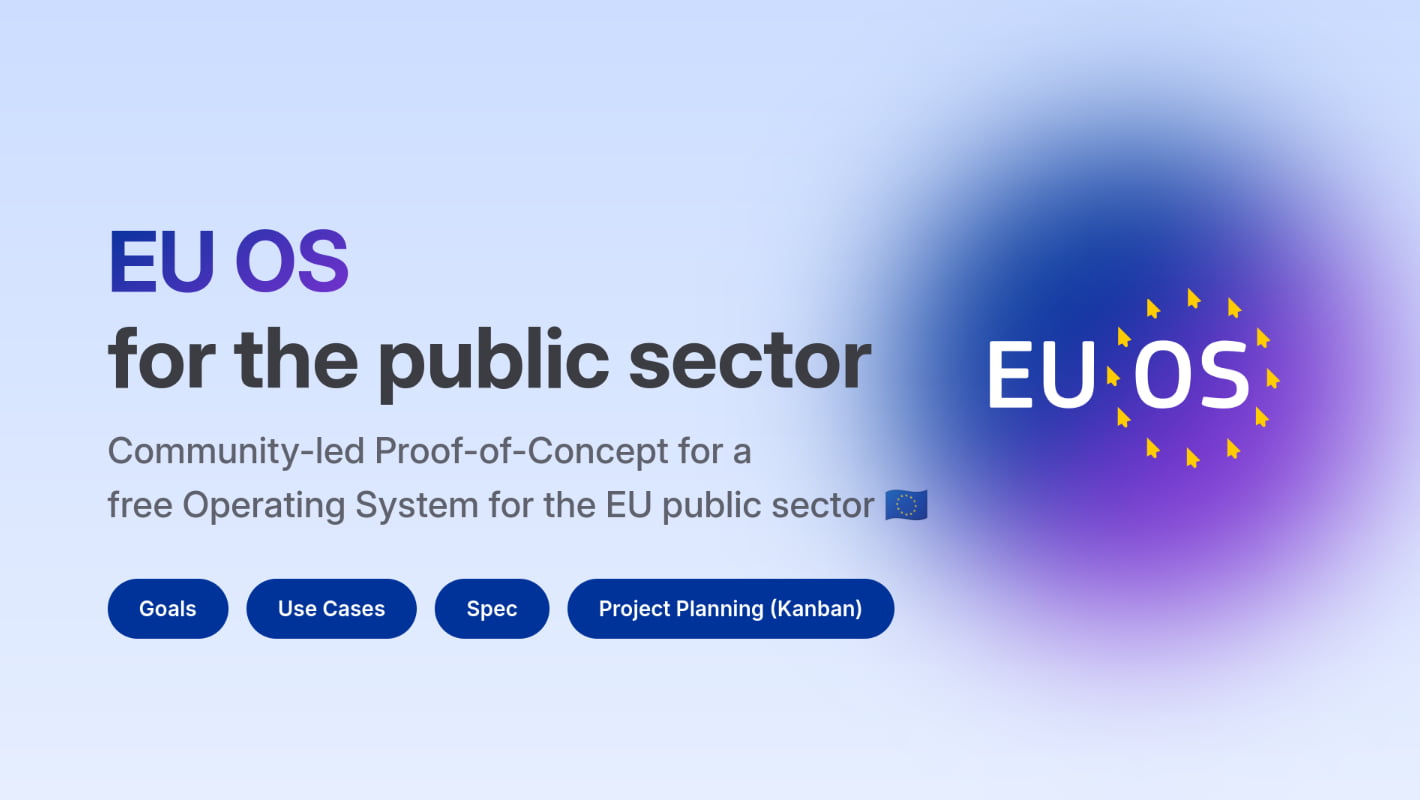
EU OS: Community-led Proof-of-Concept for a free Operating System for the EU public sector EU OS is a Proof-of-Concept for the deployment of a Fedora-based Linux operating system with a KDE Plasma desktop environment in a typical public sector organisation. Other organisations with similar requirements or less strict requirements may also learn from this Proof-of-Concept. It is led by a community of volunteers and enthusiasts. The project goal is to become a project of the European Commission. Despite the name, EU OS is technically not a new operating system. Distrowatch lists currently over 250 Linux operating systems (‘distributions’) and their various flavours, spins or subvariants are not even counted in. The added value of EU OS is a different one: * a common Linux OS as a base for all EU OS users with options to layer on top modifications (national layer, regional or sector-specific layer, organsation-specific layer) * a common desktop environment * a common method to manage * users and their data * software * devices The aims of this project are very similar to that of SAOSS (South African Open Source Software) but the advantage of the EU is that there are a number of firmly established OSS implementations already in place in a few countries within their public sector. In South Africa, most of the initiatives within the public sector have died out, apart from maybe one municipal district in the Eastern Cape. I was part of one initiative in the South African public sector, and it passed with flying colours, but a change of political leadership very quickly killed off the project just one month before it was due for its permanent switch over. So, I have three vital pieces of advice for any open source project within the public sector, and they have nothing at all to do with the technology: 1. Strike hard, fast, and with momentum when you have willing political leadership in place. If leadership changes there is a very good chance you could lose your sponsors, because in government a change of leadership does mean a different stance/focus (unlike in the private sector). 2. Do not take things for granted. A lack of opposition does not mean the private sector is behind you. Quite often with government, the Big Tech proprietary companies will stop engaging with IT managers, and they will engage at a political and non-technical level instead. 3. Smaller, local companies have a good chance of benefitting from open source when government drives it. You need to get them actively on your side with regard to training, support, customisation, etc. Standardisation is important here as they want to invest their time in one standard suite of products, not a wild west of different competing products. One approach is to involve them in this decision-making. They can still compete to provide the services. See #technology #opensource #EU #publicsector
Danie's avatar
Danie 9 months ago
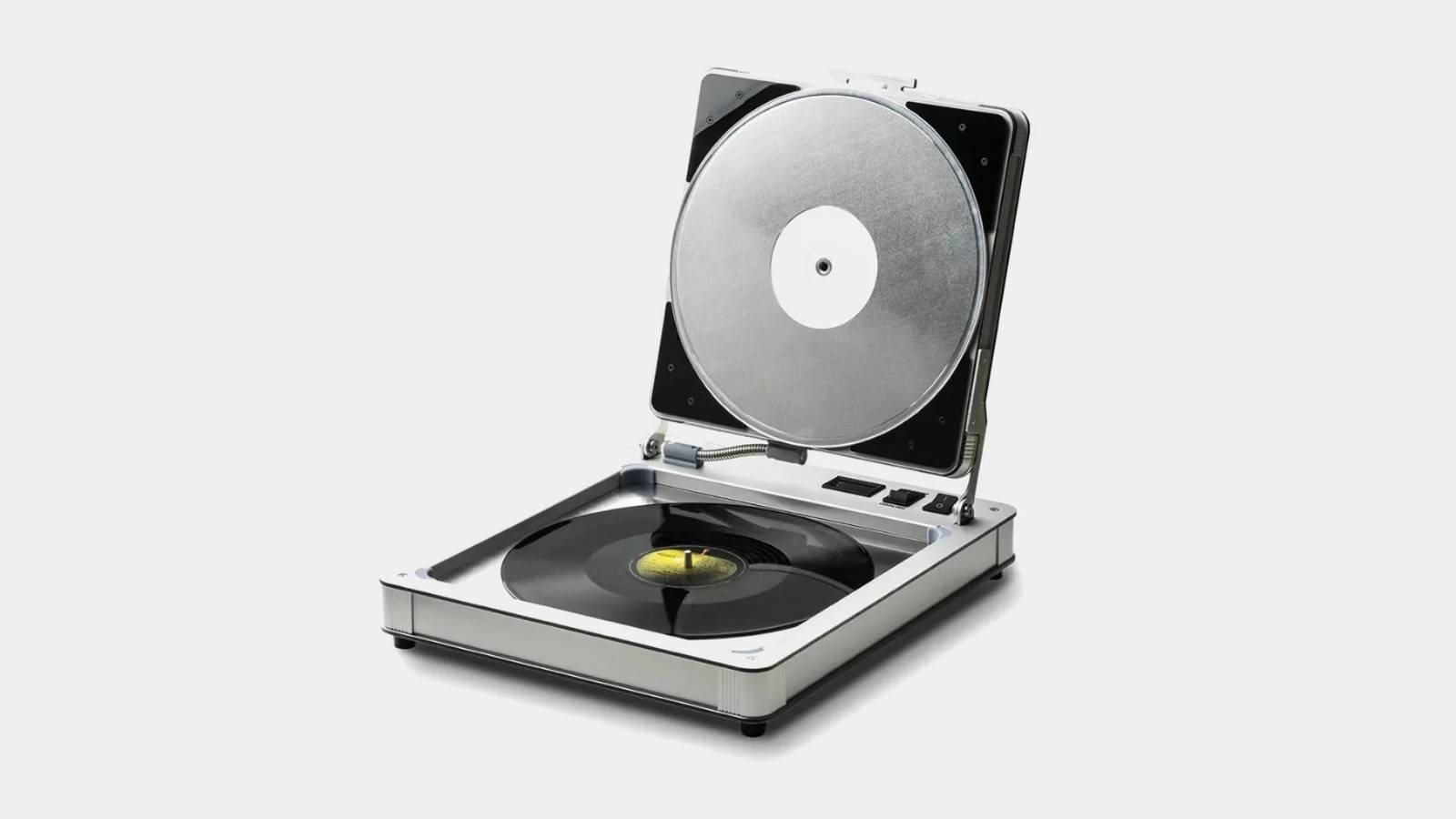
This Machine Flattens Your Old Warped Vinyl Records “The aptly named “Flatten It” device is designed to do exactly what its name suggests: flatten warped vinyl records. This isn't some DIY hack; it's a purpose-built machine that uses carefully controlled heat and pressure to restore your records to their original, pristine condition.” Some things improve over time. I don't ever recall seeing such a device back in the 1970s and 1980s when we all used vinyl records. Nice to know there is a safe way of “tuning” your vinyl records. I still have all my old vinyl records (along with the player) and I certainly could have used this device back in the day. I loaned one record out to a friend, and she left it in her car, and the record buckled a bit. I had to throw that record away. But this device is not at all cheap at US$850. See #technology #retro #vinyl #audio
Danie's avatar
Danie 9 months ago
Open Source KStars is the most feature-rich free astronomy software for Linux, macOS, and Windows KStars caters to a wide-variety of use cases. Whether you are a student, an educator, an amateur astronomer or an astronomy enthusiast, you will find tools in KStars that are useful to you. Graphical simulation of the sky with the planets, up to 100 million stars, 10000 deep-sky objects, comets and asteroids, with adjustable simulation rate. It has complete astrophotography workflow (with extensive support for INDI, KStars can control almost any sort of astronomical equipment, including telescope mounts, motorised focusers, filter wheels and CCD and CMOS cameras), and a host of tools that predict conjunctions, plot time variation of positions of planets, perform calculations etc. It can therefore be a powerful observation planner to plan your observations. See #technology #opensource #astronomy #astrophotography
Danie's avatar
Danie 9 months ago
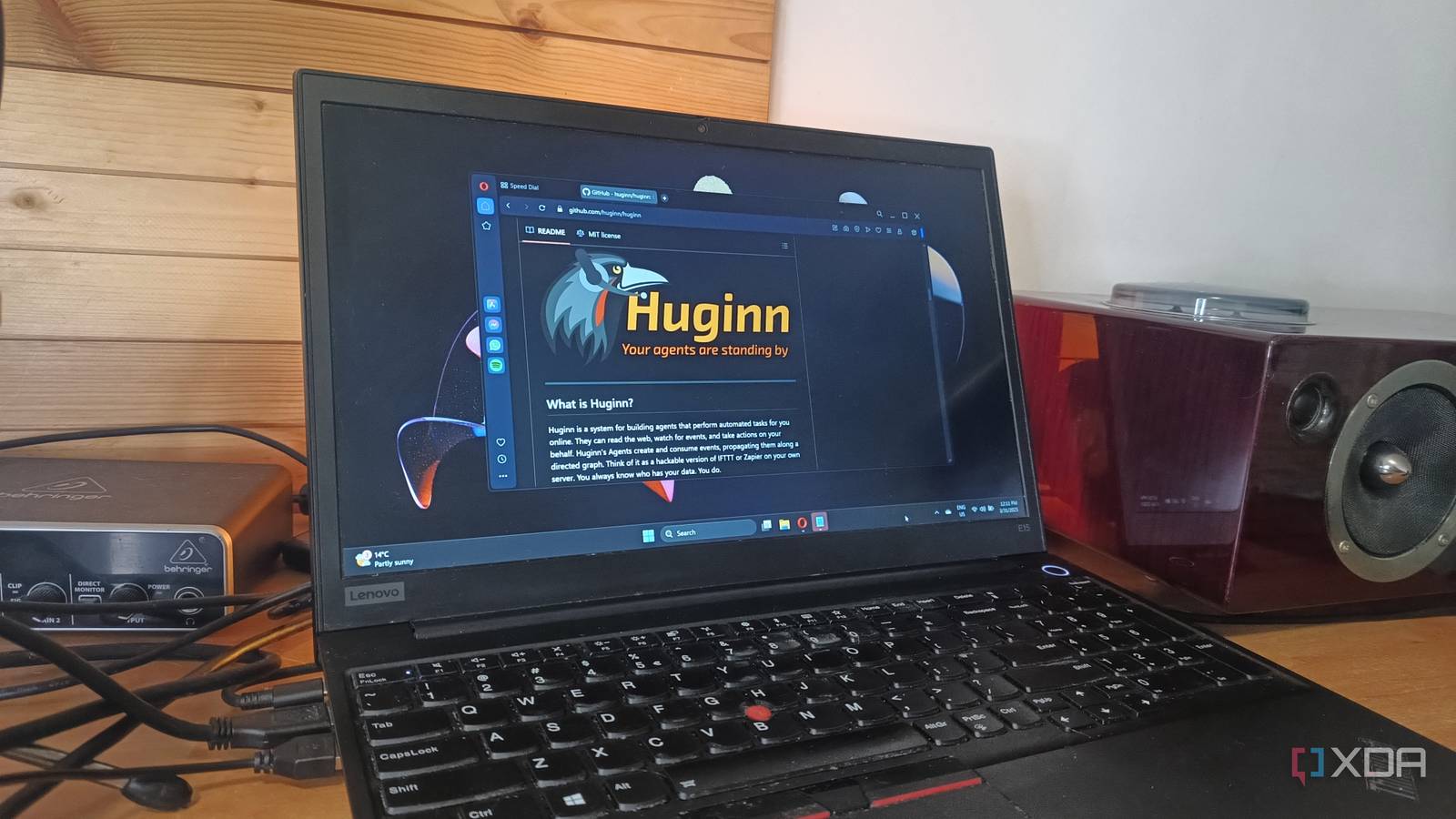
Huginn is a free, open-source IFTTT alternative that's much more powerful “Automation tools like IFTTT (If This Then That) have revolutionized how we connect apps, devices, and services to create workflows. However, while IFTTT is user-friendly and widely accessible, it lacks the depth, flexibility, and control some advanced users crave. Enter Huginn, a powerful, open-source platform that is often hailed as a more robust alternative to IFTTT.” I'd actually stopped using IFTTT because the free tier was reduced to near useless with so many limitations. This looks very interesting and very powerful, although it won't be quite as easy as IFTTT. I'm certainly going to try this out in the near future. See #technology #opensource #selfhosting #alternativeto #IFTTT
Danie's avatar
Danie 9 months ago
OxiCloud is an open source lightweight alternative to NextCloud NextCloud is great, but it tends to be heavyweight and packs a ton of extra functionality in. OxiCloud may be worth considering if you are looking for something a lot lighter and faster. OxiCloud requires a minimum of 512 MB RAM, and I see it has a Docker installation too. Its focus though is very much on performance and speed. Just note some features are still on the roadmap (which NextCloud already has) such as WebDAV support for desktop integration, basic file versioning, simple file sharing with links, etc. It has three contributors and the code has been updated in this last week, so it is being actively developed. The project has been around for only a month, so it is also quite new, hence why those features are still to be added. See #technology #opensource #storage
Danie's avatar
Danie 9 months ago
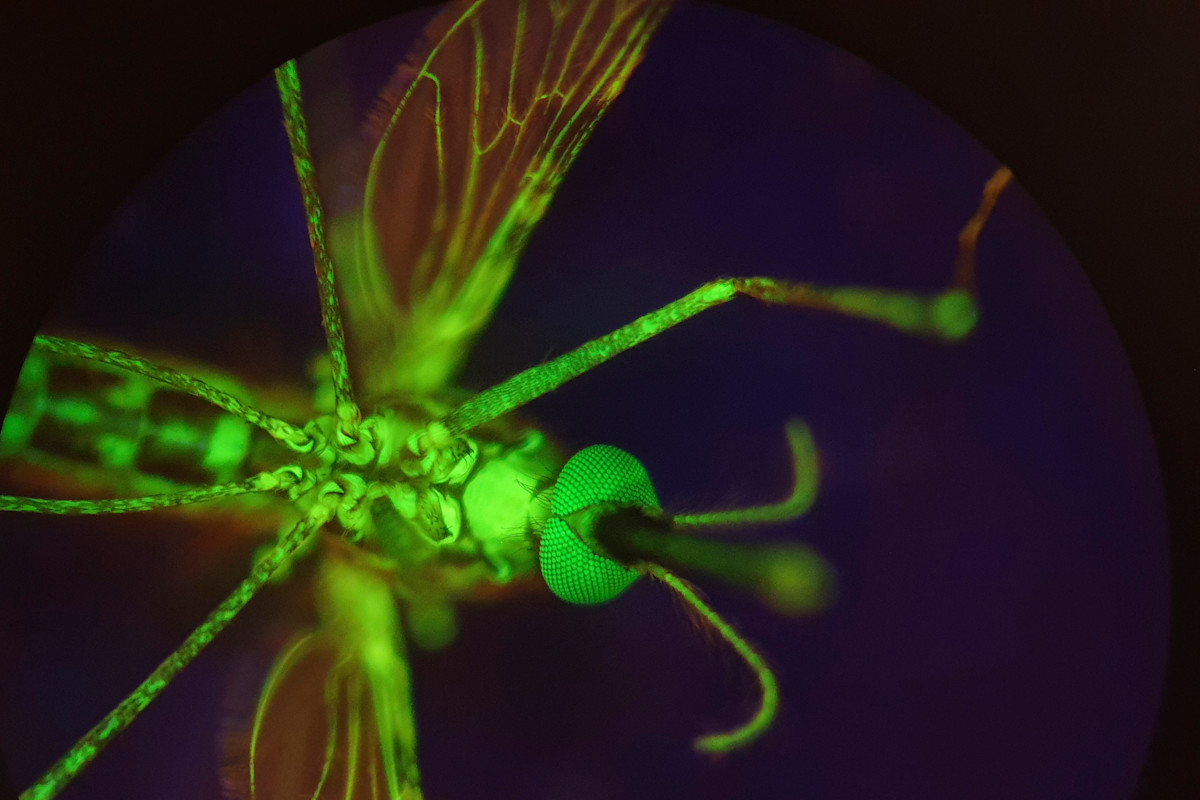
Nitisinone Could Make Human Blood Deadly to Mosquitos, Combatting Malaria “Mosquitoes are more than pests. They’re also a mortal threat, contributing to millions of cases of malaria a year. Fortunately for humans, however, a team of researchers has recently identified a medication that could curb mosquito populations, controlling their spread of malaria. Revealing their results in a paper published in Science Translational Medicine, the researchers report that the medication nitisinone makes human blood deadly to mosquitoes.” This is quite interesting in that it has no effect on the environment at all. Malaria affects 100's of millions of people worldwide, so this could help a lot of people. Scientists still have to determine what dosages will work, and I suppose how long it will last in the blood. I wonder if this also why mosquitoes like some people's blood, but not others. The difference with nitisinone though is that it is deadly to them. See #health #malaria
Danie's avatar
Danie 9 months ago
Mini rolling robot takes virtual biopsies — And it's all in the shape “The team, led by engineers from the University of Leeds, say this is the first time it has been possible to generate high-resolution three-dimensional ultrasound images taken from a probe deep inside the gastrointestinal tract, or gut. It paves the way to a transformation of the diagnosis and treatment of several forms of cancer by enabling ‘virtual biopsies’ — non-invasive scans that provide immediate diagnostic data, allowing doctors to detect, stage, and potentially treat lesions in a single procedure: eliminating the need for physical biopsies.” Very interestingly, the big innovation seems to be around changing the shape (the oloid shape) so that the device can manoeuvre far better. The important outcomes of all of this is that immediate results can be obtained for determining colorectal cancer, and the process may be more comfortable for patients. See #technology #health #cancer
Danie's avatar
Danie 9 months ago
Wow, this is a 25-year-old Palm Pilot still being used in 2025 “They were the original distraction-free technology before we even needed such a thing. You didn’t spend the money on a Palm Pilot to play games or scroll social media. You spent the extra money on a Palm PDA because you had a job to do. Palm Pilots were the original productivity monsters, keeping us on schedule and connected through lightweight email programs and RSS feeds.” I don't think many of the youth today could visualise a really distraction-free and advert-free piece of technology. Today notifications keep popping up, adverts clutter pages, as well as pop-up cookie notices. I remember using a Palm Pilot myself, and I used to sync my notes, e-mails, etc with my desktop PC. A Palm Pilot was one of the really early productivity devices, being able to run all sorts of 3rd party downloadable apps. I remember, too, the early database apps, I think mine was called HandyDB. This is PURE productivity at its best. Technically, with the Pebble watches making a comeback, there is no real reason why Palm Pilots could not also do so. Big Tech would of course hate this as they still want to sell newer flashier devices to you, that can pop up all sorts of messages and disclaimers. And look at this: “Surprisingly, the 25-year-old rechargeable battery still works well, holding a charge for over a month.” See #technology #retro #PalmPilot
Danie's avatar
Danie 9 months ago
These 5 Companies Make Linux-First PCs Many probably take this for granted, but I remember well the painful years about 3 to 4 decades ago where Microsoft would have prohibited us having this choice at all. Yes, back then any OEM wanting to get the discounted price of having Microsoft Windows pre-installed on their desktops or laptops, was only allowed to sell Windows desktops and laptops. So all that a buyer would find to buy, would be PCs with Windows on. Many ended up buying a Windows PC (including paying for that Windows license) and then formatting it to put Linux or a different OS on. This was how Windows became so dominant today. Today it does not matter much to Microsoft as they are firstly not interested really in selling to the end user, and secondly they have entrenched themselves into schools to ensure the youth are exposed to their OS and apps early on. It is great that today at least buyers can choose freely what they want to buy, and if they buy a Linux laptop, they won't be paying for a Windows license. So, if you are intending to run Linux on your PC or laptop, and want to buy a ready to use device, then try to support these PC makers. The PC makers mentioned are: * Kubuntu Focus * Laptop With Linux * Star Labs * System76 * Tuxedo Computers * Dell (still offers this, but not exclusively) See
Danie's avatar
Danie 9 months ago
First direct-to-satellite phone call in South Africa using a LEO satellite and unmodified mobile phones “MTN South Africa and low-earth orbit (LEO) satellite service company Lynk Global carried out a successful technical trial of one of the first satellite-to-mobile device phone calls in South Africa. The phone call, made in Vryburg, North West, allowed the companies to test voice call quality and SMS capabilities over an LEO satellite connection.” Once this goes commercial, this will obviously be useful for disasters and very remote areas. Although these satellites will work with ordinary unmodified cellphones, including older models, right now it may not be a 24/7 coverage. I'd imagine though for a commercial service in future there will either need to be more satellites, or there may need to be a few geostationary satellites. Still, it shows what is possible, and that you don't necessarily need Starlink to offer such a service. See https://mybroadband.co.za/news/telecoms/588871-first-direct-to-satellite-phone-call-in-south-africa.html #technology #satellite #southafrica
Danie's avatar
Danie 9 months ago
Sez Us Is A New Social Media App Punishes Users for Rage-Baiting “If there is one certainty of social media in 2025, it’s this: Rage clicks rule. Hyperbole, hate, brash deception—it’s all par for the course—and often rewarded with virality. On Sez Us, users who are intentionally inflammatory may score lower than those who gain influence through respectful dialog.” I must say I do love this concept. The app is trying to build up trust, civility, transparency, and reputation. Because of this, I'm going to give it a try. My early impressions are I do like having a 300 character post title and 15,000 characters available for the body text. An interesting point too, is you can link to X (yes I know...) as well as Bluesky, and set toggles on the post to send to those networks at the same time. But don't worry, the feed view only shows a few lines from the post, so the scrolling is quite easy. Their business model says that Sez Us is built on advertisers working directly with creators and investing in great content. There is nothing I could see about their technology, but it appears to be a centralised platform. There are also mobile apps I see available. See and you can find Sez Us at #technology #SezUs #socialnetworks