Danie's avatar
Danie
danie@nostr.fan
npub1g2jp...yjj6
Testing out new wallet
Danie's avatar
Danie 1 year ago
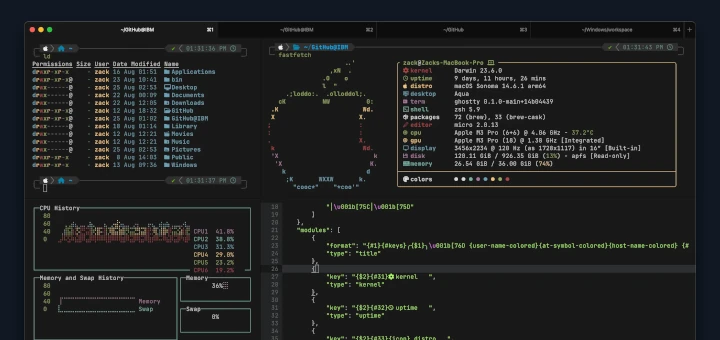
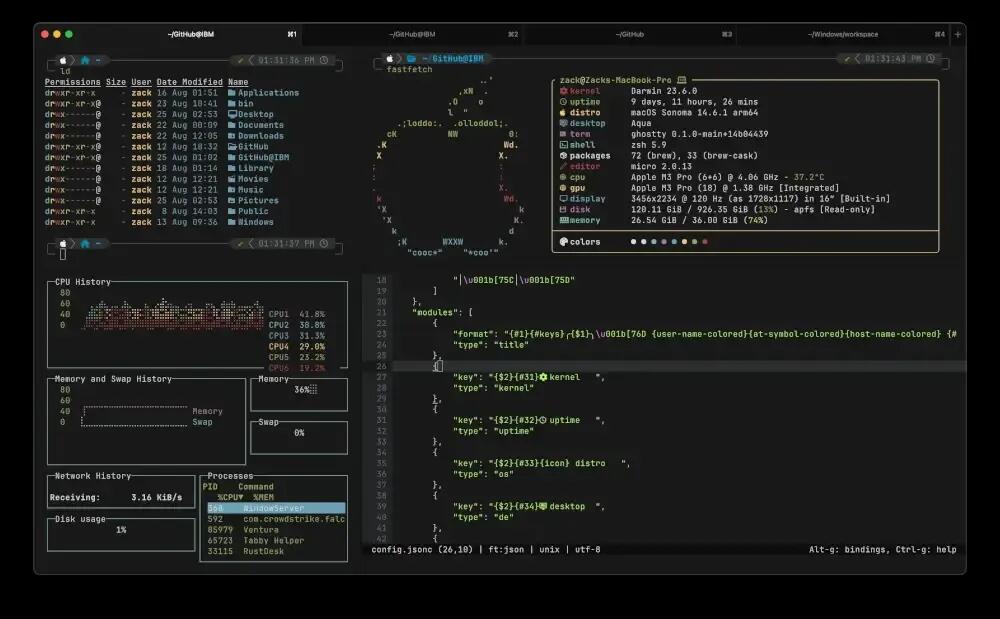
Ghostty – The Fast GPU-Accelerated Terminal Emulator for Linux and macOS Ghostty is an open source and cross-platform terminal emulator created by Mitchell Hashimoto, the co-founder of HashiCorp. Hashimoto’s goal with Ghostty was clear: to build a terminal emulator that is fast, feature-rich, and provides a platform-native GUI, all while remaining cross-platform. What sets Ghostty apart from other cross-platform terminal tools is its focus on a platform-native GUI. On Linux, the GUI is built using Zig and GTK4/libadwaita, while on macOS, it uses Swift, AppKit, and SwiftUI, which means that Ghostty’s interface is not only visually native but also deeply integrated with the operating system. One of the standout features of Ghostty is its GPU-accelerated rendering, which provides a smoother, faster experience, especially when handling complex processes or multiple terminal windows. However, given all of this, it only started with releases in December 2024, so I'm going to wait another month or two before trying it out. Some have reported it hogging system resources. The linked article is already out of date though, as the first releases have already appeared in Arch's AUR so are available to install. See #technology #opensource #terminalemulators image
Danie's avatar
Danie 1 year ago
Most users don't own their social profiles nor domain names or any other presence on the Internet I'm busy listening to episode 147 Tornado of the Darknet Diaries podcast, where there was some interesting commentary about what we think we “own”, especially on the Internet. We register a profile on X, Facebook, MeWe, TikTok, etc, and we pay for a domain name to host our website. But in fact those centralised social platforms own the profile name, like we saw X take away the profile @x when the network changed its name. Or if you as a user transgress the rules, you can be banned from a social network, and you cannot take that profile with you and use it elsewhere. The same goes for a domain name, if you stop paying for it, you lose access to using it. The same goes for books “bought” on Amazon or Audible, or music on Spotify. At best, we are all paying for temporary access rights. Yes, some networks offer the ability to export your posts, but tell me where else you can then use those posts? You can buy a razor from Gillette, that is true, but mostly then you have to keep buying their blades to use it. But the digital world especially is fraught with ownership issues. Which is one reason why some folks have been exploring decentralised networks, whether just distributed, or whether they are full-blown peer-to-peer networks. I don't really count Mastodon and the Fediverse amongst this, as you need to have access to your account to migrate it, and then anyway your handle changes as it is tied to a server. Hubzilla's nomadic identities are probably closest to this ideal as far as decentralised networks go. The purer forms of real ownership, though, exist on social networks such as Nostr, Aether, RetroShare, Reticulum, Secure Scuttlebutt, etc where you generate a key pair — you share the public key and keep the private key to unlock and use your public key. No matter where you are deleted or blocked, you can resurface using your same public key. Your followers and friends know that public key and will instantly recognise you. Many such networks will resync your posts where they exist at other nodes or relays, even. On the hosting and network communications side we do have networks such as the Invisible Internet Project (I2P) and communication services such as Reticulum, which connects on top of (over) a myriad of other networks from TCP, radio, UDP, RNodes, etc. Again, here you don't “purchase” any IP address, you generate a I2P address (profile or website) for yourself with the private key that you own. You can host your own I2P website with your own address, and move it wherever you want to physically (a bit like an Onion website). It will be found by its I2P address. At a more simplistic level, this is also where Meshtastic and LoRaWAN devices come in — they work on license-free frequencies and interconnect with each other to form their own mesh network with no Internet or other infrastructure required. In some ways the Tor Onion network is similar, although it exists really on top of TCP networks, and it has no concept of a user or a social profile. It also connects to the regular Internet, whilst the I2P network normally does not do so. That said, every I2P node routes I2P traffic, so it is a gigantic-shared mesh network of tens of thousands of nodes all relaying I2P traffic. The downside, though, of better security, privacy, and ownership is of course you have to take more responsibility yourself. Apart from a bit more configuration required, if you lose your private key access, you've lost your profile access. You can create another one just as easily, but it will be a different one. I've spent the last few days exploring Reticulum and I2P specifically, and although the basics are quite easy to get going with (for example just installing the Sideband app off F-Droid), the understanding of exactly how the I2P network operates, has been more challenging. I'd like to get a level deeper still in understanding what and why each part of it does. And there are not a lot of YouTube videos that explain this properly. But it will be a fun project for the next month or so, I think. Hopefully, too, I can do my own video about it if I can break it down into much simpler concepts to explain. #technology #privacy #security #I2P #reticulum image
Danie's avatar
Danie 1 year ago
If Online Grammar Checks Concern You, Run Your Own Private Grammarly Clone Using Docker and LanguageTool I can't see any feature advantages with this apart from all your checking being done locally. So for really privacy conscious folks this may be a big plus to host this service on your own PC, or even an accessible server or Raspberry Pi. One advantage with hosting it locally, even on your PC, is that it will work fully offline without any Internet needed. Although they describe how to do this for Windows, there are actually other operating systems out there, so this will work just as well on Linux or macOS too. It may just be that HowToGeek thinks that Linux and macOS users know how to do this themselves already? The Docker install is open source, but it is the core product, so it will not have the paid pro version functions. See #technology #grammar #selfhosting #opensource image
Danie's avatar
Danie 1 year ago
5 reasons you should use Markdown for documentation and notetaking A good reminder again about the future-proofed nature of Markdown format notes. They are essentially plain text and will be read my many apps well into the future. Also true that Markdown's "shortcuts" image for headings, lists, are largely universal, so that as you may switch apps or operating systems you don't have any different "shortcut" keys to remember. See #technology #notes #markdown #openstandards

Danie's avatar
Danie 1 year ago
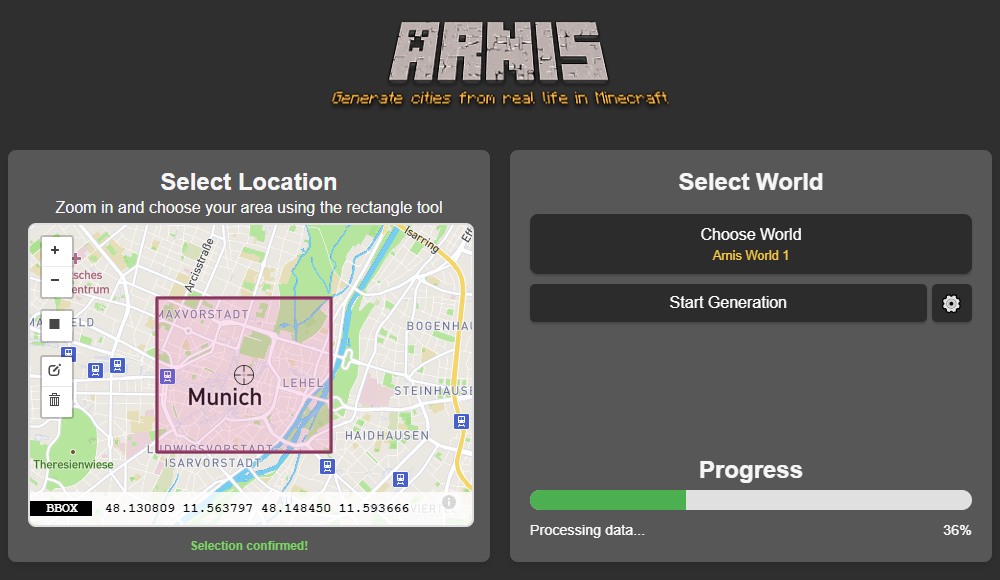
Bringing OpenStreetMap Data Into Minecraft Over the years, dedicated gamers have created incredible recreations of real (and not so real) locations and structures within the confines of Minecraft. Thanks to their efforts, you can explore everything from New York city to Middle Earth and the U.S.S. Enterprise in 1:1: scale. But what if you wanted to recreate your own town, and didn’t have the hundreds of hours of spare time necessary to do it by hand? Enter Arnis, an open source project from [Louis Erbkamm] that can pull in geographic data from OpenStreetMap and turn it into a highly detailed Minecraft map with just a few keystrokes. Once generated, the map can be loaded into the Java Edition of Minecraft. This refers to the original build of the game that predates the Microsoft buyout. Looks like a pretty interesting holiday project! See #technology #gaming #openstreetmap #minecraft
Danie's avatar
Danie 1 year ago
Microsoft claims its new Windows 11 Xbox popups aren't ads, merely "options you can purchase" With Windows 11 slowly receiving more and more ads across its system, people are getting a little tired of seeing new ones pop up. Over the past few days, some users have spotted ad pop-ups advertising the new Call of Duty: Black Ops 6 and the paid Microsoft Defender security app. Fortunately, Microsoft has cleared up this little mess by stating that these aren't ads at all but instead "giving the people the option to purchase" a product. Phew. Well, that clears that up, doesn't it? This is the very best of PR technobabble. You just know if a company dresses something up like this, that they actually do feel a bit guilty about it. But it's like a lie is to a mistruth. A lot of the problems we have today are because of propaganda being applied by corporates and governments. So there you go, all those pop-ups on websites, and the things that YouTube interrupts your videos with, are actually just options you can purchase. I feel the Oxford Dictionary word of 2025 may be something along these lines. We just need to invent the word now. See #technology #Microsoft #adverts
Danie's avatar
Danie 1 year ago
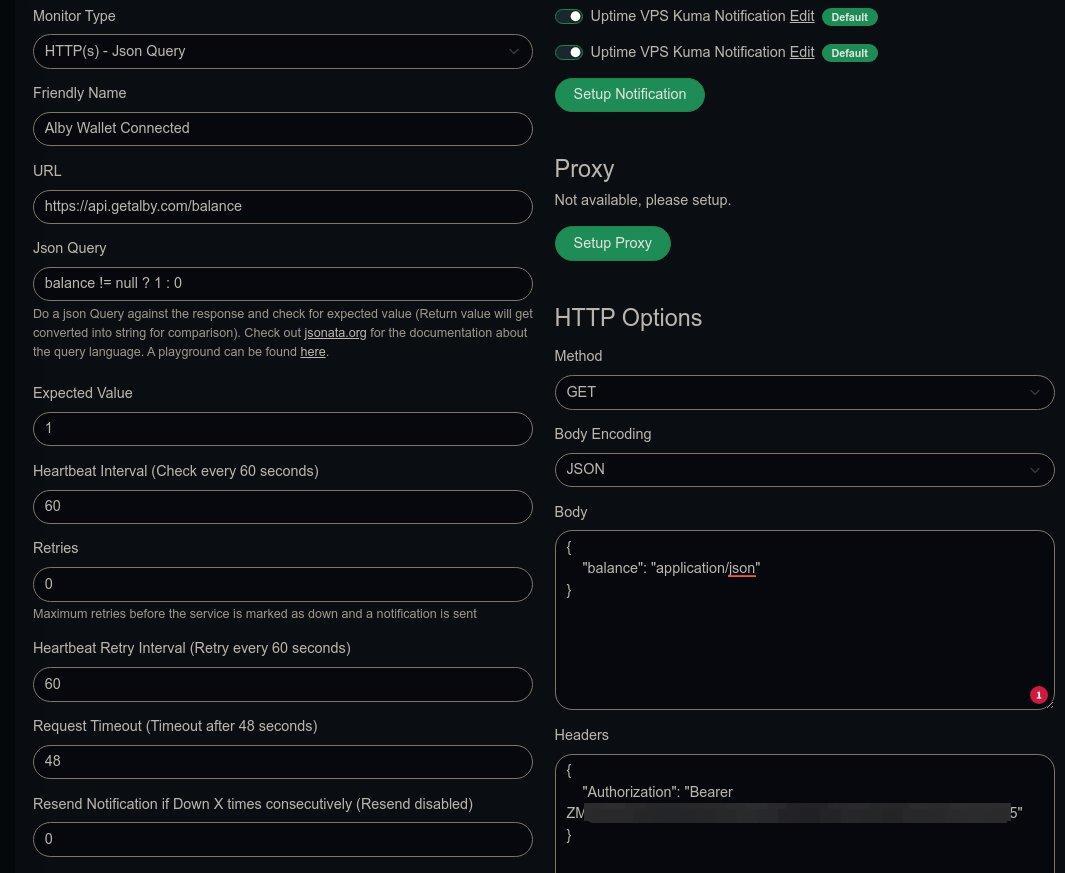
How to test if a self-hosted Alby Hub wallet is connected, and to get an alert if not I hope my blog post at will help out other Alby Hub self-hosters who want to get alerts if their wallets are offline. This seems to be working fine for me now, and the same theory can be applied for a Python script or even a bash script. image
Danie's avatar
Danie 1 year ago
Absolute Essentials You Need to Know to Survive Vi Editor The most common question most people ask about the vi editor is: How do I exit vi? The joke answer goes: "You don't. You learn to live with it." but the serious answer is to press Esc to ensure you're in command mode first, then type `:q!` and hit Enter (or `:wq!` to save and quit). The problem most modern users sit with, is that the vi editor originates from the 1970s and still uses those unique keyboard shortcuts (it did not modernise like the nano editor did in 2024). There is no doubt that the vi editor (or vim if you use the GUI) is very powerful with its long history of support and plugins. But for most users, like myself, the first thing I do on any new VPS I set up is run `sudo apt install nano`. The vi editor is usually already installed by default on most Unix or Linux systems, so you rarely need to ever install it. But there are many die-hard vi users, and none of those will ever be caught dead using anything else. Certainly if you are looking for more advanced usage out of an editor, it may be well worth learning how to use vi, and you'll also be safe in the knowledge that nothing will suddenly change in the next few years. It is an editor grounded in stability, extensibility, and consistency. The linked article is one of the best I've seen as a really easy to understand getting started guide with the vi editor. So, if you are curious to just have a look at it, this article will help you understand better how it works (and of course how to exit it). See #technology #opensource #editors #Linux
Danie's avatar
Danie 1 year ago
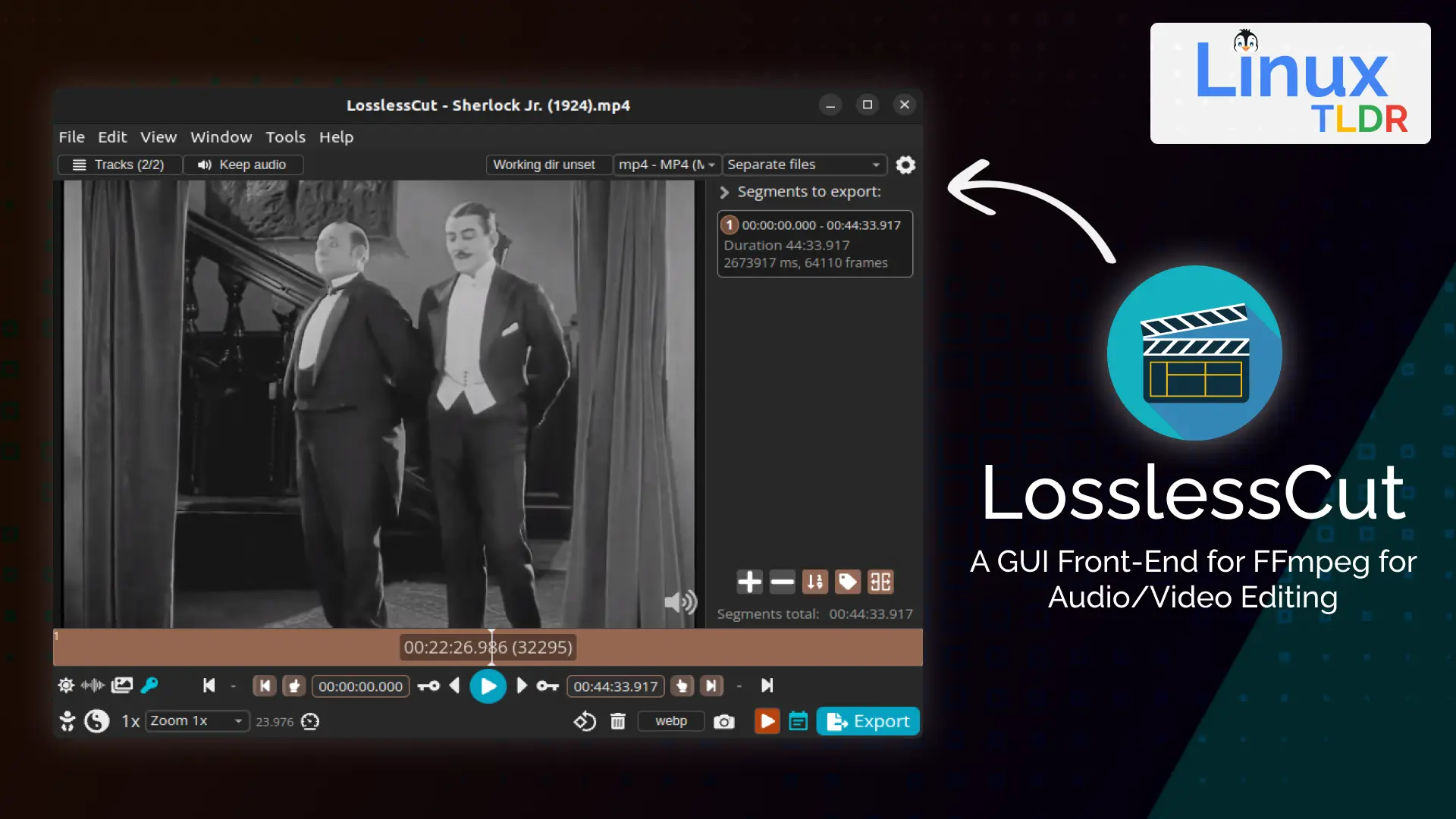
LosslessCut is an open source cross-platform FFmpeg GUI for extremely fast and lossless operations on video and audio files LosslessCut aims to be the ultimate cross-platform FFmpeg GUI for extremely fast and lossless operations on video, audio, subtitle, and other related media files. The main feature is lossless trimming and cutting of video and audio files, which is great for saving space by rough-cutting your large video files taken from a video camera, GoPro, drone, etc. It lets you quickly extract the good parts from your videos and discard many gigabytes of data without doing a slow re-encode and thereby losing quality. Or you can add a music or subtitle track to your video without needing to encode. Everything is extremely fast because it does an almost direct data copy, fuelled by the awesome FFmpeg which does all the grunt work. The linked article below shows how to install and use it, with some practical examples. See #technology #opensource #video
Danie's avatar
Danie 1 year ago
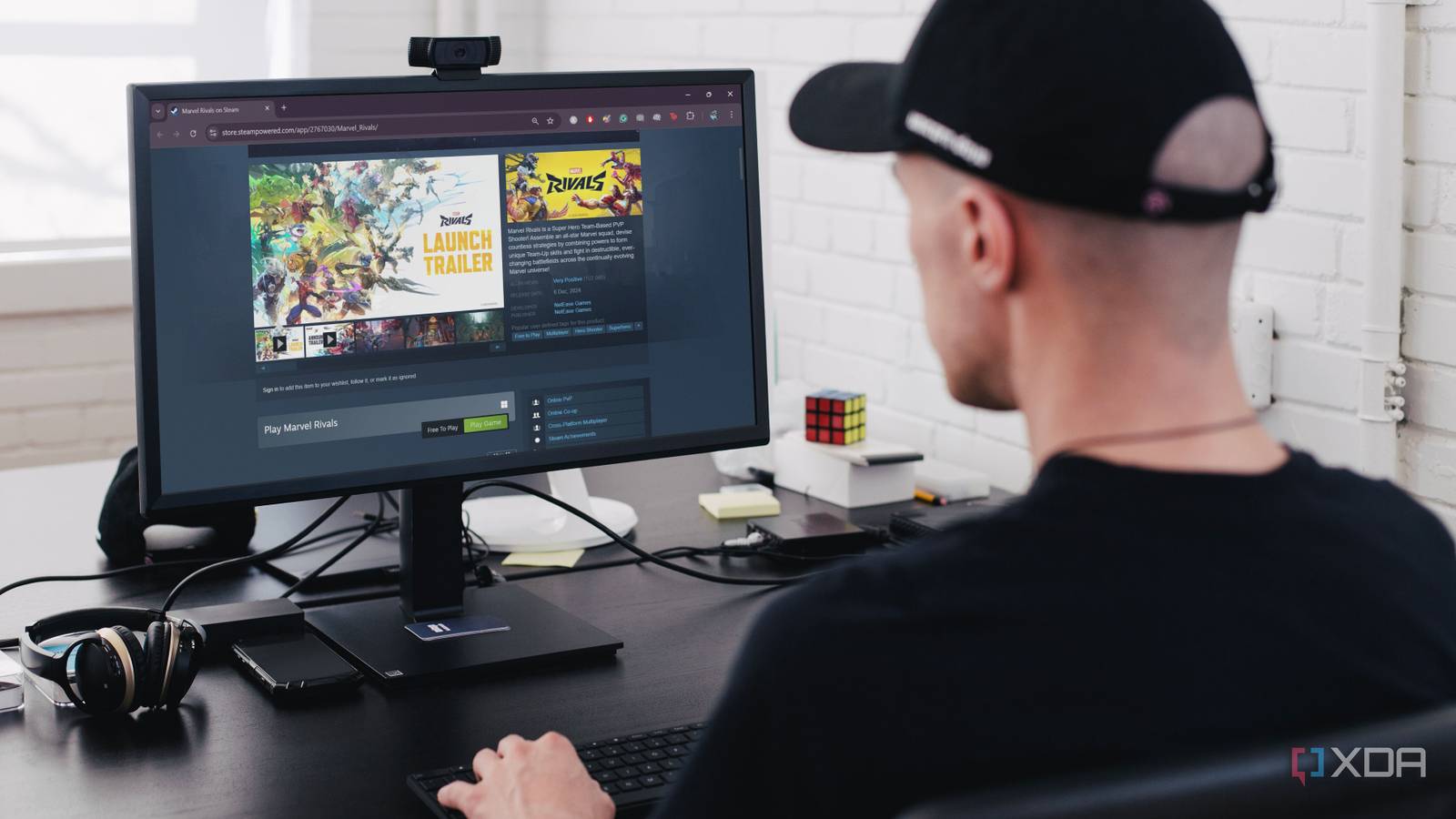
8 best free-to-play games on Steam Gaming doesn’t have to break the bank, especially when you have Steam’s incredible library of free-to-play games. Whether you’re into first-person shooters, strategy games, or fantasy worlds, Steam offers something for everyone. Here are the top eight free-to-play games on Steam you can download and enjoy on your PC without spending a dime. These are an interesting variety of games, and pretty well much something for everyone. I've been seeing quite a bit about new fishing fleet simulators in 2024, so although Fishing Planet is not the boat side of it, it is certainly a relaxing fishing sim game. Gaming cannot get more relaxing than fishing. See #technology #gaming
Danie's avatar
Danie 1 year ago
4 Free eBook Reader Apps for Android to Get You Out of Your Reading Slump Google Play Books and the Kindle app are perfectly fine. They keep your books in the cloud (perfect if you switch devices often) and provide a decent enough interface to read for long periods. But they’re only compatible with just one or two file formats. Neither app plays nicely with formats other than EPUB or MOBI. You have to manually upload your files to the cloud to read the books, so these apps aren't totally offline. Plus, you can’t really fine-tune the reading experience or the app interface like you can with other apps. For Kindle, you could convert formats in Calibre and send via WhisperSync to your Kindle library, but if you want to stay out of the Kindle ecosystem, then using a standalone app is your alternative. For the rest of us who find these big tech apps lacking in some way (perhaps you want to read comic books or use a custom font), here’s a list of a few neat eReader apps that I like. Personally, I use Moon+ Reader Pro. It not only opens the Calibre e-book server directly on my desktop computer, it will also filter that Calibre library by newest or Reading List, and it can use any WebDAV networked folder (e.g. NextCloud) to sync reading progress, highlights, etc across my Android devices. It's downside really is that it is limited to reading across Android devices, so my desktop computer as well as iPad won't sync with it. See #technology #reading #ebooks image
Danie's avatar
Danie 1 year ago
Yep, replacing for the sake of replacing, when something is not broken, is just wastful! Something Microsoft really should try... View quoted note →
Danie's avatar
Danie 1 year ago
The nursery was quite colourful today
Danie's avatar
Danie 1 year ago
This USB-C cable can rotate 360 degrees for optimal cable management USB-C was a great step forward, removing the awkward "try to plug in the cable, doesn't fit, rotate 180 degrees, still doesn't fit" dance, but cable management is still a pain. If you wish your cables didn't stick out at awkward angles and could rotate to fit your needs best, one Japanese company has your back—with a catch. So whilst it will deliver 240W of charging power, actual data transfer rates are stuck at USB 2.0 rates. I can see that data throughput is going to be more sensitive than power delivery. And right now it is only available from their website. Still, let's hope this idea takes off and improvements can be made. See #technology #USB
Danie's avatar
Danie 1 year ago
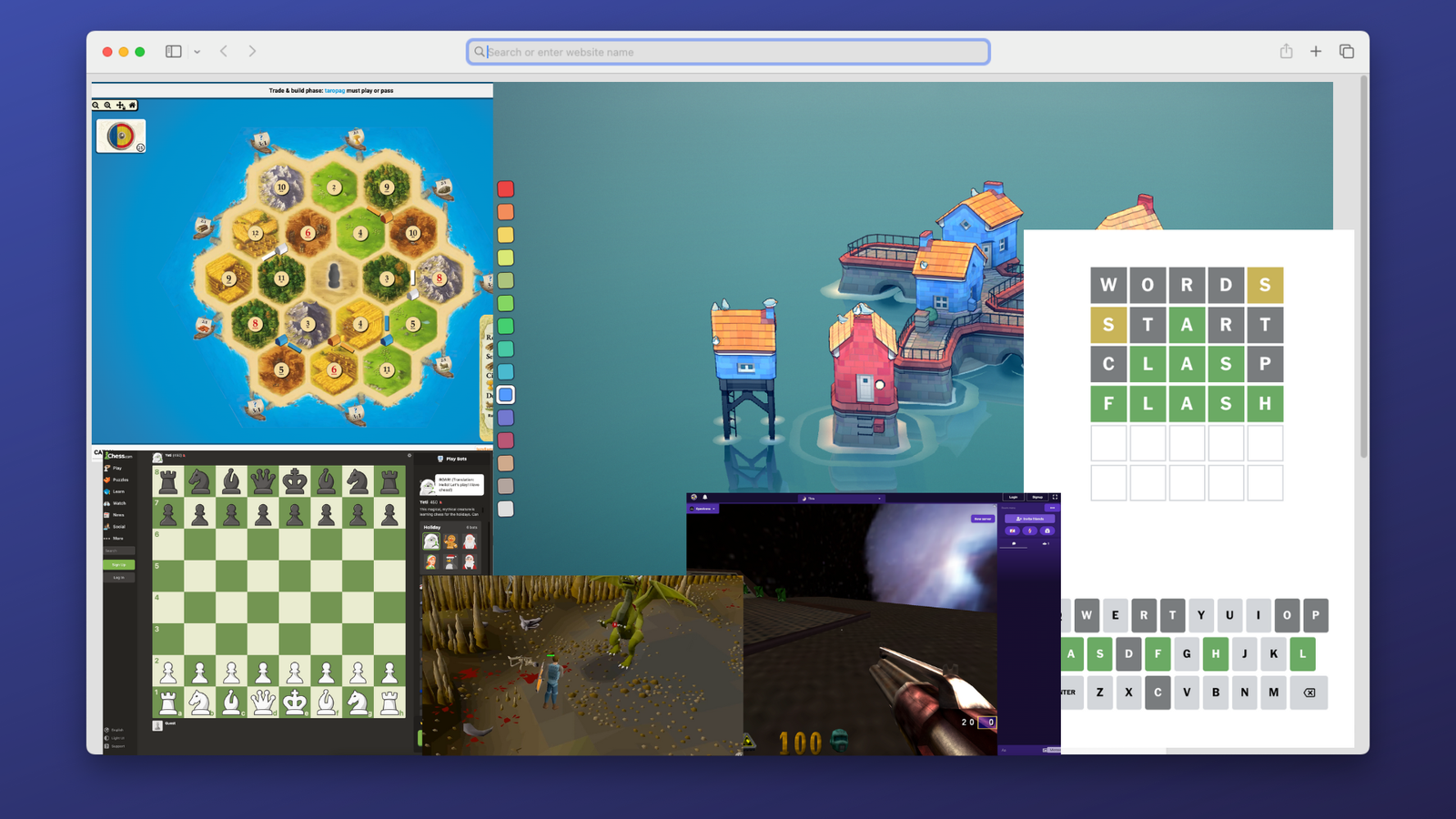
10 Awesome Games You Can Play Right Now In Your Browser Without Installing Anything Sometimes you have the urge to play some video games, but you don't have the right hardware with you. Perhaps you're stuck at work or school, or you have a basic device like a Chromebook. The good news is that there are a lot of games out there where you need nothing more than a web browser to play. See #technology #gaming
Danie's avatar
Danie 1 year ago
After market office chair wheels can be a worthy and cheap upgrade For some reason, even the most expensive office chairs come with pretty plain plastic wheels. They don't roll so well, often need a floor protector, and worse they make a bit of noise, especially on harder surfaces. Most chairs though will take generic wheels stems: 7/16" (11 mm), stem length: 7/8" (22 mm). Generally, the polyurethane wheel material is more abrasion resistant and quieter to use. STEALTHO for example uses elastic polyurethane, which is the safest material for your hardwood floor or carpet (so they say). These are not available locally in South Africa, though, but can be found on the Amazon US store. I see there are also Slipstick CB690 Floor Protecting Rubber Office Chair Caster Wheels, which are available in SA on Amazon SA (and US). But I'm going to take a chance first on some much cheaper ones I found on Takealot in SA, which are advertised as the Officeway brand. Yes, some wheels glow in the dark, but that is not a necessity for most people. In my case I'm looking to reduce the noise a bit as my wife records videos with a very high sensitivity level for audio. #technology #officechair #wheels image
Danie's avatar
Danie 1 year ago
Where to Watch New Year's Eve Celebrations From Around the World Links to live streams for various cities around the world. Why celebrate once when you can celebrate on the hour all day long! Not all are pointing directly at the celebrations though, e.g. Cape Town's cam is pointing towards the mountain, and not towards the Waterfront where the fireworks are going off. So for Cape Town maybe try this one at or this one further away especially for the fireworks at See #technology #livestream #newyear image
Danie's avatar
Danie 1 year ago
Home Assistant’s new hardware voice assistant answers to ‘Hey Jarvis’ and can work offline There’s a new voice assistant in town, and this one can work locally in your home without phoning home to its corporate overloads. This week, the popular hobbyist smart home platform Home Assistant officially launched its first voice assistant hardware — Home Assistant Voice Preview Edition. Built for the open-source smart home platform, Voice PE costs $59 and brings a locally controlled, privacy-focused voice assistant to Home Assistant in a plug-and-play package. Once connected to Home Assistant, you can use voice to control any connected device, with commands such as “Turn on the living room lights,” “Lock all the doors,” “Create a timer for 5 minutes,” and many more. There have been other solutions before, but they were not so reliable, and of course the Google or Amazon based ones require the cloud access of these companies, and many do not like to have that channel open. This is a hardware device (that does look pretty good) and seems to be pretty versatile. I think it could be well worth it, as long as it will get ongoing updates and not be replaced with some new model in the short term. Despite that, seeing it works fully offline, you should at least find it won't ever be bricked or turned into a paper weight. See #technology #homeassistant #privacy image
Danie's avatar
Danie 1 year ago
Oasis Security Research Team Discovers Microsoft Azure MFA Bypass: We Expect More From An Enterprise Provider Though Oasis Security's research team uncovered a critical vulnerability in Microsoft's Multi-Factor Authentication (MFA) implementation, allowing attackers to bypass it and gain unauthorized access to the user’s account, including Outlook emails, OneDrive files, Teams chats, Azure Cloud, and more. Microsoft has more than 400 million paid Office 365 seats, making the consequences of this vulnerability far-reaching. The bypass was simple: it took around an hour to execute, required no user interaction, and did not generate any notification or provide the account holder with any indication of trouble. The news surfaced now in the last week, so Microsoft has addressed the issue already. For me, though, the real news is that a global enterprise level IT company should not have had such basic guardrails missing. It appears really that Microsoft had knowingly relaxed some measures around its 2FA to allow for convenience. But surely a lack of attack rate limiting is just unforgivable. One of the basics I always employ on my servers and blog, is attack rate limiting with lengthy blocks in place. If anyone has to guess a password or 2FA more than 3 times, there is something wrong. Microsoft has had so many security fumbles over time that it is quite amazing that their monopoly in the workplace goes unchallenged. It seems Microsoft has very little care about their customers, as long as the money is rolling in, and if that eases, they just change the licensing parameters a bit. The recent Microsoft Recall feature was just another example of completely not appreciating their customers' privacy, and that was also only addressed after a major outcry. Microsoft probably has too much inertia, but actually there are some pretty good alternatives around if one takes a little trouble to rise out of the deep rut. The combination of pretty admin tools, AI, and cloud services has unfortunately made many admins way too lazy today. I think the quality of our admins on the edge, is a lot weaker than it used to be two decades back. All this usually means an even greater reliance on Microsoft where it is used in a corporate environment. Security is about keeping it simple, and having a reasonable depth of knowledge about what is being managed. See #technology #security #2FA #vulnerability image
Danie's avatar
Danie 1 year ago
Thanks to Whiskey, You Will Be Gaming on Your Mac More Than Ever Whiskey is a free app that you can download right now, and use to play Windows games on your Mac. It brings together the WINE compatibility layer as well as Apple's own Game Porting Kit, while removing all the nerdy setup and hassle involved with both. So it seems that Whiskey is stronger than WINE! It seems to be a bit like the Bottles app on Linux. In my own case, Steam on Linux is playing most games that I want to play, but if you want to play games that are not on Steam, then I suppose Whiskey and similar apps would be the way to go. See #technology #gaming #macOS image