Danie's avatar
Danie
danie@nostr.fan
npub1g2jp...yjj6
Testing out new wallet
Danie's avatar
Danie 1 year ago
Absolute Essentials You Need to Know to Survive Vi Editor The most common question most people ask about the vi editor is: How do I exit vi? The joke answer goes: "You don't. You learn to live with it." but the serious answer is to press Esc to ensure you're in command mode first, then type `:q!` and hit Enter (or `:wq!` to save and quit). The problem most modern users sit with, is that the vi editor originates from the 1970s and still uses those unique keyboard shortcuts (it did not modernise like the nano editor did in 2024). There is no doubt that the vi editor (or vim if you use the GUI) is very powerful with its long history of support and plugins. But for most users, like myself, the first thing I do on any new VPS I set up is run `sudo apt install nano`. The vi editor is usually already installed by default on most Unix or Linux systems, so you rarely need to ever install it. But there are many die-hard vi users, and none of those will ever be caught dead using anything else. Certainly if you are looking for more advanced usage out of an editor, it may be well worth learning how to use vi, and you'll also be safe in the knowledge that nothing will suddenly change in the next few years. It is an editor grounded in stability, extensibility, and consistency. The linked article is one of the best I've seen as a really easy to understand getting started guide with the vi editor. So, if you are curious to just have a look at it, this article will help you understand better how it works (and of course how to exit it). See #technology #opensource #editors #Linux

Danie's avatar
Danie 1 year ago
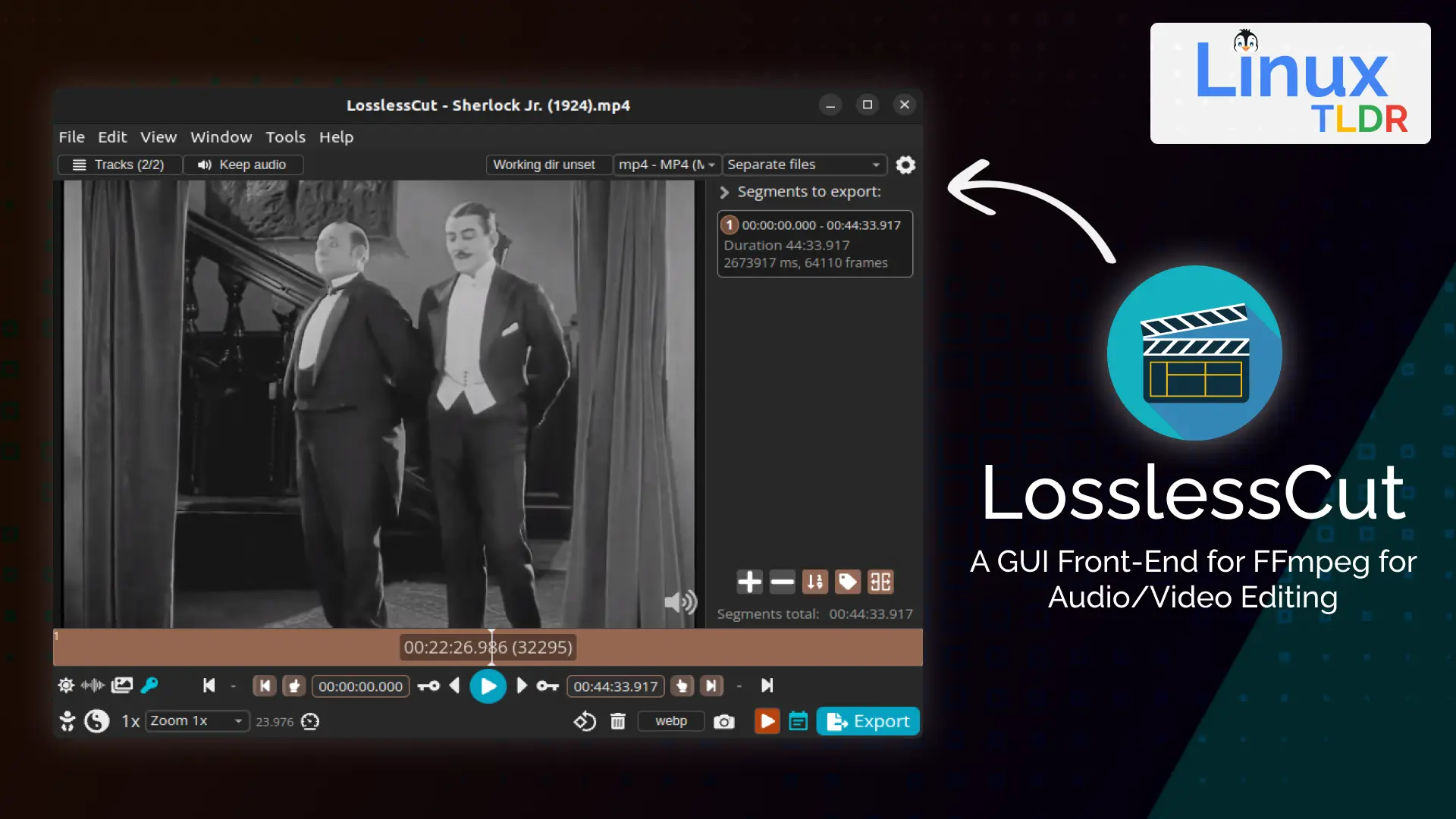
LosslessCut is an open source cross-platform FFmpeg GUI for extremely fast and lossless operations on video and audio files LosslessCut aims to be the ultimate cross-platform FFmpeg GUI for extremely fast and lossless operations on video, audio, subtitle, and other related media files. The main feature is lossless trimming and cutting of video and audio files, which is great for saving space by rough-cutting your large video files taken from a video camera, GoPro, drone, etc. It lets you quickly extract the good parts from your videos and discard many gigabytes of data without doing a slow re-encode and thereby losing quality. Or you can add a music or subtitle track to your video without needing to encode. Everything is extremely fast because it does an almost direct data copy, fuelled by the awesome FFmpeg which does all the grunt work. The linked article below shows how to install and use it, with some practical examples. See #technology #opensource #video
Danie's avatar
Danie 1 year ago
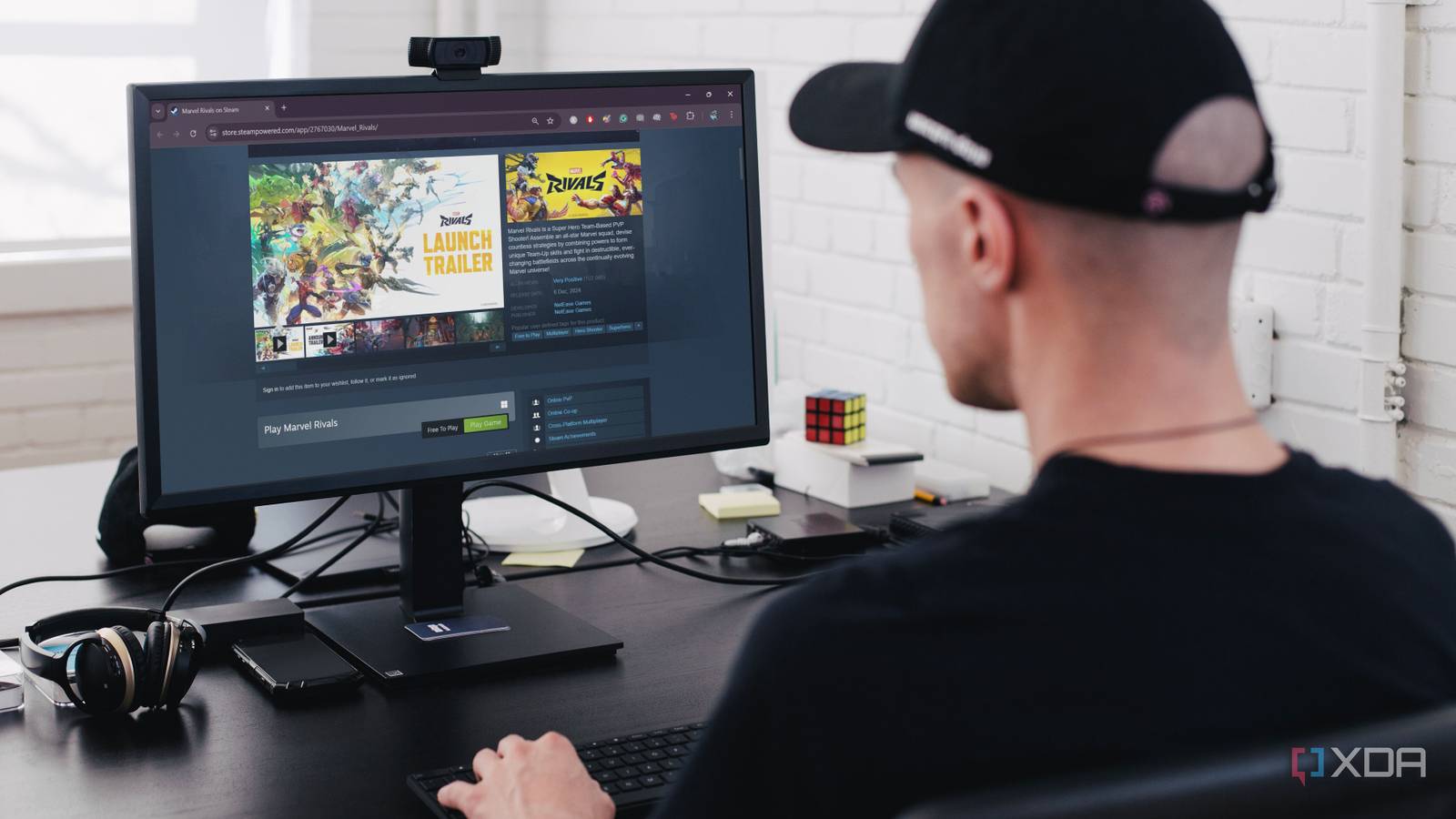
8 best free-to-play games on Steam Gaming doesn’t have to break the bank, especially when you have Steam’s incredible library of free-to-play games. Whether you’re into first-person shooters, strategy games, or fantasy worlds, Steam offers something for everyone. Here are the top eight free-to-play games on Steam you can download and enjoy on your PC without spending a dime. These are an interesting variety of games, and pretty well much something for everyone. I've been seeing quite a bit about new fishing fleet simulators in 2024, so although Fishing Planet is not the boat side of it, it is certainly a relaxing fishing sim game. Gaming cannot get more relaxing than fishing. See #technology #gaming
Danie's avatar
Danie 1 year ago
4 Free eBook Reader Apps for Android to Get You Out of Your Reading Slump Google Play Books and the Kindle app are perfectly fine. They keep your books in the cloud (perfect if you switch devices often) and provide a decent enough interface to read for long periods. But they’re only compatible with just one or two file formats. Neither app plays nicely with formats other than EPUB or MOBI. You have to manually upload your files to the cloud to read the books, so these apps aren't totally offline. Plus, you can’t really fine-tune the reading experience or the app interface like you can with other apps. For Kindle, you could convert formats in Calibre and send via WhisperSync to your Kindle library, but if you want to stay out of the Kindle ecosystem, then using a standalone app is your alternative. For the rest of us who find these big tech apps lacking in some way (perhaps you want to read comic books or use a custom font), here’s a list of a few neat eReader apps that I like. Personally, I use Moon+ Reader Pro. It not only opens the Calibre e-book server directly on my desktop computer, it will also filter that Calibre library by newest or Reading List, and it can use any WebDAV networked folder (e.g. NextCloud) to sync reading progress, highlights, etc across my Android devices. It's downside really is that it is limited to reading across Android devices, so my desktop computer as well as iPad won't sync with it. See #technology #reading #ebooks image
Danie's avatar
Danie 1 year ago
Yep, replacing for the sake of replacing, when something is not broken, is just wastful! Something Microsoft really should try... View quoted note →
Danie's avatar
Danie 1 year ago
The nursery was quite colourful today
Danie's avatar
Danie 1 year ago
This USB-C cable can rotate 360 degrees for optimal cable management USB-C was a great step forward, removing the awkward "try to plug in the cable, doesn't fit, rotate 180 degrees, still doesn't fit" dance, but cable management is still a pain. If you wish your cables didn't stick out at awkward angles and could rotate to fit your needs best, one Japanese company has your back—with a catch. So whilst it will deliver 240W of charging power, actual data transfer rates are stuck at USB 2.0 rates. I can see that data throughput is going to be more sensitive than power delivery. And right now it is only available from their website. Still, let's hope this idea takes off and improvements can be made. See #technology #USB
Danie's avatar
Danie 1 year ago
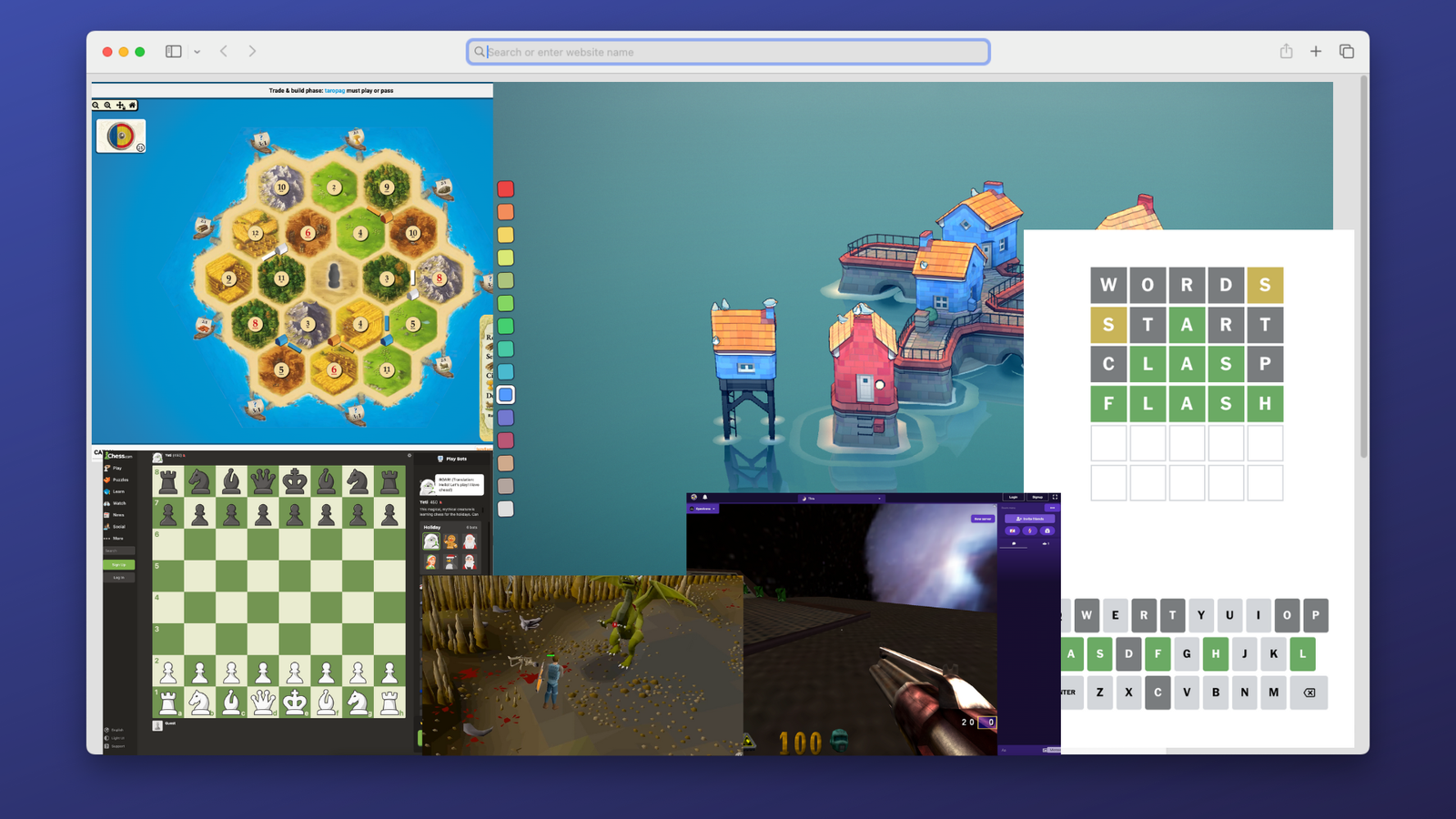
10 Awesome Games You Can Play Right Now In Your Browser Without Installing Anything Sometimes you have the urge to play some video games, but you don't have the right hardware with you. Perhaps you're stuck at work or school, or you have a basic device like a Chromebook. The good news is that there are a lot of games out there where you need nothing more than a web browser to play. See #technology #gaming
Danie's avatar
Danie 1 year ago
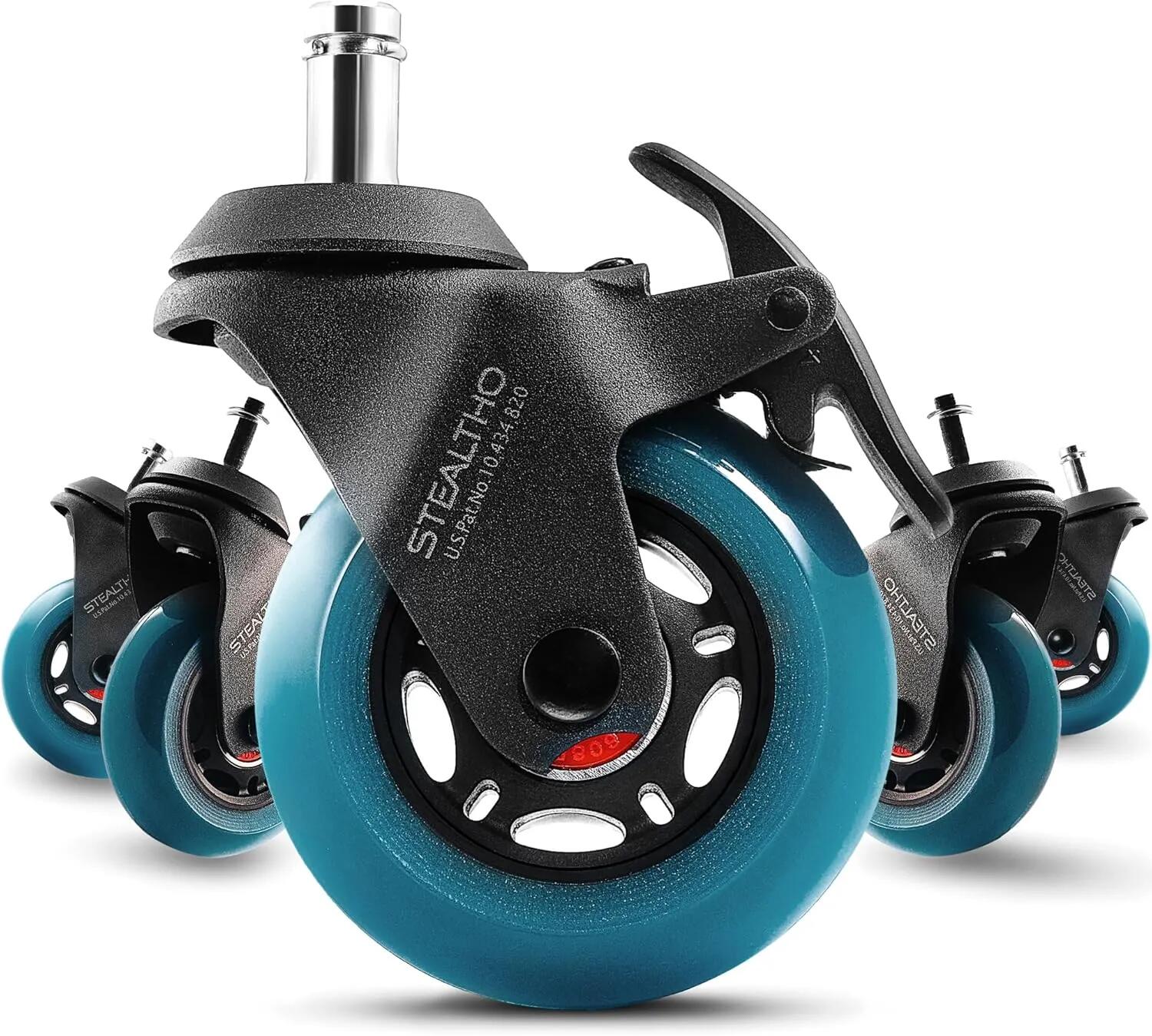
After market office chair wheels can be a worthy and cheap upgrade For some reason, even the most expensive office chairs come with pretty plain plastic wheels. They don't roll so well, often need a floor protector, and worse they make a bit of noise, especially on harder surfaces. Most chairs though will take generic wheels stems: 7/16" (11 mm), stem length: 7/8" (22 mm). Generally, the polyurethane wheel material is more abrasion resistant and quieter to use. STEALTHO for example uses elastic polyurethane, which is the safest material for your hardwood floor or carpet (so they say). These are not available locally in South Africa, though, but can be found on the Amazon US store. I see there are also Slipstick CB690 Floor Protecting Rubber Office Chair Caster Wheels, which are available in SA on Amazon SA (and US). But I'm going to take a chance first on some much cheaper ones I found on Takealot in SA, which are advertised as the Officeway brand. Yes, some wheels glow in the dark, but that is not a necessity for most people. In my case I'm looking to reduce the noise a bit as my wife records videos with a very high sensitivity level for audio. #technology #officechair #wheels image
Danie's avatar
Danie 1 year ago
Where to Watch New Year's Eve Celebrations From Around the World Links to live streams for various cities around the world. Why celebrate once when you can celebrate on the hour all day long! Not all are pointing directly at the celebrations though, e.g. Cape Town's cam is pointing towards the mountain, and not towards the Waterfront where the fireworks are going off. So for Cape Town maybe try this one at or this one further away especially for the fireworks at See #technology #livestream #newyear image
Danie's avatar
Danie 1 year ago
Home Assistant’s new hardware voice assistant answers to ‘Hey Jarvis’ and can work offline There’s a new voice assistant in town, and this one can work locally in your home without phoning home to its corporate overloads. This week, the popular hobbyist smart home platform Home Assistant officially launched its first voice assistant hardware — Home Assistant Voice Preview Edition. Built for the open-source smart home platform, Voice PE costs $59 and brings a locally controlled, privacy-focused voice assistant to Home Assistant in a plug-and-play package. Once connected to Home Assistant, you can use voice to control any connected device, with commands such as “Turn on the living room lights,” “Lock all the doors,” “Create a timer for 5 minutes,” and many more. There have been other solutions before, but they were not so reliable, and of course the Google or Amazon based ones require the cloud access of these companies, and many do not like to have that channel open. This is a hardware device (that does look pretty good) and seems to be pretty versatile. I think it could be well worth it, as long as it will get ongoing updates and not be replaced with some new model in the short term. Despite that, seeing it works fully offline, you should at least find it won't ever be bricked or turned into a paper weight. See #technology #homeassistant #privacy image
Danie's avatar
Danie 1 year ago
Oasis Security Research Team Discovers Microsoft Azure MFA Bypass: We Expect More From An Enterprise Provider Though Oasis Security's research team uncovered a critical vulnerability in Microsoft's Multi-Factor Authentication (MFA) implementation, allowing attackers to bypass it and gain unauthorized access to the user’s account, including Outlook emails, OneDrive files, Teams chats, Azure Cloud, and more. Microsoft has more than 400 million paid Office 365 seats, making the consequences of this vulnerability far-reaching. The bypass was simple: it took around an hour to execute, required no user interaction, and did not generate any notification or provide the account holder with any indication of trouble. The news surfaced now in the last week, so Microsoft has addressed the issue already. For me, though, the real news is that a global enterprise level IT company should not have had such basic guardrails missing. It appears really that Microsoft had knowingly relaxed some measures around its 2FA to allow for convenience. But surely a lack of attack rate limiting is just unforgivable. One of the basics I always employ on my servers and blog, is attack rate limiting with lengthy blocks in place. If anyone has to guess a password or 2FA more than 3 times, there is something wrong. Microsoft has had so many security fumbles over time that it is quite amazing that their monopoly in the workplace goes unchallenged. It seems Microsoft has very little care about their customers, as long as the money is rolling in, and if that eases, they just change the licensing parameters a bit. The recent Microsoft Recall feature was just another example of completely not appreciating their customers' privacy, and that was also only addressed after a major outcry. Microsoft probably has too much inertia, but actually there are some pretty good alternatives around if one takes a little trouble to rise out of the deep rut. The combination of pretty admin tools, AI, and cloud services has unfortunately made many admins way too lazy today. I think the quality of our admins on the edge, is a lot weaker than it used to be two decades back. All this usually means an even greater reliance on Microsoft where it is used in a corporate environment. Security is about keeping it simple, and having a reasonable depth of knowledge about what is being managed. See #technology #security #2FA #vulnerability image
Danie's avatar
Danie 1 year ago
Thanks to Whiskey, You Will Be Gaming on Your Mac More Than Ever Whiskey is a free app that you can download right now, and use to play Windows games on your Mac. It brings together the WINE compatibility layer as well as Apple's own Game Porting Kit, while removing all the nerdy setup and hassle involved with both. So it seems that Whiskey is stronger than WINE! It seems to be a bit like the Bottles app on Linux. In my own case, Steam on Linux is playing most games that I want to play, but if you want to play games that are not on Steam, then I suppose Whiskey and similar apps would be the way to go. See #technology #gaming #macOS image
Danie's avatar
Danie 1 year ago
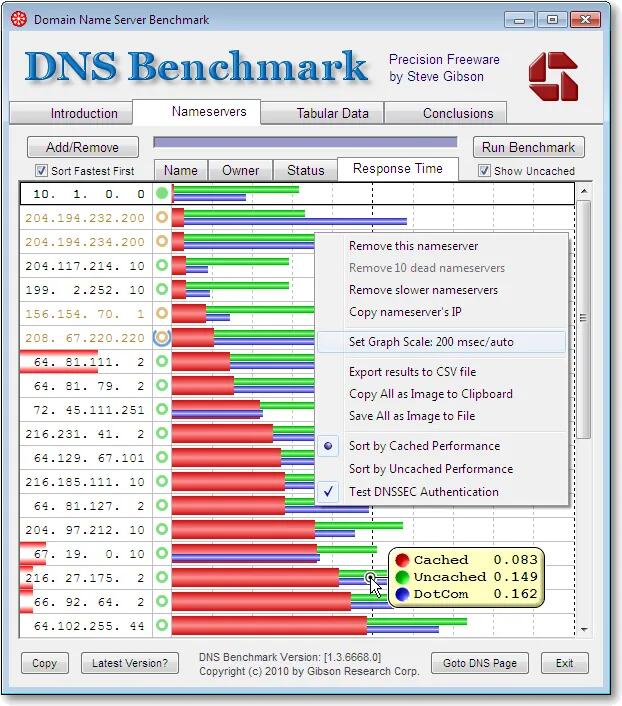
GRC's DNS Benchmark software is getting a new version after 15 years Seems that v1, which is now 15 years old and nearly 10 million downloads, still gets downloaded over 1,000 times daily. But it has needed a fresh for a while now. IPv6 is here as well as encrypted DoH, DoT, DoQ, etc. There is a roadmap published at the link below outlining what the planned new features look like. There will still be a free version with some new features, but there are also Plus and Pro versions that have a once-off fee, but do include all future updates. Although it was (and still will e) written to work on Windows OS, it will be fully compatible to run under WINE on Linux. So hopefully this will be available sometime later in 2025. See #technology #DNS image
Danie's avatar
Danie 1 year ago
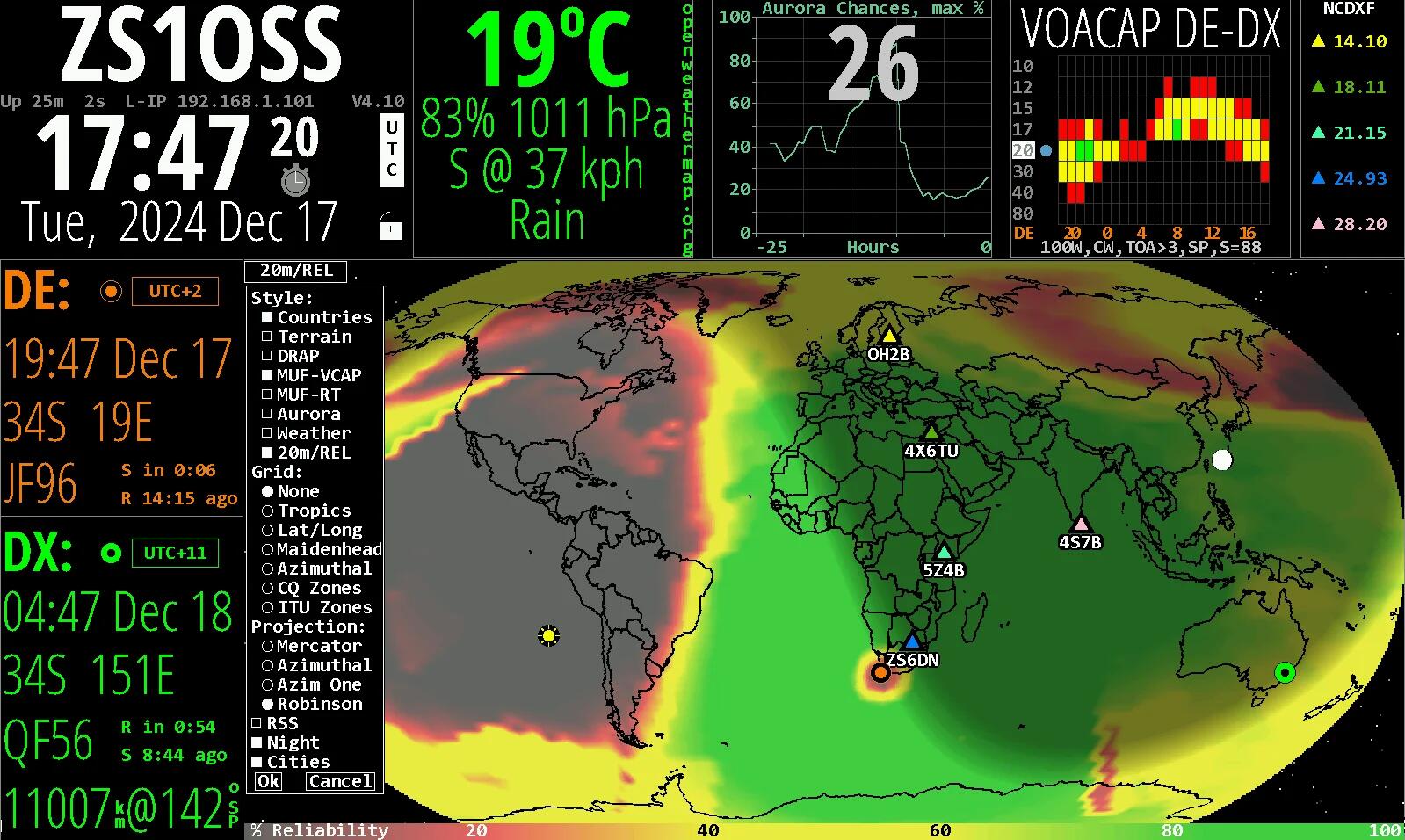
HamClock provides real time space weather, radio propagation models, and other info useful to radio amateurs This is a highly customisable application that draws in all sorts of technical information that can help radio amateurs. Each pane can be changed to show relevant information. What I really like is the frequency / band projections to any specific DX location. One really has to read the manual, though, to get full use out of the app. For non-hams though, it is still a very interesting app, being able to show time and distance to any location, as well as weather conditions at those locations. The app runs on Linux (your desktop, a Raspberry Pi, etc) and is accessed via your web browser (any OS). If it does not start properly, especially on a desktop, just make sure nothing else has already got that network port in use, e.g. in my case SyncThing was hogging it, and I moved SyncThing to port 8083. You can also start HamClock with a '-w port' to specify what web port it should use. To exit the app, or look at diagnostics, etc, you can long-click for 3 seconds on the padlock symbol to get a pop-up actions menu. See  #technology #hamradio #amateurradio image
Danie's avatar
Danie 1 year ago
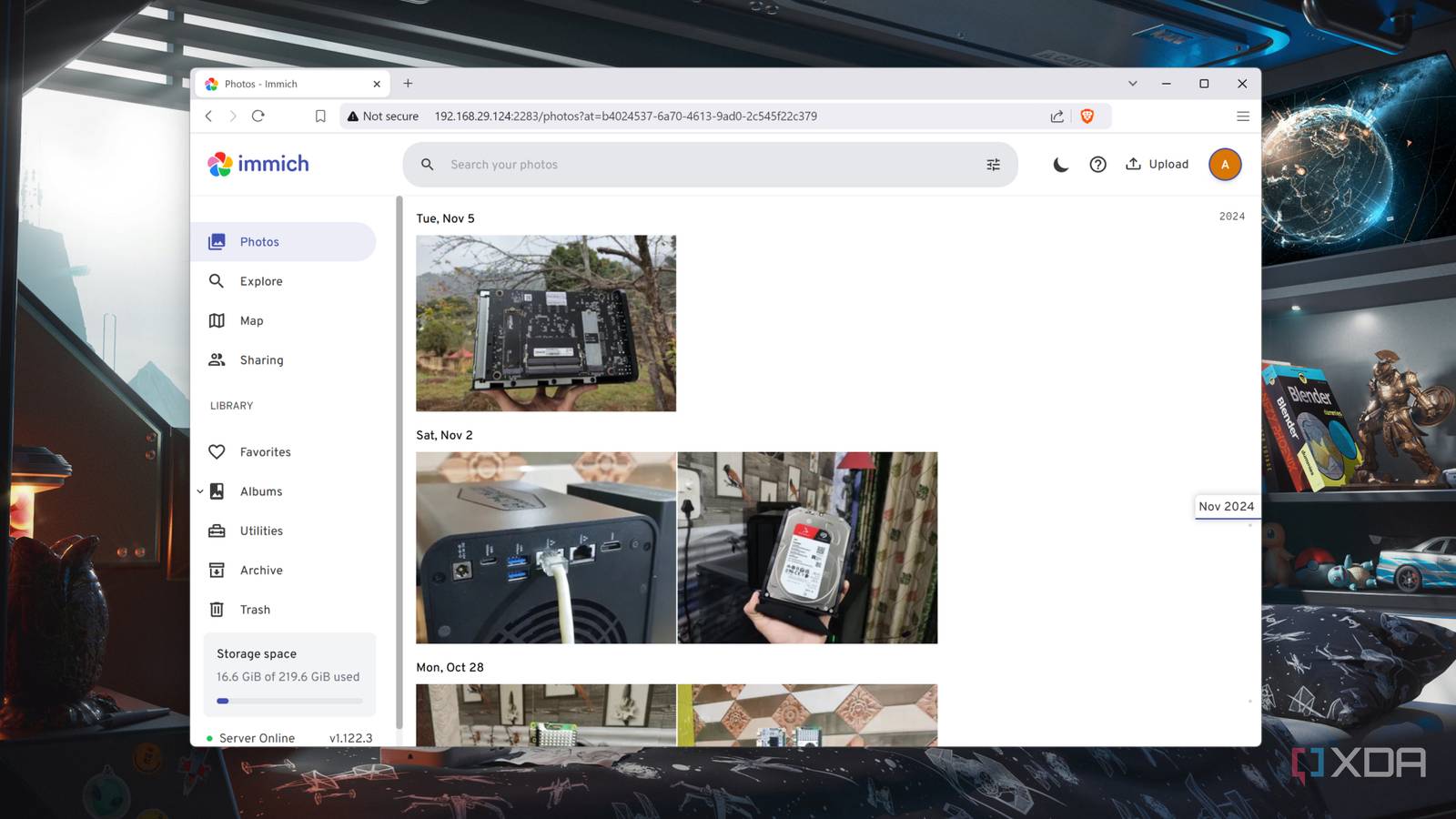
Here's how you can replace Google Photos with a self-hosted Immich server Immich is really very good - I did a video about myself a few months ago, which shows what you can expect from it and what it looks like to use. As the article mentions, it looks very much like Google Photos (the closest look alike I've seen), and it can even work from a Raspberry Pi on the home network (with an external drive connected). Immich is certainly not some clunky looking out of date app. It is really well-designed and does much of what Google Photos does. Have a quick look at my video if you are in any doubt. See and my video about Immich at #technology #selfhosted #opensource #photos image
Danie's avatar
Danie 1 year ago
How to Install Arch Linux: A Beginner’s Practical Guide Installing Arch Linux has always been a little more daunting for newer users. This is partly because it offers a little less wizard guidance, and also partly because you want to be super careful especially around what partitions to use or format, or which not to format. I know this because the first few times I even installed Ubuntu, back in the day, my biggest concern always was which partition is which, and am I going to install over something I don't want to lose. I learnt later on to separate my home folder onto a different partition, and to use GParted or KParted to carefully note down exactly which partition was which, before I started. But of course since I installed Manjaro Linux, I've never had to do another fresh installation again (basically one of the benefits that Arch Linux will give you too). This guide actually shows you how to install Arch Linux in a virtual machine, which is probably an excellent way to try the installation out first, and will give confidence for the live installation later. Remember too, with Arch Linux, you'll probably never be doing this ever again, so some effort and time is really worth it. Linux is not Windows, and I've even ported my existing drives across into a brand-new motherboard, and it has worked fine (remember to map your drives using their UUID's as that makes them pretty portable). So why not Manjaro Linux or one of the other Arch Linux derivatives? They are friendlier and easier to install, they are intended to run on their stable editions. So if you are in the habit of wanting to run some more bleeding edge git versions from the AUR, you may find things break with those packages as they often don't find some dependencies they require. Arch typically runs most of those more bleeding edge packages, so dependencies are not such an issue. Still, even if you install Arch Linux in a VM, it will make a great festive season project to play with! For some (many?) Linux users, becoming a full-time Arch Linux user is the pinnacle they want to reach. You'll tell these users apart from others, as they may express crude disdain for Manjaro Linux and other Arch derivatives in the forums ;-). But even if you use Arch Linux, they may also state you should not be using it as a new user… That said, forums are all getting a lot more friendly and helpful today, and there are also lots of Arch Linux users from all experience levels. This is really not such an issue today as it was maybe 5 plus years ago. I'm just mentioning it as those stereotypes do still crop up, but there are really tons of assistance and posts online about solving all sorts of Arch Linux issues. I know, because I use them to solve any issues I encounter on Manjaro Linux too. See #technology #opensource #linux image
Danie's avatar
Danie 1 year ago
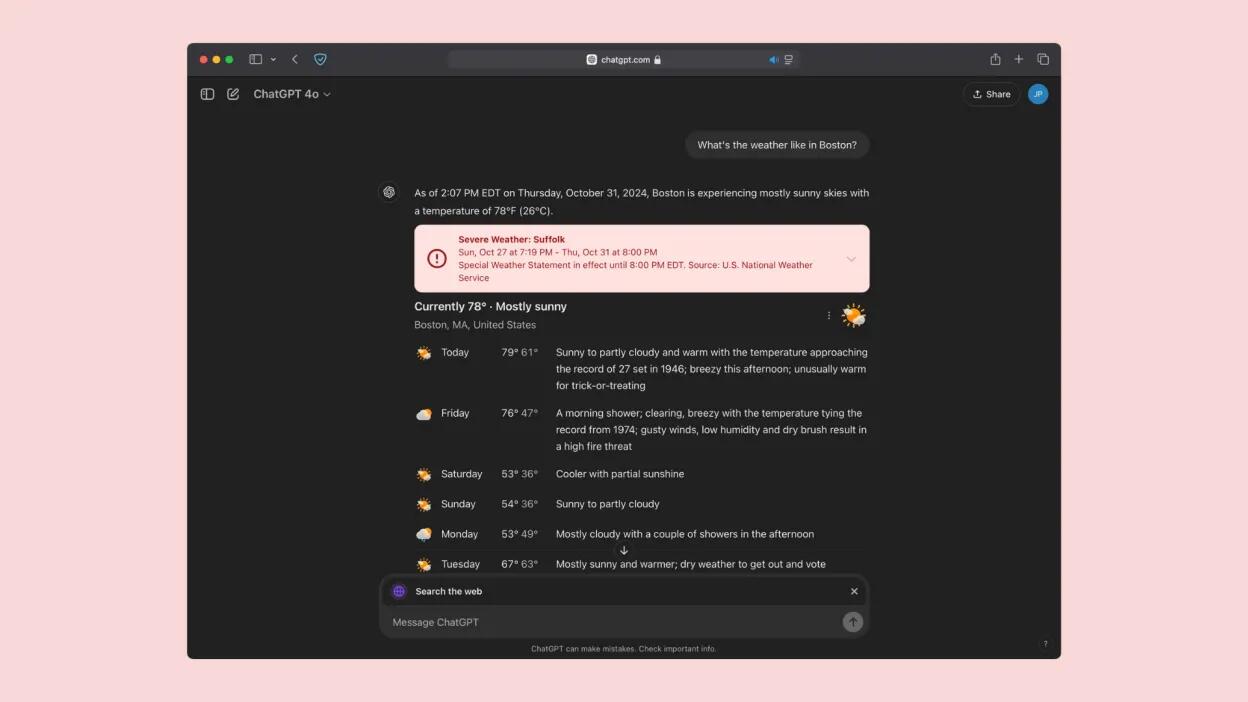
You Can Now Search the Internet With ChatGPT ChatGPT search has been out now for about a month and a half, following a Halloween announcement from OpenAI. With this new feature, the company finally rolled out an official competitor to AI search engines like Perplexity, Google's AI Overviews, and Microsoft Bing (powered by Copilot). OpenAI originally announced its search plans back in July, with a service called SearchGPT. While SearchGPT was a prototype and launched with a waitlist to try it, ChatGPT search took its place, with OpenAI rolling SearchGPT's main features into its new search feature. The feature originally launched to paid subscribers only, but now, all users can access it. We all know that AI can hallucinate, so it is good to now have another good AI search tool that can be used for comparative purposes. Also, for those you actively avoided Google's tool, this will offer a more neutral alternative option. See and the web address for SearchGPT is https://chatgpt.com #technology #search #AI image
Danie's avatar
Danie 1 year ago
Europe’s Starlink competitor is a go 290 IRIS² satellites by 2030 to provide secure connectivity to governmental users as well as private companies and European citizens. IRIS² is an acronym for Infrastructure for Resilience, Interconnectivity and Security by Satellite. The bonuses will be that the service should be fully GDPR compliance, and the German Chancellor should not be spied upon again (https://www.reuters.com/world/europe/us-security-agency-spied-merkel-other-top-european-officials-through-danish-2021-05-30/). In September, FCC chair Jessica Rosenworcel said she wanted to see more competition to Elon Musk’s Starlink, which has already launched some 7,000 satellites since 2018. “Our economy doesn’t benefit from monopolies... every communications market that has competition is strong, we see lower prices and more innovation, and honestly, space should be no exception.” So, yes it is more than just about data sovereignty, it is quite true that more competition usually will also bring better pricing and services. See #technology #satellites image
Danie's avatar
Danie 1 year ago
Some Tips on How to Check if a Screenshot Has Been Photoshopped Well, maybe they should not have given away how to easily fake a screenshot yourself, but still some useful tips to keep in mind. It helps to know what to zoom in on to look at. I did not know about the Forensically app, which is a web based app that can analyse any image in depth and create heatmaps of stuff that’s been edited in. See #technology #scams #forensics image